This release stays focused on what was already working — a tight, four-piece vocal chain that doesn't waste a single plugin slot. Zero new bells, no interface remodels. Just a rock-solid version bump to keep things current.
1. Tune Without the Lag
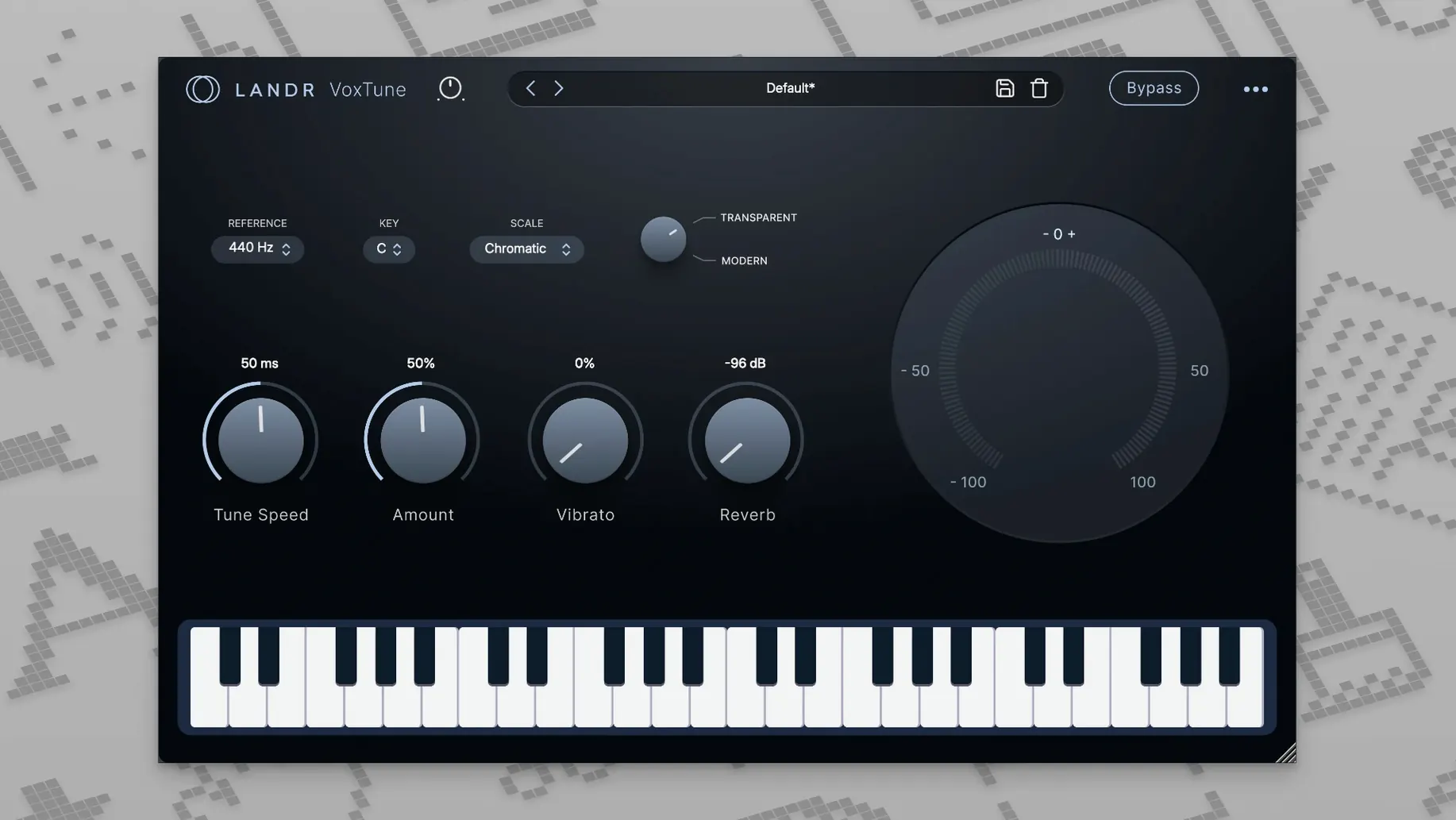
Start with VoxTune. It's the rare pitch correction plugin that actually runs with no latency, so you can track through it or leave it live without your timeline throwing a fit. Grab the voice color knob to darken or brighten the singer's formant, then nudge vibrato depth for a natural shiver or a full-on synthetic warble. The difference between "quick correction" and "obvious effect" lives entirely in how hard you lean into those two controls.
2. Shape the Channel
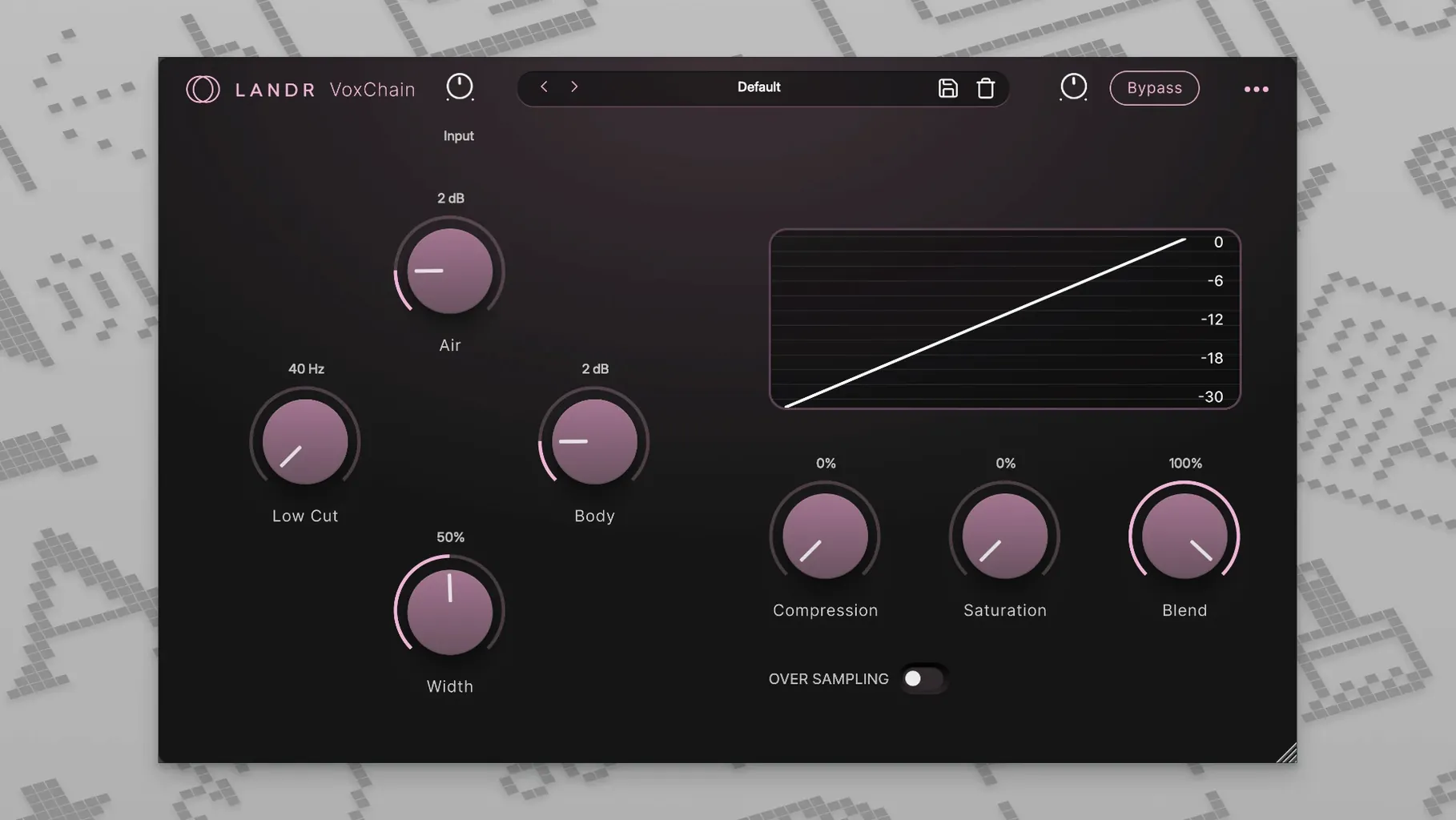
Drop VoxChain next. It bundles EQ, compression, and saturation into a single window, which means less time stacking individual processors and more time actually mixing. Push the saturation stage to give a thin condenser mic some console-style weight, or use the compressor to catch plosives before they hit your bus processing.
3. Place It in a Room
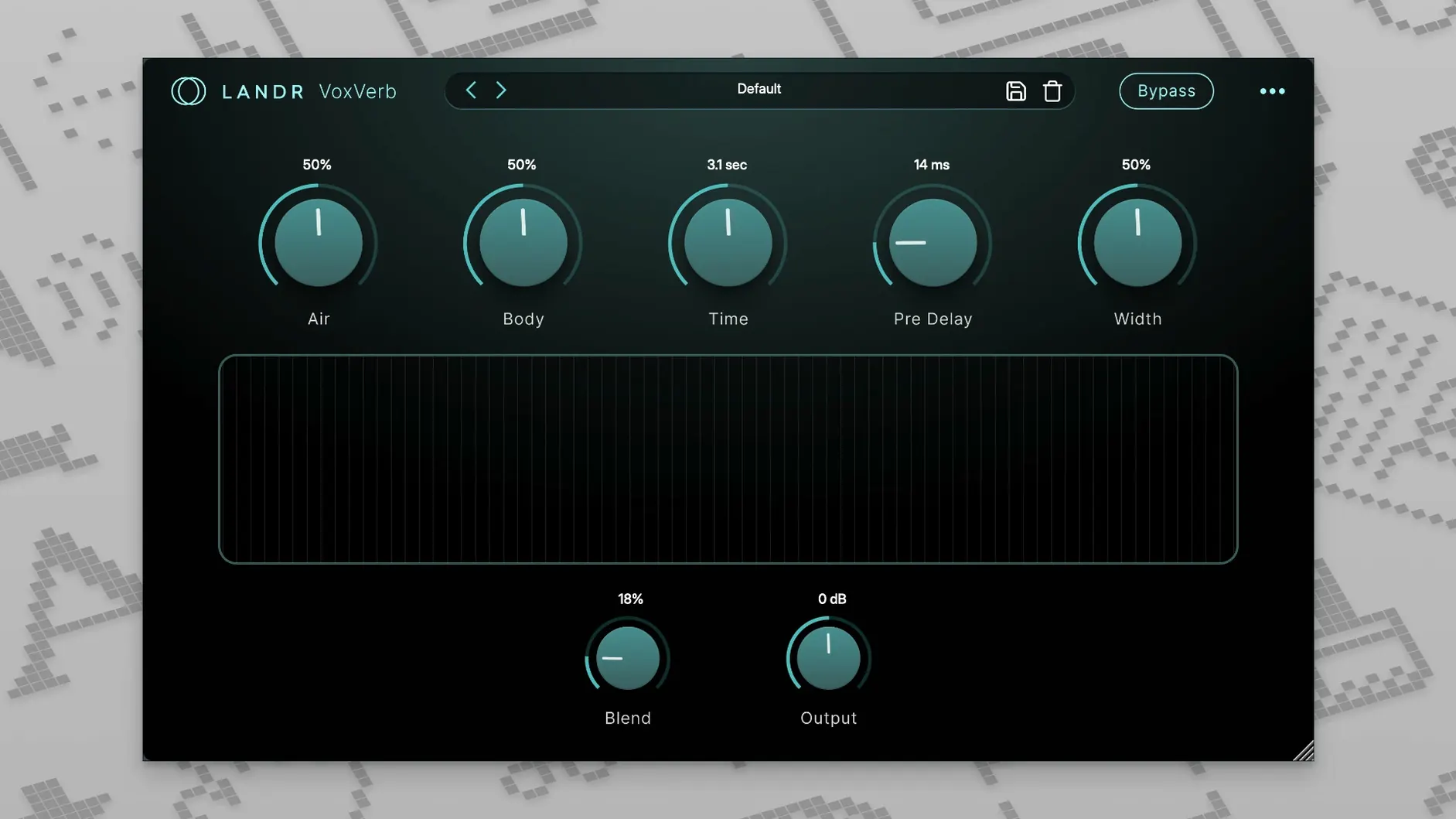
VoxVerb is tuned specifically for the frequency range that makes vocals feel three-dimensional without clouding the low-mids. A short plate setting pulls a dry bedroom recording forward; a longer hall pushes the voice back into a mix without burying the articulation.
4. Tame the Top End
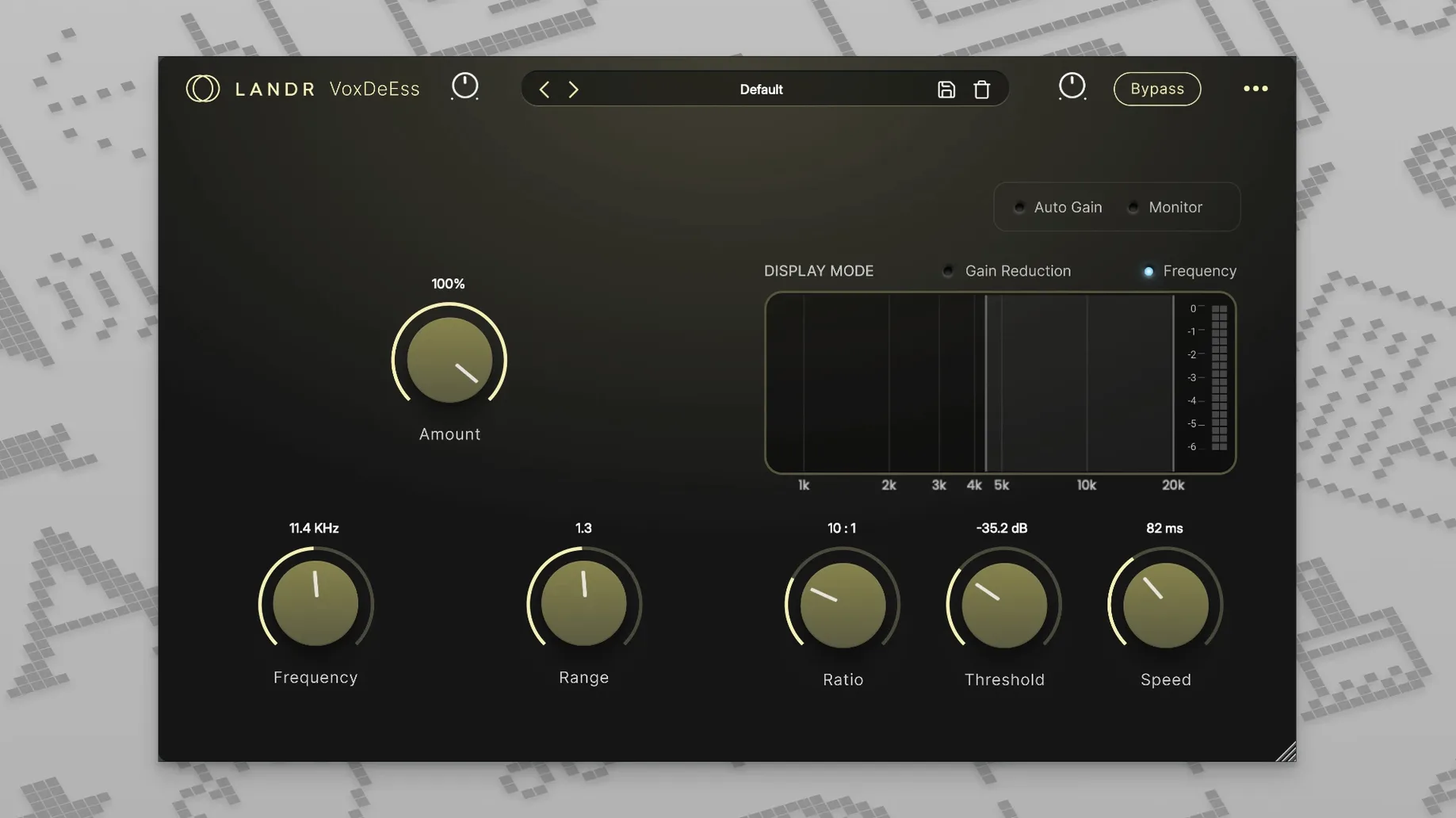
VoxDeEss cleans up the high-frequency spikes that reverb tends to amplify. Set the threshold just low enough to catch the sharpest "s" sounds and the whole chain feels cohesive — tuned, shaped, spaced, and controlled.
The bundle covers the full vocal workflow from quick corrective moves to creative tone shaping, and it holds up in a recording session, a mixdown, or a live set where plugin crashes aren't an option.
Your First 48 Hours With the Bundle
Don't load all four plugins at once on day one. That's the fastest route to frustration because you won't hear what each piece actually does. Drop VoxTune on a dry vocal track first — even if the take is solid. Dial the correction speed to around 60% and listen to how it tightens the edges without snapping the performance into robot territory. Spend ten minutes just on that.
Next, solo VoxVerb with a short plate and sweep through the decay times. You'll notice the high-end stays crisp even when the tail gets long, which isn't something most stock reverbs manage without additional EQ. That clarity is the whole point of a vocal-tuned reverb, and it's worth hearing in isolation before you bury it in a mix.
Also: assign the voice color knob in VoxTune to a MIDI controller early. Having tactile control over formant shifts during playback changes how you approach corrections — it stops being a set-and-forget fix and becomes something you play against the arrangement.
De-Ess Before Verb Stops Harsh Reverb Tails
The biggest mistake is treating VoxDeEss like a standard de-esser and slapping it last in the chain just because that's where tutorials put it. With this bundle, you often want it before VoxVerb, not after. If sibilance hits the reverb input, those harsh frequencies get smeared across the tail and amplified. Catch them upstream and the whole spatial image stays cleaner.
Another common trip-up: cranking VoxTune's correction speed to 100% and wondering why the vocal sounds lifeless. Fast correction is great for the hard-tuned effect, but for natural results keep the speed between 40–70% and use the vibrato control to reintroduce some human wobble. The plugin isn't fighting you — it's just doing exactly what you told it to.
New users also tend to over-saturate in VoxChain because the warmth feels good in solo. Check it in the full mix before committing. A little saturation goes further than you think once bass and drums are competing for headroom.
A Full Vocal Polish in One Pass
Here's a workflow for a spoken word or podcast vocal that needs to feel present but not processed. You've got a raw take with some pitch drift on longer vowels and occasional sharp esses — nothing drastic, just enough to distract.
Start with VoxTune set to a slow correction speed, around 35%. You're not chasing perfect pitch here; you're reining in the tail ends of phrases where the voice naturally drops. Dial voice color slightly brighter to compensate for a dynamic mic that sounds a touch dull. Leave vibrato at zero since spoken delivery doesn't need it.
Move to VoxChain. Pull up a gentle high-pass around 90 Hz to cut rumble, then add a 2 dB boost around 3.5 kHz for articulation. Set the compressor to a 3:1 ratio with a medium attack — fast enough to catch plosives, slow enough to let consonants breathe. Push the saturation stage until you hear just a hint of density on the loudest syllables, then back it off one notch.
Now VoxDeEss. Set the threshold so gain reduction only triggers on the hardest "s" and "sh" hits, maybe 3–4 dB of ducking. Keep the frequency detection focused around 6–8 kHz unless the voice sits unusually low.
Finish with VoxVerb on a small room preset, decay around 0.8 seconds, mix at 15% wet. The goal isn't audible reverb — it's removing that dead, close-mic'd sterility. What you get is a vocal that sounds like it was captured in a treated space, not a closet.
If you grabbed the bundle through a landr torrent or a landr mac torrent, you're getting the same plugin set that ships with the full LANDR Studio subscription. Some folks search specifically for a landr vocal plugin bundle free download to test the chain before committing, and honestly the workflow holds up whether you're mixing a record or cleaning up dialogue for a video edit. Once you've dialed in these four plugins in sequence a few times, the muscle memory kicks in and the whole process drops under ten minutes.
- macOS 12 or later
- Apple Silicon Native and Intel Macs supported
Questions I actually get
Does VoxTune introduce latency for live performance?
No. VoxTune is designed to operate with zero latency, making it safe for tracking and live vocal chains.
What does VoxChain combine into a single plugin?
VoxChain merges EQ, compression, and saturation so you can shape the vocal channel without loading separate processors.
Notes from the edit bay · 0
Sign in or get an edit-bay pass to leave a note.
No notes from the edit bay yet. They go up after I read them.