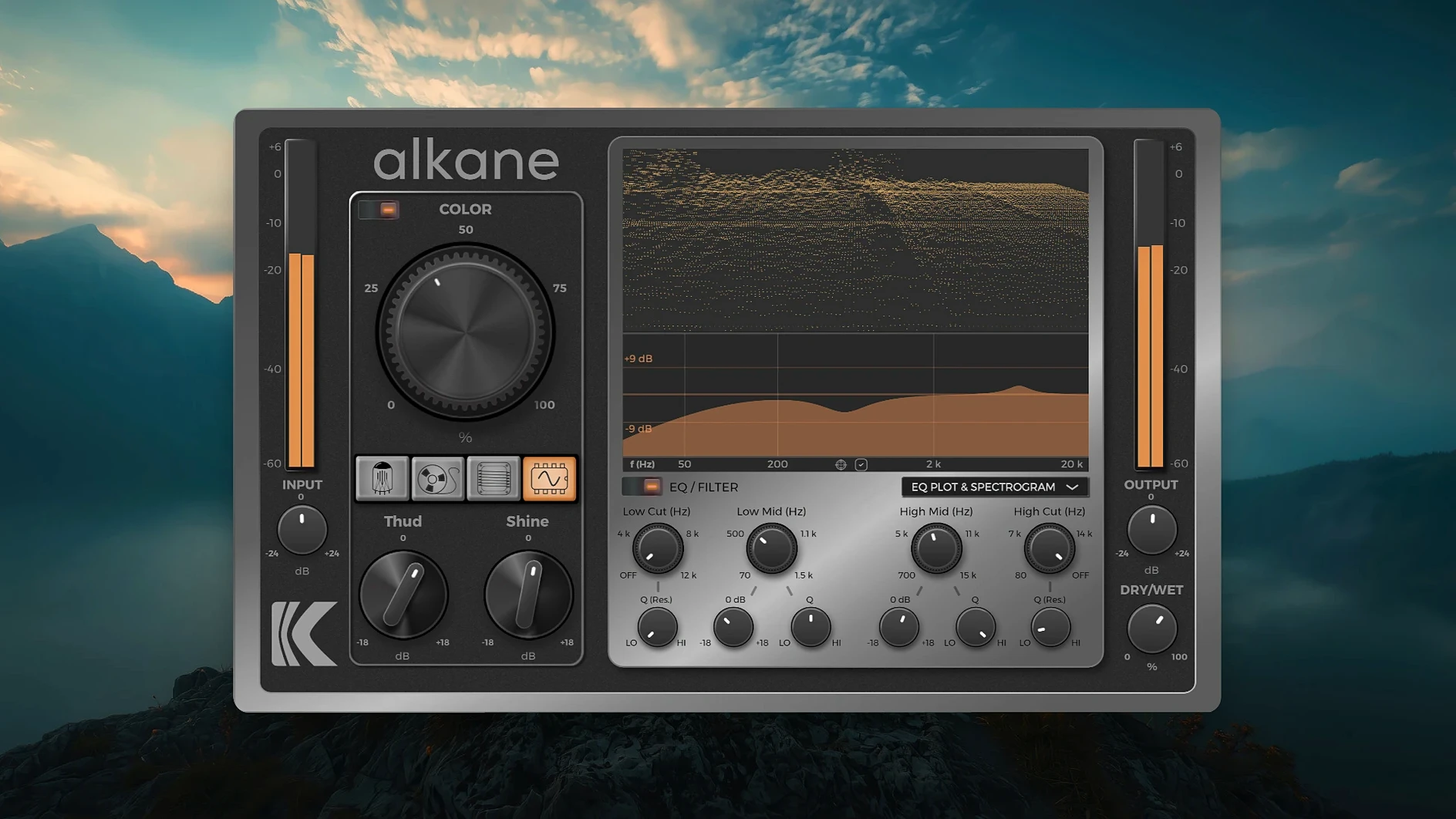
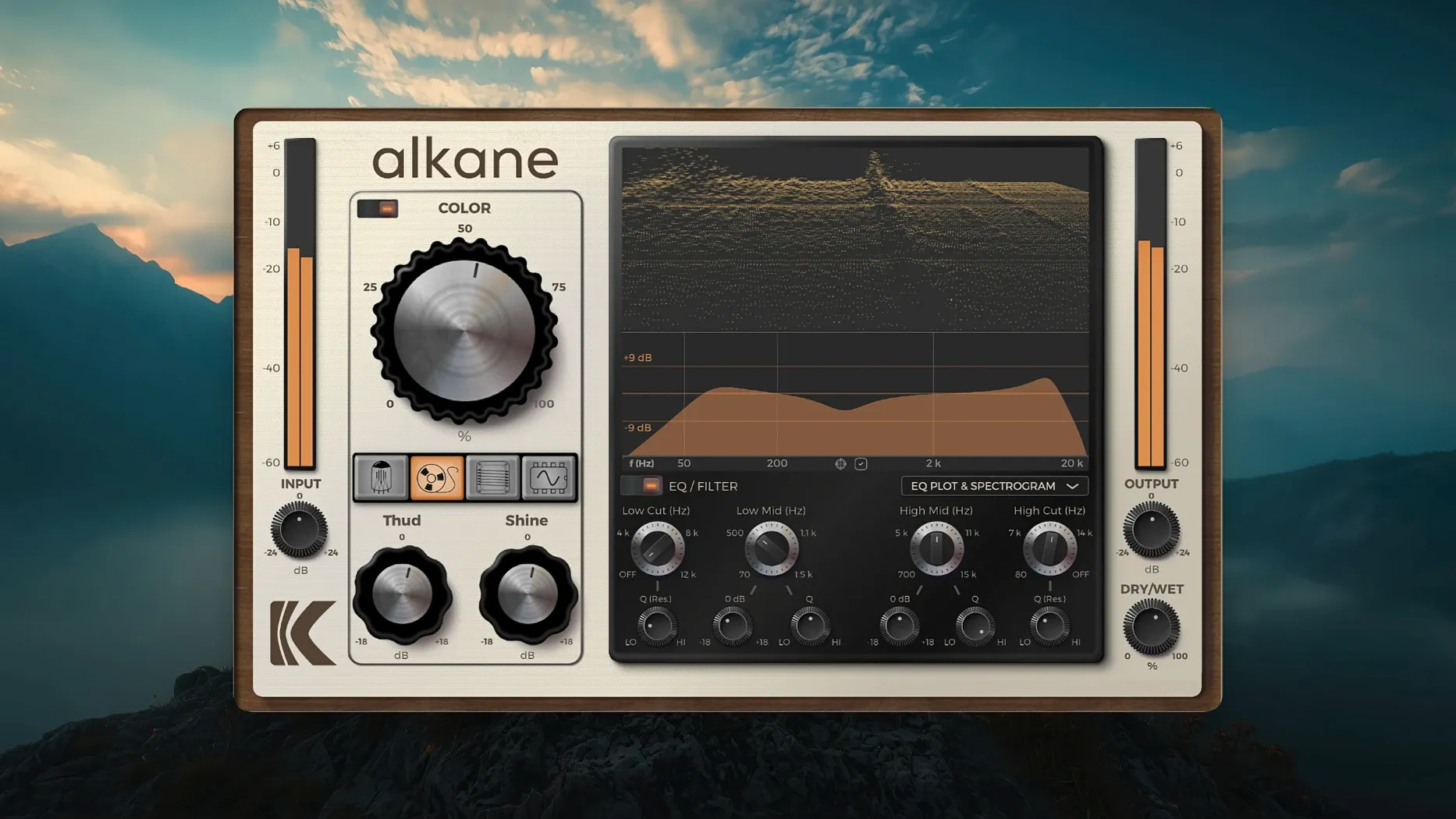
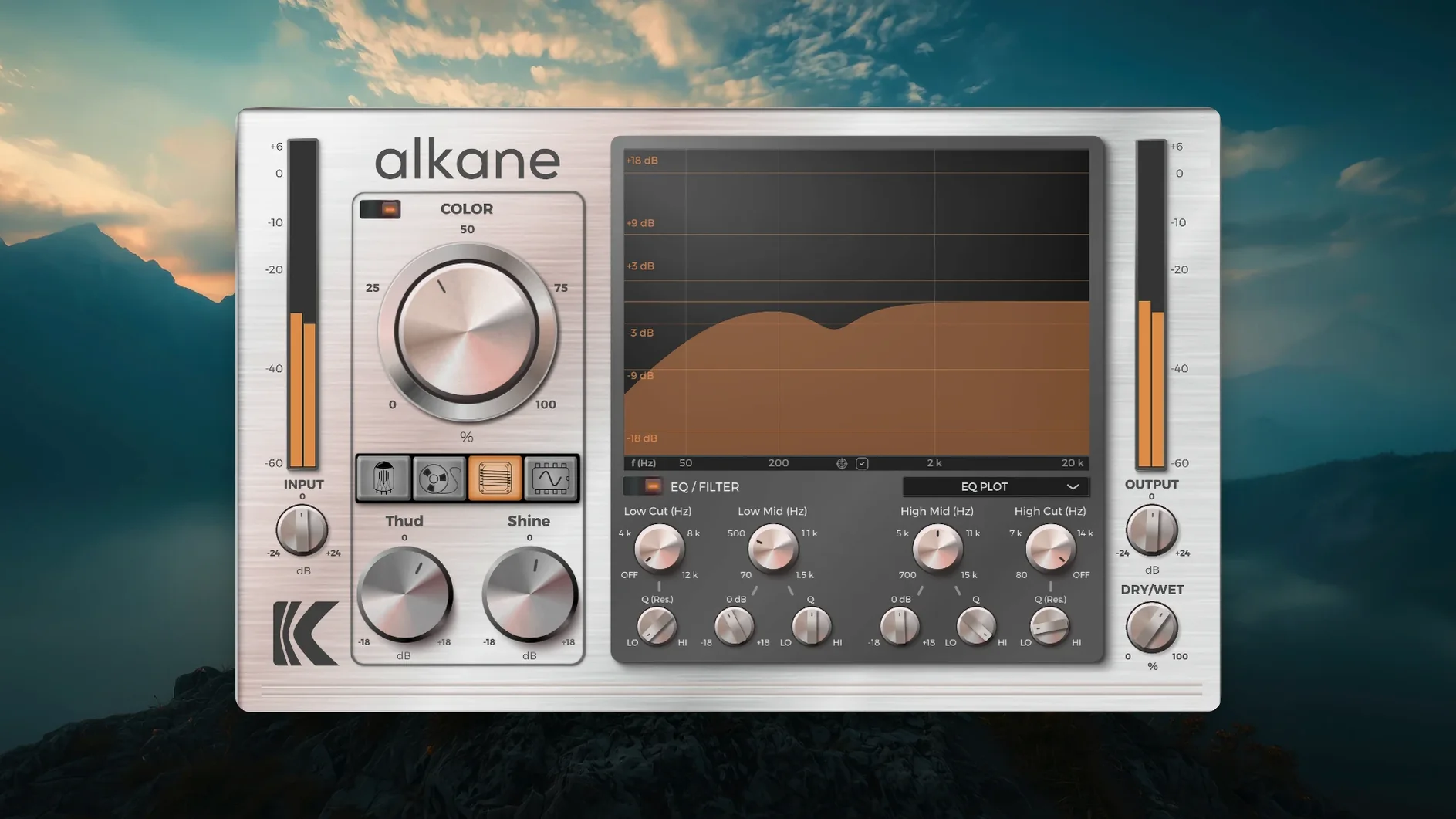
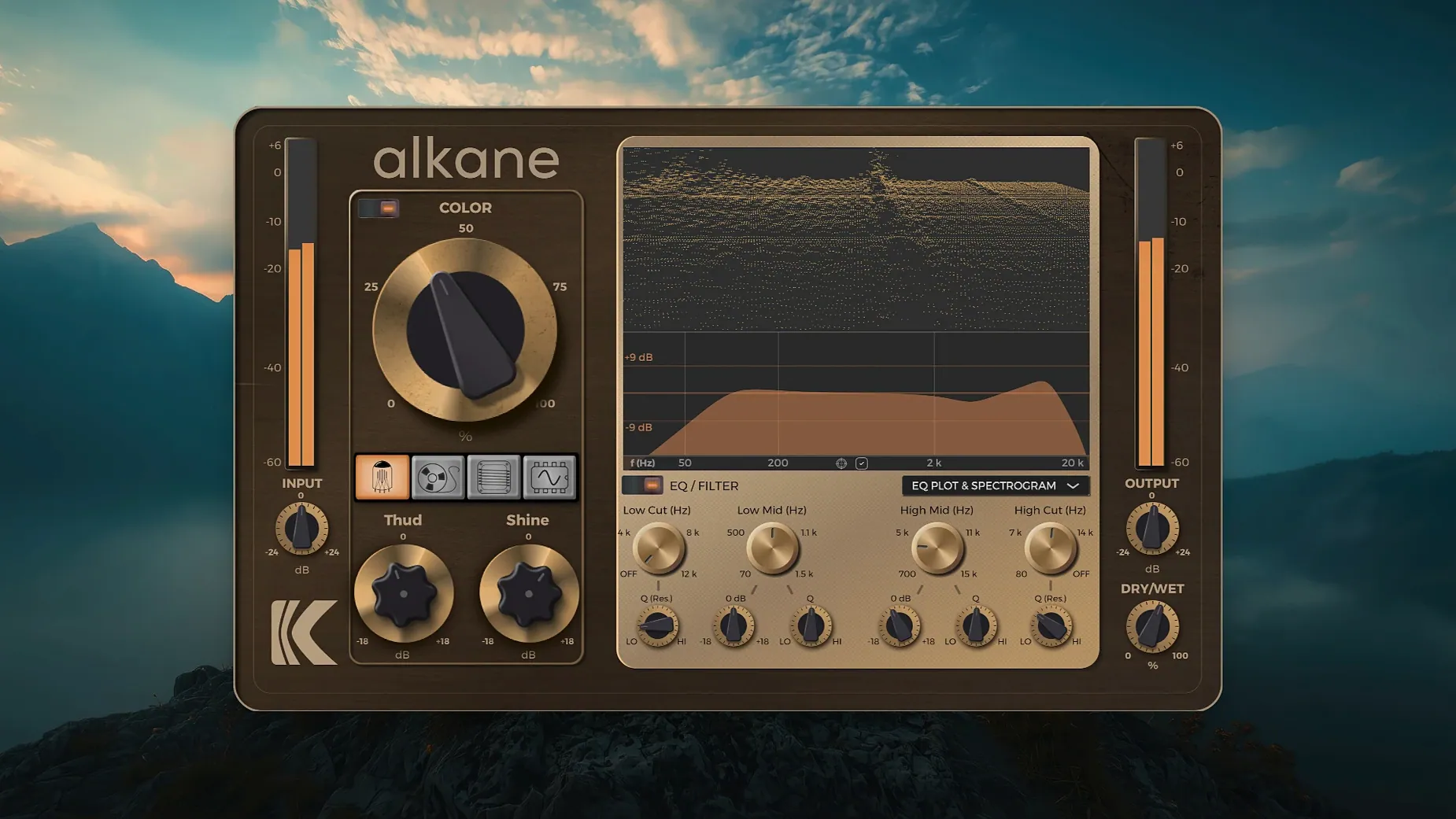
A flat, lifeless track usually isn't broken — it's just missing the imperfections that make a sound feel recorded. KD Alkane approaches this with four parallel saturation circuits, all driven by a pair of controls that don't get in the way of a deadline.
| Feature | Detail |
|---|---|
| Processing | Quad-circuit, non-linear harmonics |
| Core Controls | Color (saturation) & two-band parametric EQ |
| Oversampling | 8x |
| Filters | High-pass & low-pass |
The Color knob is where the heavy lifting happens. It drives four circuits in parallel, adding harmonics that react to transients without smearing them. Push it harder and the saturation thickens, but the core of the sound stays intact — kick drums keep their snap, vocals hold their edge. Below it, a two-band parametric EQ lets you shape which frequencies get the most harmonic attention. The high-pass and low-pass filters are exactly where they should be, making it simple to focus the saturation on just the midrange push of a bassline or the upper crackle of a snare. It's the kind of plug-in that finds a home on a drum bus, a vocal chain, or a sterile synth part that needs a bit of desk-like weight. If you've been hunting for a capable alkane plugin free download, this one earns its spot by doing one thing and doing it without the usual aliasing artifacts, thanks to that 8x oversampling running under the hood.
Parallel Circuits vs. One-Knob Wonders
KD Alkane sits in a crowded corner of the plugin world, but its approach to parallel circuits sets it apart from the usual one-knob wonders. Here's how it compares to a few tools you probably already have on your radar.
Soundtoys Decapitator. Decapitator models five analog hardware units and gives you a tone knob plus a punish button that absolutely obliterates a signal. It's aggressive, characterful, and instant. Alkane doesn't chase that same level of destruction. It's more about controlled thickening — the Tube circuit adds weight without the low-end flab Decapitator can introduce, and the transient-safe Color processing means you're not automatically reaching for a dry/wet mix control to bring back your attack.
FabFilter Saturn 2. Saturn is a multiband distortion playground with modulation, envelope followers, and enough bands to resculpt a sound from the ground up. Alkane is simpler by design. Two bands of parametric EQ and a single saturation drive — that's it. If Saturn is a modular synth, Alkane is a well-wired 500-series rack. The trade-off is speed: dialing in useable saturation on Alkane takes about fifteen seconds. Saturn rewards deeper exploration, but on a tight mix deadline, Alkane gets the job done while the Saturn preset browser is still loading.
Waves J37 Tape. J37 models a specific Studer machine and includes wow, flutter, and tape-speed controls. Alkane's Tape circuit lives in a similar space — warm, slightly compressed saturation that glues a bus together — but it's one of four circuits running in parallel, not a standalone emulation. You lose the nostalgic tape artifacts. You gain the ability to blend Tape saturation with Transformer weight or Synth grit without instantiating a second plugin.
The Apple Silicon Architecture Mismatch
No plugin is frictionless. Here are the things that trip people up with Alkane and what to do about them.
DAWs not recognizing the plugin after install. This almost always comes down to architecture mismatches on Apple Silicon. Alkane is ARM-native. If your DAW is running under Rosetta, the plugin won't show up. Launch your DAW natively or check the plugin manager's architecture filter. In Logic, hold the Option key while clicking the Audio Units manager to rescan. In Pro Tools, the AAX version should appear automatically — if it doesn't, trash the InstalledAAXPlugins cache file and restart.
CPU spikes on older Macs. That 8x oversampling isn't free. On a 2018 Mac mini or a first-generation M1 MacBook Air, stacking Alkane across twelve drum tracks can push the session into stuttering territory. Freeze or bounce tracks with heavy Color settings. You can also run the plugin at lower buffer sizes during tracking and bump it up for mixing — the oversampling scales with the project sample rate anyway, so 44.1 kHz sessions already give you plenty of headroom before aliasing creeps in.
Low-end disappearing at high Color settings. The Tube and Transformer circuits can thin out the sub frequencies when you push past about 70% on the Color knob. This isn't a bug — it's how parallel saturation builds harmonic content above the fundamental. The fix is the high-pass filter, used counterintuitively: set it around 80 Hz to keep the saturation from grabbing the subs, then boost the same region slightly with the parametric EQ. The fundamental stays clean while the harmonics stack up above it.
A Drum Bus Workflow, Start to Finish
Say you've got a drum bus that sounds clean but gutless — recorded well, mixed evenly, zero personality. Here's one way Alkane earns its place on an insert.
- Instantiate Alkane on the drum bus. Set the Color knob to noon. Flip through the four circuit models on the kick and snare-heavy sections of the track. Transformer usually hits right for drums — it adds a tight, punchy weight that doesn't blur the transients.
- Shape the saturation band. Enable the parametric EQ. Set the low band to a bell curve around 200 Hz, bump it 3 dB. This pushes more saturation into the body of the kick and the floor toms. Set the high band to a shelf at 5 kHz, cut it 2 dB — keeps the cymbals from getting gritty.
- Tighten the focus with filters. Engage the high-pass filter at 60 Hz. The sub-bass stays cleaner, which leaves headroom for the actual bass guitar or 808. Engage the low-pass at 12 kHz. Shaving off the air band prevents the saturation from adding harshness to the overheads.
- Push the Color to taste. Slowly drive the Color knob while watching the 3D spectrogram. You'll see the harmonics bloom in the low-mids. Stop when the snare's body thickens but the transient still cuts through — usually around 60–65% on the dial.
- Check in context. Bypass Alkane. The difference should be obvious: the dry bus sounds flat and two-dimensional. Re-engage. The drums now sit forward in the mix without being louder. That's the parallel circuit design at work — the harmonics fill the space normally occupied by sheer volume.
If you grabbed an alkane vst free download to try exactly this kind of drum treatment, you'll find it's the Transformer circuit doing most of the heavy lifting here. The Tube model works better for overheads and room mics; Synth adds a brittle, clipped edge that's surprisingly useful on a parallel crush bus.
Fix the Tiny Interface on 5K Displays
Alkane ships with sensible defaults, but a few tweaks make it feel like it was built for your workflow.
GUI scaling. The high-resolution interface defaults to 100%, which looks tiny on a 5K display. Hit the gear icon and bump it to 125% or 150%. The 3D spectrogram becomes actually readable, and the EQ plot stops feeling like you're squinting at a postage stamp.
Circuit blend behavior. Out of the box, the four circuits run in parallel with equal weighting. There's no blend control on the front panel — but the Color module's non-linear response means each circuit saturates at a different rate. For a denser harmonic spread, run the plugin twice on a return track with different circuit models active, then blend the returns. This trick works especially well when you pair Tape (for warmth) with Synth (for edge) and sum them to taste.
Oversampling toggle. 8x oversampling is always on by default. For tracking or live monitoring at low buffer sizes, consider the CPU cost.
- macOS 11 or later
- Apple Silicon native
Notes from the edit bay · 0
Sign in or get an edit-bay pass to leave a note.
No notes from the edit bay yet. They go up after I read them.