Runs on any Intel or Apple silicon Mac that boots macOS Sonoma 14.7, Sequoia 15.4, or Tahoe 26.1. Version 3 ships as a plugin and a new standalone desktop app, so you can pull it up without firing up your DAW.
Check a Full Mix Bus
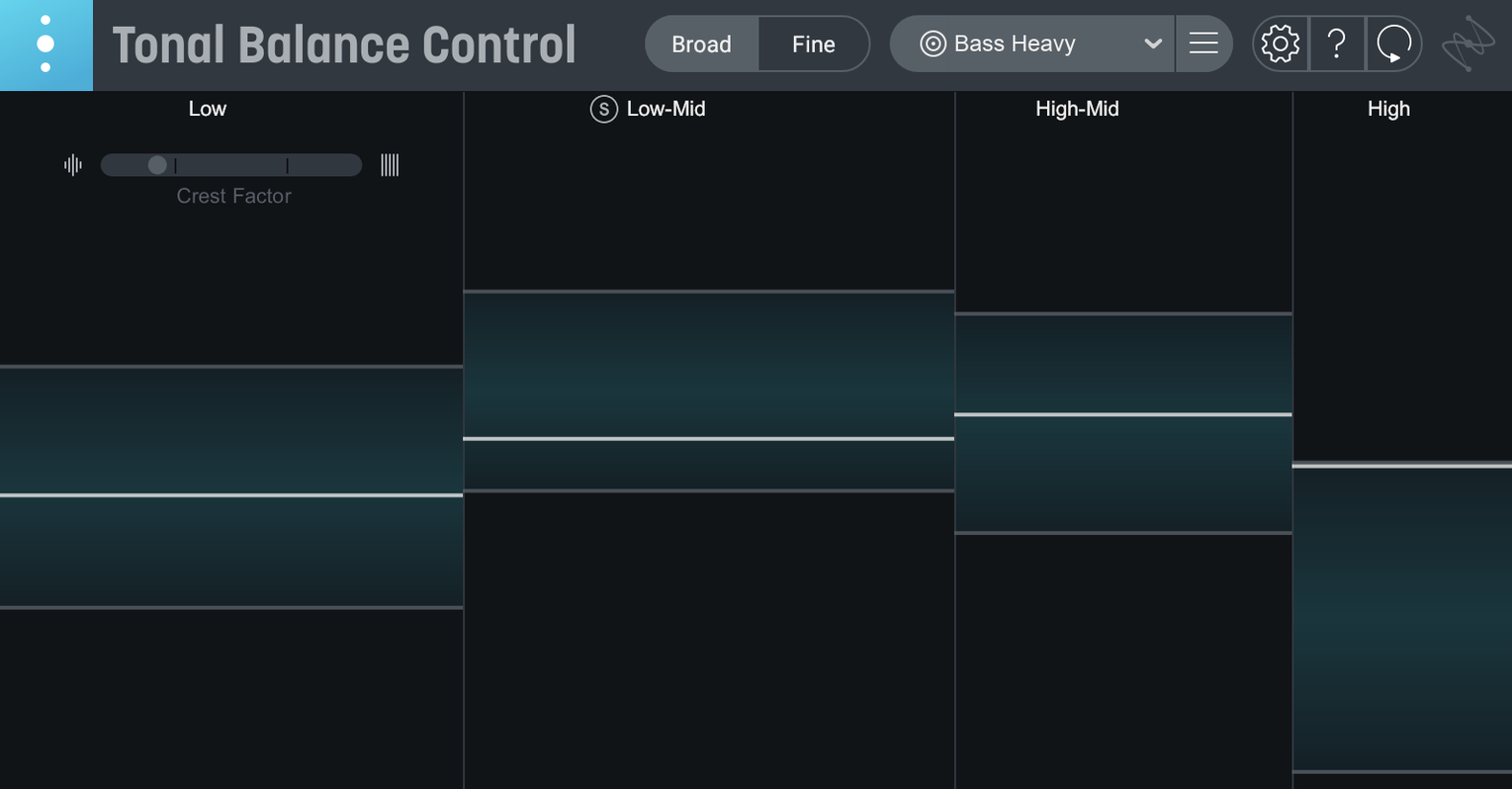
Drop Tonal Balance Control on your stereo bus to see how the overall frequency curve stacks up against genre targets. The new hybrid EQ lets you nudge broad tonal shifts right from the metering window, and you can open Ozone or Neutron equalizers directly if you need finer surgery.
Spot-Check a Vocal Stem
Version 3 adds meters for vocal balance, dynamics, and stereo width, which makes it useful for isolating a lead vocal bus. Quick import from Tonal Balance Control 2 gets old sessions up and running without rebuilding your metering setup.
Dial In Gain Staging with Relay
The included Relay utility handles gain, pan, and stereo imaging on individual tracks before they hit the bus. Adjust those parameters and watch the curve respond in real time—purely visual feedback while you chase a balanced mix.
Import a Reference Without Opening the Browser
Right-click anywhere on the frequency plot and the pop-up menu offers an "Import Reference" shortcut that bypasses the file browser. Faster than dragging a whole folder open when you're comparing a chorus against a reference track you already bounced. The standalone app remembers your last three custom curves without saving a session file, so you can quit mid-check and pick up where you left off.
The hybrid EQ band-solo feature is easy to miss. Option-click any band node and the EQ isolates that frequency range, dimming the rest. Useful when the curve looks off between 200 and 400 Hz and you need to hear exactly what's piling up there without second-guessing the meters. In the plugin window, the vocal balance meter has a small "crest factor" toggle that shows transient peaks against sustained energy—tucked into the corner but invaluable for spotting a vocal that punches through the mix but collapses under compression.
Mistakes That Fake You Out
The biggest trap is chasing a flat line. Genre curves are targets, not absolutes. A rock chorus that sits dead on the curve often sounds small because you carved out the low-mid push the genre expects. Beginners also drop Tonal Balance Control on the master bus too late, after heavy limiting. A slammed bus flattens the reading and hides problems the plugin can actually help fix. Put it before the final limiter, or on a pre-master group bus, and the numbers mean something.
Another common slip: ignoring Relay gain staging across the session. If your kick track hits the bus 8 dB hotter than the snare, the meter blames the frequency balance when the real culprit is level. Set Relay levels so individual elements sit in a sensible range, then trust the curve. And don't sleep on the stereo width meter in version 3—a mix that reads "balanced" in mono can still have a phasey mess in the sides that collapses on a phone speaker. Check width before you call it done.
Dial In a Vocal-Driven Pop Track
Say you're mixing a pop track where the vocal needs to float above a dense synth bed. Start by placing Relay on the lead vocal, rhythm guitars, and synth bus. Set rough gain so nothing clips the group bus and pan the guitars wide. Drop an instance of Tonal Balance Control 3 on the master bus, before your final compressor and limiter.
Load the "Pop" target curve. The low end will probably dip below the curve because the synth sub hasn't been shaped yet. Open the built-in hybrid EQ from the Tonal Balance Control window and apply a broad 3 dB cut around 250 Hz on the synth bus to clear space for the vocal body. Switch the meter view to Vocal Balance and watch the crest factor toggle. If the vocal's peak-to-sustain ratio is spiking, the compressor on the vocal channel is clamping too hard. Back off the ratio until the meter steadies.
Now check the Dynamics meter. A pop chorus should breathe slightly—if the needle barely moves, you've squashed the life out of the arrangement. Ease the threshold on the bus compressor. Finally, glance at the stereo width meter. Synths panned hard can read wide but phase-cancel in mono. Narrow the synth imaging in Relay by a few percent until the width meter sits within the green band. Bounce a quick reference, pull it into the custom curve slot, and A/B against the target. The whole pass takes under five minutes once the routine clicks, and the vocal stays present without carving the track to death.
Initial major release of Tonal Balance Control 3. A standalone desktop app joins the plugin, meters for vocal balance, dynamics, and stereo width are on board, and a built-in hybrid EQ lets you shape tone without leaving the analysis view.
- macOS Sonoma 14.7, Sequoia 15.4, or Tahoe 26.1
- Intel or Apple silicon Mac
- English interface
Questions I actually get
Does Tonal Balance Control 3 work as a standalone app?
Yes, version 3 adds a standalone desktop app alongside the plugin format for Intel and Apple silicon Macs.
Can I import settings from the previous version?
Tonal Balance Control 3 supports quick import from Tonal Balance Control 2, so older session data carries forward.
What does the Relay utility do?
Relay adjusts gain, pan, stereo imaging, and other mix parameters on individual tracks, feeding Tonal Balance Control with consistent levels.
Notes from the edit bay · 0
Sign in or get an edit-bay pass to leave a note.
No notes from the edit bay yet. They go up after I read them.