Version 2.4.0 brought Insight up to speed on modern Macs. Native arm64 install support landed for Apple silicon, along with native arm64 AAX for anyone running Pro Tools 2023.3 or later. The preset manager also got factory and custom tabs, which makes grabbing a starting point faster when a deadline is blinking. Authorization and multi-user install handling were reworked, and Relay is now a separate grab rather than bundled inside the installer.
What you get in the plug-in window:
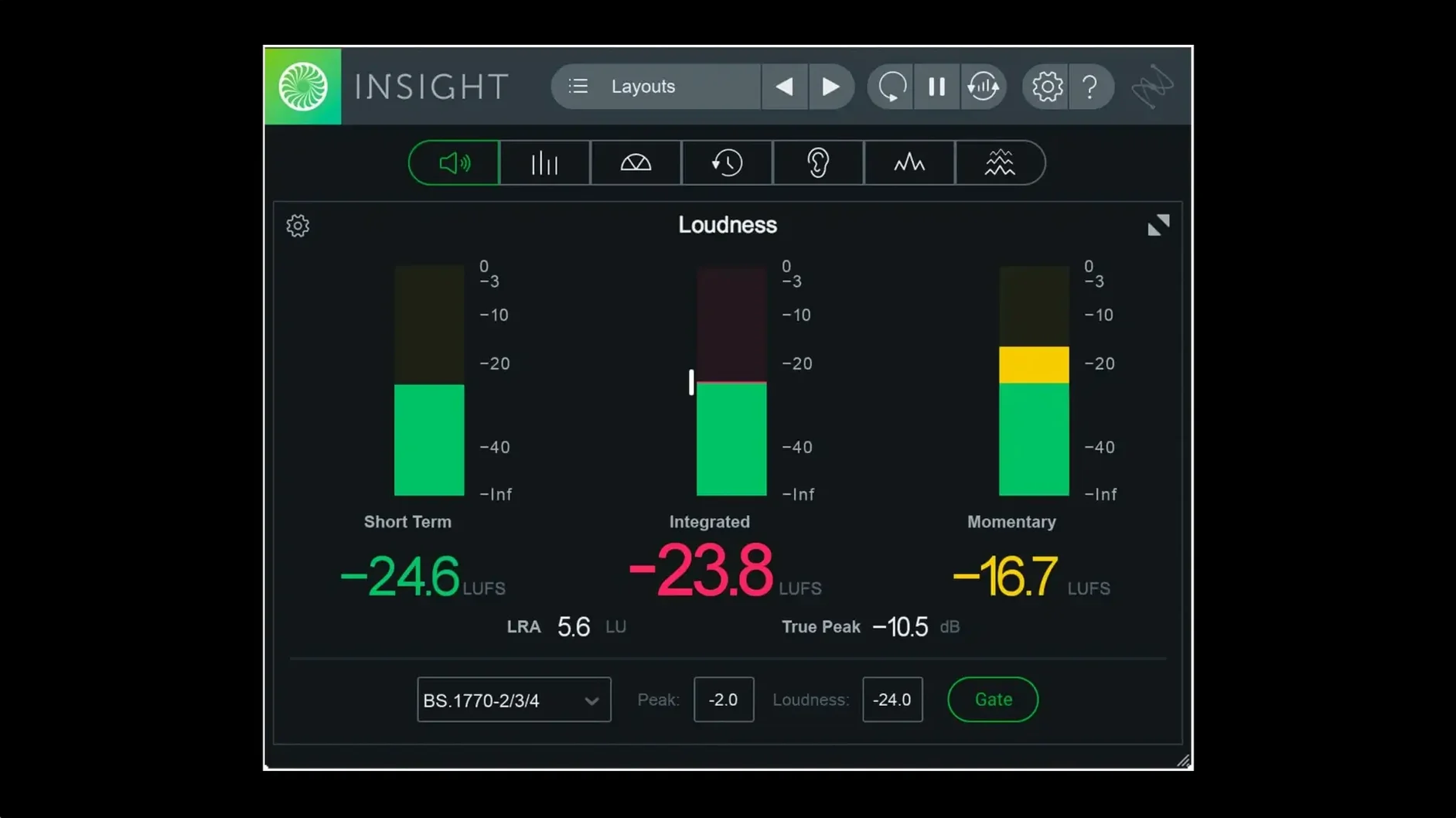
- True Peak and Loudness meters that flag problems with color signals before a client ever hears them.
- A Loudness History Graph to catch long-form level drift across a timeline.
- Stereo Vectorscope and Surround Scope for checking phase and spatial balance without guesswork.
- 2D and 3D Spectrogram views plus a Spectrum Analyzer for finding resonant buildup or stray sub noise.
- Every meter is resizable, so the layout fits the session instead of fighting it.
Insight sits on your master bus or an aux track and watches the signal in real time. It verifies audio against current loudness standards, so deliverables leave the timeline already in spec. If your room isn't fully tuned, the visual feedback catches what the acoustics might hide.
The Last Insert Before the Bounce
Insight isn't a processor — it's a listener. I keep it on the last insert of my master bus, downstream of every EQ, compressor, and limiter. That way it sees exactly what hits the bounce. In a post-production setup, it rides an aux fed by the mix bus so I can toggle routing without touching the print chain.
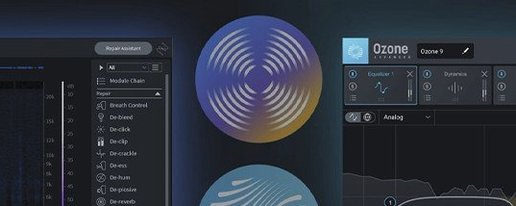
It pairs naturally with iZotope's own RX for spectral repair. You spot a resonance in the 3D Spectrogram, hop into RX to notch it out, then watch Insight confirm the fix in real time. For leveling and dynamics, Ozone's Maximizer and Insight's True Peak meter become a two-screen feedback loop — one shapes, the other verifies.
Outside the iZotope ecosystem, the plug-in talks to any DAW that hosts AU, VST3, or AAX. In Logic, the Loudness History Graph complements the stock Multimeter but goes deeper on integrated loudness over time. Pro Tools users on Apple silicon get native AAX as of version 2.4.0, so no Rosetta translation layer between Insight and the session. If your workflow involves sending stems to a mastering engineer, the loudness presets keep deliverables consistent before they ever leave the studio.
Why a Blank UI Appears After Updating
First install after an iZotope Insight 2 Mac torrent can trip on the authorization workflow. The 2.4.0 update changed how Insight checks in, so if a previous version left behind preference files, the meter window shows a blank UI. The fix is straightforward: trash the iZotope folder in ~/Library/Application Support and let Insight rebuild its state on next launch.
CPU spikes happen when every meter runs at full resolution on a dense session. The Spectrogram and 3D Spectrogram are the biggest draws. Drop the FFT size or lower the refresh rate in the meter's settings before you start freezing tracks — nine times out of ten that solves the fan noise. On Apple silicon, the native build runs cooler, but the meters still want a buffer size of 512 or higher when they're stacked with other analysis plug-ins.
Another gotcha: loudness readings that don't match between Insight and a broadcast spec checker. Check whether the preset loaded matches the target standard — EBU R128, ATSC A/85, and OP-59 all have different gating parameters. Insight ships with updated presets for each, but a session from an older template might recall a pre-2.4.0 setting that doesn't include the latest revisions.
Some users who grab an iZotope Insight 2 crack from a bundle miss that Relay is no longer in the installer. That's intentional. Relay moved to a separate download, so if your routing template expects it for inter-plugin communication with Ozone or Neutron, you'll need to snag it independently. Insight itself still reads any track or bus directly — Relay just adds remote metering points without extra routing.
Reading Revision Notes in the Low End
Mixing engineers working across genres get the immediate win. The resizable meters mean a mastering chain layout works equally well on a dense rock session and a sparse electronic arrangement. When a client sends a revision note like "the low end feels off," the Spectrum Analyzer and Spectrogram turn a vague feeling into a frequency and a time stamp.
Mastering engineers lean on the loudness verification harder than anyone. Delivering to Spotify, Apple Music, or broadcast means hitting integrated LUFS targets without overcooking the limiter. The Loudness History Graph shows you exactly where a quiet verse or a loud chorus pulls the average, so gain staging decisions happen with data, not hunches.
Post-production editors — the ones cutting dialogue, Foley, and atmos beds — live in the Surround Scope and True Peak meters. Dolby Atmos 7.1.2 support means Insight checks every channel for clipping and phase issues that a stereo-only meter would miss. If you're mixing a film on a deadline and the printmaster session is due at noon, the color-coded meters catch overs before they become a QC rejection.
Home studio owners with untreated rooms benefit from the visual safety net. The meters don't care about standing waves or bass nulls. When the low end looks clean on the Spectrum Analyzer but sounds boomy in the room, the room is the problem — Insight tells you what's actually on the tape.
Start With Just True Peak and Loudness
Don't open every meter at once. Start with True Peak and Loudness on the master bus for the first session. Get used to reading the color warnings — green means go, yellow is approaching the edge, red means you're over. Once that feels automatic, add the Stereo Vectorscope to check phase correlation on wide synth patches or doubled guitars.
Save a custom preset the moment you find a layout you like. The new preset tabs in 2.4.0 separate factory defaults from your own, so scrolling doesn't bury your go-to setup. Name presets after the delivery target: "YouTube -14 LUFS," "EBU R128 -23 LUFS," or "Client Rough Mix" save mental bandwidth when sessions stack up.
Route a problematic bass track to its own aux and drop Insight there before it hits the mix bus. Watching the Spectrum Analyzer on just the bass exposes sub-40 Hz rumble that muddies a compressor on the master. A quick high-pass plug-in upstream cleans it up, and Insight confirms the fix without soloing a thing.
If you pulled an izotope insight 2 free download for a post project, test the surround routing on a known reference file first. Set Insight to the 5.1 or 7.1.2 scope matching your session, play a professionally mixed scene, and watch the channel activity. That gives you a baseline for what a balanced surround field looks like before you touch a fader on your own mix.
Native arm64 AAX support arrived for Pro Tools 2023.3+ on Apple silicon Macs, alongside native arm64 install support across the board. The preset manager gained factory and custom tabs for quicker navigation.
Also fixed: multi-user installation, authorization workflow, and Relay is no longer bundled in the installer.
- macOS Big Sur or later
- Intel or Apple silicon Mac
- Host that supports AAX, AU, or VST3 formats
Questions I actually get
Does iZotope Insight 2 work natively on Apple silicon Macs?
Yes, version 2.4.0 added native arm64 install support for Apple silicon, including native arm64 AAX for Pro Tools 2023.3 and later.
Notes from the edit bay · 0
Sign in or get an edit-bay pass to leave a note.
No notes from the edit bay yet. They go up after I read them.