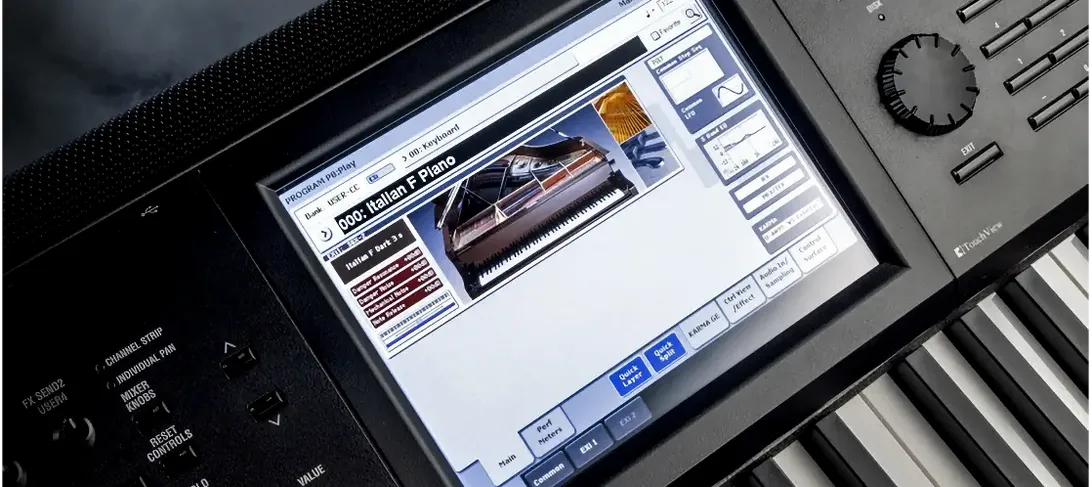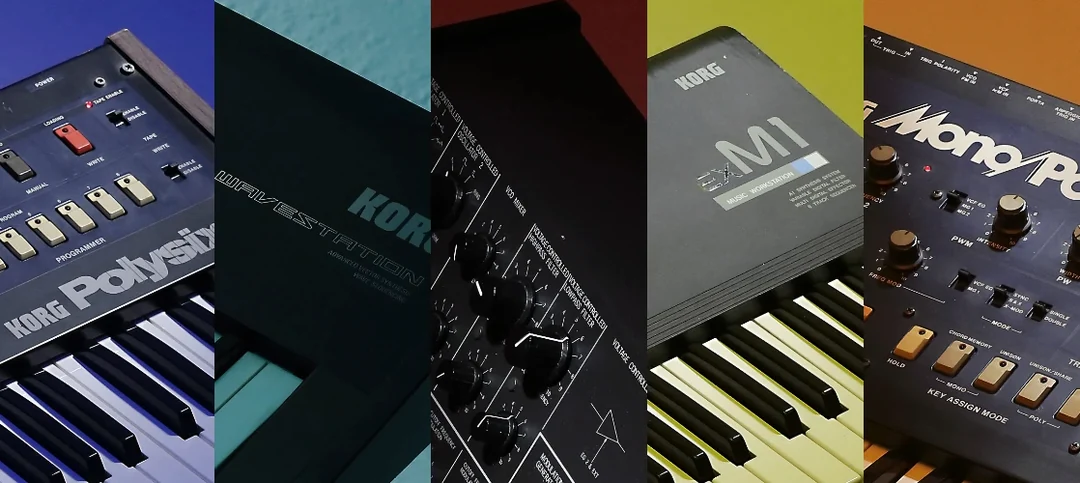
A lot of mixes suffer from thin-sounding keys and pads that disappear the second a guitar or vocal enters. The KORG TRITON plugin fixes that by giving you the exact same engine that powered a thousand late-90s and 2000s records. You get the full TRITON and TRITON Extreme recreation, with over 4,000 sounds from the original workstations, ready to load straight into your DAW on macOS 11 or later.
| Detail | Info |
|---|---|
| Current version | 1.4.7 |
| Developer | KORG |
| Format | VST, part of KORG Collection |
| Sounds included | More than 4,000 |
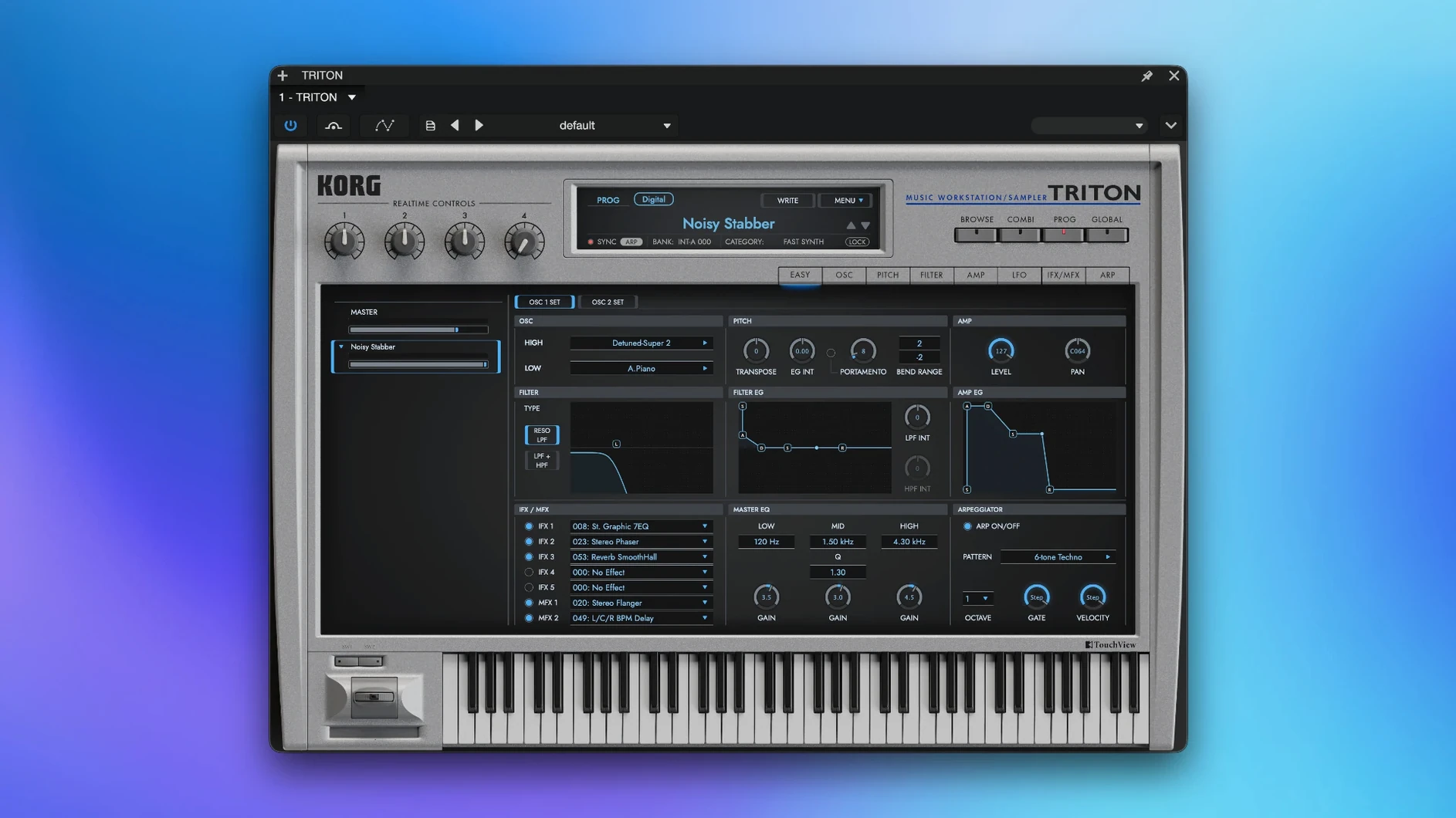
What makes the TRITON cut through is how its controls shape a sound before it ever hits your channel strip. The eight-part multi-timbre combis let you stack a warm pad under a bell tone and a bass pulse, all controlled from one instance. Two master effects sit at the end of the chain, so you can add space or grit without opening extra plugins. The master EQ is the unsung hero here — a quick high-shelf lift brings a dull string patch forward, and a low cut cleans up a muddy layer in seconds. It’s a workstation mindset in a plugin, built for producers who want that specific, polished tone without digging through sample folders.
Skip the Track — Combis Come First
The plugin installs clean, but the real first move is flipping through the combi banks with a blank DAW session open. Don't try to fit it into a track right away. Load up ten or twelve combis that catch your ear, strip them down to one or two parts, and save those as user patches. A lot of the factory combis are dense by design — eight layers fighting for the same frequency range. You'll hear the usable material faster if you mute aggressively in those first few hours.
Second tip: park the master EQ at a gentle smile curve right after installation and leave it there as a starting point. A 2 dB dip around 400 Hz and a 1.5 dB lift at 8 kHz wakes up almost every pad and string patch in the library. You can always bypass it, but the TRITON's PCM samples were captured at 48 kHz from hardware that leaned slightly dark. A little top-end shaping baked into your default state saves you from reaching for the same EQ move every time you browse.
One workflow that pays off early is using the TRITON standalone app for patch browsing while your DAW stays parked on a working arrangement. The standalone loads faster than most DAW plugin scans, and you can audition sounds without the weight of a full session. Once you find something, dial it into the VST instance and keep moving. On Apple Silicon Macs, the standalone opens in under three seconds — faster than any ROMpler has a right to.
ARM Macs Drop the Duplicate AU Entry
Version 1.4.7 tightened up how the plugin reports itself to hosts on ARM Macs. Earlier builds occasionally left Logic Pro scanning the AU version twice, which meant duplicate entries in the instrument menu. That's sorted now — one clean listing, no phantom doubles. Less visible but noticeable in everyday use: the preset recall speed improved when switching between large combis. A handful of earlier users mentioned a half-second pause when cycling through eight-layer patches; that hesitation is gone on M-series machines.
Also fixed: the insert effect routing in multi-timbral mode no longer resets when you change the master tempo. Previously, if you had a delay synced to host tempo and adjusted the BPM, the wet/dry balance on insert slot three could jump back to default. That bit a few people mid-session. The 1.4.7 build locks those values where you set them. Combined with native Apple Silicon support — which arrived a few versions back and remains solid here — the plugin sits in a good place for daily production work on any Mac running macOS 11 or newer.
Early-2000s Radio in a Single Patch Library
Hip-hop and R&B producers tend to extract the most from the TRITON, and it's not subtle why. The original workstation's piano, string, and bell patches are embedded in early-2000s radio hits. If you make beats that reference that era — or flip samples from it — having the exact source timbres means your programmed parts blend with your chops without EQ gymnastics. The "Stereo Grand" and "Dark R&B Bell" patches alone cover a decade of chart placements.
Keyboard players who double as producers also thrive here. The combi mode mirrors the hardware layout closely enough that muscle memory transfers. You can stack a bass split in the left hand with a lead in the right and a pad in the middle, all within one instance, and the part volumes respond to MIDI velocity the way you'd expect from the physical TRITON. If you've ever played a TRITON Extreme on stage, the plugin feels like coming back to a familiar room.
Sound designers working on synthwave, ambient, or cinematic cues get value from a less obvious angle: the insert effects. Five slots per program, with the TRITON's characterful reverb and modulation algorithms, mean you can turn a basic saw wave into a moving texture before you touch any external processing. A lot of modern soft synths bury their effects behind menus. Here they're right on the front panel, and that speed matters when you're building a cue under deadline.
Why Only One Part Plays When You Load a Combi
The most frequent stumble: loading a combi and hearing only one part. Nine times out of ten, the MIDI channel on your DAW track is set to something other than "All" or channel 1. The TRITON's combi mode assigns each of the eight parts to its own MIDI channel by default — part one on channel 1, part two on channel 2, and so on. Set your track to channel 1 and you'll only hear part one. Switch it to "All" or match the part's assigned channel, and the full combi fires. Check the Global MIDI settings inside the plugin if the routing feels off.
Another headache: the plugin window resizing awkwardly on high-DPI displays. The interface doesn't scale with host zoom in every DAW. In Ableton Live on a 4K monitor, you might see the plugin at a fixed size that feels cramped. The workaround is to run the standalone app for patch management and use the VST window primarily for quick tweaks. It's not elegant, but it keeps the workflow moving, and the standalone scales independently.
CPU spikes on Intel Macs happen most often when you stack multiple instances with all five insert effects active. The TRITON's effects are modeled, not sampled, and they pull more cycles than the PCM playback itself. If you're on an older Intel machine, freeze or bounce tracks as you commit sounds, and keep an eye on the master effects — the reverb algorithm is the hungriest of the bunch. Apple Silicon handles it without flinching, even at low buffer sizes.
One more: if your DAW doesn't see the plugin after installation, it's usually a matter of where the VST file landed. Some hosts scan only specific folders. The installer drops the component and VST into standard system paths, but a quick rescan in your DAW's plugin manager sorts it. Logic users should confirm the Audio Units cache cleared properly — a restart of Logic after the first scan never hurts.
- macOS 11 or later
- Intel or Apple Silicon Mac
- VST-compatible host
- Interface language: English
Questions I actually get
Does the KORG TRITON plugin work on Intel Macs?
Yes, the current version supports both Intel and Apple Silicon Macs running macOS 11 or later.
Is the TRITON VST the same as the hardware workstation?
It recreates the TRITON and TRITON Extreme as a software instrument, with the same combination mode, master effects, and over 4,000 sounds.
Can I layer multiple sounds at once?
Yes, the eight-part multi-timbre combis let you layer and use up to eight sound parts in a single instance.
Notes from the edit bay · 0
Sign in or get an edit-bay pass to leave a note.
No notes from the edit bay yet. They go up after I read them.