Runs on any Mac from macOS 10.14 Mojave forward, with native support for both Intel and Apple Silicon processors. That covers everything from a cheese-grater Mac Pro to an M3 MacBook Air.
Clean Up the Take
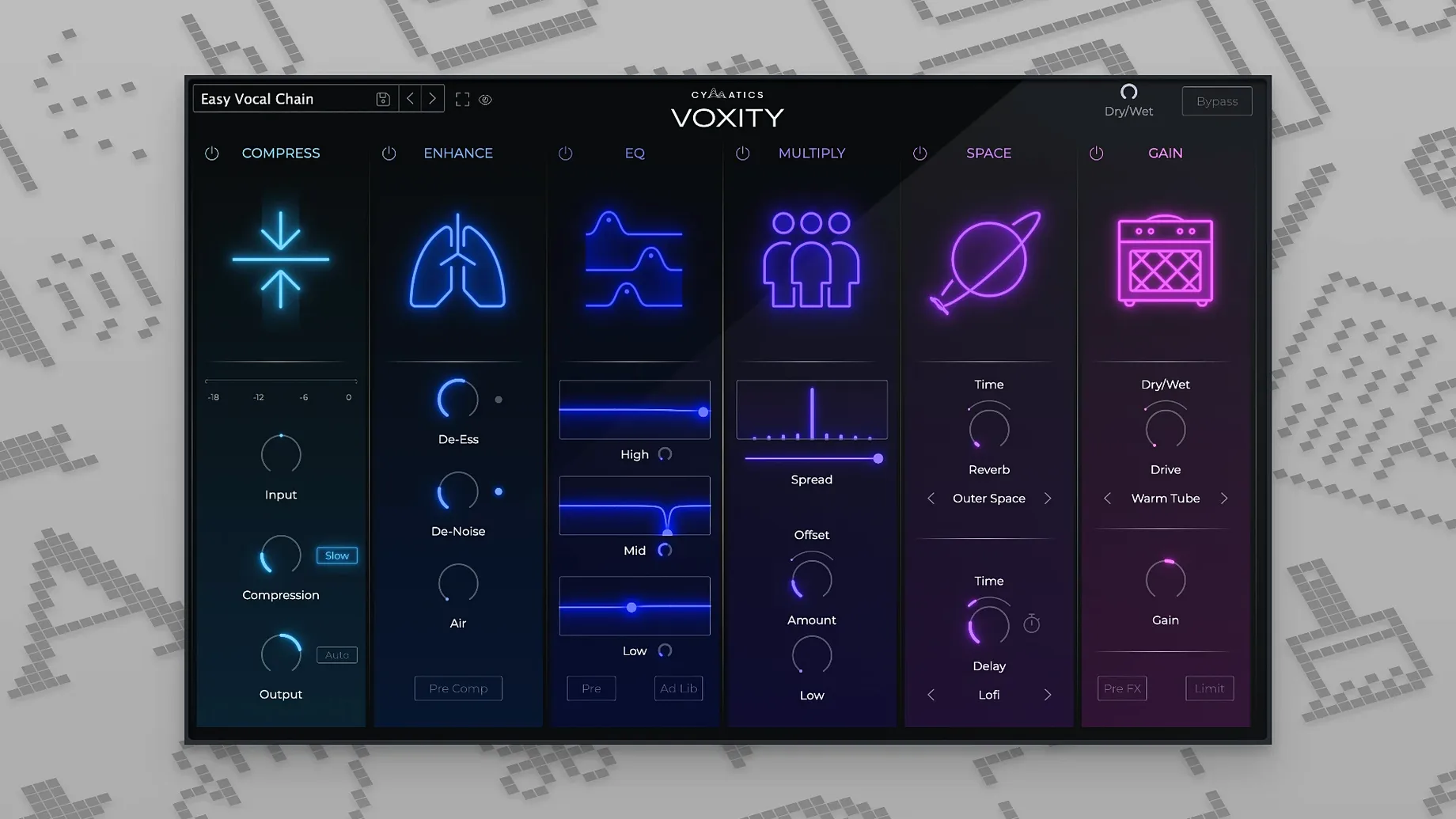
Before you reach for an EQ, the plugin's de-harshing controls pull out the brittle top-end and push breathing noises down. It's a fast way to get a raw vocal sitting still in the speakers.
Shape the Tone
Two knobs drive the core sound: one adds air and presence without turning sibilant, the other builds weight into the low-mids. You can push both further than you expect and the vocal holds its shape.
Place It in a Room
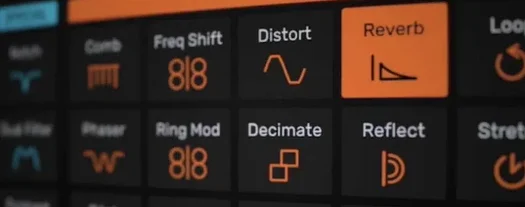
The built-in reverb and echo aren't afterthoughts. The reverb blooms quickly, and the echo has a musical slap that locks to tempo. A little send from both gives a dry vocal instant context in a dense mix.
Picture a producer who records vocalists in a converted bedroom — an SE Electronics mic into a Scarlett 2i2, a few moving blankets hung on stands, and an artist who tracked three takes at 11 p.m. The raw clips sound fine, but they aren't finished. One phrase is louder than the next, a breath before the hook jumps out, and the high end has that untreated-room edge. Tomorrow morning the beat needs to land in an artist's inbox, and there isn't time to chain six plugins and automate every syllable. That producer opens VOXITY.
Leveling catches peaks before you touch a threshold
Drop the plugin onto a dry lead vocal channel. The first thing you hear is the leveling section catching the loudest words and pulling them back — no threshold to set, no gain reduction meter to babysit. It just tucks the peaks into a pocket that sits above the kick and snare without fighting them.
Next, grab the de-harsh slider. A bedroom recording often has a brittle zone around 3 to 5 kHz where the room reflections pile up. Drag it right until the vocal stops sounding like it was tracked in a closet with parallel walls. The change isn't a dulling; it's more like swapping a bare bulb for a softbox.
Now work the two tone knobs. The top-end control lifts air above the sibilance range — somewhere around 8 kHz and up — so "t"s and "s"s don't turn into little knives. The low-mid knob fills in the chest of the voice. On a thin tenor, a quarter-turn adds enough weight that the vocal lands with authority when the verse drops to just voice and keys.
The widening control is deceptively simple. At zero, the vocal is dead center. At fifty percent, it spreads into a stereo field that doesn't collapse to mono when you check it in the DAW's fold-down switch. Push it higher and you get a layered effect that works on stacked harmonies and ad-libs — not always on a lead, but perfect for a doubled chorus.
Finally, dial the reverb and echo sends. The reverb tail is short and dense, closer to a chamber than a hall. A touch of it, maybe 15 percent, makes the vocal feel like it was tracked in a treated room, not a dry booth. The echo grabs the tempo from the session and throws a quarter-note slap that pushes the last word of a bar into the next. You mute the sends, unmute, mute again — the moment it's in, the vocal belongs to the track, not floating above it.
Ten minutes, start to finish. Export the rough mix and it sounds like a pass from someone who spent an hour with a channel strip, a de-esser, a stereo widener, and two time-based effects. The producer sends it off and goes to bed.
Presets give you a sketch, not a finished vocal
The most common one is treating VOXITY like a preset machine. You flip through the style presets, find one labeled "Modern Trap" or "Indie Pop," and leave every knob where it landed. That works for a rough idea, but the preset doesn't know your singer's mouth distance, your room's flutter echo, or how much compression the 2i2 preamp already applied. The vocal sounds processed instead of polished.
Another mistake is cranking the stereo width on a lead vocal before checking mono compatibility. The widening algorithm does a better job than most at holding up in mono, but the human ear notices phase weirdness on a single voice faster than on a pad or a guitar. If the verse drops out of a phone speaker, dial the width back or save it for doubles.
New users also tend to overwork the de-harsh control. Dragging it to maximum scoops out presence, not just harshness, and the vocal retreats behind the snare and hi-hats. A good rule: set it until the painful edge disappears, then back off two percent. Your ears fatigue fast; the plugin doesn't.
Finally, some producers forget that the leveling section is always active even when the meter isn't moving. If the vocal sounds squeezed and lifeless, bypass the plugin to check whether the raw dynamics were already tight from a preamp compressor. You might not need VOXITY's leveling on top of a heavily compressed take — disable it and lean on the tone and space sections instead.
Feed it a completely dry vocal or the de-harsh trips
Start with a dry, unprocessed vocal. Before you reach for VOXITY, strip the channel of EQs, compressors, and spatial effects. The plugin expects a raw signal; feeding it something already scooped or slammed will make the de-harsh and leveling sections work against decisions you made upstream. You'll chase your tail instead of mixing.
Build a personal preset library early. The factory presets are starting points, not signatures. Spend an afternoon running three different vocalists — a rapper, a belter, a whispery singer — through the plugin and save a preset per voice. Label them by artist name or microphone, not by genre. When the same artist returns, you load the preset and skip the dialing-in phase entirely.
Use the echo as a rhythmic tool, not just an effect. Sync it to the session tempo and set the mix low enough that you feel the slap more than you hear it. On a dense chorus with stacked harmonies, the echo adds forward motion without clutter. If the beat has a swung hi-hat pattern, try an eighth-note delay instead of a quarter; the vocal locks into the groove differently.
Check your work at conversation volume. A polished vocal should sound like a person, not a product, at low levels. If the widening or reverb call attention to themselves when the monitors are barely above a whisper, they're too loud. VOXITY's spatial effects are designed to sit behind the voice — let them.
Prepping a Hook for a Streaming Release
Say you've got a pop hook with a double-tracked lead, two harmony stacks, and a low octave layer that only hits on the last word of each phrase. The instrumental is already mixed — a punchy kick, a wide synth pad, and a bass line that sits in the subs. The vocals need to feel like one cohesive performance, not four separate faders.
Group all the vocal tracks to a bus. Insert VOXITY on the bus, not on individual channels. Start with the leveling: the summed signal of four vocal tracks has transients that poke out at different times, especially where the low octave lands. The leveling section grabs those combined peaks and keeps the bus output steady without flattening the dynamics of each take.
Now address the top end. The harmony stacks were recorded with the same mic and singer, so the air buildup around 10 kHz is tripled. Pull the de-harsh slider until the combined high-end stops sounding like white noise riding the vocal. It should still sparkle, but the "shh" of three voices breathing together needs to soften.
Shape the tone for the hook as a whole. Add enough low-mid weight that the low octave doesn't feel disconnected from the lead — it should reinforce, not surprise. The presence knob gets a gentle lift so the lead stays intelligible when the synth pad swells in the pre-chorus.
Width is where the bus approach pays off. The lead sits center, the harmonies are panned left and right by the DAW, and the low octave is tucked under the lead. VOXITY's stereo control on the bus widens the already-panned elements further, but it doesn't smear the center image. At forty percent, the hook feels bigger than the verse without touching a fader.
Reverb and echo go last. Dial the reverb send until the tail is just audible on the last syllable of each phrase — a bloom that hangs in the gap before the next line. The echo gets an eighth-note delay mixed low enough that it acts as a rhythmic ghost. When the hook plays back against the instrumental, the vocal bus sounds like a single, intentional performance, not a stack of layers fighting for the same space. Bounce the stem and it's ready for the mastering chain.
- macOS 10.14 or later
- 64-bit host (Intel or Apple Silicon)
Questions I actually get
Does this plugin work on Apple Silicon Macs?
Yes, it runs natively on ARM64 and Intel 64-bit Macs, so there is no Rosetta translation layer getting in the way.
What does Voxity actually do to the vocal?
It reduces harsh frequencies and breath noise, adds brightness and low-end weight, and includes dedicated reverb and echo sections to place the vocal in a space.
Notes from the edit bay · 0
Sign in or get an edit-bay pass to leave a note.
No notes from the edit bay yet. They go up after I read them.