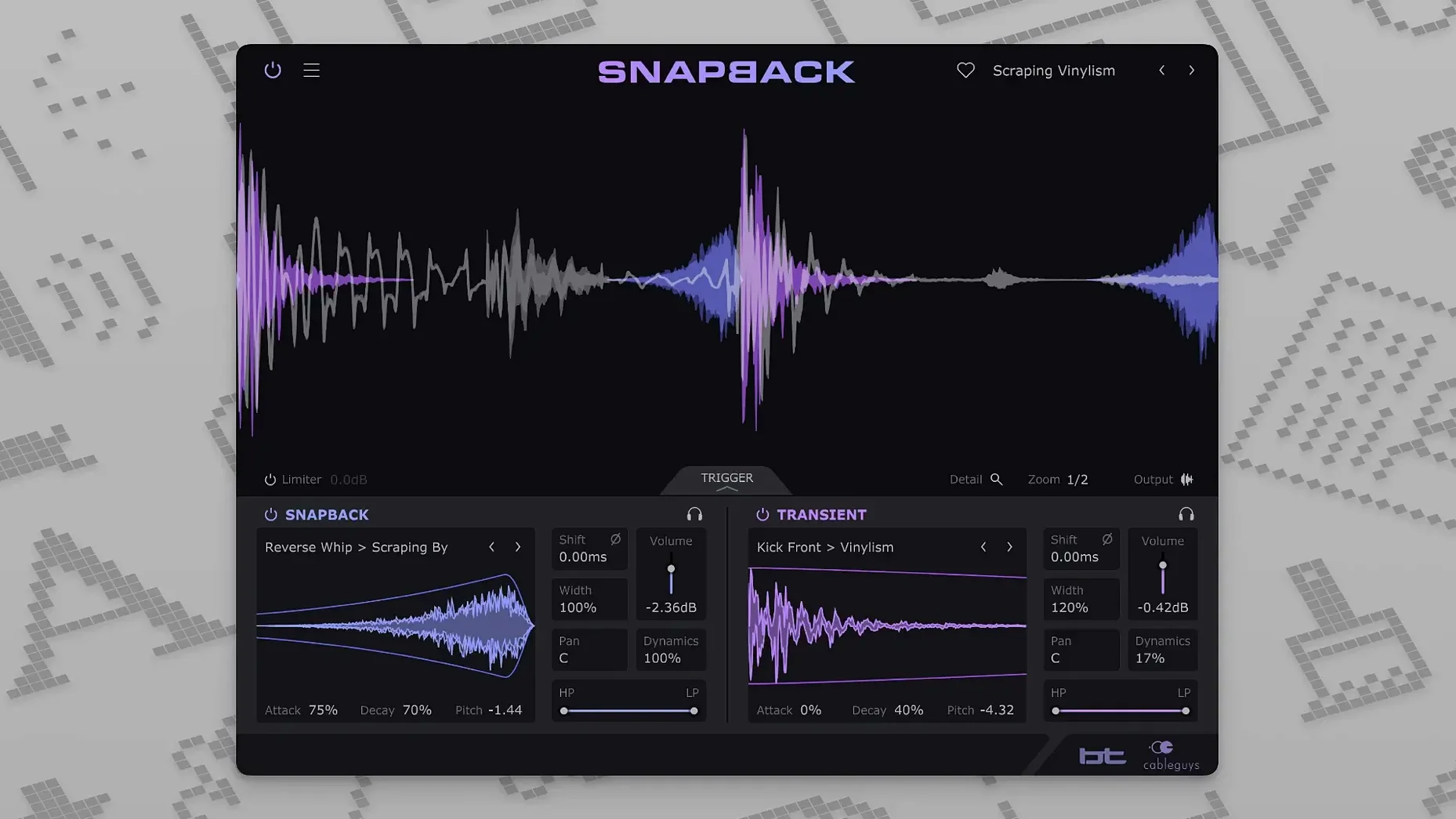
If you’ve ever dropped a sample onto a kick track only to spend ten minutes nudging it into phase, you already know half of what Snapback does. The other half is where it gets interesting for editors who live by the grid but mix with their ears. It takes the manual slip-and-nudge out of reinforcement, then hands you a set of shaping tools that feel like they belong on a synth, not a drum utility.
Flip the Transient
The Reverse button in 1.1 isn’t a gimmick. Drag it onto a snare and the added layer swells backward into the hit, filling the space before the stick cracks through. It’s a fast way to build tension without printing a reverse reverb track.
Shift Ahead of the Beat
Placing a sample before the transient changes the attack character completely. Pull a soft beater sound a few milliseconds early and the original hit keeps the punch while the layer adds weight. The envelope controls let you shape just how much of that pre-roll bleeds in.
Tune the Room
Pitch adjustment on an imported sample means you can match the ring of a tom to the key of a track, or turn a standard clap into a low, thuddy stomp. Combined with the automatic hit detection, it turns layering into a musical choice rather than a cleanup job.
When Every Kick Has to Carry Weight
Beatmakers working with sparse, punchy arrangements tend to bond with Snapback fastest. When every kick and snare has to carry weight, the ability to audition a 200-sample library against a live take without stopping playback is a deadline-saver. You hear the blend in context, not in a vacuum.
Mix engineers dealing with poorly recorded drums get a different kind of win. A dull kick can borrow the click of a hi-fi sample without losing its original tone. Phase adjustment keeps the low end from collapsing, and the waveform visualizer confirms what your ears are telling you. Post-production editors who reinforce sound-design hits—door slams, impacts, stabs—will also find the auto-alignment just as useful on one-shot FX as it is on a snare.
It’s less essential for producers who already layer inside a sampler and print to audio. But if your workflow leans on audio tracks and you hate zooming in to align transients manually, it replaces that click-and-drag routine with something immediate.
Drop It on the Kick Bus Before You Touch EQ
Drop Snapback on a kick bus before you touch an EQ. Pull the blend fader down to around 30% and cycle through the stock kick samples using the arrow keys. The built-in set is curated well—you’ll find solid 808-style subs, attack-heavy beater clicks, and a few textured noises that sit more like a layer of air than a distinct hit. Mark three or four favorites early so you’re not scrolling during a session.
Next, drag in a user sample that’s completely wrong—something like a hi-hat on a snare track. Use the pitch control to drop it an octave, then shape it with the envelope until it’s barely a tick of noise. This teaches you the range of the engine faster than reading a manual. The detection handles it, and you’ll hear how far a sample can bend before it breaks the illusion.
If you grab a cableguys snapback torrent, the auto-alignment engine doesn't care where the plugin came from—it locks to transients the same way. Once it's installed, focus on the envelope section. Attack and hold times determine whether your layer pokes through or blends into the sustain of the source hit. Short attack, short hold: the layer behaves like a transient spike. Longer hold with a slower attack: it becomes a body reinforcement that rides underneath.
Small Details That Click Later
- Arrow-key sample browsing. Once a sample slot is active, the up and down arrows cycle through the library. It’s faster than the mouse and keeps you listening instead of looking.
- Blend fader at 50% isn’t always half. The envelope and phase settings affect perceived balance. Trust your meters for gain staging, but use the fader for feel—sometimes 22% sits better than 50% even when the numbers suggest otherwise.
- Reverse as a composition tool. Automate the Reverse button on a send effect. Flip it on for the last hit of a phrase, off for the rest. Instant variation without touching the arrangement.
- User sample pitch mapping. Drop a tonal sample in, pitch it to match the key of your track, then nudge the phase control. The sample locks to the fundamental of the source hit and behaves like a tuned oscillator layer.
- MIDI port expansion. The jump from 16 to 256 addressable MIDI ports in 1.1 matters if you run a hardware-heavy setup. No more hunting for a free port when Snapback sits in a chain triggered by external pads.
A snapback vst crack found on certain trackers might leave the waveform visualizer inactive—if it’s blank, the detection still runs, but you lose the visual confirmation. Re-scan your plugin folder after installing to make sure the AU and VST3 versions both register. Some DAWs pick up one and miss the other, and the AU version occasionally loads with lower latency on Apple Silicon hosts.
If you’ve grabbed a snapback cableguys crack from a source like cableguys snapback rutracker or spotted a snapback vst rutracker listing, the install routine is the same: drop the component and vst3 files into their folders, rescan, and run a quick test on a rimshot track. The detection should lock within half a cycle of the transient. If it drifts, the phase knob lives right where you need it.
A Reverse button lands in version 1.1, flipping samples backwards for pre-transient swells and textural pads. Also fixed: MIDI port support jumps from 16 to 256 ports.
- macOS 10.13 or later
- Intel or Apple Silicon Mac (64-bit)
- VST 2, VST 3, AU, or AAX host DAW
Questions I actually get
Can I load my own samples into Snapback?
Yes. You can import any user sample and it will automatically align to the detected drum hits.
Does Snapback run natively on Apple Silicon Macs?
It does. The plugin supports both ARM and x86 64-bit Macs from macOS 10.13 onward.
What plugin formats are included?
Snapback ships as a VST 2, VST 3, AU, and AAX plugin for compatible DAWs.
Notes from the edit bay · 0
Sign in or get an edit-bay pass to leave a note.
No notes from the edit bay yet. They go up after I read them.