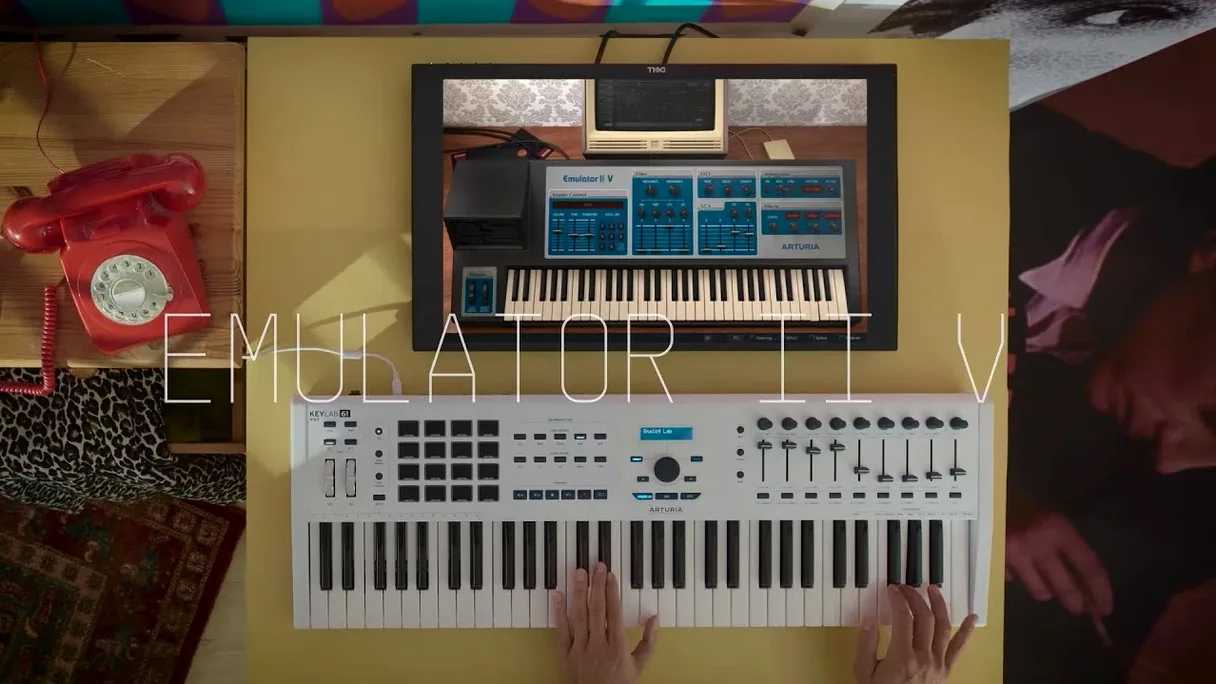
You pull up a piano patch, but it doesn't sit right — too clean, too hi-fi for a track that needs some dust. You load the Emulator II V, flip to a choir sample from its curated library, and nudge the start point forward a few milliseconds. Immediately, the transient softens into that woolly, signature attack the original hardware was known for.
Shaping a Sound in Four Moves
- Pick a layer. Each of the eight multitimbral slots holds a full sample with independent controls. Dial in an 8-bit bass from the Synclavier folder. The companding and 27.7 kHz sample rate are not just specs — they introduce a grainy halo around the low end the moment you hold a note.
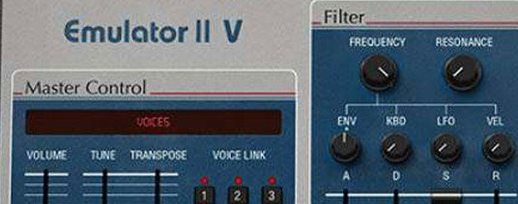
- Shape the filter. Grab the per-layer VCF. Closing it down with a little key tracking gives you that dark, lo-fi thump. The resonance doesn’t scream; it burbles with analog character modeled from the original circuits.
- Set the VCA envelope. Shorten the decay and sustain. The amplitude snaps shut with a slightly nonlinear curve — pure early sampler envelope behavior that pushes a sound to the front of a dense mix.
- Add movement with the LFO. Route it to pitch at a slow rate. The 8-bit stepping becomes audible as a warbly vibrato, adding a worn-out tape texture to sustained chords.
With 32 voices of polyphony, you can stack four layers of this, each with a different sample and its own ADSR, to build a pad that feels massive without ever sounding modern. It’s a tool for injecting character, turning a sterile arrangement into something with a specific time and place.
The Stability Fix That Keeps Complex Multis from Crashing
The move to 1.6.2 (5305) is less about flashy new toys and more about the thing actually staying open when you're three hours into a session. Earlier builds had a habit of choking on complex multis when you switched patches mid-playback in Logic. That's largely gone now. Patch loading is snappier — the browser doesn't do that half-second stutter when you scroll through the OMI library anymore.
The biggest workflow win is the tightened integration with Arturia's own preset management. Tagging and favoriting patches from the instrument itself now syncs properly with Analog Lab if you run both. It's a small thing until you're hunting for that one choir sound you tweaked last Tuesday and can't remember which bank it came from. Also fixed: the arpeggiator no longer drifts against your DAW's clock after ten minutes of looping — a bug that made me bounce to audio far earlier than I wanted to.
How Eight Layers and Effects Barely Touch an M-Series Chip
On an Apple Silicon machine, the Emulator II V sips resources. A single instance with all eight layers active and effects running sits around 4–6% CPU on an M-series chip. Stack ten of them and you'll still have headroom. Intel Macs feel the weight sooner — expect audible crackles once you cross six or seven instances at a 64-sample buffer. Bumping to 128 or 256 clears it up.
The sample engine itself is rock-solid. I've thrown 40 MB custom samples into a layer, looped them poorly, and the voice handling never glitched. The original hardware's 27.7 kHz rate means the internal processing is light; what you're hearing is the character modeling, not the engine struggling. Stability-wise, version 1.6.2 has survived marathon sound design sessions without a single crash in Ableton Live 11 or Logic Pro — something I can't say about a few other vintage emulations in my plugin folder.
Why Dragging a WAV Onto a Layer Maps Differently Than Expected
There are a handful of friction points that trip people up in the first week, and they're rarely about the sound itself.
- Custom sample import confusion. Dragging a WAV directly onto a layer works, but the mapping assumes you want the sample across the full keyboard. If you need splits, you have to set the key range per layer in the Voice section — it's a dropdown, not a graphical zone editor, so it's easy to miss.
- The filter tracking quirk. The per-layer VCF's key tracking is bipolar, ranging from -100% to +100%. Zero is not the default if you're loading older presets, so a patch that sounds muffled in the bass might just have tracking set wrong.
- MIDI learn oddity. Right-clicking a parameter to assign a controller occasionally maps to the wrong CC if your MIDI controller sends multiple messages at once. The workaround: use Arturia's MCC software to filter extraneous CCs, or assign from the plugin's settings panel rather than the right-click menu.
- DAW automation parameter names. In some hosts, the exposed automation list is a wall of generic labels. "Param 1" through "Param 40" don't tell you much. The solution is to use the Configure mode in Ableton or the Smart Controls mapping in Logic to expose only the knobs you're actually riding.
Point It to the Sample Library Before You Do Anything Else
After you drop the Emulator II V into your components folder and your DAW scans it, there are a few moves that will save you from head-scratching later.
Point it to the sample library first. The instrument ships with a curated set of Emulator and Synclavier samples, plus a healthy batch of modern multis. On first launch, it'll ask for the library location. Point it once, and the browser populates immediately. If you skip this step, you'll stare at an empty preset list and assume something broke — it hasn't.
Build a template with a few go-to layers. Open an init patch, load a bass into layer one, a short percussive hit into layer two, and a pad into layer three. Save that as your starting point. It's faster than starting from zero every time, and you'll quickly learn how the eight slots interact when you layer sounds that occupy different frequency ranges.
Test the effects routing early. The onboard reverb and chorus are modeled after the original's character, but they sit post-VCA by default. If you want a grittier sound, route the bitcrusher or distortion before the filter in the effects chain — the difference in how the filter reacts is immediate and dramatic.
Learn one unconventional modulation. Everyone routes LFO to pitch. Try routing velocity to the sample start point instead. Play softly and the attack softens; dig in and the transient hits harder. It's a technique that makes a simple piano or pluck patch feel alive under your fingers, and it takes thirty seconds to set up.
- macOS 11 or later
- Intel or Apple Silicon processor
Notes from the edit bay · 0
Sign in or get an edit-bay pass to leave a note.
No notes from the edit bay yet. They go up after I read them.