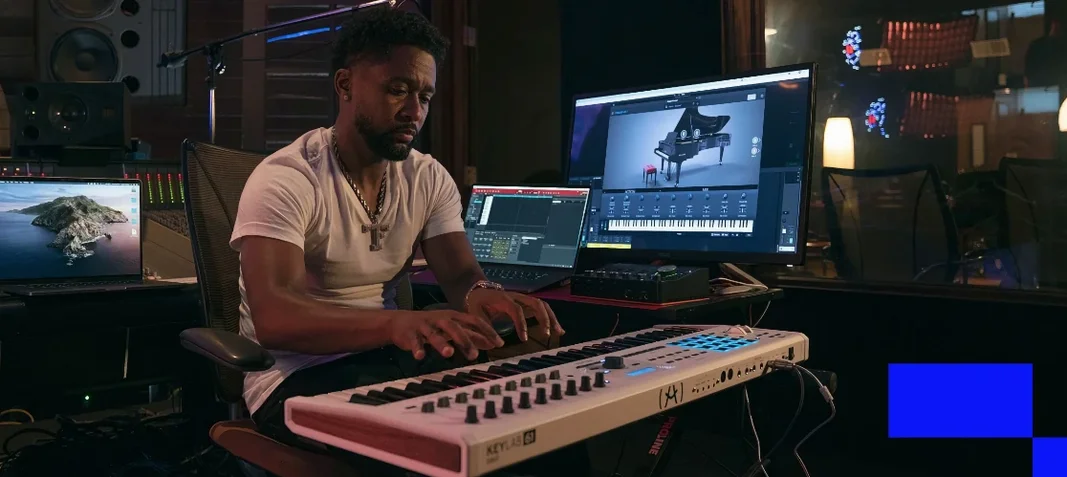
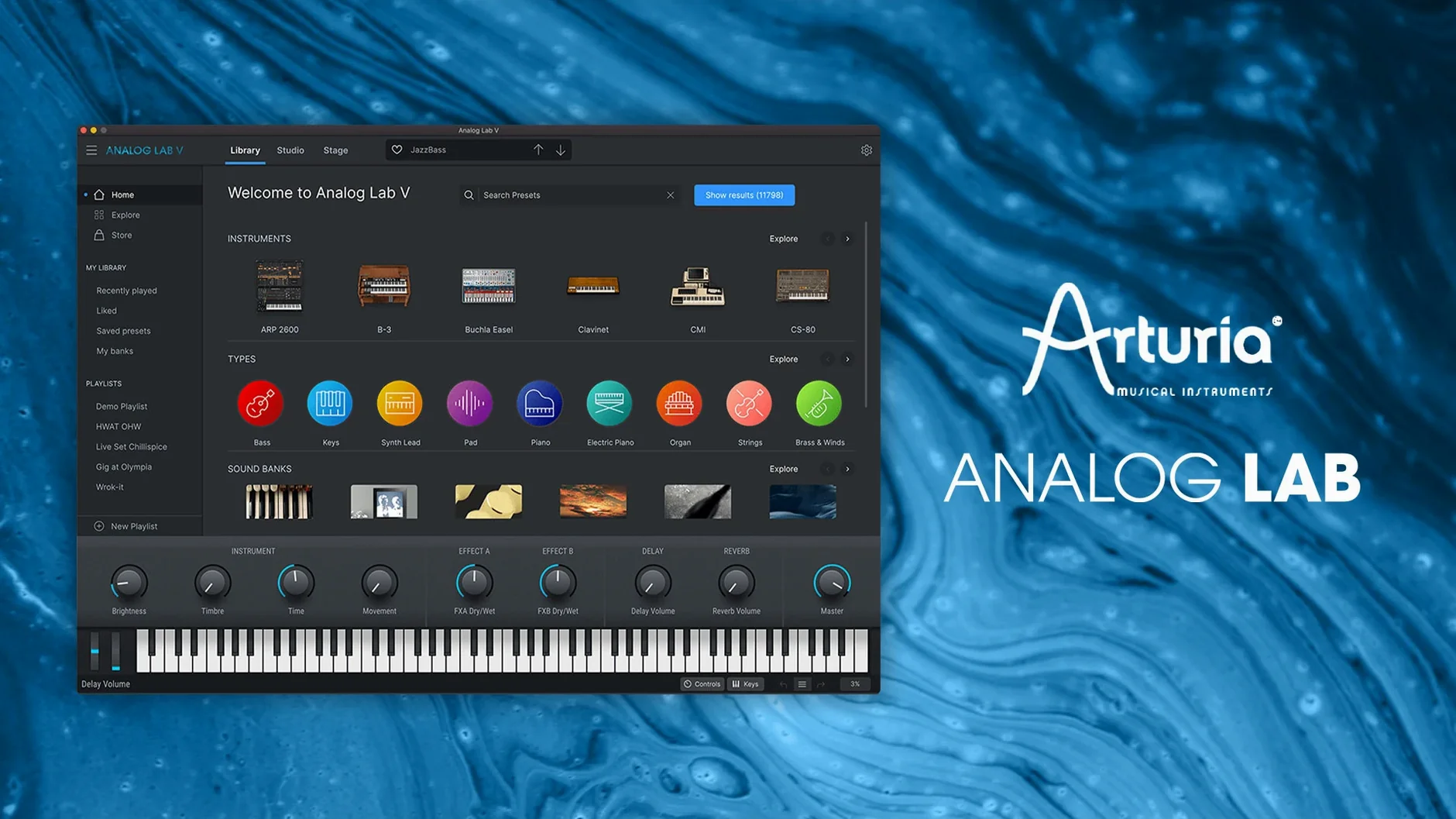
Version 5 landed with a cleaner browser and a set of macro knobs that actually change how a patch sits in a mix, not just how bright it is. The intelligent filter lets you type “warm pad with movement” and land on something usable in seconds, which matters when a rough cut is waiting.
Find a Sound Without Scrolling
Tags, instrument type, and a text search that understands descriptors rather than just preset names. You can narrow 2,000 options to four candidates before a coffee sip.
Shape It With Four Controls
Every preset exposes a curated set of macro parameters—timbre, motion, effects mix—so you can darken a brass stab or push a sequence off the grid without opening the full synth.
Play It Anywhere in a Session
Runs standalone for writing ideas or slots into a DAW as AU, AAX, VST2, or VST3. Instant recall means you tweak a bass patch once and it follows the project.
When Presets Vanish After Installation
Presets not showing up after installation is the one I hear about most. The standalone app and the plugin each scan their own database, and occasionally they disagree. Open the standalone once and let it finish its scan — that forces a rebuild the DAW version picks up on the next launch. If that still leaves you empty-handed, trash the preference file at ~/Library/Preferences/com.arturia.analoglab5.plist and let the app regenerate it.
CPU spikes on an M-series Mac usually trace back to the multicore setting. Arturia defaults to a balanced mode that plays nice with Logic, but Ableton Live users sometimes need to switch it to single-core inside the plugin wrapper. The difference is noticeable on a dense project with three or four instances running unison patches.
Another head-scratcher: the macro knobs feel stiff or jumpy with a MIDI controller. That's a MIDI learn conflict — Analog Lab maps the four macros as standard CCs, and if your controller is already sending those for faders, the two fight. Open the MIDI settings tab, clear any assignment that overlaps, then re-learn the knob with a slow turn. Smooth after that.
And if the browser's text search suddenly ignores a word that worked yesterday, the tag index probably needs a nudge. Hit Rescan DB in the preferences, restart, and the intelligent filter snaps back.
Building a Lofi Key Part for a Beat: A Walkthrough
Say a producer has a drum groove going but the harmonic element feels sterile. The goal is a warped, tape-aged electric piano that floats behind the kick and snare, not on top of them. Here's how I'd get there with Analog Lab V and nothing else.
Filtering down. Open the browser and type “warped keys” into the text field. The intelligent filter returns about thirty candidates. Add the Electric Piano instrument tag and the list shrinks to seven. Audition with the arrow keys — patch number three, a Wurli through a broken speaker simulation, has the right ghostly attack. Drag it onto the instrument slot.
Macro shaping. The four assigned knobs on this patch control drive, warble depth, a low-pass filter, and reverb send. Pull drive back to 10 o'clock so the breakup only triggers on harder hits. Push warble to 2 o'clock — the pitch instability now sways in time with the hi-hat pattern. Roll the low-pass down to about 800 Hz, watching the high end tuck under the cymbals. Reverb stays subtle, just enough to push the sound a few feet back.
Tucking it in the mix. In the DAW, I side-chain the Analog Lab channel to the kick with a fast release. The piano ducks two decibels on every kick hit, leaving the transient clear while the tail swells between beats. A touch of tape saturation on the bus after the plugin glues the warble into something cohesive instead of seasick.
Variation for the B section. Duplicate the track, switch to the next preset in the filtered list — a darker Rhodes with a tremolo synced to tempo — and automate the macro that controls tremolo depth. The chorus hits and the part shifts texture without changing notes. All from the same plugin instance format, no patch hunting mid-session.
Layering a CS-80 Pad with a Wavetable Bass in Logic Pro
Analog Lab V feels built for a multi-app workflow. In Logic Pro, I keep it on a summing stack so I can layer a CS-80 pad preset with a wavetable bass from another instance and process them as one. The AU version respects Logic's native articulation mapping, so preset changes triggered by MIDI program changes follow the Logic articulation set — handy for orchestral doubling with the Solina strings patches.
With Ableton Live, the VST3 instance exposes all four macro knobs as automatable parameters by default. Map them to a Push controller and the browser's "Type" tags become a performance tool: filter by Bass, spin the encoder to flip through presets without touching the mouse, and the four Push encoders instantly reflect whatever macros that patch assigned.
Outside the DAW, the standalone app talks to macOS Audio MIDI Setup cleanly. I can route it through a BlackHole virtual device for live streaming, or feed its output into OBS via a multi-output device I built in Audio MIDI Setup. No aggregate device weirdness — it sees whatever Core Audio presents.
Integration with the wider Arturia ecosystem is the quiet killer feature. If you own the arturia v collection, Analog Lab V unlocks full instrument views for every preset. A patch that shows four macro knobs in standalone mode suddenly exposes the entire Jun-6 chorus section or the Matrix-12 modulation grid. The plugin stays the same; the editing depth expands. That means a collaborator with just Analog Lab can load and tweak the macro version of a sound you built deep in the full collection — they won't see the complex mod routing, but the four chosen macros keep the essential movement intact.
The Sound of a Satellite Waking Up and Realizing It's Falling
Julie scores short films and gets a brief on a Tuesday: three minutes of sci-fi atmosphere, no melodic instruments, just texture and threat. The director mentions "the sound of a satellite waking up and realizing it's falling."
She opens Analog Lab V standalone and types “metallic” into the browser. Two hundred presets. She adds the Soundscape style tag — fourteen remain. The fourth one, a ring-modulated bell through a granular delay, has the right ceramic ping. She records four minutes of improvised chords, varying the expression pedal mapped to the macro that crossfades between the dry ping and a smeared, reversed tail.
The recording goes into Pro Tools as audio. She creates a second instance, this time filtering by Bass and Dark, and finds a sub oscillator drone that rumbles under the pings. The macro labeled “Movement” pans the drone in a slow ellipse — she automates that parameter to widen across the scene's midpoint.
A third instance loads a stock string machine preset she's used before, but she maps the Effects Mix macro to a fader on her controller and records a pass where she dips from lush orchestra into a thin, AM-radio degradation as the scene's signal decays. Three instances, one plugin, a room full of texture, and the whole session took two hours from blank project to playback for the director.
No section text provided
Analog Lab V vs. Native Instruments Komplete Kontrol
Both are preset browsers with tagged libraries and mapped macro controls, but the underlying philosophy splits. Komplete Kontrol wraps the entire NI ecosystem — Kontakt libraries, Reaktor ensembles, Massive patches — into one interface. That breadth means the tag database is enormous but also less consistent; a “warm” tag on a piano patch doesn't mean the same thing as “warm” on a FM bell. Analog Lab's tags come from Arturia's own modeling team, so descriptors feel like they were applied by the same ears.
The macro approach differs too. Komplete Kontrol's eight knobs map to whatever the NKS standard exposes, and the mapping quality depends on the developer. Some libraries map beautifully; others give you cutoff and resonance and call it a day. Analog Lab's four macros are curated per patch, every time, and the parameter names change to reflect what's actually moving — “Timbre,” not “Filter EG.” Less control, more intention.
Komplete Kontrol's hardware integration is deeper if you own an S-series keyboard. Analog Lab doesn't require the hardware to feel complete. For a laptop producer scrolling presets with a trackpad, Analog Lab's browser is faster to the sound.
Analog Lab V vs. UVI Falcon (as a preset player)
Falcon is a synth design environment that also ships with a large factory library. Comparing the full Falcon to Analog Lab is unfair — Falcon is a modular monster. But as a preset playback and tweaking tool, the UVI library loads through Falcon's browser, which is powerful but clinical. Tags are functional, not descriptive. You search for “synth pad” and get a list of names; you don't get a text field where “dusty tape pad” means something.
Falcon's macro system is user-definable across any number of parameters, which is more flexible than Analog Lab's fixed four. But that flexibility comes at the cost of curation — a factory patch in Falcon might expose ten awkwardly-named macros, while an Analog Lab patch gives you four that feel chosen by someone who mixed a record. If you want to build your own macro pages, Falcon wins. If you want to open a plugin and play a sound that's already 85% mixed, Analog Lab is the faster path.
Analog Lab V vs. Cherry Audio Synth Stack (multiple instruments)
Cherry Audio's approach is to sell individual modeled synths — DCO-106, CA2600, Eight Voice — each with its own preset system. There's no unified browser across the whole stack. You open the Jupiter emulation for Jupiter sounds, the Arp emulation for Arp sounds. The sounds are excellent, and the per-instrument editing is deeper out of the box than Analog Lab's four-macro limit. But when you're three hours into a session and need a brass stab that cuts, paging through individual synth plugins costs minutes. Analog Lab's cross-instrument browser answers “what brass sounds exist in the whole collection?” in one keystroke. Cherry Audio gives you the full synth; Analog Lab gives you the curated result of the full synth. Different jobs.
Analog Lab V vs. Apple's Alchemy (built into Logic Pro)
Alchemy ships free with Logic and includes a vast preset library with four performance controls — the Transform pad and eight Smart Controls. The similarity is real: both are preset-forward instruments that encourage macro tweaking over deep editing. Alchemy's library covers additive, spectral, granular, and virtual analog, and the Smart Controls are assignable per patch. For a Logic user on a budget, Alchemy covers serious ground and the integration with Logic's browser is tight.
Where Analog Lab pulls ahead is in the flavor of the presets. Alchemy's factory content leans modern and polished; Analog Lab's leans vintage and characterful — the SEM filter emulations, the Matrix-12 modulation colors, the sheer variety of modeled oscillator drift across the arturia v collection instruments. Alchemy can sound like anything. Analog Lab sounds like specific, loved hardware. And outside of Logic, Alchemy doesn't exist. Analog Lab runs anywhere AU or VST3 runs, so a cross-DAW collaboration keeps the sounds consistent.
- macOS 11 or later
- Apple Silicon or Intel 64-bit processor
Questions I actually get
Can Analog Lab V run on an M1 or M2 Mac?
Yes, it runs natively on both Apple Silicon and Intel 64-bit Macs from macOS 11 onward.
What plug-in formats does Analog Lab V support?
It works as Audio Units, AAX, VST2, and VST3, plus a standalone application for sketching outside a DAW.
How does Analog Lab V relate to the full V Collection?
It gives you the preset browser and macro controls for Arturia’s modeled instruments, but you need the full V Collection instruments to open and edit a patch at the source level.
Notes from the edit bay · 0
Sign in or get an edit-bay pass to leave a note.
No notes from the edit bay yet. They go up after I read them.