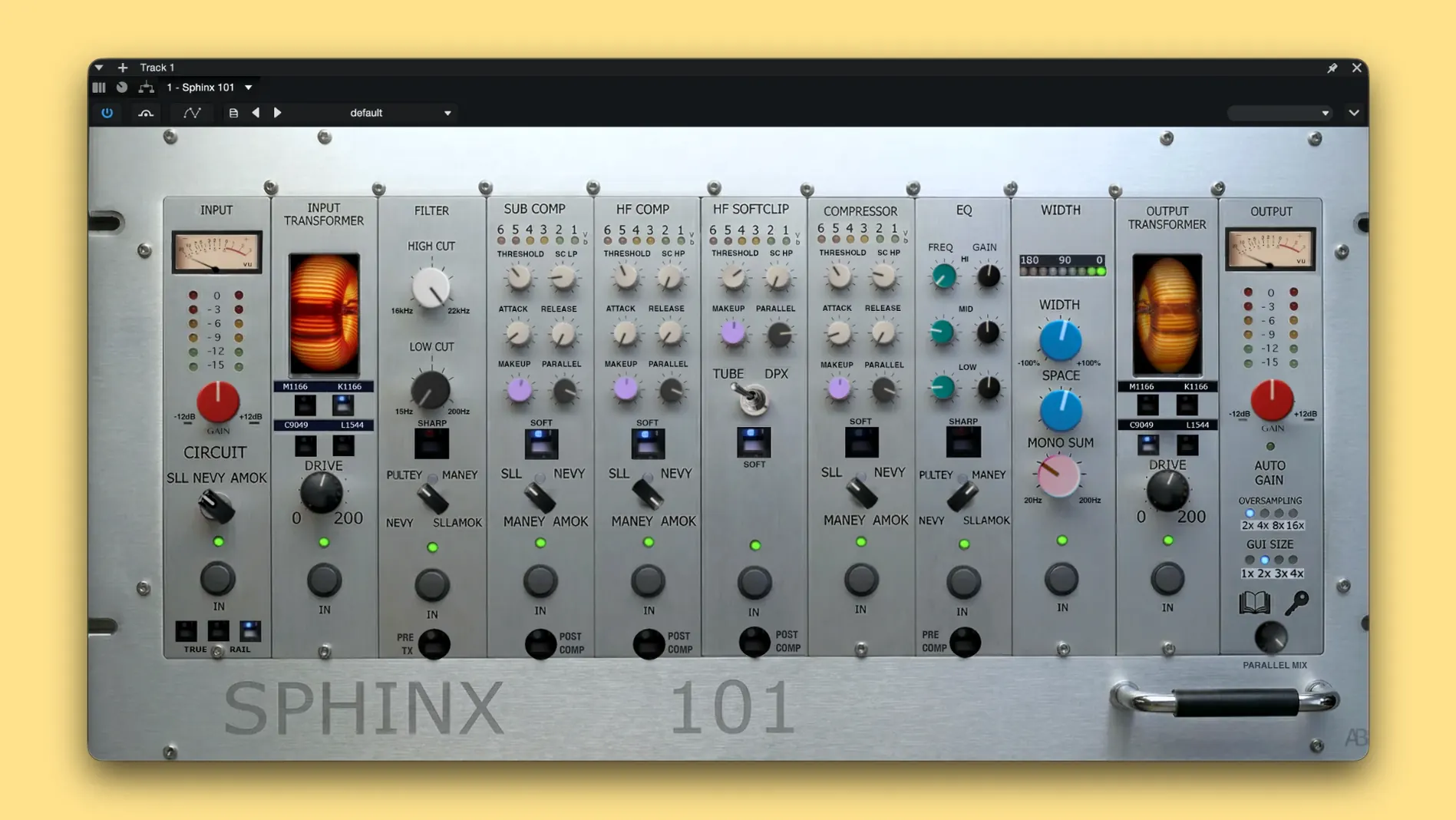
Your mix sounds good in solo, but the master bus feels like a glass ceiling — nothing gels, and the low end wanders. That's the moment you stop reaching for another channel EQ and look for a processor that thinks like a mastering chain. Analog Realism Sphinx 101 lives there, stitching together modeled hardware circuits so the two-bus finally breathes as one thing, not a stack of tracks.
| What | Why it matters |
|---|---|
| Version | 1.3.2 Rev 1 |
| Formats | AU, VST3 — Apple Silicon & Intel |
| macOS | macOS 11 and later |
| Modules modeled | Pultey, Nevy, SLL, Amok, Maney |
| Tech | TrueRail Technology |
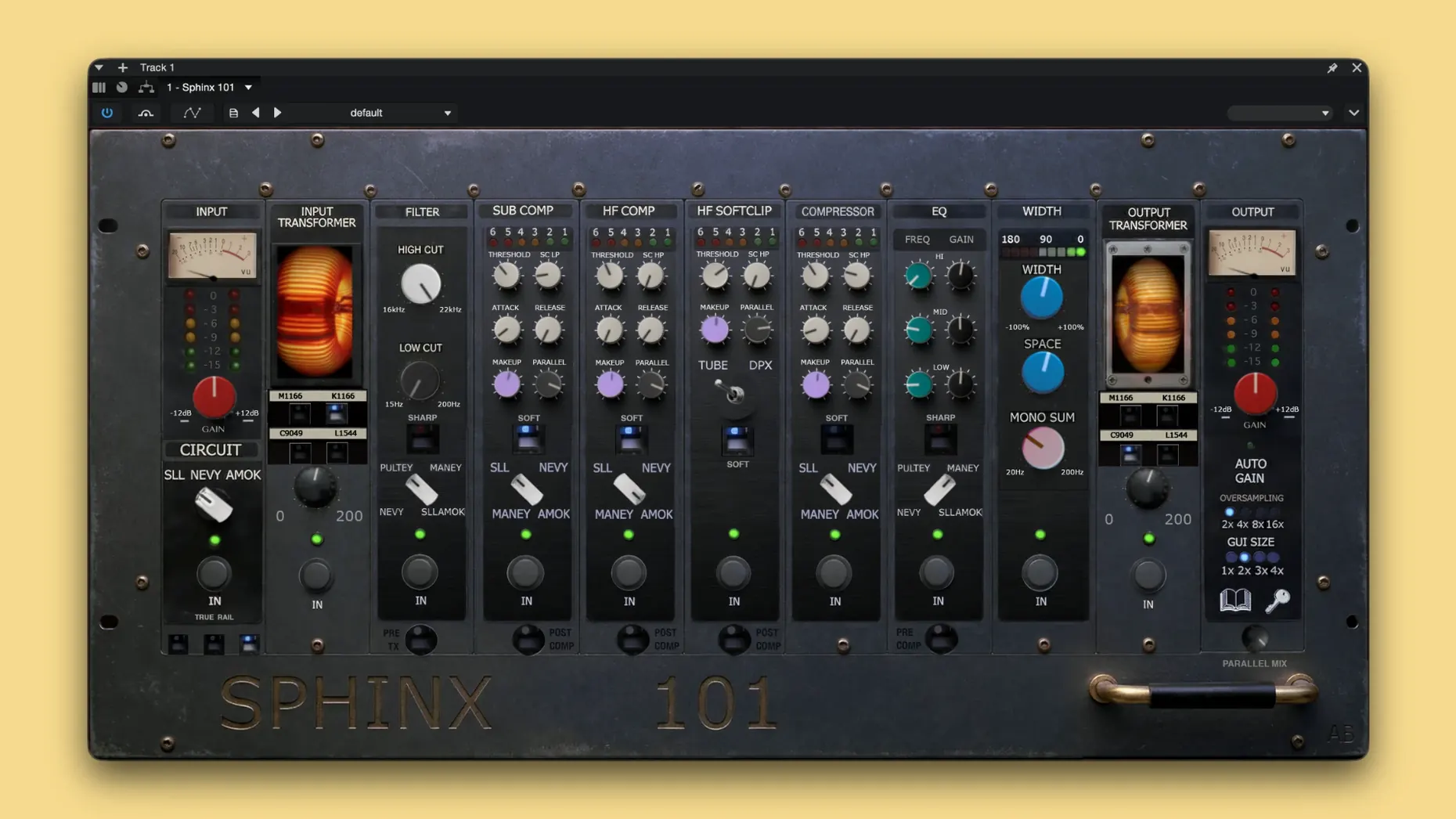
Where does it fit? Slap it on the master bus, period. That's the design brief. The interface hands you EQ, filter and dynamics blocks named after the hardware they reference — Pultey for that weighty low shelf, Nevy for midrange carve, SLL for the top-end sheen that doesn't bite. You can reorder modules to taste, and TrueRail keeps gain-staging sane so you're not chasing meters between sections. On a drum bus, it's overkill. On a vocal stem, it's a vibe. But on the master, it's the glue that turns a rough bounce into something that already sounds like a record before you export. One installer handles both Apple Silicon and Intel Macs — no Rosetta gymnastics.
When Your DAW Finds the AU but Not the VST3
The most common headache: a DAW scan that pulls up the AU but blanks on the VST3, or vice versa. If Logic sees it and Cubase doesn't, burn two minutes clearing the VST3 blacklist file — it's usually in ~/Library/Preferences under your DAW's folder, and a quick deletion forces a clean rescan. On Apple Silicon machines running an Intel-native DAW via Rosetta, the unified installer already placed both architectures. Just make sure your host isn't set to "Open in Rosetta" if you want the ARM path; flip that in Finder's Get Info panel.
Another classic: the output meter slamming red before you've touched a knob. Sphinx 101 models analog headroom behavior, and TrueRail can't save you if your incoming level is already cooked. Close your eyes and pull the trim on the last plugin before it down 6 dB — the saturation curves open up immediately, and suddenly the "thin" complaint people mutter about on forums disappears.
If the plugin window goes black after a macOS point update, you're not alone. A simple logout–login cycle rebuilds the graphics cache. Still black? Trash the AU cache file manually and relaunch your DAW; the plugin will revalidate on next scan.
Push the SLL High Shelf 2 dB at 10 kHz First
Don't start with a blank instance. Grab the SLL circuit first — it's the most forgiving for top-end shaping — and push the high shelf 2 dB at 10 kHz before you do anything else. That tiny move tells you instantly whether your mix is brittle or dull, and you'll make smarter EQ decisions downstream. Second: print a 16-bar loop of your chorus and render it through the preset you think works, then walk away for ten minutes. Come back and A/B against the raw bounce in Finder. Ear fatigue lies; the render doesn't.
The 79 automation-compatible parameters are a trap if you go wild on day one. Automate one thing — the Nevy mid-gain or the Amok drive — and ride it across sections. Mixes that sound "alive" usually have one moving part on the two-bus, not ten. And assign the output ceiling parameter to a hardware knob if your controller supports it; gain-staging with a fader beats squinting at a text field every time.
Versus bx_townhouse: One-Trick Slam or Four-Circuit Shape-Shifter
Versus bx_townhouse Buss Compressor: The Townhouse is a one-trick box — a slammin' SSL-style bus comp with grab and release curves that hug the drums perfectly. Sphinx 101 swallows that job and adds three more circuit models plus EQ and filtering in the same window. If you only need glue compression, the Townhouse is faster to dial in. If you need a whole sweetening chain, Sphinx 101 keeps you from stacking five plugins to get the same result. Different weight class.
Versus Kush Audio Clariphonic DSP: The Clariphonic is a sheen machine — parallel high-frequency bliss that opens up a mix without adding harshness. Sphinx 101's SLL module can get close with the right shelf curve, but it's not a dedicated exciter. Where Sphinx 101 pulls ahead is the Amok drive circuit — that gritty, mid-forward weight the Clariphonic doesn't even attempt. If your master lacks sparkle, Clariphonic wins the shootout. If your master lacks density, you'll keep Sphinx 101 on the insert.
Versus TDR SlickEQ Mastering: SlickEQ is an EQ specialist with smart loudness-matched curves and a surgical mind. It does no dynamics, no saturation. Sphinx 101 wraps EQ, filtering and dynamics into one modeled console strip. Mastering engineers who already own a compressor they love might prefer SlickEQ for final tone touches. Mix engineers who want the bus to sound "done" three plugins earlier will reach for Sphinx 101 and not look sideways. That's where the Analog Realism Sphinx 101 Mac torrent scene keeps buzzing — it replaces a pile of single-purpose plugins with one chain that already thinks like a mastering signal path.
- macOS 11 or newer
- AU or VST3 host
- Apple Silicon or Intel 64-bit Mac
Questions I actually get
Which DAWs does Sphinx 101 work with on a Mac?
Any DAW that hosts AU or VST3 plugins — Logic Pro, Ableton Live, Cubase, Reaper and Studio One are all fair game.
Notes from the edit bay · 0
Sign in or get an edit-bay pass to leave a note.
No notes from the edit bay yet. They go up after I read them.