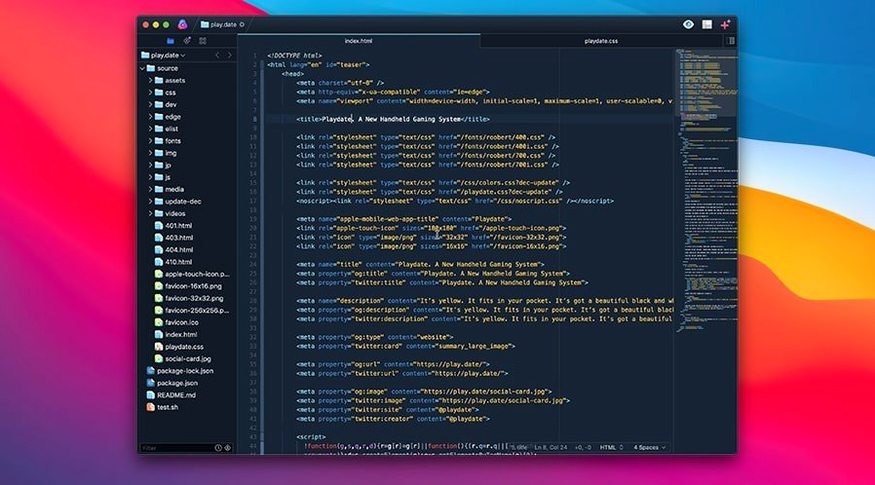
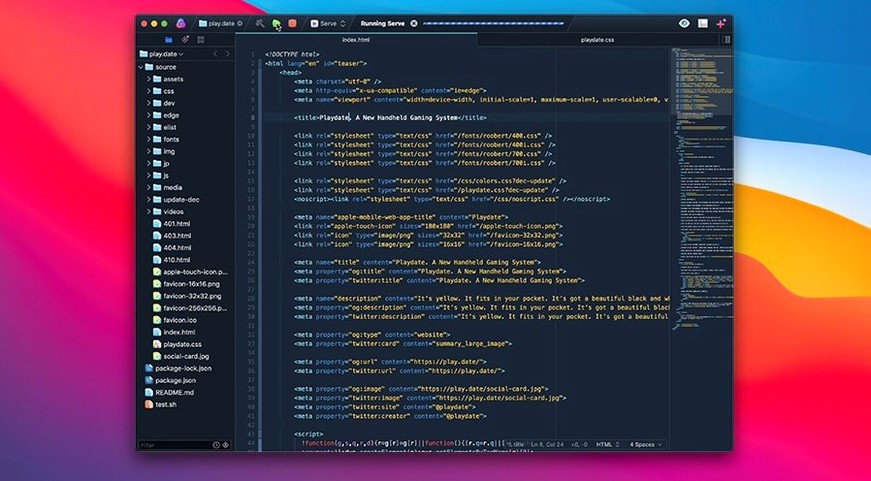
The minimap is the first thing that catches your eye, a zoomed-out view of your file that makes navigating a 2,000-line SCSS sheet feel effortless. That custom text layout engine—cooked up during a long beta—renders everything from Markdown to YAML with zero lag, letting you focus on the logic instead of the screen redraws. The editor gets out of your way so your fingers can do the actual work.
- Intelligent autocompletion that learns your project’s patterns.
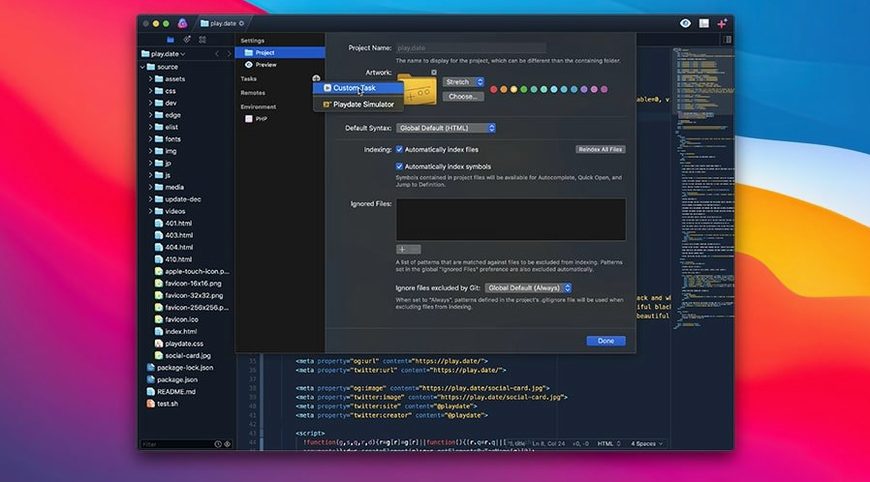
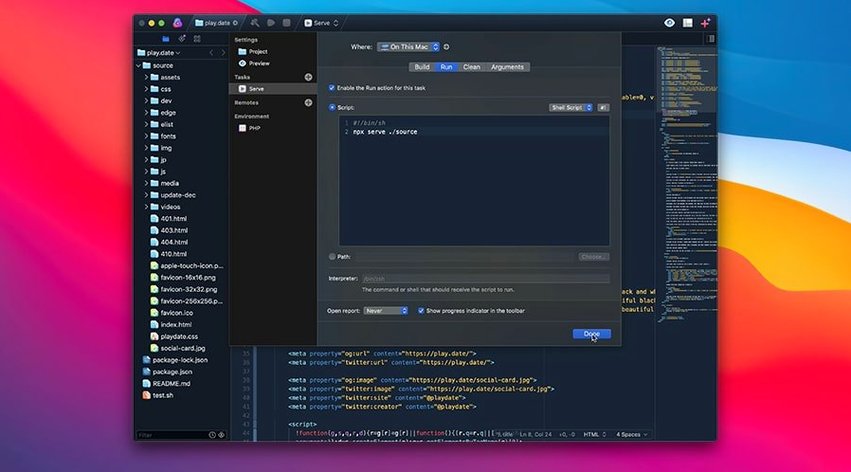
- Task automation you trigger from toolbar buttons or a chord you set yourself.
- Syntax highlighting for over two dozen languages, from Lua to JSX, without extra plugins.
- An extension browser that taps into a deep API, so you can bend the editor to oddball workflows.
This is a tool for people who finish things. Whether you’re prototyping a Python script or wrangling a full TypeScript project, the interface stays quick and uncluttered. No Electron bloat, no panel sprawl—just a sharp instrument that respects your deadlines.
Does It Stay Snappy When the Day Gets Long?
I keep Nova open across two displays for ten-hour stretches, and the memory graph barely twitches. Most sessions hover around 300–400 MB of RAM with a dozen tabs open—TypeScript, JSON configs, a few Markdown notes. Panic’s custom text layout manager is doing real work here; scrolling through a 4,000-line Python script with the minimap active feels identical to a fresh launch. No gradual degradation, no mysterious beachball after lunch.
Apple Silicon builds get the obvious nod, but the Intel version holds its own on older machines. I ran it on a 2019 iMac alongside Xcode and a handful of Docker containers, and Nova never stole CPU cycles it didn’t need. Task scripts that run esbuild or prettier fire off without choking the editor—rendering stays smooth even while a build kicks in the background. That matters when you’re shipping a cut at midnight and every second of lag feels personal.
Does It Really Nuke Xcode’s Bloat, or Just Swap One Monster for Another?
Does Nova handle massive files, or should I reach for something else?
I’ve thrown 15,000-line SQL dumps at it. Syntax highlighting loads instantly, and the minimap stays responsive when you drag through the gutter. Multiple cursors work fine across thousands of lines, though you’ll feel a tiny hitch if you try to edit 200 simultaneous selections on a spinning-disk Mac. On an SSD, it’s a non-issue. The editor doesn’t choke on minified JavaScript blobs either, which some lighter editors absolutely do.
I keep seeing “nova macos free” searches—is there a catch with extension support?
No catch. The extension browser pulls from a curated catalog, and the API is deep enough that community themes and language grammars just drop in. People grabbing nova torrents or nova roma torrent files can get the editor up fast, and once it’s running, the extension ecosystem behaves exactly as you’d expect: search, install, reload. TypeScript intellisense through the official extension feels native, not bolted on.
What about collaboration? I don’t see live-sharing features.
That’s fair. Nova doesn’t chase the multiplayer editing trend. If your workflow depends on real-time pair programming, you’ll keep a browser window open for that. What Nova does is stay out of your way when you’re heads-down on your own branch. The task runner picks up the slack by letting you wire up git hooks, linters, and deploy scripts that a whole team can share through a project config file.
Fixing the Rough Edges
Syntax highlighting for custom file extensions sometimes doesn’t map automatically. If your .scss files open as plain text, click the language selector in the status bar and pick SCSS—Nova remembers it for that project. Same trick works for .env files and obscure template formats.
If the minimap disappears after an update, toggle it back with View → Show Minimap. A handful of users chasing nova roma free downloads on forums have reported the minimap hiding itself after a macOS point release; the toggle fixes it every time.
Task scripts that rely on Node.js paths can break if you use a version manager like nvm. Nova inherits your shell environment when launched from the terminal, so start it with open -a Nova from your usual shell session and the paths resolve correctly. Dragging the app from the Dock won’t pick up those environment variables.
Extensions that modify the editing behavior—like Vim keybindings—occasionally conflict with built-in multiple-cursor shortcuts. When cursors start acting strange, disable the extension, restart Nova, and re-enable it. Takes thirty seconds and clears the conflict nine times out of ten.
- macOS 15.6 or later
- Runs on both Intel and Apple Silicon Macs
Questions I actually get
Which languages does Nova handle out of the box?
It ships with built-in syntax support for CoffeeScript, CSS, JSON, Markdown, PHP, Python, Ruby, TypeScript, YAML, and many others—no extra downloads required.
Can I automate repetitive tasks inside the editor?
Yes. Tasks can be wired to toolbar buttons or custom keyboard shortcuts, so you can trigger builds, run scripts, or clean up files without leaving the window.
Notes from the edit bay · 0
Sign in or get an edit-bay pass to leave a note.
No notes from the edit bay yet. They go up after I read them.