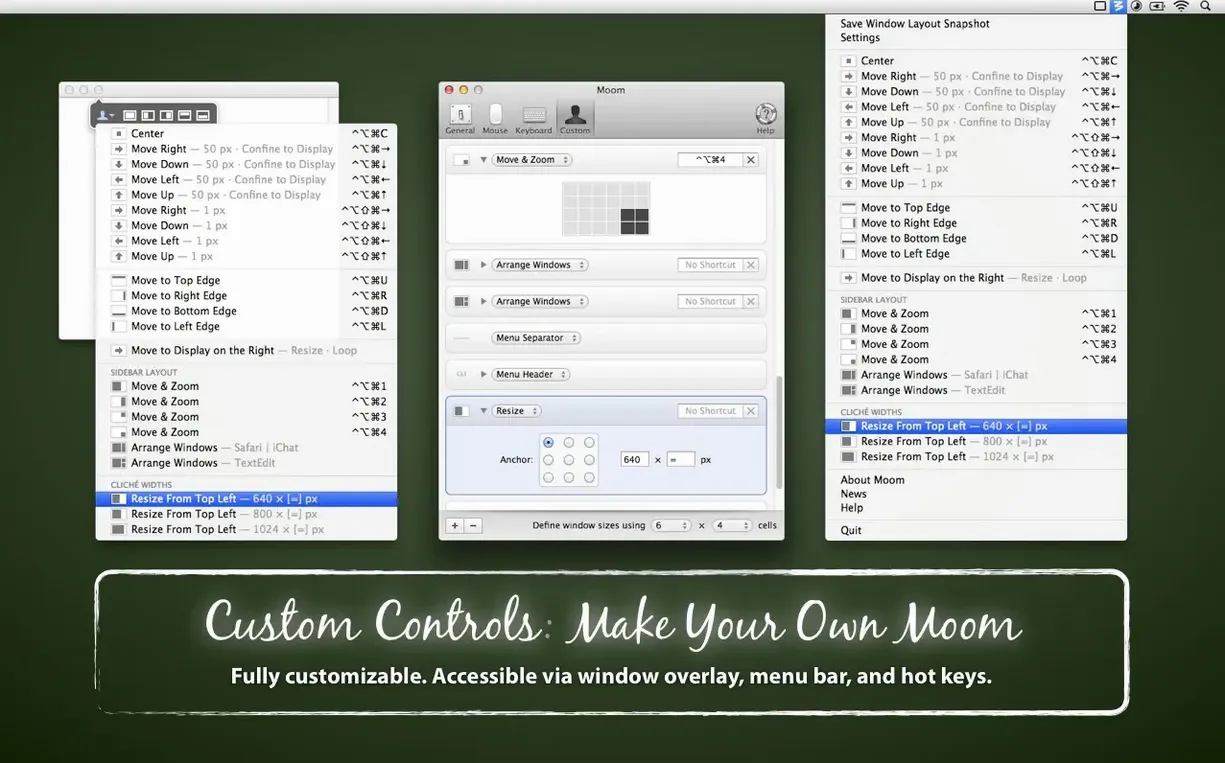
This is for the person who has mapped their screen real estate down to the last pixel. If you arrange Finder windows, a timeline, and a preview monitor into the same three-up layout every morning, Moom is the kind of tool that earns its place in your menu bar. It's from Many Tricks, and it turns window management from a drag-and-drop chore into something you trigger and forget.
Snapping, Grid, and the Palettes That Keep You Moving
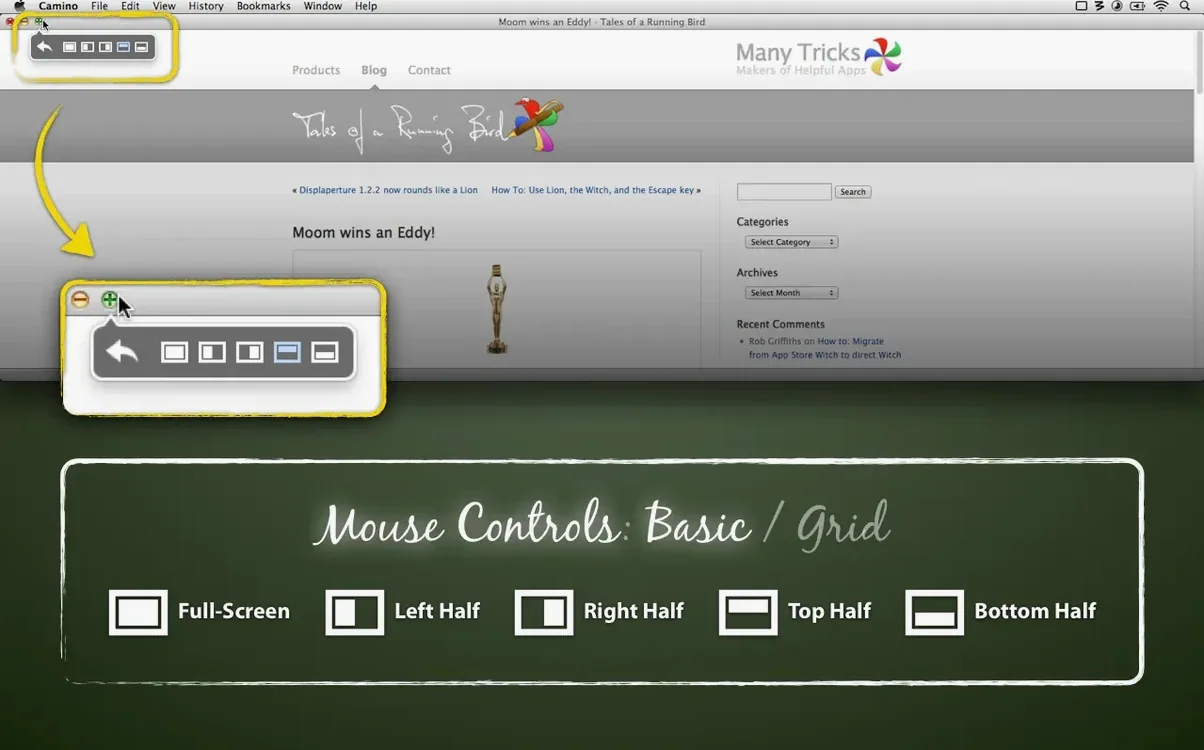
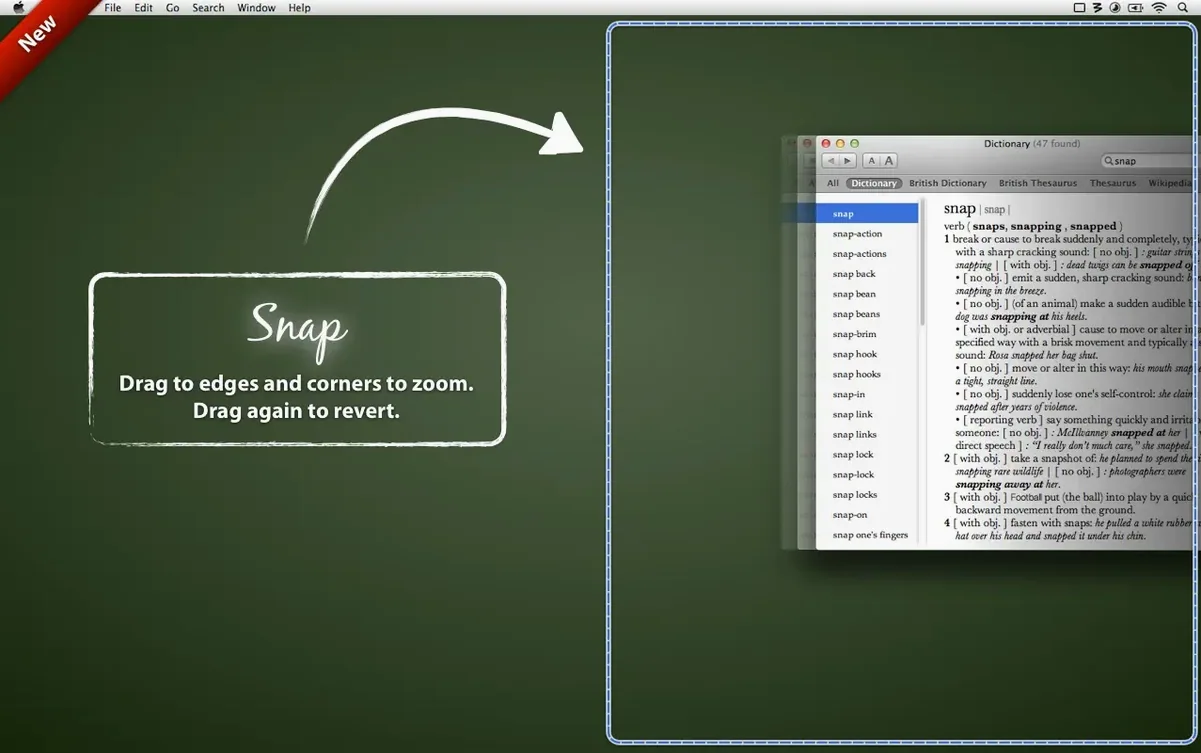
Dragging a window to a screen edge to fill half the display is table stakes. Moom does that, but it also gives you a move-and-zoom grid. Hover over the green traffic light and a pop-up palette appears with preset sizes and positions you've defined. One click, and a window lands in the exact corner you need. It cuts out the micro-adjustments that eat up seconds between renders.
Save Layouts, Not Just Window Positions
The real timesaver is snapshotting a whole layout. You arrange every window across one or two displays, save the layout, and recall it later with a keyboard shortcut. The latest build even lets you assign windows to saved spots based on which app windows are frontmost, or by simple proximity. It's like restoring a workspace session without the ceremony. For anyone juggling project bins, scopes, and a script, that predictability is the whole point.
Little Tricks That Make a Daily Difference
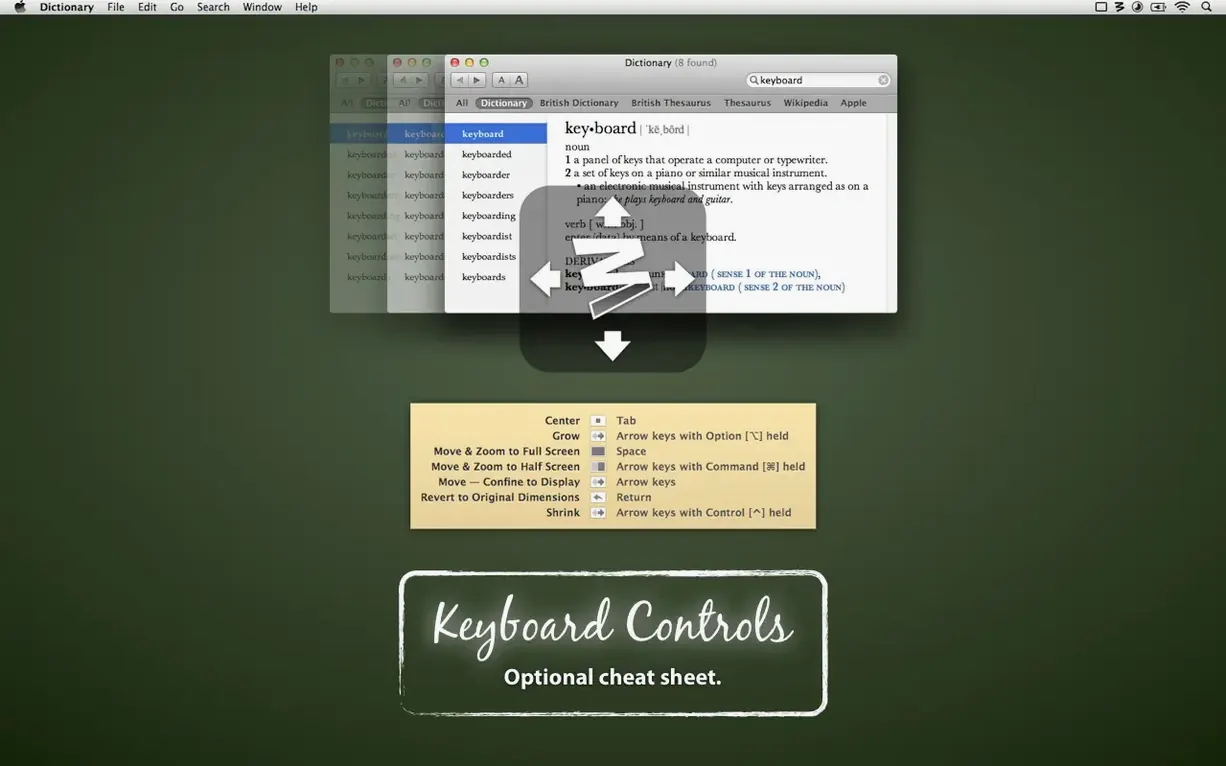
The hover-triggered palette under the green zoom button gets most of the attention, but Moom's keyboard mode is where the speed lives. Tap your global shortcut and the current window sprouts a grid overlay; you can then nudge it with arrow keys or snap it to a preset by hitting a single letter. I assign L for left-half and K for right-half — muscle memory does the rest. If you work with dual monitors, right-click Moom's menu bar icon and enable "Ignore mouse clicks while in keyboard mode." It stops you from accidentally dismissing the grid when you click to refocus.
Another quiet gem: you can arrange the pop-up palette to mimic your physical screen layout. If your external display sits to the left of your MacBook, drag the quadrant buttons in Moom's preferences so they match. Your brain stops translating coordinates.
Layouts Break When Monitors Change
The biggest beginner mistake is treating saved layouts like a global undo button. Layouts recall size and position, but if you've changed display arrangements — say, unplugged a monitor — Moom won't guess where windows belong. Those spots come back blank. The fix is to save one layout per physical setup and label them clearly: "Office Dual," "Laptop Solo," "Client Screen."
Another common hiccup: dragging a window to an edge and expecting a custom snap zone that hasn't been defined yet. Moom ships with sane defaults, but its real power unlocks when you specify your own drop zones in the "Snap" preference pane. If you need a window to occupy the top-right third of a 32-inch display, you drag that out on the little grid once and it sticks forever.
Turn On Launch-on-Login First
Head straight to the "General" tab and check "Launch on login." Moom is useless if it's not running before you've already arranged six windows by hand. Then, under "Keyboard," assign a primary shortcut you won't collide with Final Cut's command set. I use Control-Option-Space — free on almost every system and fast to trigger.
Finally, if you're grabbing a moom for mac setup for the first time, open "Snap" and disable "Snap to edges while dragging" initially. It sounds counterintuitive, but learning the keyboard and palette flows first builds cleaner habits. You can always re-enable it once you've defined your own snap zones instead of fighting the defaults.
Layout recall gets smarter with proximity-based slot assignment. You can now assign windows to saved spots using the frontmost apps, or by raw proximity alone, which makes restoring a workspace feel less rigid. Layouts scoped to the active display also got a polish—they now skip hidden apps and minimized windows, so you don't get ghost placements. Also fixed: a workaround for a macOS bug that threw off window positions for hidden apps in saved layouts.
- macOS 10.13 High Sierra or newer
- Intel or Apple Silicon Mac
Questions I actually get
Does Moom work with multiple displays?
Yes, it can move windows across displays and you can set saved layouts to apply only to windows on the active display.
What version of macOS do I need?
Moom requires macOS 10.13 High Sierra or newer and runs on both Intel and Apple Silicon Macs.
Notes from the edit bay · 0
Sign in or get an edit-bay pass to leave a note.
No notes from the edit bay yet. They go up after I read them.