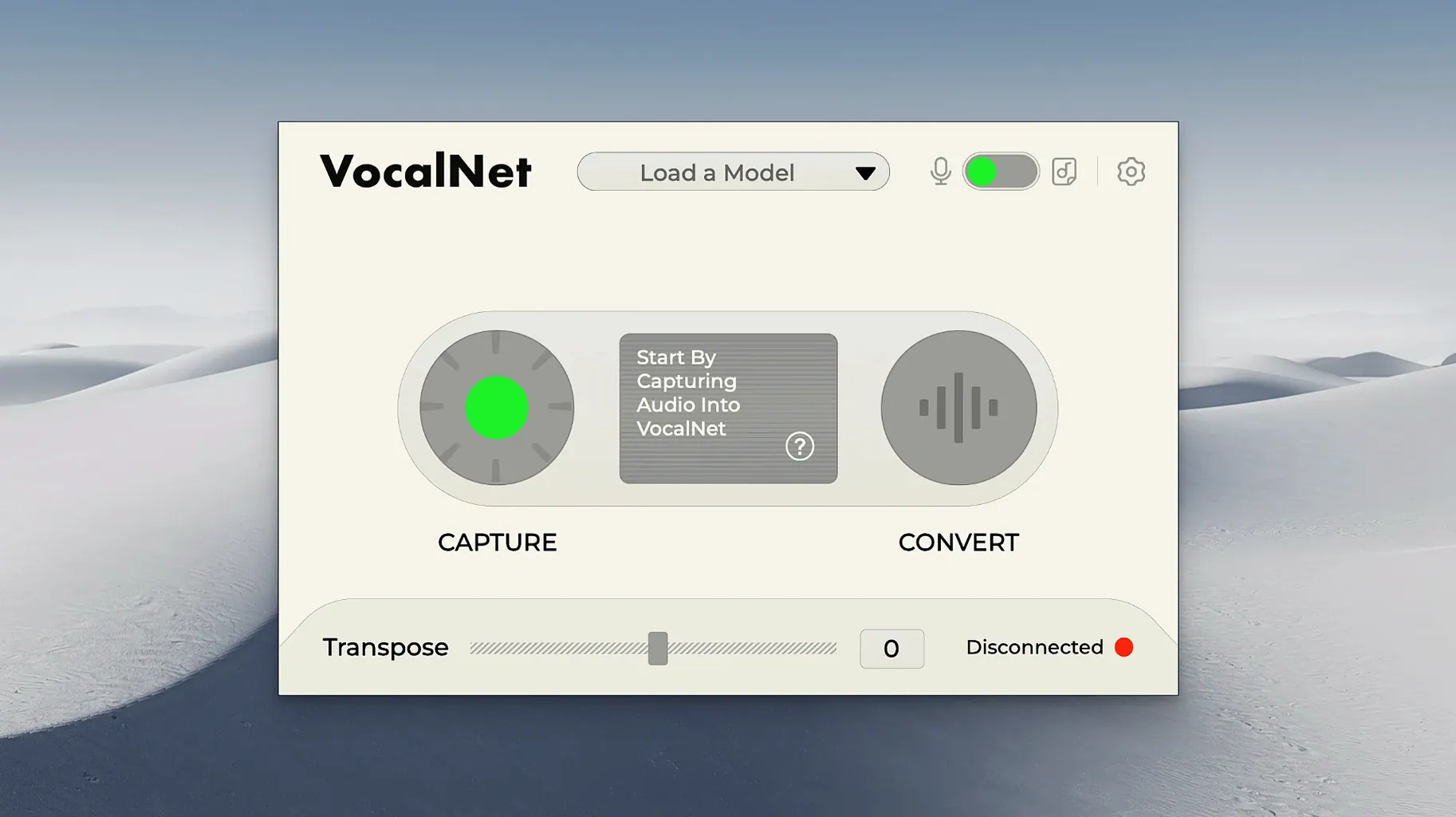
VocalNet runs on any Mac with macOS 10.15 or newer, natively on both Intel and Apple Silicon machines. It drops into your DAW as a standard VST3 or AU plugin.
Plugin format — VST3 and Audio Unit. That covers Logic Pro, Ableton Live, Cubase, and most other hosts.
Primary job — Timbre transformation. VocalNet analyzes vocal recordings you feed it and reshapes the character of a performance without needing another singer in the booth.
Core technology — Local AI processing. Everything happens on your computer; no cloud uploads, no render queues.
Hybrid mode — You can load more than one voice sample and crossfade between them. Slide a single control and the timbre moves from one vocal character to another, landing anywhere in between.
Practical uses — Adding grit or breath to a flat take. Generating doubles that don't sound like copy-paste. Scouting character ideas before booking a session vocalist. Sound designers lean on it for creature voices and experimental textures.
Where it fits — This is a creative layering tool, not a channel strip. Add it to a dry vocal track, feed it some reference samples, and print the result to a new lane. It pairs well with your usual EQ and compression chain downstream.
Bump the Analysis Resolution Before You Judge a Sound
Out of the box, VocalNet ships with a neutral starting point that works but rarely flatters. Before you judge a single sound, open the plugin and do three things.
First, bump the analysis resolution up one notch. The default is set low to keep CPU happy on older machines, but if you're on an M-series Mac or a recent Intel rig, the higher setting catches more detail in the high end without adding perceptible latency. Sibilants track cleaner, breath noises feel more natural, and the crossfade between loaded voices gets smoother.
Second, check the input gain staging. VocalNet reacts best when the incoming signal hovers around -12 dBFS. If your vocal chain is hitting it hotter, the AI model starts clamping transients in ways that sound less like "character" and more like a bad MP3 encode from 2002. Drop a trim plugin before it or pull your clip gain back.
Third, ignore the preset browser for the first session. Load a single voice sample you know well — your own dry vocal from another project, a bandmate's take — and drag the timbre knob slowly while singing or playing back a phrase. You'll hear the threshold where the processing crosses from "that's interesting" to "that's unusable," and it's different for every sample pair. Once you know that zone, preset-hopping makes more sense.
Also worth enabling early: the low-latency mode if you track through the plugin. It trades a tiny bit of fidelity for responsiveness, and for live vocal monitoring or ad-lib sessions, the trade is invisible.
Logic No Longer Forgets Your Loaded Voice Samples
Version 1.0.4 didn't add any blockbuster new features, and that's exactly what makes it worth grabbing. The earlier 1.0.2 build had a habit of forgetting loaded voice samples when you reopened a project in Logic — not every time, but often enough to break trust in a deadline session. 1.0.4 closed that bug. Your sample assignments stick now, whether the plugin is on an active track or sitting dormant in a disabled folder.
Latency reporting to the host got corrected too. In 1.0.2, Logic and Cubase would sometimes see a delay compensation offset that was off by 12 to 18 milliseconds, making printed tracks land slightly early. If you were layering VocalNet-processed doubles with the dry vocal, you either nudged manually or lived with a phasey smear. 1.0.4 reports accurately. Time-align to the grid, hit bounce, and the transient lands where your ears say it should.
The other quiet fix: CPU spikes during hybrid crossfade moves. Earlier builds could stutter on Intel Macs when you automated a fast sweep between two loaded voices. 1.0.4 handles the interpolation with less burst load. It still works an Apple Silicon machine harder than a static timbre, but the dropouts are gone on any Mac meeting the minimum spec. For everyday use, that means you can ride the blend control in real time during a bounce without babysitting the buffer size.
All AI Processing Runs Locally, No Internet Needed
Does VocalNet need an internet connection? No. All processing runs locally. The AI model ships inside the plugin package; the voice analysis and transformation happen entirely on your Mac. You can disconnect from Wi-Fi in the middle of a session and nothing changes. For producers working under NDAs or on sensitive pre-release material, that's the answer that usually closes the decision.
Will it work in my DAW? If your host loads VST3 or Audio Unit plugins, yes. Logic Pro, Ableton Live, Cubase, Studio One, Reaper, Bitwig — the install drops both formats. Pro Tools users get AAX in the same installer. No standalone app, no Rosetta-only quirks on Apple Silicon; the binary is universal.
Do I need to sing perfectly for it to sound good? You need a reasonably clean recording. VocalNet doesn't correct pitch or timing; it reshapes timbre. A warbly take with room noise will still be a warbly take, just one that sounds like a different person singing in the same bad room. People who feed it tight, dry source vocals get results that slot into a mix with minimal cleanup. Those who feed it voice memos from a phone get what they put in.
Can I use it on instruments or full mixes? It's designed for vocal signals. Dropping a guitar bus or a full drum stem through it produces unpredictable, often glitchy output — which some sound designers treat as a feature, not a bug. Just know it was never tuned for that, and the results won't be subtle.
Layer Your Own Take Through a Loaded Sample
Bedroom pop producers and indie vocalists who track everything themselves. VocalNet gives them a second "voice" without a collaborator on the clock. Layer your own take through a loaded sample, blend it low, and the double sounds like a different singer's instinct, not a cloned take with a formant shift. For solo artists building dense vocal arrangements, it solves the uncanny-valley problem cheaply. The vocal net plugin community on forums is full of people trading sample packs of their own voices for exactly this reason.
Post-production sound designers get a different kind of mileage. Need a creature to evolve from a whisper to a growl across a scene? Load two vocal textures and automate the hybrid crossfade. Because the processing is real-time, you can perform the move against picture and print it in one pass. No rendering, no round-tripping. The vocalnet ai vst download is a regular sight in sound design template sessions for short-film editors who need results during the picture lock crunch.
Beatmakers and electronic producers who treat the voice as texture rather than lead element. Chop a phrase, load an unexpected reference — a spoken-word sample, a field recording of a street vendor — and the vocal takes on a timbre that doesn't exist in any sample pack. These users tend to push the blend control further than vocal producers would, and they're the ones who keep the session loops vocalnet community alive with weird preset swaps and hybrid recipes.
If your workflow is tracking live bands or mixing records where the vocalist's identity is sacred, VocalNet probably lands as an occasional spice, not a daily driver. But for anyone who regularly asks "what if this voice sounded like something else?" — and needs the answer before the render bar finishes — it earns its slot in the plugin menu.
- macOS 10.15 or newer
- Intel or Apple Silicon Mac
- DAW supporting VST3 or Audio Unit plugins
- English interface
Questions I actually get
Does VocalNet process audio in the cloud?
No, all processing happens locally on your Mac or Windows machine. The plugin analyzes samples directly on your computer.
Can I blend more than one voice sample at once?
Yes. VocalNet can load multiple samples and let you crossfade between them to create hybrid vocal textures.
What does VocalNet actually do to a vocal track?
It analyzes the timbre of uploaded voice samples and applies those tonal characteristics to a recorded performance, transforming its character without changing the melody or lyrics.
Notes from the edit bay · 0
Sign in or get an edit-bay pass to leave a note.
No notes from the edit bay yet. They go up after I read them.