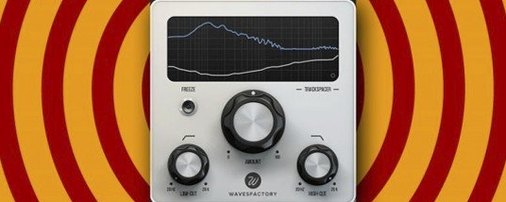
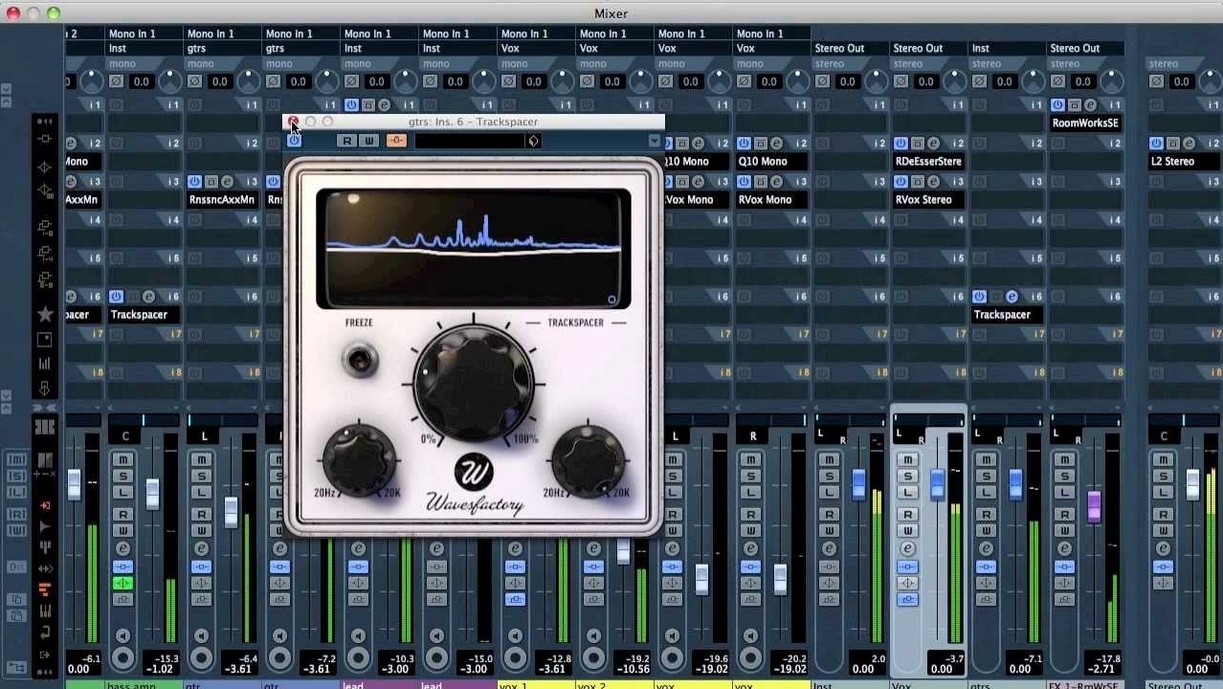
If you've ever set up a compressor just to duck a bass under a kick drum and wished the process paid attention to the *specific frequencies* clashing instead of the whole volume, Trackspacer is exactly that wish fulfilled. It's not a dynamics processor pretending to solve masking — it's a 32-band EQ that listens to a sidechain input and carves out only the frequencies the other track occupies in real time.
| Key Detail | Spec |
|---|---|
| Plugin Type | Sidechain EQ / spectral ducker |
| Formats | VST, VST3, AU, AAX (64-bit) |
| macOS | 10.9 and later, Intel & Apple Silicon |
| Bands | 32-band internal EQ, reversed curve |
Where it fits: drop it on a synth pad or rhythm guitar bus, feed your lead vocal into the sidechain, and Trackspacer ducks only the 1–4 kHz range where the vocal lives while leaving the low end and air frequencies untouched. That's the core sound — transparent separation without obvious pumping. The interface keeps it simple: attack, release, amount, and a visual readout of the curve being subtracted. It speaks English only and loads in every major 64-bit host on a Mac, from Logic and Ableton Live to Pro Tools, as long as you're running 10.9 or newer.
A Bedroom Producer's Bass Fix
Take a producer working late on a synthwave track. The bass line and the kick drum both hit around 60 Hz, and no amount of volume balancing is clearing the mud. A regular sidechain compressor pulls the bass down on every kick hit, which works — but it also sucks the sustain out of the upper bass harmonics, making the part feel thin and lifeless between kicks. That's the moment Trackspacer earns its keep. Routing the kick to the sidechain input on the bass channel lets the plugin duck only the overlapping low end, leaving everything from 100 Hz upward completely alone. The bass still breathes; the kick finally punches through.
Ducking a Synth Bus That Swallows the Vocal
Here's how a typical first encounter plays out. You load Trackspacer onto a thick stereo synth bus that's fighting a lead vocal. The synth sounds great soloed but swallows the words whole in the chorus.
- You instantiate the AU version on the synth bus in Logic, right below a stock EQ you were using to notch out 2.5 kHz by hand.
- The sidechain menu in the plugin header gets set to the vocal track's bus send. Immediately the real-time spectrum display lights up — a white curve showing what the vocal is contributing, and an orange inverted curve showing what's being removed from the synth.
- You pull the Amount knob to around 35%. Too much at 70% and the synth starts to sound hollow, like someone scooped its mids out with a spoon.
- Attack gets set fast — 5 ms — so the ducking doesn't lag behind the consonants. Release lands around 80 ms; short enough to recover before the next phrase, long enough to avoid a sudden jump back in.
- You toggle bypass a few times. The difference isn't dramatic in isolation, but in the full mix the vocal suddenly sits on top of the arrangement instead of inside it.
The whole process takes under two minutes. No multiband compressor setup, no dynamic EQ with six bands to configure. Just one plugin listening to one sidechain, doing one job.
Clearing Space for Dialogue
A post-production editor working on a short film faces a common headache: the background music bed is stepping all over the dialogue in the 800 Hz to 3 kHz range. Riding a fader would take all afternoon for a twenty-minute piece. Instead, Trackspacer sits on the music bus with the dialogue stem feeding its sidechain.
The workflow is dead simple. After importing the dialogue and music into separate tracks, the editor creates a pre-fader send from the dialogue bus to an unused bus pair. On the music track, Trackspacer is inserted as the last plugin in the chain, sidechain input set to that dialogue bus. Attack is kept at 2 ms for instant reaction to syllables, release set to 120 ms for a natural fade-back on pauses. The Amount knob stays conservative — maybe 25% — so the music dips just enough to let the words through without the audience ever noticing the bed is being dynamically EQ'd. The editor hits play on the entire timeline and watches the orange curve dance in response to every spoken line. Twenty minutes later, the mix is done, no automation lanes drawn, no manual EQ rides. The dialogue sounds like it was always supposed to be there.
The same technique works for podcast intros, radio spots, or anything where a voice and a busy background fight for the same slice of spectrum. A quick search for Wavesfactory Trackspacer Mac torrent leads plenty of editors to this exact plugin for exactly this reason — it solves a specific, tedious problem without a single extra step.
Version 2.5.10 keeps everything 64-bit and current. If you're hunting for the last build with 32-bit compatibility, the developer's support page points to version 2.5.4 as the cutoff.
- macOS 10.9 or later
- Intel or Apple Silicon Mac
- 64-bit host (VST, VST3, AU, AAX)
- English interface
Notes from the edit bay · 0
Sign in or get an edit-bay pass to leave a note.
No notes from the edit bay yet. They go up after I read them.