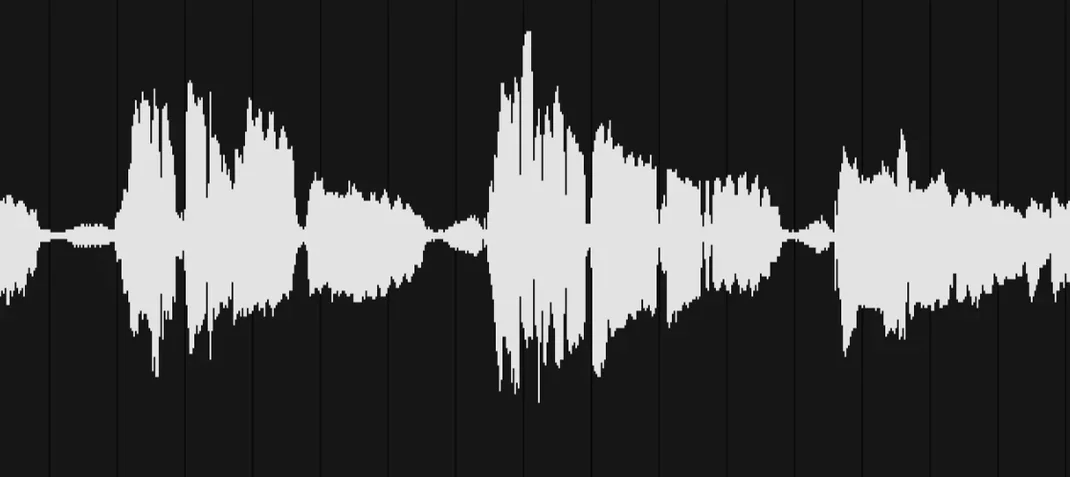
Every sound in Life starts as a two-bar loop — that's the canvas. You can pull audio from the included Field Recorder mobile app, grab a DAW stem with the DAW Recorder app, or just drag a file onto the waveform display. From there, five sequencer lanes turn that one clip into kick, snare, hat and percussive patterns by slicing, pitching and filtering different trigger zones across the waveform.
| Format | macOS | Architecture |
|---|---|---|
| VST, AU, Standalone | 10.13+ | Intel & Apple Silicon |
The sound of Life lives in its modulation. The Sample knob shifts the slice start point per hit, so a snare lane can walk through a shaker recording without touching the timeline. The Tone control is a tilt EQ baked into each lane, and the Decay knob pulls tails short or lets them ring — that's where a field recording of a gate latch turns into a tight hi-hat. Version 1.2 added the Duck lane, which sidechains any sequencer lane to the kick for instant pump without routing a compressor. It also brought offline mode, so files recorded on your phone sync back and work without an internet connection. In a mix, the attack clicks and pitched-down transients cut through because the engine runs zero-latency — no buffering smear when you're tapping out patterns live.
First Days: Get Something Knocking in Ten Minutes
Don't overthink the mobile apps on day one. Open the standalone version, click the waveform area and load one of the factory clips — a rain recording, a kitchen drawer slam, whatever. The fastest route to a usable groove is muting four of the five lanes and working on just the kick. Drag the left and right markers on the waveform to isolate a short, punchy transient, then set the sequencer steps to hit on 1 and 3. You'll hear immediately whether the slice point needs nudging with the Sample knob.
Once the kick anchors the pattern, unmute a second lane for the snare. Pick a different zone on the same waveform — a rattle or a scrape rather than another thump. Tune it up a few semitones with the pitch control and shorten the decay so it doesn't bleed into the next step. That contrast between the two lanes is what tricks the ear into hearing a kit, not a field recording.
Resist the urge to fill all five lanes straight away. Two good lanes playing off each other will teach you more about the engine's timing than a cluttered pattern where everything blurs. Add a third lane on day two, then introduce the Duck feature once you have a kick lane worth sidechaining to.
When Recordings Vanish Between Phone and Desktop
The most common headache is latency between the mobile app and the desktop. If recordings aren't showing up in Life after you capture them on the Field Recorder, check that both devices are on the same Wi‑Fi network and that the desktop app isn't sitting behind a firewall. A quick toggle of Wi‑Fi off and on again on the phone forces a re-sync, and that fixes it more often than not.
Another sticking point: dragging a long recording onto the waveform and expecting Life to find the good bits automatically. It won't. The engine maps whatever segment sits between the left and right markers, and the default is the first two bars of the file. If you've captured three minutes of street ambience, you need to zoom the waveform and reposition those markers manually. The zoom control is the small magnifying glass icon below the display — easy to miss when you're in a hurry.
On Apple Silicon Macs running older DAWs under Rosetta, the AU plugin sometimes fails validation. The fix is running your DAW natively rather than under Rosetta, because the Life component is a universal binary and doesn't need translation. If the DAW itself isn't native yet, the VST version tends to pass validation where the AU stumbles.
Fast Dirty Grit: From Phone Input to Beat in Two Hours
Say it's 10 p.m. and a beat needs to exist by midnight. I open the DAW Recorder app on the phone, hit record, and play a synth stab loop from Logic into the phone's mic input — dirty, but that's the point. The clip syncs to the desktop over Wi‑Fi within seconds. I drag it into Life's waveform slot and immediately set markers around the first transient-heavy second.
Lane one becomes the kick: I grab a low thud from the start of the clip, pitch it down seven semitones and set a four-on-the-floor pattern. Lane two gets a slice from the tail of the synth stab for a hat — decay pulled tight, Sample knob nudged so each hit lands on a slightly different grain. Lane three is the Duck lane, routed to lane one so the hat breathes with the kick. Lane four takes a scrap of room tone pitched up into a percussive tick, panned hard right. Lane five stays muted; four lanes are enough.
I tap out velocity variations by option-clicking individual steps — lighter taps on the offbeats, full velocity on the downbeats. The pattern loops for eight bars while I tweak the Tone knob on the kick lane, rolling off the highs until it sits behind the hat. Twenty minutes in, I print the audio to a stereo track in Logic and move on. The whole session never left the DAW; I only opened the standalone earlier to check sync.
Shift‑Drag to Snap Slices Right onto Transients
Holding Shift while dragging a marker on the waveform snaps it to transient peaks. It's not a perfect zero-crossing detector, but it's close enough that you won't get clicks at the slice boundaries. For tighter edits, zoom all the way in and nudge the marker with the arrow keys — each tap moves it by a single sample.
The sequencer lanes aren't limited to rigid grids. Right-click any step and you can shift its timing forward or back in ticks, independent of the global swing setting. A snare hit pushed five ticks late against a quantized kick gives the pattern a human lean without touching a groove template.
If you're working with the XLN Life torrent installation, the preset browser defaults to the user library inside your Documents folder. You can drag that folder anywhere and create a symlink — Life follows it, and it's a cleaner way to share kits between two Macs on the same network. The XLN Audio Life torrent build includes the same factory content as the retail version, so all the tutorial clips are there in the presets menu under "Starter Kits."
One more: the 25 to life torrent phrasing shows up in forums when people ask about the older XLN catalog, but Life version 1.2.3 is its own thing — it shares the authorization framework with Addictive Drums but none of the sample library. Don't go hunting for ADpak cross-compatibility; the file formats don't overlap.
Finally, the standalone app and the plugin share the same preference file, so any MIDI mapping you set up in one carries over to the other. Map a knob on your controller to the Sample parameter once, and it's available in both contexts without re-learning. That's the kind of detail you notice around session three when you're no longer reading the manual.
- macOS 10.13 or later
- Intel or Apple Silicon Mac
- VST or Audio Unit host, or run standalone
Questions I actually get
Can I use Life without the mobile apps?
Yes, dragging any audio file onto the waveform works, and version 1.2 added full offline use with files stored or recorded directly on the computer.
What does the Duck feature do?
The Duck lane sidechains any sequencer lane to the kick, dipping the volume on each kick hit for that classic pump effect without needing an external compressor.
Notes from the edit bay · 0
Sign in or get an edit-bay pass to leave a note.
No notes from the edit bay yet. They go up after I read them.