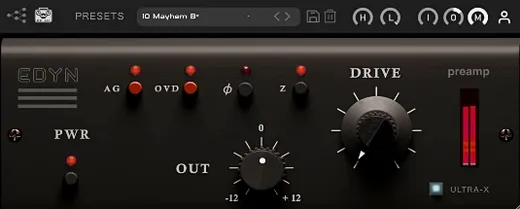
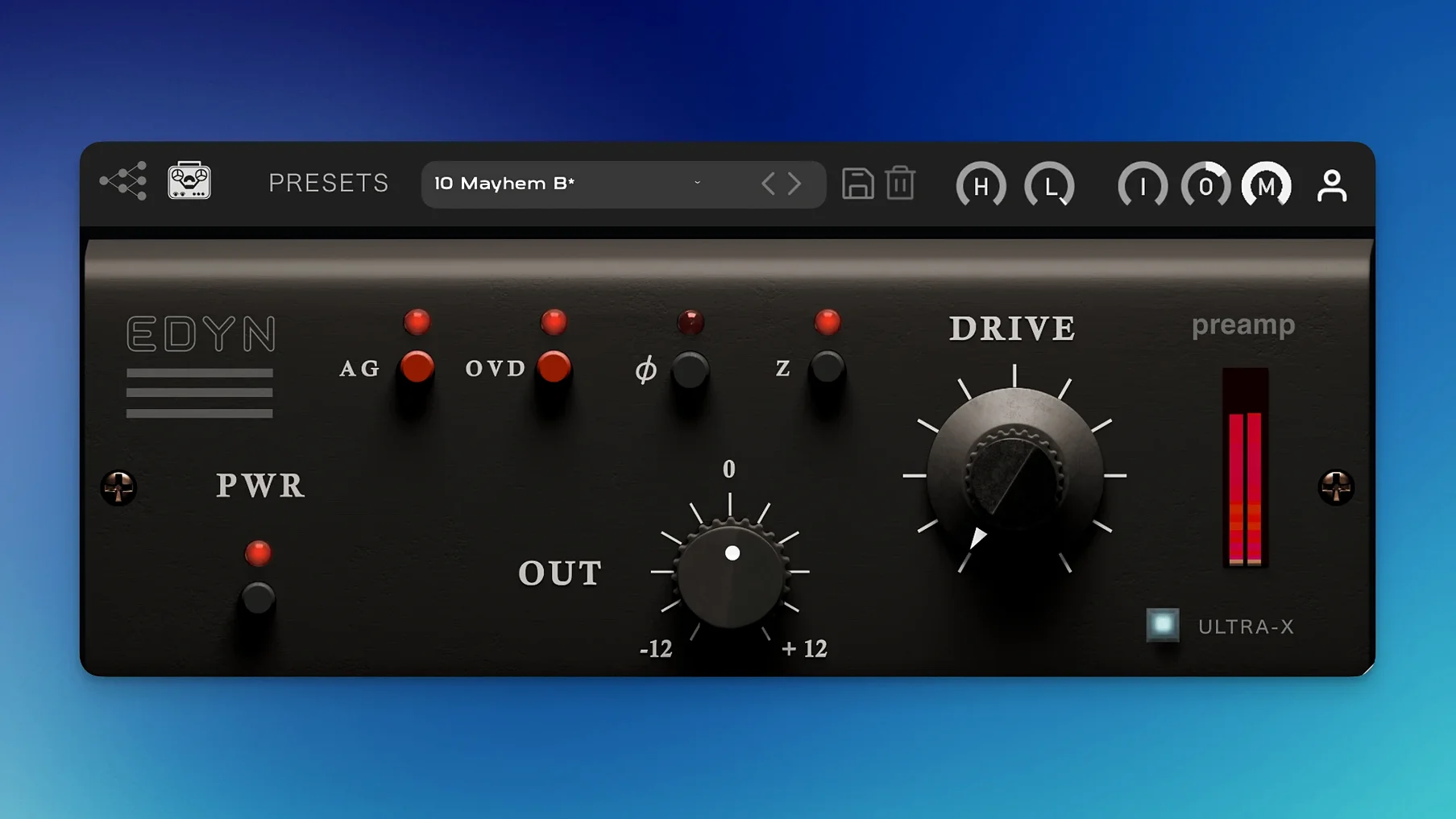
EDYN is an emulation of the Electrodyne 1204 console's preamp stage, built to deliver the thick, punchy saturation of American recording desks from the late 1960s and early 1970s.
Drum Bus Glue That Won't Turn to Mush
- Weight and glue. The Drive module adds harmonic saturation that pulls drum buses and bass tracks together without turning them to mush.
- Quick tone shaping. High-pass and low-pass filters let you carve out mud and harshness right in the preamp stage, before hitting the rest of your chain.
- Predictable levels. Automatic gain compensation keeps your output in check while you dial in dirt, so you judge the sound, not the volume bump.
- Mixing into a sound. Strap it across groups or the master bus for a cohesive, console-flavored finish that feels like a record from the jump.
Color Box, Not a Clean Gain Utility
- This is a color piece, not a clean utility. If you need transparent gain, look elsewhere.
- The feature set is focused: drive, filters, and gain compensation. No multi-band processing or modulation tricks.
- It reacts to what you feed it. Hot input levels push the saturation harder, so gain staging at the source matters.
Flip the Input Impedance for Instant Thickness
Out of the box, EDYN defaults to a safe middle ground—but a few quick tweaks unlock its real character. The input impedance switch is the first stop. At 200 ohms the tone is fuller and rounder, great for bass DI and kick drum. 50 ohms tightens the low end and adds a subtle presence lift that works beautifully on acoustic guitar and snare top. You'll hear the difference instantly, especially with dynamic mics and passive pickups.
Next, park the high-pass filter around 80 Hz on vocal tracks and push the Drive until the needle just starts to dance. Dial back the Mix knob to 50-60% for parallel saturation that keeps transients sharp while adding weight behind them. This combo is my go-to for rap vocals and rock drums—it adds density without closing down the top end. And if you're driving the preamp hard, engage the OVD overdrive mode for a grittier breakup that cuts through dense mixes.
The low-pass filter is more useful than it looks. Roll it down to 8 kHz on a bright hi-hat bus or an overly sibilant vocal and you'll smooth the edge without reaching for a de-esser or a dark EQ shelf. Phase inversion sits on the output stage, so you can flip polarity on multi-mic sources without leaving the plugin window.
Barely a Blip on Apple Silicon in Logic Pro
Version 1.0.2 runs lean. On an Apple Silicon machine, a single instance barely registers—we're talking low single-digit CPU percentages in Logic Pro. Stacking 16 instances across a mix session with drum groups, vocal chains, and a master bus insert kept the session responsive. No spikes when bypassing or toggling the Drive module, which tells me the gain compensation logic is well-optimized.
Intel users get the same 64-bit treatment, though you'll notice the fan a little sooner on older MacBook Pros. The scalable interface helps on any screen: resize it once and it remembers, no glitchy redraws. Offline rendering is fixed in this version, so bounces and freezes come back clean—no missing saturation tails or odd level jumps. I've thrown 24-bit/96 kHz sessions at it without hiccups, and Logic Pro's AU validation passes without the Sequoia-related headaches the previous build had.
Stability in Pro Tools is solid now too. The parameter automation fix means you can ride the Drive or Mix knobs across a song without the plugin forgetting where it's supposed to land. Multiple instances no longer crash Logic on session load, which was a real frustration in 1.0.1.
Faster Transient Bite Than a VPRE-73
The preamp saturation space is crowded, so EDYN's job is to earn its slot. Against Black Rooster Audio's VPRE-73, the flavor is completely different. VPRE-73 leans into the thick, rounded Neve-style saturation with a softer transient response. EDYN is faster and brighter in the midrange—more forward, less pillowy. On a drum room mic, VPRE-73 adds cream; EDYN adds crack and reach.
Next to Klanghelm SDRR, EDYN is less flexible but more focused. SDRR gives you four saturation modes, a tube stage, and a desk mode that does its own console thing. But EDYN's single-mindedness is its strength—you're not auditioning modes, you're dialing in one sound and moving on. The Mix control and gain compensation on EDYN also feel more polished for parallel work than SDRR's wet/dry section.
Compared with Waves NLS Non-Linear Summer, the approach diverges entirely. NLS models entire channel strips and summing buses across multiple instances. EDYN is a single preamp stage—one flavor, one slot. If you want a console emulation that spans an entire mix, NLS covers more ground. But if you want one really good preamp tone to drop on individual tracks or subgroups, EDYN gets there faster and sounds less processed in isolation.
Your Drive Knob Feels Dead? Feed It More Level
Gain staging confusion. The automatic gain compensation is helpful, but it can mask how hard you're actually driving the input. If the Drive knob doesn't seem to do much, check your input level going into the plugin. Feed it a signal peaking around -12 dBFS and you'll hear the saturation engage properly. A weak input signal won't push the modeled transistors hard enough to matter.
Mud on the master bus. Slapping EDYN across the mix bus with Drive at noon and no filtering is a recipe for low-end buildup. Engage the high-pass filter at 40-50 Hz and set the Mix knob to 30-40% wet. This keeps the weight without turning your low end into a swamp. The OVD mode on the master is rarely the right call—it's better suited to individual tracks that need aggression.
Phase weirdness on parallel chains. If you're sending a drum bus to an aux with EDYN cranked, you might hear comb filtering when blending it back in. Hit the phase inversion switch on the aux instance—sometimes the plugin's internal processing introduces a subtle shift that flipping polarity resolves instantly. This is especially common on multi-mic kick drum setups where the phase relationship is already tight.
AU validation failures on older macOS versions. Version 1.0.2 fixed Sequoia-specific issues, but if you're still on Mojave or Catalina and Logic's plugin manager rejects EDYN, clear the AU cache and rescan. A reboot after installation never hurts, especially when the installer has to place components in both the system and user Library folders.
Version 1.0.2 is a stability and performance release. The big wins are native Apple Silicon optimization and a lower CPU hit, plus a scalable interface that doesn't fall apart on high-res displays. In Logic Pro, multiple-instance crashes and AU validation failures on macOS Sequoia are fixed. Offline rendering on the master output no longer breaks. Pro Tools users get reliable parameter automation.
- macOS 10.14 or later
- Apple Silicon or Intel processor
- VST3, AU, or AAX host
Notes from the edit bay · 0
Sign in or get an edit-bay pass to leave a note.
No notes from the edit bay yet. They go up after I read them.