ADR that floats above a scene is a dead giveaway. The voice feels clean while everything around it lives in a specific room tone and tail. You can fuss over convolution reverbs and EQs for an hour, or you can capture the original location audio and push a match in seconds. That's the problem Supertone Air solves.
Matching a Space, Not Just a Curve
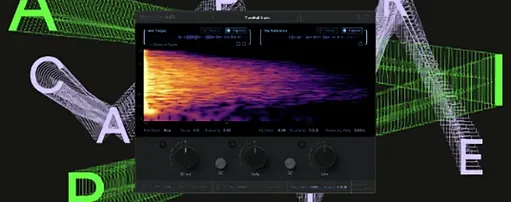
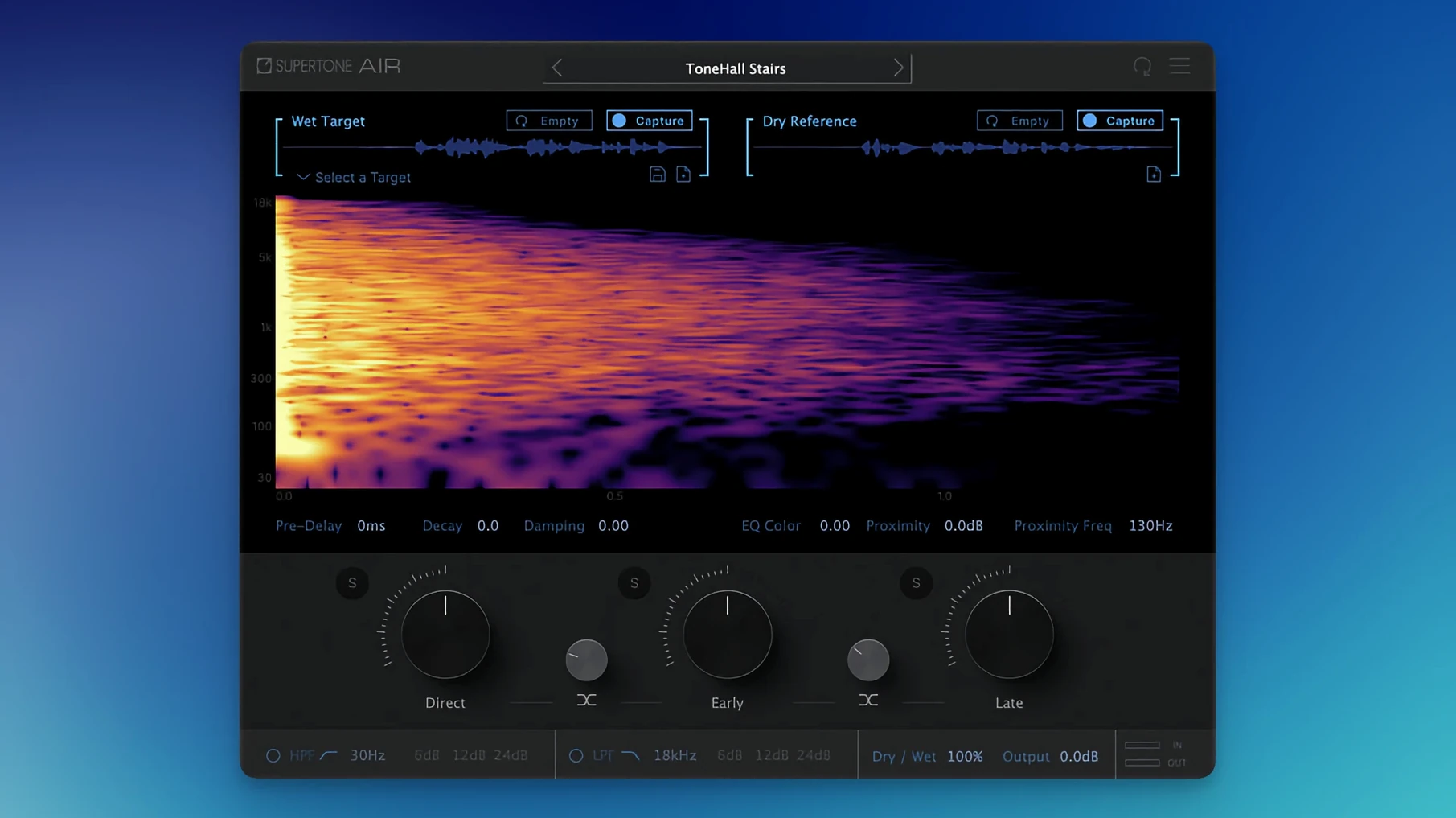
The plug-in works by learning the reverb fingerprint and tonal shape from a reference clip. After capture, the controls let you decide how that space behaves in the new recording. Direct, early, and late reflection sliders give you independent handles on the dry signal, the first bounce, and the tail. Decay and damping adjust the length and the high-frequency roll-off, while proximity shifts the perceived distance. It's not a static snapshot — you can pull the room shorter, darken the tail, or push a voice closer to the mic without breaking the match. The EQ match runs alongside the reverb, so the spectral imprint stays consistent even when you reshape the space. Captured spaces can be exported as WAV files and dropped into other sessions.
Dropping ADR into Production Audio on the Conform Timeline
Supertone Air slots into the ADR conform stage, right after you have a sync edit and need the voice to sit in production audio. It also works for matching voiceover to on-set dialogue, or aligning a re-recorded line to a reference take. The plug-in runs as AAX, VST3, or AU on macOS 10.13 and later, with native Apple Silicon support. Sample rates of 44.1 kHz, 48 kHz, and 96 kHz are supported. The workflow is fast enough to keep a session moving — capture, tweak the reflections, move on.
The Proximity Slider Hiding at the Bottom of the Reverb Section
Drop Air on a clip and the defaults do a solid job, but two controls reward immediate attention. The Proximity slider lives at the bottom of the reverb section and often gets skipped because it looks like a simple wet/dry mix. It's not. Pushing it negative moves the voice closer to the listener while keeping the room around it intact — useful when an ADR line sounds like it was recorded six inches further back than the production track. I default to -2.0 for most booth recordings and adjust from there.
The Decay and Damping pair should be treated as one decision. Air sometimes overestimates tail length on noisy location audio, especially when the capture clip has traffic hum or HVAC rumble baked in. Before you touch anything else, pull Decay down 15–20% and listen. If the tail still feels bright, nudge Damping toward a darker value. The result usually sits tighter in the mix than the raw capture.
Last one: the EQ Match toggle. Air applies EQ matching by default, but on dialogue that already had light corrective EQ in the edit you can get a double-dip effect — the voice turns brittle. Turn it off, play the line, then decide if the spectral shift is actually helping. About a third of the time I leave it off and let the reverb carry the match.
Plug-in Rename That Ended an Installer Collision
Version 1.0.1 [GUISEPPE] shipped two fixes that matter more than their patch-note brevity suggests. The plug-in file name was changed from Air to Supertone Air, which cleaned up a genuine headache: people who had Sound Particles Air installed were hitting conflicts during installation. That collision is resolved now — the plug-in shows up in your DAW list with an unambiguous name and loads next to anything else you have installed without a fight.
In everyday use, the change means re-scanning plug-ins after the update won't produce duplicates or a missing entry. If you had an earlier build, pull it out of your plug-in folder before installing this one so the old Air component doesn't linger. The update is otherwise the same engine — same capture speed, same controls — just without the installer friction that tripped up dual-Sound-Particles users.
Matching a Line in Under Two Minutes
Here's a repeatable workflow for a single ADR line that needs to match a location reference.
- Select the production clip that has the room tone you want. Highlight a section with clean air before or after the original dialogue — half a second is enough, but a full second with no footsteps or cloth rustle is ideal.
- Open Supertone Air in AudioSuite. Hit Capture and let it learn the space. You'll see the reverb curve populate almost instantly.
- Now select the ADR clip on the timeline. Air keeps the captured profile in memory, so you don't need to recapture.
- Dial Proximity to -2.0, pull Decay back by 15%, and play the processed clip in context with the surrounding dialogue. Listen for tail length first, tonal match second.
- If the voice sounds too dark compared to the reference, toggle off EQ Match and compare. If the tail still rings too long, drop Decay further and add a touch of Damping.
- Render, check in the full mix, and move on. The whole process runs under two minutes once you know where the sliders live.
Exporting profiles is a quiet time-saver when you have multiple lines across a scene. Capture the room once, export the Air profile, and import it onto every subsequent clip instead of re-capturing. The WAV export option also means that space can travel into a convolution reverb later if the project demands it — useful for Foley or background fills that need the same room signature.
Pulling Early Reflections Down While Leaving Late Alone
The independent reflection faders — Direct, Early, and Late — are the most overlooked section of the interface. Most people set a capture and nudge the main reverb mix, but pulling Early reflections down while keeping Late reflections intact tightens a voice without losing the room's tail character. It's the difference between matching a space and just adding verb.
On the capture side, Air performs better with short, clean reference clips than with long passages. A quiet half-second of room tone consistently produces a more usable match than capturing three seconds of dialogue with overlapping backgrounds. If the capture sounds hollow, try a shorter selection with less noise.
Keyboard users take note: Air's controls respond to fine adjustments with Shift+drag in most DAWs, which makes tenth-of-a-decibel tweaks on Proximity possible. The plug-in's processing runs entirely offline in AudioSuite, so there's no real-time monitoring tax on longer selections — highlight a whole scene, capture once, and render in one pass.
If you have been searching for a supertone air torrent or looking into supertone clear mac workflows, Air fills a different slot — Clear targets voice extraction, while Air handles the room match. The two complement each other on messy dialogue edits, but Air alone covers the ADR ground that used to take a chain of EQs and convolution reverbs.
The plug-in file name now reads Supertone Air instead of just "Air," making it easier to spot in your DAW. Also fixed: an installation hiccup that showed up if you had Sound Particles Air on the same system — the two now coexist without a fuss.
- macOS 10.13 or later
- Apple Silicon or Intel processor
- Supports 44.1 kHz, 48 kHz, and 96 kHz sample rates
- AAX, VST3, or AU host
Questions I actually get
Can Supertone Air export the captured reverb as a file?
Yes, you can export the captured space as a WAV file to use in other projects or plug-ins.
Notes from the edit bay · 0
Sign in or get an edit-bay pass to leave a note.
No notes from the edit bay yet. They go up after I read them.