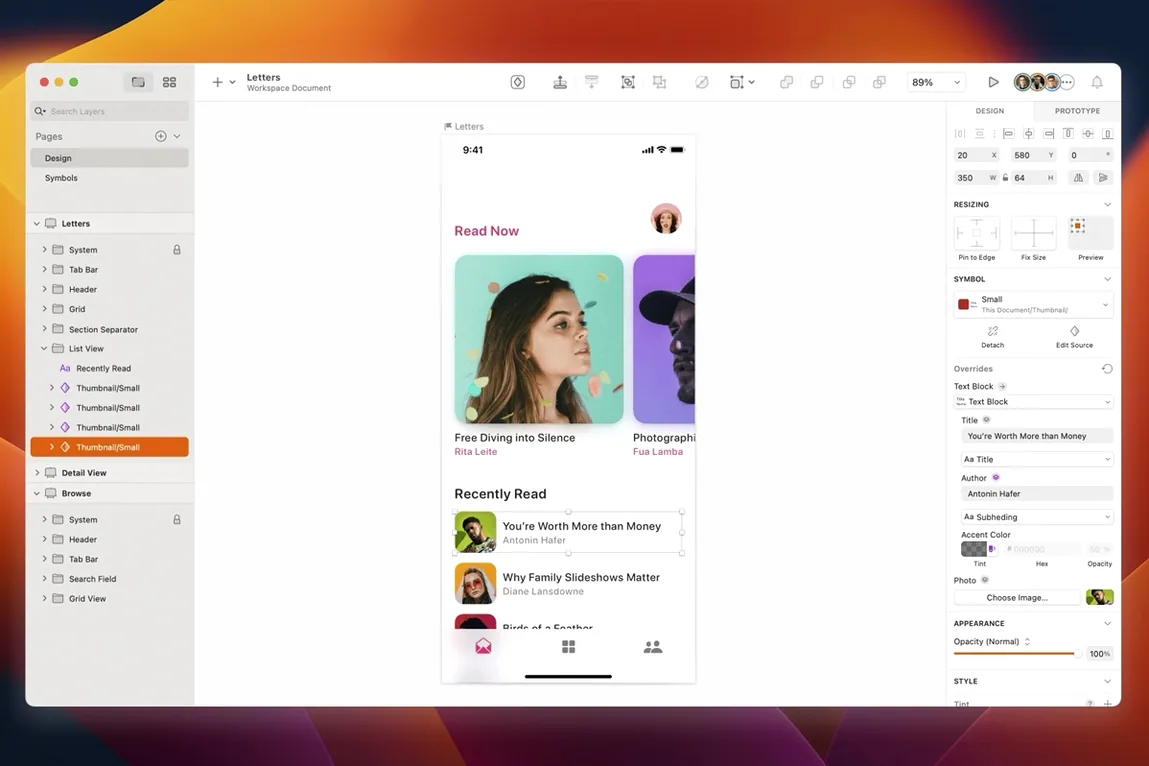
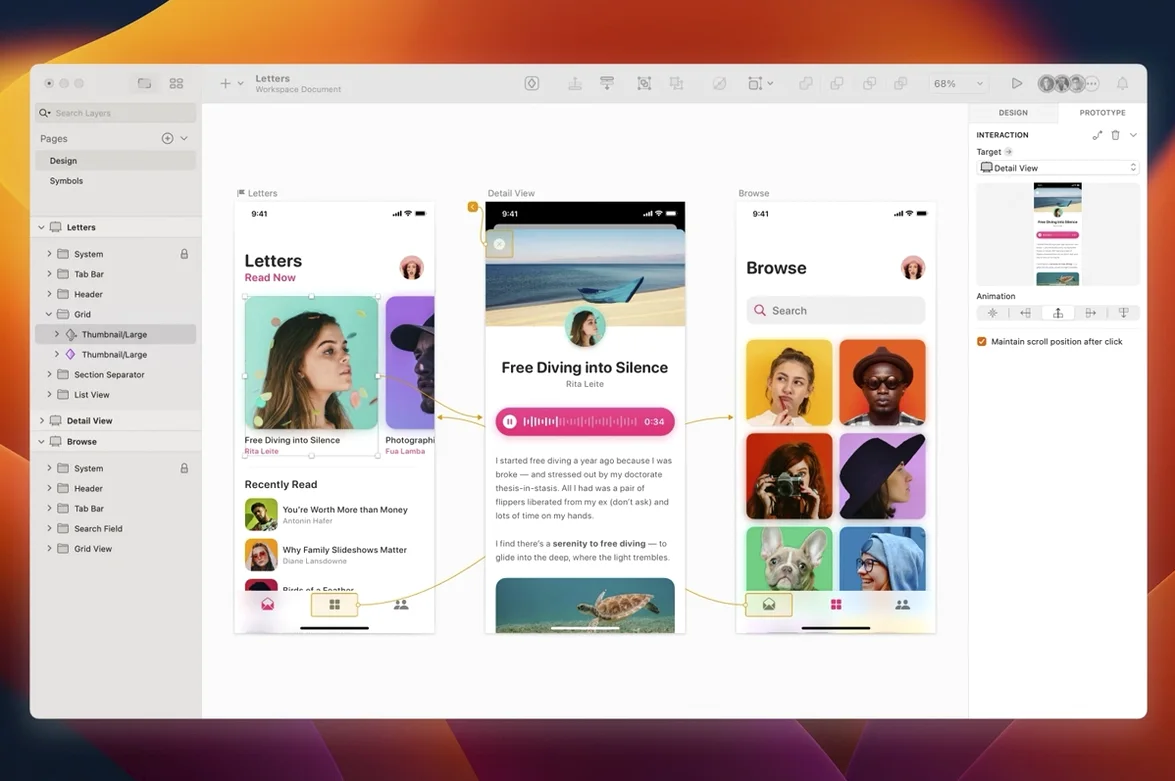
Sketch is a native Mac vector design app built entirely around screens—websites, app interfaces, and icons. It carries a project from the first wireframe right through to production-ready artwork export, with Apple Silicon support keeping the whole pipeline snappy under a deadline.
What Florence and the dot release brought
The jump to version 2026.3.1 is a polish pass more than a reinvention, and that’s fine when a render is waiting. Florence features are now baked in, alongside specific tuning for macOS 27 Golden Gate. Document windows pick up the system corner radius, a small detail that makes the app feel less bolted-on. Under the hood, a stack layout bug tied to the minimum width of a text layer is gone, which matters the moment a client’s design system leans hard on auto-layout. A text alignment quirk in the Rename Selected Layers sheet on Golden Gate also got ironed out—tiny, but a sheet you live in when organizing a messy file.
From rough wireframes to export-ready mockups in a single app
I’m not a UI designer, but I’ve sat next to enough of them to see where Sketch clicks. It goes from rough wireframes to high-fidelity mockups without switching tools, and the third-party plugin ecosystem means repetitive export tasks get automated fast. The prototyping hooks and collaboration apps keep a handoff from becoming a shouting match. For a Mac shop churning out mobile and desktop interfaces, it’s still the straightest line between a blank artboard and a finished screen.
Sketch versus the other heavy hitters
Figma runs in a browser tab and thrives on real-time multiplayer. That alone makes it the default for distributed teams where five people poke the same button component at once. Sketch is a native Mac app through and through—it opens faster, scrolls smoother on a packed artboard, and doesn't stutter when you drag a hundred layers at once. If your workflow is solo or asynchronous, that raw snappiness adds up.
Affinity Designer 2 is a different animal. It's a general-purpose vector and raster hybrid built for illustration, print, and the occasional UI mockup. It has no native prototyping, no shared component libraries that update across files, and no plugin ecosystem geared toward screen design. You can absolutely draw a button in it. But Sketch gives you Smart Layout, resizing constraints, and a Symbols system that knows the difference between a button's default state and its hover state without you rebuilding anything.
Adobe XD still exists, and it still feels like an app waiting for a direction. It shares some prototyping DNA with Sketch, but its plugin marketplace is sparser, its vector editing tools are less refined, and Adobe's attention has wandered elsewhere. Sketch stays focused on one thing and it shows.
Offset duplicated layers before you drag anything apart
Open Preferences and go straight to the Layers tab. Turn on "Offset duplicated layers" and set it to 10 px. Without this, copies land exactly on top of originals and you waste clicks dragging them apart. While you're there, switch "Rename duplicated layers" to whatever naming convention your team uses—"copy" appended to the layer name is the default, but a suffix like "_v2" saves grep-style searching later.
In the Canvas preferences, bump the zoom maximum to at least 6400%. When you're nudging a one-pixel shadow on a tiny icon, the default cap feels claustrophobic. Also, uncheck "Show pixel grid when zoomed in" unless you're actively aligning to pixels—it adds visual noise during layout work.
Finally, head to Plugins and install Runner if you haven't already. It gives you a command palette that replaces half the toolbar clicks in your day. Press ⌘' and type "rename," "round," or "distribute" instead of hunting through menus. You'll adapt to it within an hour.
Start with your own tiny component library, not an empty file
Don't start a real project in an empty file. Build a small component library first—three button states, a text style for body copy, a color variable for your brand blue. Save it as a Library file and link it into your working document. Sketch's Symbols and Shared Styles only start pulling their weight once they reference something external, and retrofitting a flat file into a component system is twice the work.
Learn the resizing constraints panel early. Select any rectangle inside a group, hit the constraints icon in the inspector, and pin its edges to the parent. Do this wrong and your card component breaks when a headline wraps to two lines. Do it right and the whole layout breathes with the content.
Assign ⌃⌥⌘R to "Collapse Artboards and Groups" under System Preferences for keyboard shortcuts. A fifty-artboard file becomes navigable instantly, and the default shortcut is buried in a menu you'll never remember.
Pull up a design system Library and turn wireframes into screens
Monday morning, a product manager drops a Notion link in Slack—three new screens for the onboarding flow, rough wireframes attached. I open Sketch, pull up the design system Library I built two sprints ago, and create a fresh file. The Library's color tokens and text styles are already available in the inspector; I add them to the document with two clicks so everything stays in sync.
I drag a blank iPhone 15 artboard onto the canvas from the Insert menu, then drop in a status bar Symbol and a navigation bar component from the Library. The wireframe says "illustration here"—I grab an SVG from the shared asset folder, drop it in, and pin its edges to the artboard width with constraints so it scales cleanly. A few text layers inherit the body style I defined months ago. I don't adjust a single font weight by hand.
The sign-up form needs states. I duplicate the default button three times, swap the label text, and toggle each instance's Symbol override to "active," "disabled," and "loading spinner." Smart Layout on the button Symbol resizes everything automatically when the spinner replaces the label. No manual math.
By lunch I have three screens with real copy, linked together with hotspot prototypes. I hit ⌘⌥P to open the preview window, click through the flow, and record a quick walkthrough with CleanShot. The PM replies with a thumbs-up and one copy change. I update the text layer, export the artboards as PNGs at 2x via the "Export selected" button, and drop them into the handoff channel. The whole session plays out in a single window, no browser tab in sight.
Version 2026.3.1 rolls in the Florence feature set, tightens compatibility with macOS 27 Golden Gate, and delivers the usual round of minor fixes. Document windows now respect the system corner radius, and a stack layout bug where a text layer’s minimum width threw off positioning has been patched. Also fixed: a text alignment glitch in the Rename Selected Layers sheet on macOS Golden Gate.
- macOS 14 or later
- Apple Silicon and Intel Macs
- Interface: English, Simplified Chinese
Questions I actually get
Does Sketch work natively on Apple Silicon Macs?
Yes, Sketch runs natively on Apple Silicon, so the vector engine and canvas rendering are tuned for M-series chips without Rosetta translation.
Notes from the edit bay · 0
Sign in or get an edit-bay pass to leave a note.
No notes from the edit bay yet. They go up after I read them.