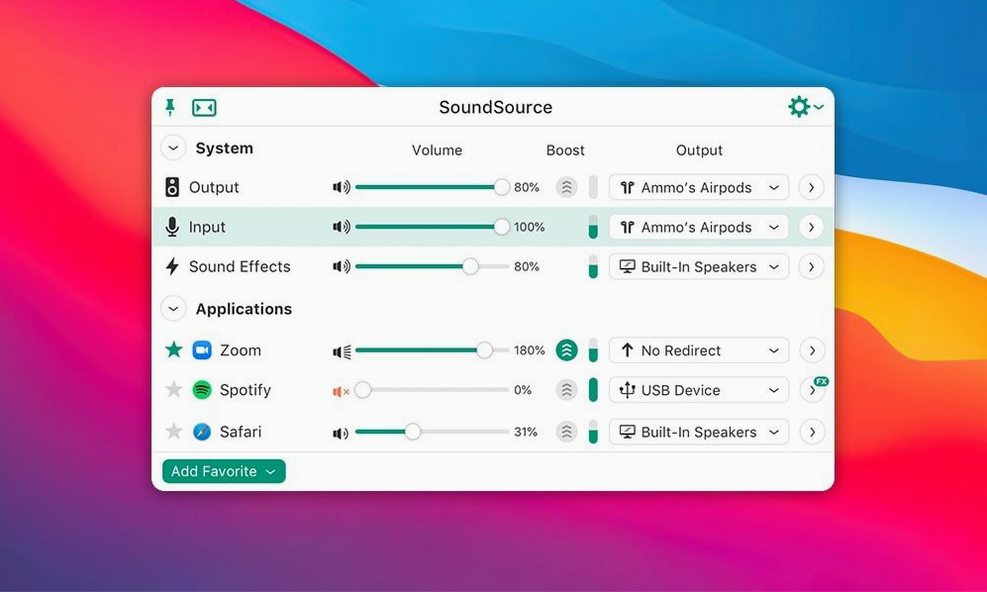
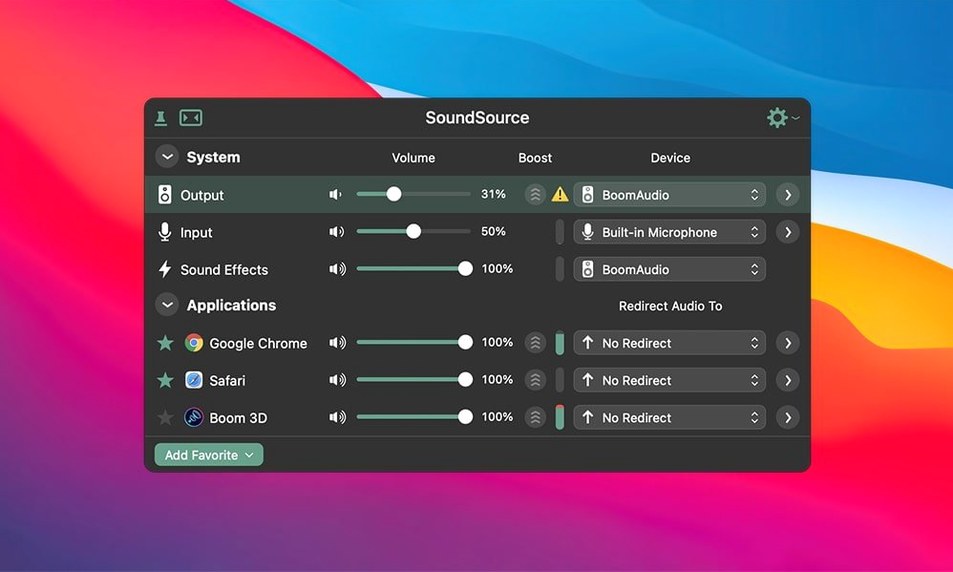
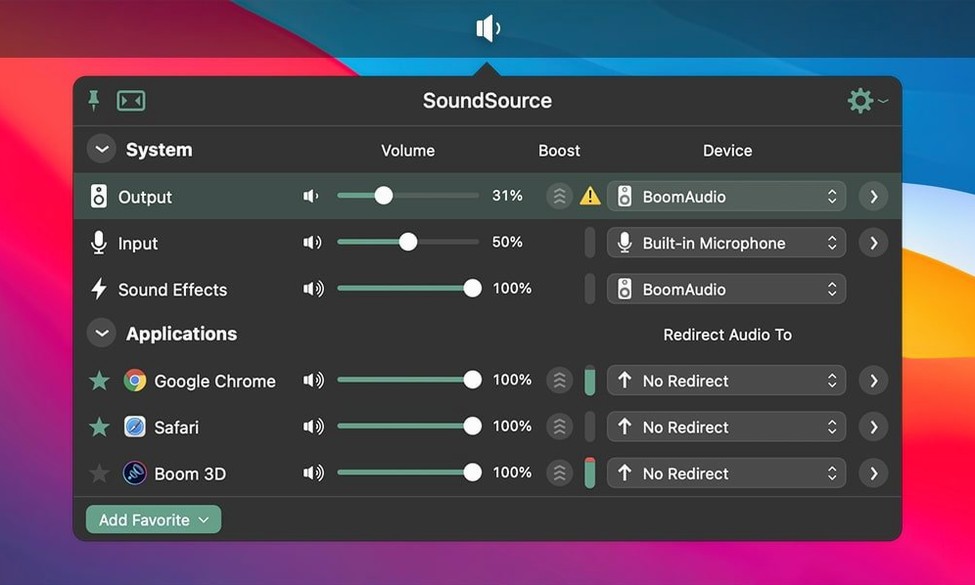
Remember the last time you right-clicked the speaker icon in your Windows system tray and saw per-app volume sliders? SoundSource puts that idea on a Mac, but takes it much further. It lives in your menu bar and hands you control over input, output, and audio effects for every app on your system.
Send Spotify to Speakers, Zoom to Headphones
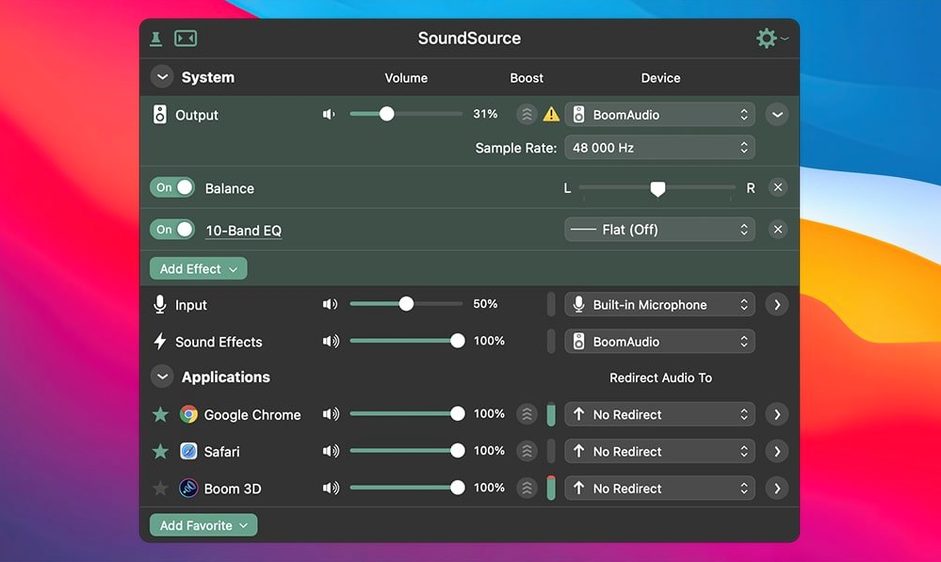
If you have ever wanted to send Spotify to your desktop speakers while a Zoom call routes to your headset, this is your tool. SoundSource lets you set volume and output device per application, so you are not constantly switching system output in Sound settings. Podcasters and streamers can apply the built-in Headphone EQ or third-party Audio Unit effects to a single mic input without touching their game audio. The app also saves complete audio configurations, letting you switch an entire multi-device setup with one click. It even supports Output Groups to send audio to several destinations at once, plus AirPlay streaming.
When Per-App Audio Routing Becomes Essential
This is a utility for people who juggle audio. If your workflow is simple—one set of speakers, no external mics, no routing puzzles—the macOS Sound panel is enough. SoundSource earns its spot when you need to treat each app's audio differently, fast. It runs natively on ARM and Intel Macs with macOS 15 or later, sitting quietly in the menu bar until you need to pull a fader or drop in an effect.
Launch at Login and Other First Tweaks
Out of the box, SoundSource is already useful, but a few quick tweaks make it indispensable. Right-click its menu bar icon and open Preferences. Under General, check Launch SoundSource at login — this is not the kind of utility you want to remember to start. It needs to be there the moment a rogue app blasts audio at full volume.
Next, head to the Appearance tab and decide how much detail you want in the menu bar. The compact view shows only the output device and a master fader. The expanded view adds per-app meters. If you route audio constantly, the expanded view saves clicks. Also, enable Show input device in menu bar if you toggle between mics — seeing your current input at a glance avoids recording a take with the wrong microphone.
The real power move is in the Shortcuts pane. Bind a global hotkey to mute the system, or set per-app volume keys so you can duck a noisy browser tab without leaving your timeline. I map Option-Shift-M to mute my current output device and Option-Shift-Up/Down to nudge the active app's volume — muscle memory that beats clicking into a menu every time.
Video Editors, Streamers, and Music Producers
SoundSource clicks hardest for three kinds of Mac users. Video editors and motion designers live in apps that fight over audio devices. After Effects might hijack the system output while you are previewing a mix in DaVinci Resolve. Per-app routing stops that tug-of-war cold. Drop a limiter on the browser so autoplay videos never spike, or route notification sounds to the built-in speakers while your timeline plays through an audio interface.
Remote workers and podcasters gain the ability to split communication audio cleanly. A Zoom call can go to a headset while reference tracks play through monitors. Apply the Headphone EQ to your monitoring chain only, not to the recording. If you record interviews, you can save a configuration that arms your USB mic, sets the input gain, and routes the caller's audio to the right output — then switch back to your editing setup with a single click.
Home audio tinkerers who run multiple output devices benefit from Output Groups. Send music to a pair of HomePods and a wired DAC simultaneously, or create an AirPlay group that covers every room. The ability to adjust latency offsets per device keeps playback in sync, which matters when you hear an echo between the kitchen and the living room.
Missing App? No Audio Playing?
A few stumbling blocks trip up new users predictably. The first is missing per-app controls. If you launch an app and it does not show up in SoundSource, check that the app is actively playing audio. SoundSource only surfaces an application once it opens an audio stream. Open a YouTube video, hit play in Spotify, or start a call — the app then appears and stays in the list until you quit it.
Another frequent headache is effects not processing. SoundSource relies on Rogue Amoeba's ARK plugin to insert Audio Units into the signal chain. If an effect slot is greyed out or silent, the ARK plugin may need updating — version 6.1.4 bumped it to 13.5.4 for compatibility fixes. Restarting SoundSource after a macOS update also clears up most plugin-loading hiccups.
Bluetooth output stuttering on macOS 27 was a known issue that the 6.1.4 release specifically addressed. If you still encounter dropouts, try toggling the Bluetooth device off and on in SoundSource rather than in System Settings. The app's device reconnection logic sometimes recovers faster than macOS handles it natively.
Finally, if Output Groups drift out of sync, open the group's settings and adjust the Latency offset slider for the slower device. Wireless speakers and AirPlay endpoints naturally lag behind wired outputs; a small offset — usually 50 to 150 milliseconds — pulls them back into time.
How Mara Cuts Her Podcast Without Scrambling
Mara cuts a weekly interview podcast on her M3 MacBook Pro. Before SoundSource, her afternoon looked like this: join the remote recording session, realize the guest's audio is coming through the same monitors as her editing timeline, scramble into System Settings to switch outputs, then realize her mic is still set to the laptop array instead of the USB interface. Ten minutes of fumbling before the record button lights up.
Now she opens SoundSource from the menu bar and loads a saved configuration called Recording Session. It switches her input to the USB interface, routes the call app's output to her headphones, and keeps system alerts silent. She applies a subtle compressor and a high-pass filter to her mic channel using two free Audio Unit plugins — effects that live only on her voice, not on the guest's track. The browser stays routed to the built-in speakers at a low volume, so she can quickly fact-check without the audio bleeding into the call. When the session wraps, one click loads her Editing preset: everything back through the monitors, effects bypassed, and the input switched off. What used to be bookends of busywork is now two clicks and a coffee sip.
The 6.1.5 update lands with a handful of stability fixes and behind‑the‑scenes improvements from Rogue Amoeba.
- macOS 15 or later
- Apple Silicon or Intel 64-bit Mac
Questions I actually get
Can SoundSource route audio to multiple outputs at once?
Yes, you can create Output Groups to send the same audio to multiple devices like wired speakers and AirPlay receivers simultaneously.
Does SoundSource work per application?
Absolutely. You can set independent volume levels and output devices for each app, or apply audio effects to specific applications without affecting others.
Notes from the edit bay · 0
Sign in or get an edit-bay pass to leave a note.
No notes from the edit bay yet. They go up after I read them.