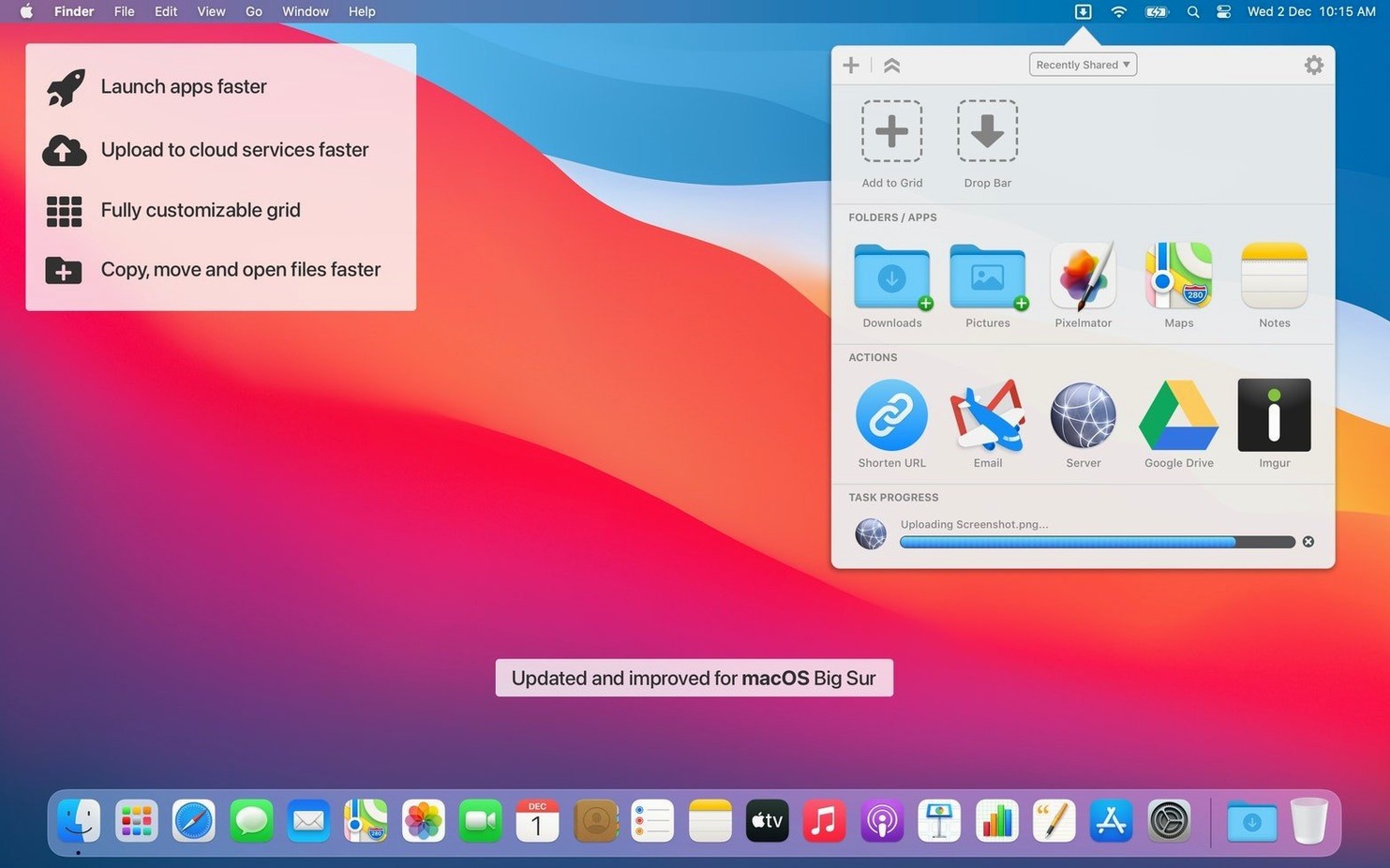
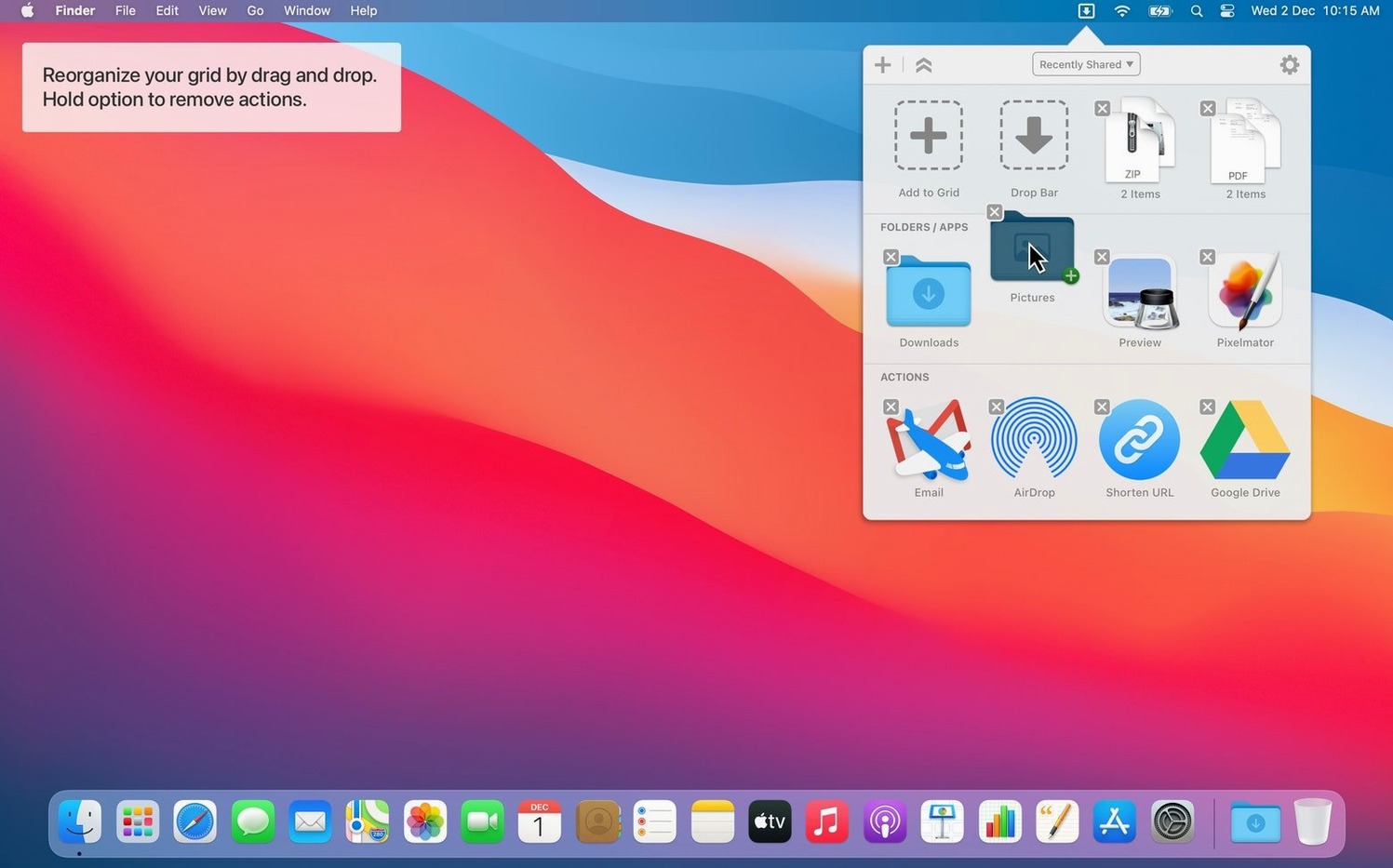
Dropzone 5 is a menu bar utility that turns a quick drag into a finished task. You pull a file onto its icon, drop it onto an action tile, and the app copies, moves, uploads, or shares it immediately. No folders to open, no dialogs to confirm.
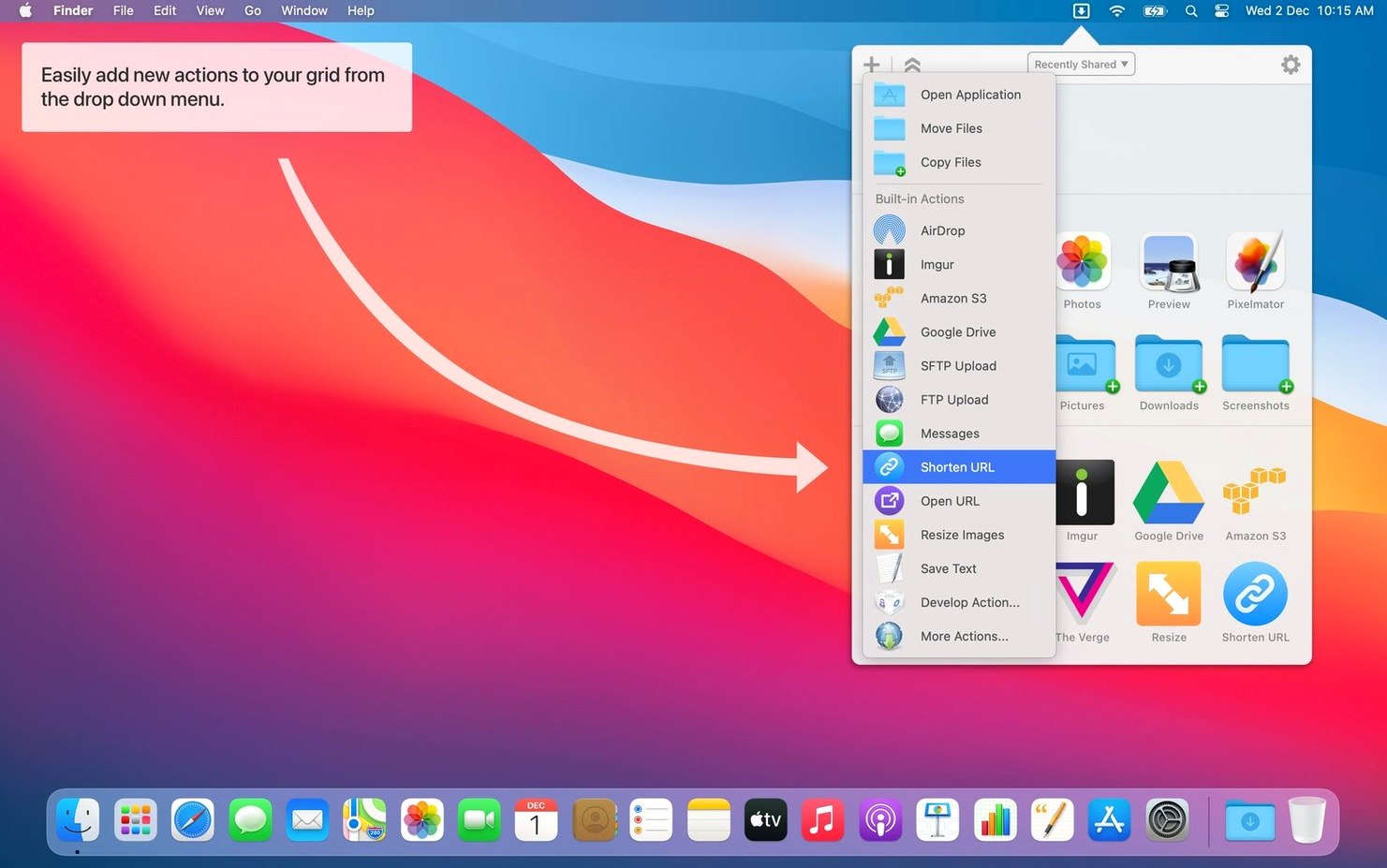
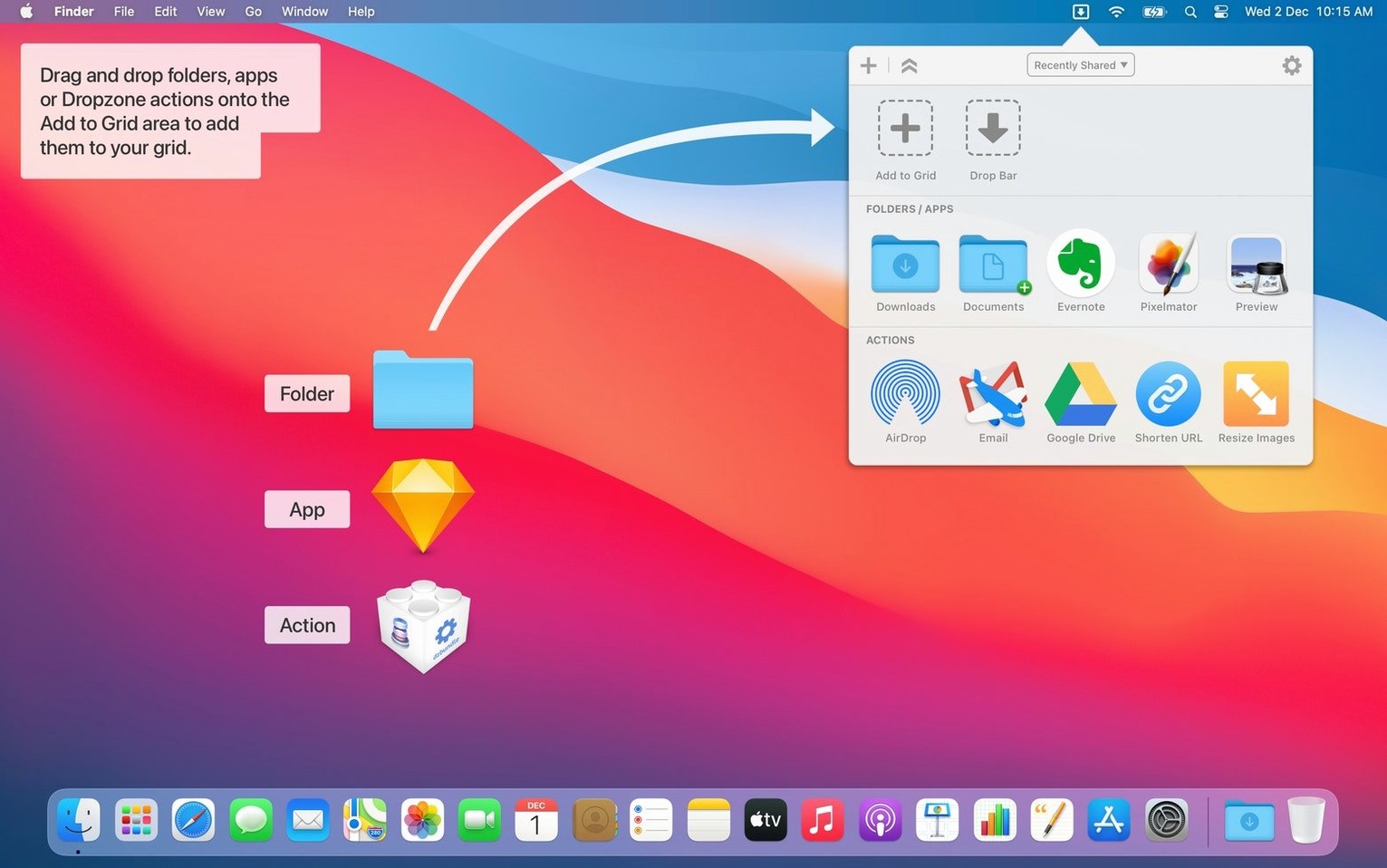
The real muscle comes from how you build the grid. Drag apps, folders, or custom scripts into the setup window and they become one-click targets. Need to park a group of images while you clean the desktop? The holding area keeps them floating in a temporary stack until you’re ready. Pasting a YouTube link onto a tile can download the video. Dragging a long URL onto the shortener tile spits a compact link right onto your clipboard. It’s all about removing the steps between the idea and the result.
Where it fits: this is the mid-weight automation layer that sits above Finder’s copy-paste and below a full scripting environment. You can rearrange actions across multiple grids, so one set handles image compression while another handles SFTP uploads. The bundled command-line tool, dz, lets you trigger actions from Terminal or chain them into shell scripts. If Ruby or Python is your thing, you can write or modify actions to do exactly what stock shortcuts won’t.
Sharing gets a direct line too. The Share menu integration sends text or URLs straight into a Dropzone action, and the new Run with Clipboard option feeds clipboard contents to any tile without an extra drag. It’s a small change that makes scripted workflows feel native.
Background Progress That Stays Out of Your Way
The menu bar icon sits quietly until you need it. Dropping ten 4K ProRes clips onto an archive action doesn't spike CPU — the progress bar in Notification Center ticks along while you jump back to Final Cut. Memory use on an M1 machine hovers around 90 MB even with a full grid of fifteen actions, which is negligible next to a browser tab. I've never seen Dropzone beachball during a drag, and the 5.1.3 build hasn't crashed once across a week of FTP transfers and temporary holds.
Grid animations are snappy. Opening the panel from the menu bar, dragging a tile to reorder it, dropping a file onto a target — each step responds in a single frame. The holding area clears instantly when you dismiss it, and uploading directly to S3 moves at whatever speed your connection allows, no artificial bottleneck from the app itself.
A Colorist's Five-Minute Routine
A colorist finishing a commercial has a folder of reference stills, a LUT pack, and a render that needs three destinations. She drags the LUT folder onto an "Install LUTs" tile that runs a short Ruby script, dropping the files into the correct library path. The stills land on the holding area so she can reference them without opening Finder. The render hits an FTP action bound to the client's review folder, then a second tile copies it to the local RAID. Three tasks, zero Finder windows. If the client sends a new still via a shared link, she pastes the URL onto a download tile — the video lands in the holding area, ready to compare. The Dropzone 5 Mac torrent that supplies the app is just the start of a chain that shortens twenty clicks into two drags.
Set Up Multiple Grids Before You Do Anything Else
Out of the box, the grid is a single row of generic actions. Open Preferences and make three changes first:
- Enable multiple grids. One for daily file moves, another for uploads, a third for scripts. The gear icon in the grid setup panel lets you add grids, and you cycle through them with a right-click on the menu bar icon.
- Assign hotkeys to your top four tiles. A Control-Option-1 chord for the copy-to-projects action means you skip the grid entirely when muscle memory kicks in.
- Switch the holding area to "Keep items until dismissed." Default behavior clears it after one use; persistent mode turns it into a proper scratchpad that survives across app switches.
If you use the Share menu integration, map a single action as the default recipient. That way, selecting text in a browser and hitting the Share menu sends it directly to the URL shortener or note-saving tile without presenting the full grid.
Drop Bar finally gets the stack treatment. Hover over a pile and a popover fans out every item so you can grab exactly the file you want without digging. It's a small interaction that saves a lot of drag-and-drop guesswork.
Building your grid just got looser. You can now drop an app or folder straight into the empty space between tiles—no need to aim for a tiny plus button. The glass effect on grids also got a refresh for macOS 27, keeping things crisp without the visual noise.
Also fixed: a shadow rendering glitch that made dragged Drop Bar items look broken mid-flight.
- macOS 13 or later
- Apple Silicon or Intel 64-bit
Questions I actually get
Can Dropzone 5 download videos from the web?
Yes, pasting a YouTube URL onto a Dropzone action tile can trigger a download of that video directly.
Does this app only work with built-in actions?
No, you can create or modify actions using Ruby or Python scripts, and trigger them from the command line with the included dz tool.
Notes from the edit bay · 0
Sign in or get an edit-bay pass to leave a note.
No notes from the edit bay yet. They go up after I read them.