
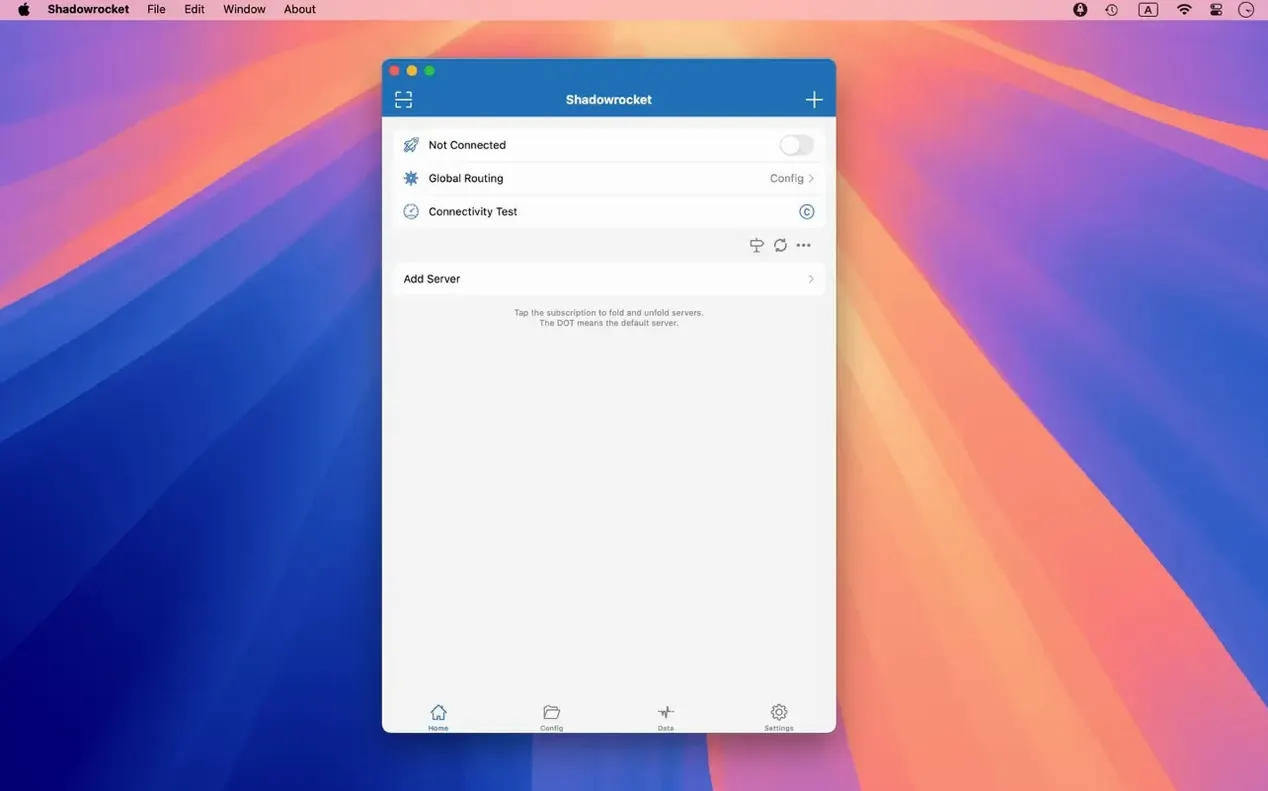
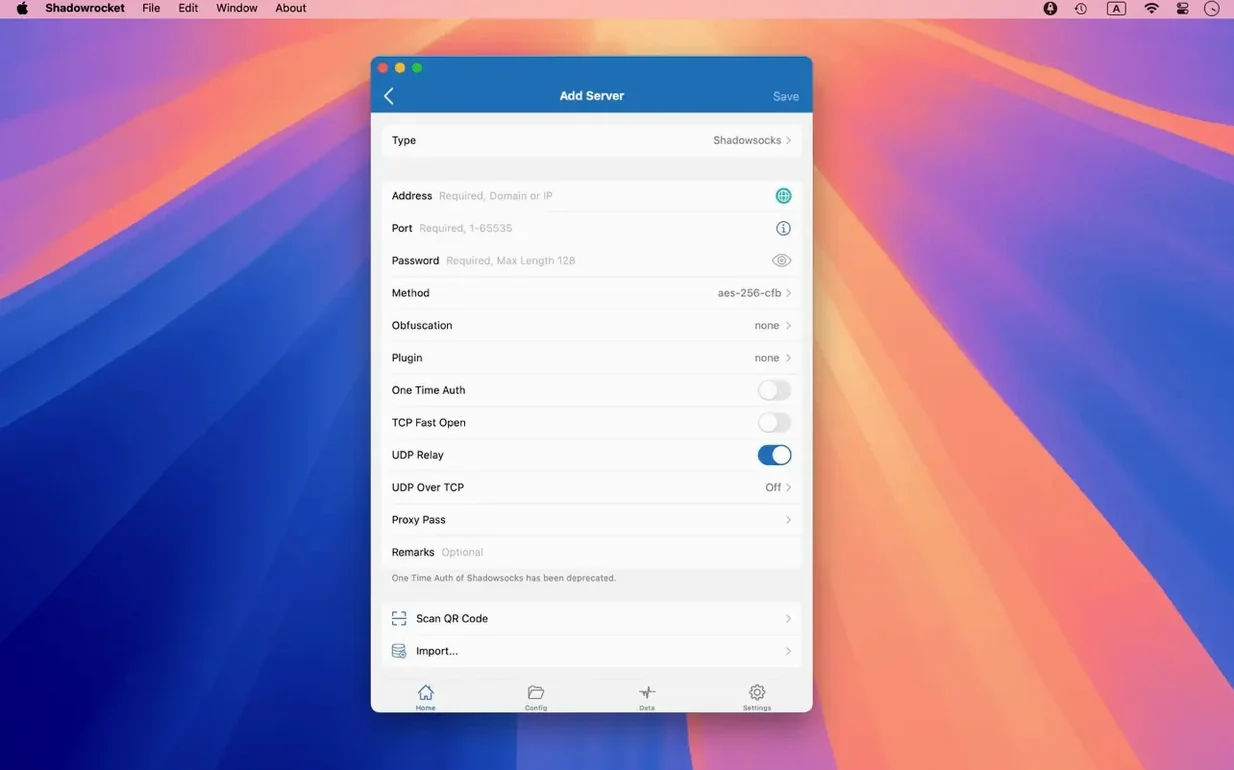
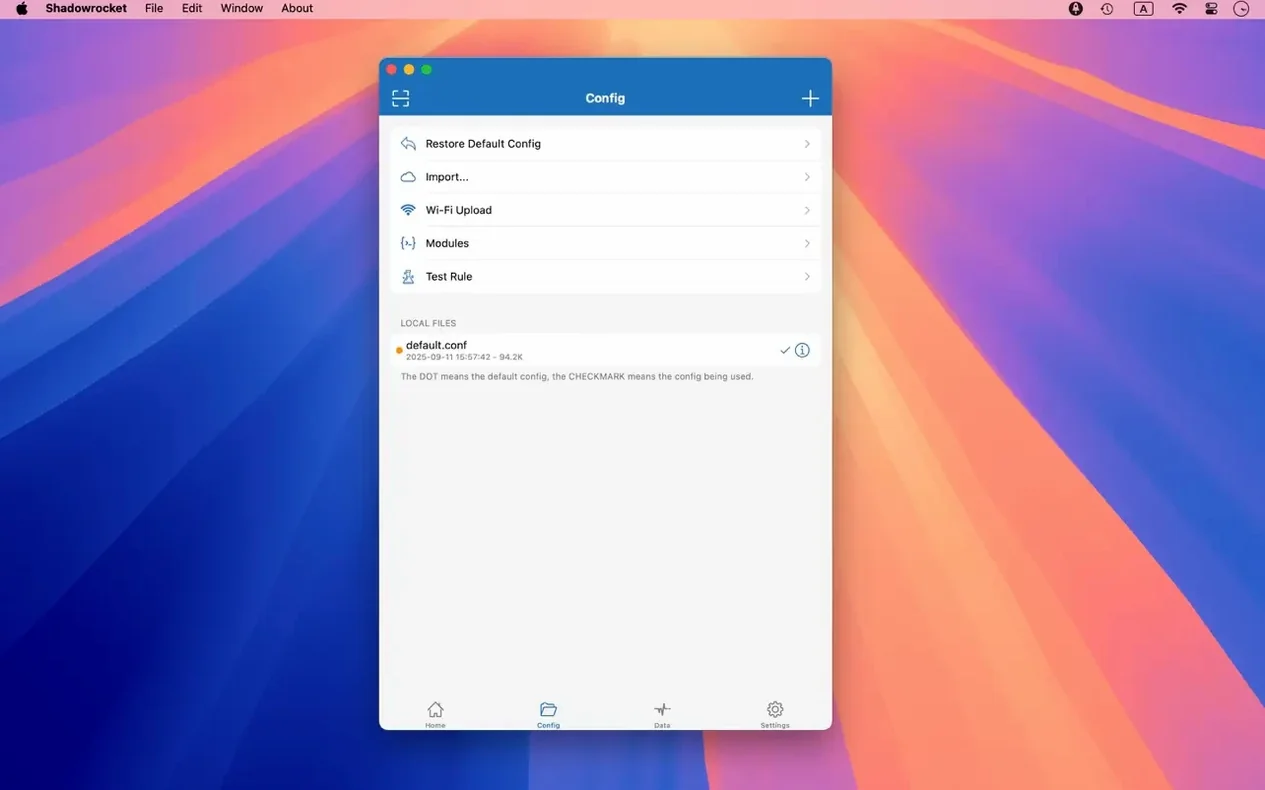
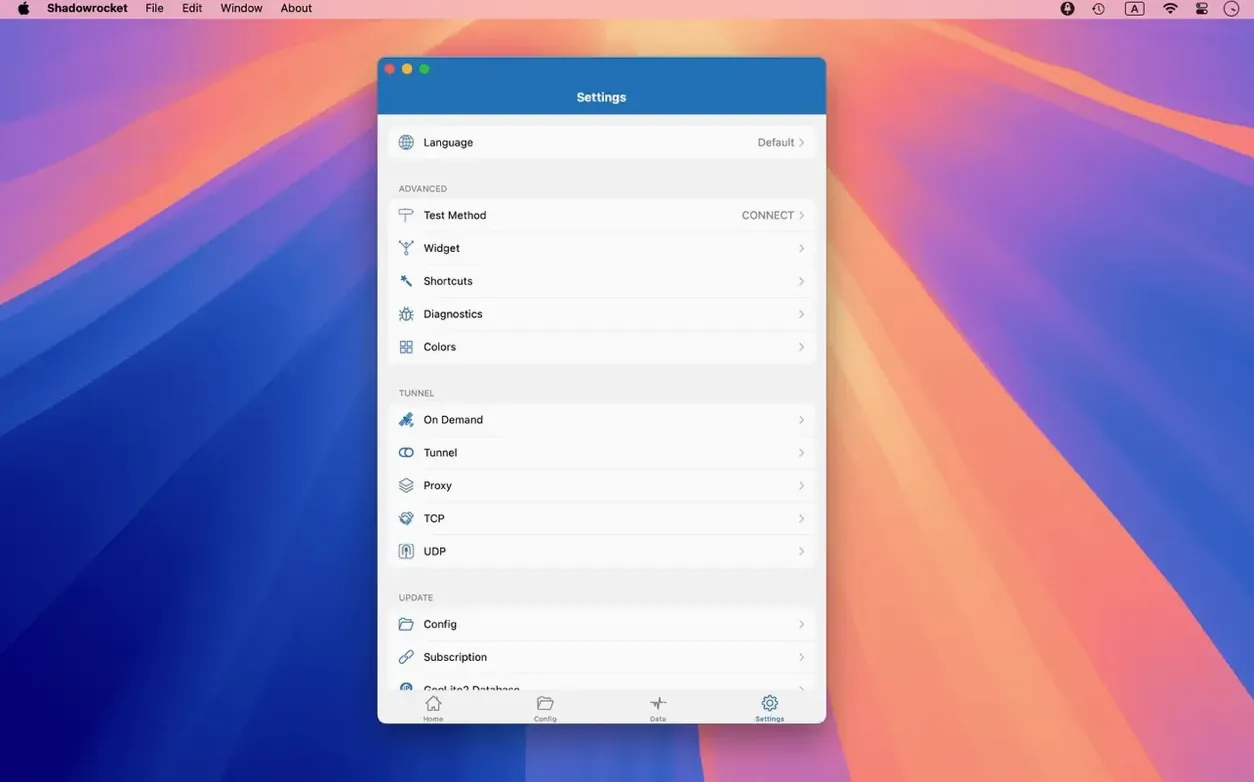
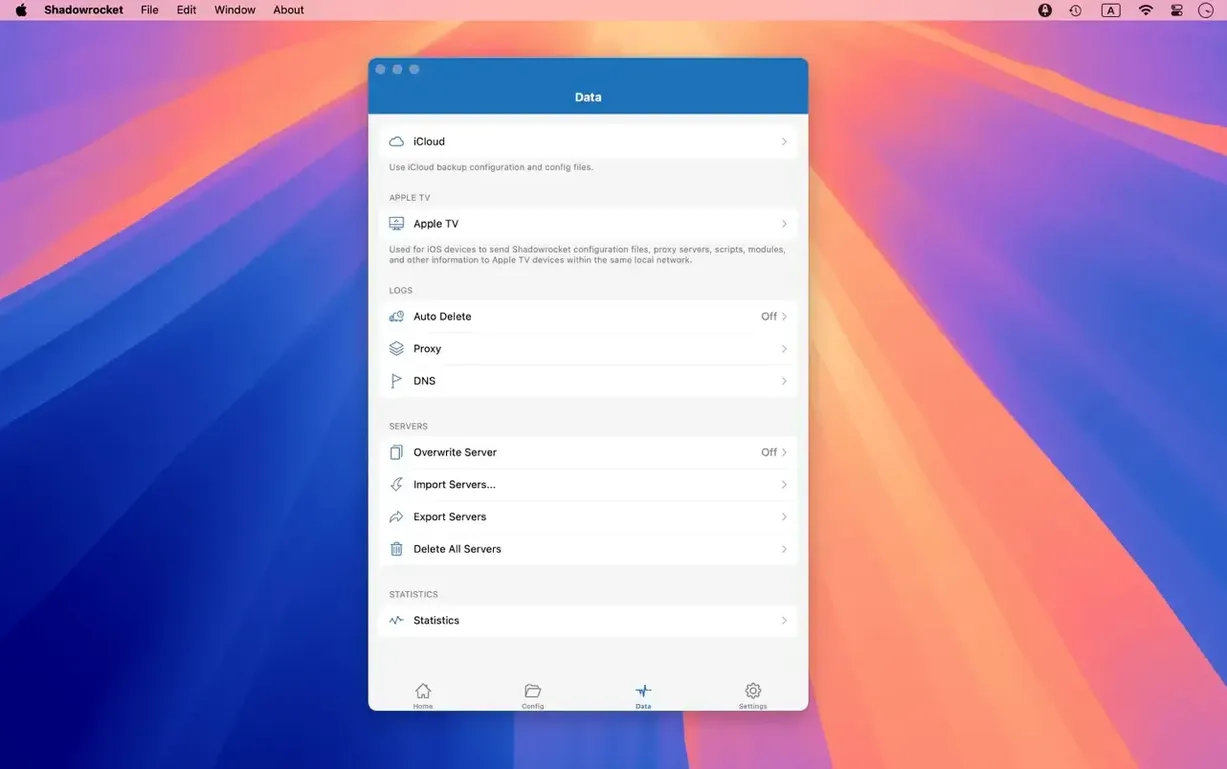
Shadowrocket is a rule-based proxy client that puts network routing decisions in your hands on the Mac desktop.
Good for:
- Anyone juggling multiple proxy protocols. It speaks Shadowsocks, V2Ray, and SOCKS5 without making you switch apps, so a single tool covers most tunnels a freelance editor or developer touches.
- Checking what your network is actually doing. The app records and displays HTTP, HTTPS, and DNS requests from your Mac, which means less guessing when a background process phones home or a script filter misbehaves.
- Traffic awareness on deadline. It measures usage and speed on both direct Wi‑Fi and proxy connections, so you can spot when a backup sync is eating bandwidth in the middle of a render upload.
- Keeping a cleaner connection. Domain and user‑agent ad blocking cuts noise without a separate blocker extension, and local DNS mapping lets you override hostnames for staging servers or dev work.
Keep in mind:
- It runs on ARM and 64‑bit Intel Macs back to macOS 10.15, but it is not a VPN in the all‑traffic‑encrypted‑by‑default sense. It proxies what your rules tell it to proxy, and decryption of HTTPS traffic is a deliberate setting you configure, not a flip of a switch.
- Rule management is flexible (import files from a URL or iCloud Drive) but expects you to understand routing logic. Someone looking for an on/off button will face a learning curve.
- Interface polish is still catching up. The current release fixes UI bugs in server tables, the menu bar, and the Dock icon, which tells you where the rough edges were.
Routing Final Cut Through a Proxy While Safari Stays Direct
You grab a coffee and open the app from the menu bar icon—it lives there quietly after the first launch. Today’s task is routing Final Cut’s library uploads through a Shadowsocks server while letting Safari hit the internet directly. The server was already imported from a QR code last week, but you double-tap its entry in the server table to confirm the port and cipher. No typos, no timeouts. Good.
Next stop is the Rules tab. You tap the plus button and build two lines: a domain-suffix rule for apple.com set to DIRECT, and a CIDR range covering the office NAS that always goes through the proxy. The order matters—Shadowrocket evaluates rules top to bottom, so the NAS rule sits above the catch-all. You flip the global switch to On, open Final Cut, and watch the request log fill with green proxy hits and blue direct connections. The speed readout in the sidebar shows the Shadowsocks tunnel humming at 18 Mbps, which is plenty for a 4K library sync. Thirty minutes later, the upload finishes and you toggle the proxy off from the Dock icon’s right-click menu. That is the rhythm: set rules, verify in the log, move on with the actual work.
Why Your Catch-All Proxy Rule Kills Local Traffic
Stacking rules in the wrong order. New users often drop a catch-all proxy rule at the top, then wonder why local traffic breaks. Shadowrocket stops at the first match. Put specific domain or IP range rules first, then broader ones below. If your NAS lives at 192.168.1.0/24, that rule belongs above a GEOIP-based proxy rule for “US.”
Forgetting to enable the proxy toggle after configuring a server. The server list shows a green dot next to a saved connection, but the app does not route traffic until you flip the main switch in the toolbar or menu bar. It is a two-step dance—server selected, toggle on. Miss either and your browser runs direct.
Assuming HTTPS decryption works automatically. The feature exists, but it requires you to install a certificate profile on your Mac and explicitly turn on decryption for chosen domains. Without that, the app logs only hostnames and IPs for encrypted traffic, not full request paths. People hunting for detailed URL-level logs scratch their heads until they read the decryption settings panel.
Importing rule files without checking for conflicts. Dropping a community-maintained rule set from a URL can silently override your custom entries if you merge carelessly. Always scroll through the imported rules before saving—duplicate or contradictory lines cause unpredictable routing.
GUI Rule-Building vs. Hand-Editing YAML Configs
Shadowrocket vs. ClashX Pro. ClashX Pro leans heavily on the Clash core and a YAML config file. It appeals to users who already manage complex rule sets in text editors and want a GUI wrapper. Shadowrocket keeps rule creation inside its own interface—importing is supported, but the editing experience is visual and does not require touching a config file. For someone configuring shadowrocket for mac for the first time, the built-in rule builder feels less like programming and more like a network checklist. ClashX Pro also bundles an enhanced mode that can act as a virtual network interface; Shadowrocket proxies per-app and per-request through its own engine, which some users prefer for granularity.
Shadowrocket vs. V2RayX. V2RayX is a free, open-source client focused almost entirely on V2Ray and Xray protocols. Its interface is barebones and translations are inconsistent. Shadowrocket covers that same ground but adds Shadowsocks and SOCKS5 alongside V2Ray, plus traffic measurement, ad blocking, and DNS-over-HTTPS settings in one panel. V2RayX works when your needs are narrow and you tolerate rough edges; a shadowrocket macos download gives you broader protocol support and a log viewer that actually helps troubleshoot.
Shadowrocket vs. Surge for Mac. Surge is the heavyweight in this space—it does everything Shadowrocket does plus network diagnostics, a built-in HTTP API, and deep system-level proxy control. It is also built with an expectation that you understand networking at an administrator level. Shadowrocket feels lighter. It opens faster, runs with less memory overhead, and keeps the toolbar uncluttered. For a shadow rocket for mac user who wants rule-based routing, ad blocking, and DNS mapping without a manual the size of a graduate course, Shadowrocket hits the sweet spot. Surge becomes the answer when you need to benchmark connections or script proxy failover.
When the Server Table Freezes Mid-Scroll
Server table selection bugs. If you cannot select multiple servers or the table freezes during scrolling, you hit the exact UI issues the current version addressed. A quick restart of the app clears stuck selections. If it recurs, check that your macOS is not blocking the app’s accessibility permissions—Shadowrocket uses those for menu bar overlays, and a missing permission can cause odd click behavior.
DNS queries leaking despite proxy rules. The app supports DNS over HTTPS, DNS over TLS, and DNS over QUIC, but these are not enabled by default. If you notice DNS requests in the log going to your router instead of the proxy, open DNS settings and assign a DoH server like Cloudflare. Then confirm that the “Route DNS through proxy” option is checked for the active server.
Decrypted HTTPS traffic not appearing in the log. The certificate profile must be trusted. After installing it, head to Keychain Access, find the Shadowrocket certificate, open its trust settings, and set “SSL” to “Always Trust.” Without that manual step, macOS ignores the profile and the log stays sparse.
Plugins failing to start. Shadowrocket supports kcptun, cloak, gost, and v2ray plugins, but it does not bundle their binaries. You need to place the plugin executable in a folder the app can read—usually /usr/local/bin—and point to it in the server’s plugin settings. The log panel will show a “plugin exited” message if the path is wrong or the binary lacks execute permissions. A quick chmod +x in Terminal sorts it.
Ad blocking over-blocking. The domain and user-agent rule engine is aggressive when fed a large blocklist. If a site’s video player breaks or a WebSocket connection drops, open the request log, find the blocked domain, and add a domain keyword rule set to DIRECT above the ad-block rule. The fix takes seconds and sticks for future sessions.
The 2.2.92 update irons out interface bugs that crept into server tables, the menu bar, and the Dock icon. Nothing flashy — just a cleaner, less glitchy daily driver.
Also fixed: several macOS UI consistency problems that appeared in the previous build.
- macOS 10.15 or later
- Apple Silicon and Intel Macs
Notes from the edit bay · 0
Sign in or get an edit-bay pass to leave a note.
No notes from the edit bay yet. They go up after I read them.