A Session With ShaperBox, Step by Step
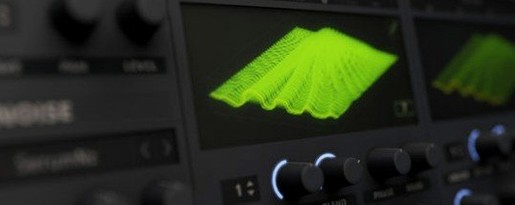
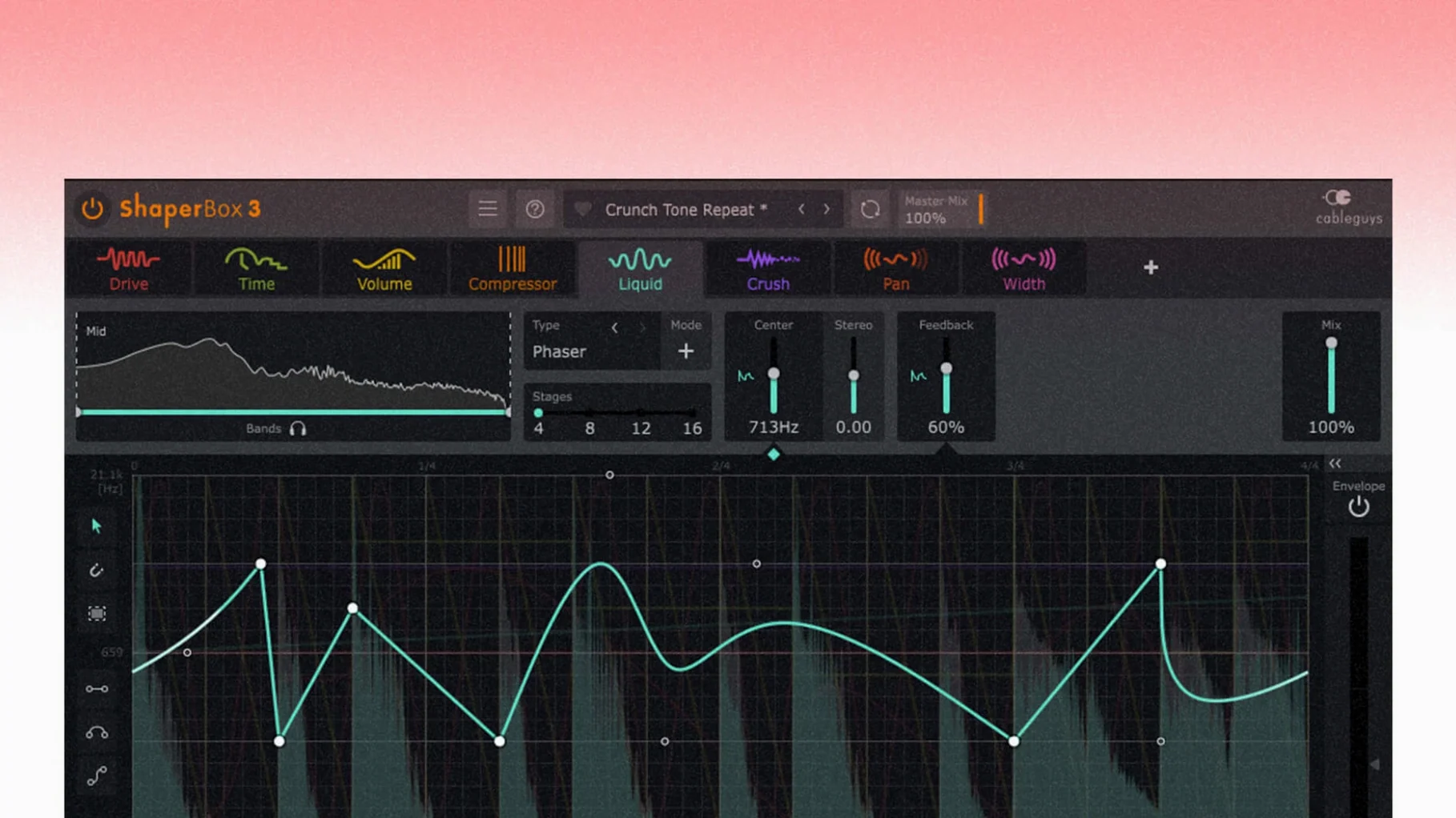
I grab a four-bar drum loop that’s solid but static. First move: load ShaperBox on the channel strip and hit the VolumeShaper tab. The waveform draws itself across the display — instant visual confirmation of where the transients land. I pull down a triplet curve from the preset grid, tweak the depth so the kicks duck just enough, and suddenly the loop pumps without a single compressor in sight.
Next I split the band. I click the Multiband toggle and set a crossover at 300 Hz. Low band gets a tighter volume curve; the highs stay untouched. Now the bass breathes while the hats keep their crisp attack. A quick Audio Trigger assignment off the snare hit means the ducking follows the drummer, not the grid. It tightens up in under a minute.
Time for movement. I open PanShaper, draw a sine wobble across the stereo field, and lock it to a dotted eighth-note timing mode. Mid frequencies only. The loop now sways left to right in time with the hi-hats — subtle, but it pulls the ear through the phrase. Then I layer FilterShaper on the same band with a low-pass curve that opens over two bars. It’s a slow reveal, like a curtain lifting.
Before I move on, I bounce a quick four-bar render to audio. No glitches, no timing drift. The whole session from loading to that first bounce ran about ten minutes, and I never opened a separate modulation plugin.
Before You Install: What ShaperBox Won’t Do Out of the Box
The Logic Pro Cursor Bug Is Finally Dead
If your host reads AU, VST3, or AAX, you’re fine. Logic Pro, Ableton Live, Cubase, Pro Tools — all tested daily. The Logic Pro cursor bug that plagued earlier builds got squashed in 3.6.1, so dragging controls no longer hides your pointer mid-session.
Will it choke an older Mac?
ShaperBox is surprisingly light on CPU for what it does. The rendering engine runs natively on Apple Silicon and Intel 64-bit, and the multiband processing doesn’t triple the load unless you stack all eight Shapers at once. On a 2019 Intel MacBook Pro I can run four or five instances before the buffer complains, and that’s with other plugins in the chain.
Is multiband actually useful, or just a checkbox feature?
It’s the reason you reach for this instead of a standard volume shaper or auto-panner. Splitting low, mid, and high bands means you can sidechain the bass while keeping the vocal range intact, or crush the highs without muddying the low end. The crossover slopes are musical, not surgical — they blend rather than slice.
What about the 600 presets — are they filler?
They’re starting points built by people who mix for a living. You’ll find curves labeled by genre, by instrument, by feel. Half the time I pull one up, tweak two parameters, and move on. The browser lets you tag favorites, which saves scrolling when a client asks for “that pulsing thing from last week.”
Bumps in the Road and How to Smooth Them
Most friction comes from the trigger system. If you enable Audio Trigger and nothing happens, check that the sidechain input is actually receiving signal. In Logic Pro, that means clicking the sidechain dropdown in the plugin window header and picking the right bus. In Ableton, make sure the track feeding the trigger has its output routed to the ShaperBox channel. The visual display pulses when it’s working — silence means a routing miss.
Another snag: the oscilloscope in VolumeShaper can look jittery when Anti-Click Trigger Smoothing is on and MIDI triggering is active. That one was a known issue, fixed in 3.6.1. If you’re on an earlier build and see flickering waveforms, disable the smoothing or update — it’s cosmetic, but distracting.
Multiband phase issues can creep in when you set extreme crossover points and stack TimeShaper with CrushShaper on the same band. The fix is simple: narrow the processing range, or bounce the affected layer to audio and check for comb filtering. Nine times out of ten, backing off the TimeShaper wet/dry clears it up.
Pin Your Default Timing to Triplet or Straight
Right-click the timing mode selector and pin your default to straight or triplet — whichever fits your genre. I live in triplet time for R&B and hip-hop, straight for rock and electronic. The plugin remembers per-instance, but setting a habit saves clicks.
Turn on Anti-Click Trigger Smoothing only when you hear pops. It’s off by default for a reason — it adds a tiny latency buffer. When you need it, it’s invisible. When you don’t, you keep the tightest timing possible.
Map the wet/dry mix of your most-used Shaper to a macro knob. CableGuys doesn’t ship with a dedicated macro panel, but your DAW’s plugin parameter mapping handles it. I assign VolumeShaper’s depth to a single fader on my MIDI controller so I can ride it live during arrangement passes.
Ducking a Funk Bed Behind VO Without the DJ-Set Artifacts
Picture a mixer on a corporate spot. The VO is clean, the music bed is library funk, and the client wants more “energy” — which means the music needs to duck behind the voice without sounding like a DJ set. She drops ShaperBox on the music track, opens VolumeShaper, and keys the Audio Trigger from the VO bus. Curve shape: a fast attack, medium release. Multiband split at 500 Hz so the bass ducks harder than the guitars. The result is a music bed that breathes around every sentence, not just every beat. It sounds like a fader ride she didn’t have to draw by hand.
Later, the same mixer gets a motion graphics sting that needs to feel wider as it builds. She adds PanShaper with a slow widening curve, then stacks CrushShaper on the last two seconds with a bit-crush envelope that degrades into the cut. Two modules, one plugin window, no automation lanes to tidy up. The timeline stays clean, and the render bounces at full speed because ShaperBox isn’t hogging the system.
- macOS 10.15 or later
- Apple Silicon or Intel 64-bit processor
- AU, VST3, or AAX host
Notes from the edit bay · 0
Sign in or get an edit-bay pass to leave a note.
No notes from the edit bay yet. They go up after I read them.