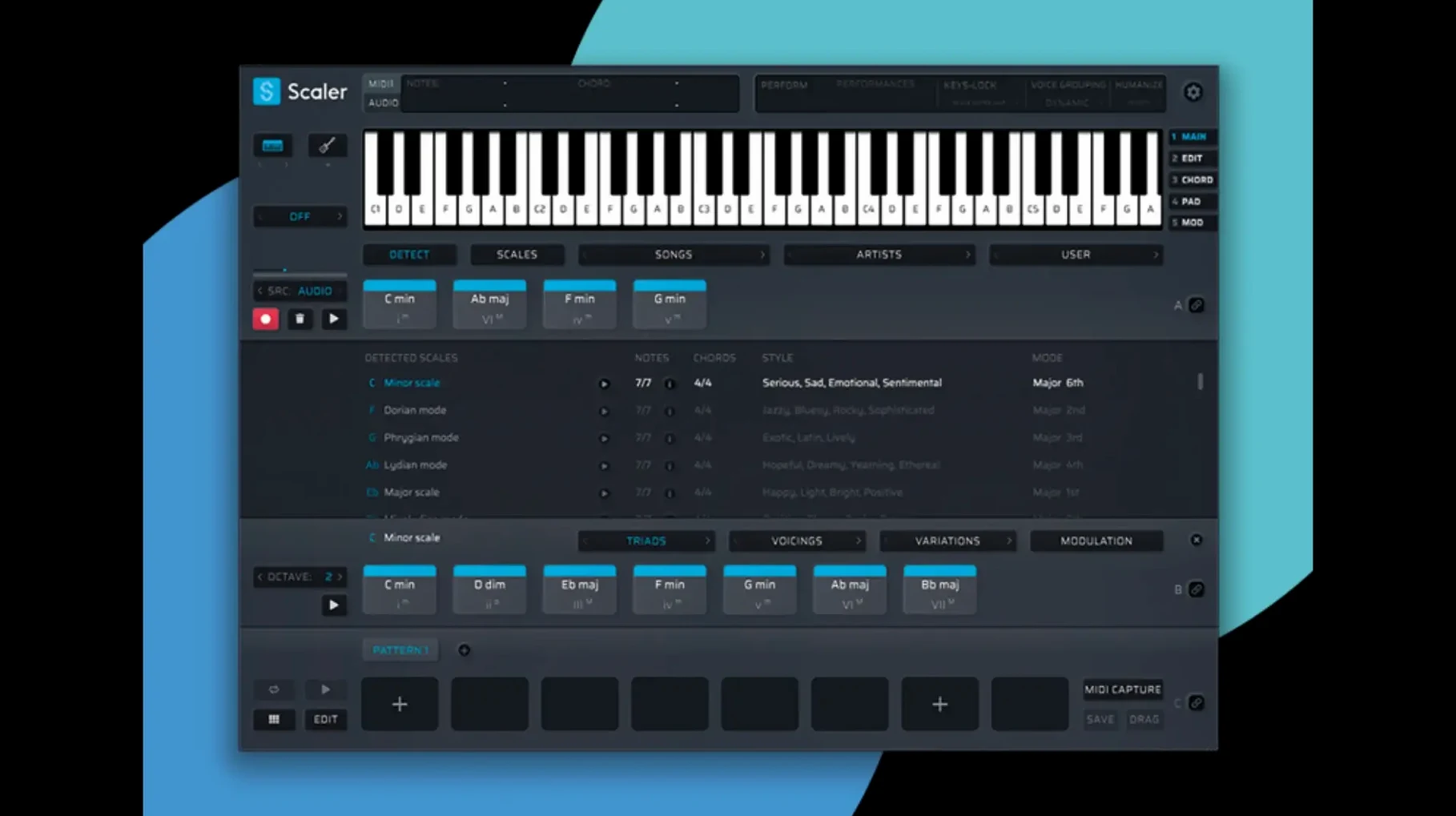
Scaler 3 is built for producers who work fast and want harmonic options at their fingertips without hunting through piano rolls. It's a music theory workstation that lives inside your DAW—or runs standalone—and turns chord progressions, melodies, and bass lines into a fluid editing experience. Instead of guessing what works next, you build and bind ideas across a multi-lane timeline designed for composition speed.
- Multi-Lane Timeline. Stack chord, melody, bass, and phrase tracks in one view. Drag, trim, and layer them like a mini MIDI arranger.
- Smart Generation. Pull melodies, bass lines, and arpeggios from any key. Scaler keeps everything in tune while you audition ideas.
- Plugin Hosting. Drop VST or AU instruments directly onto chord or MIDI sections. Shape sounds without leaving the workstation.
- Multi-Bind Tracks. Chain multiple tracks so a single chord change ripples across your entire arrangement. Huge time-saver for orchestral or layered electronic work.
- Format Flexibility. Runs as VST, VST3, AU, and AAX, plus a standalone app. It slips into whatever setup you already trust.
The timeline is the centerpiece here—it turns chord hunting into a linear, visual process that feels closer to arranging than theory homework. Version 3.3.2 tidies up the MIDI Editor, fixing missing notes and blank-space ghosting, and exported MIDI now crops that useless silence at the start of a sequence automatically. If you build tracks by feel but want harmonic depth without the scroll fatigue, Scaler 3 earns its spot between your instrument and your arrangement window.
First 72 Hours: Where to Point Your Cursor
The timeline clicks faster when you stop treating Scaler like a preset machine. Day one, pick a key you actually write in—C minor, F# major, whatever your last project used—and pull up the Artist presets. Not to copy, but to steal cadences. Drag three chords you like onto the chord lane, then hit the Melody generator with a tight range (two octaves, eighth-note rhythm) and let it scribble over your progression. Bounce that MIDI to your DAW and mute Scaler. What sticks? Keep it. What doesn't? Re-generate.
Day two, load an instrument you know cold—a piano, a bass, whatever you can judge harmony on without patch-browsing fatigue—and map it to a chord track via the plugin hosting slot. Now build a four-bar phrase across chord, bass, and melody lanes. Bind them. Transpose the chord lane up a third and watch the other two lanes shift with it. That's the Multi-Bind muscle; it's what keeps layered edits from turning into click-fests.
By day three, you should have a handful of exported MIDI clips. Notice how 3.3.2 trims the dead air at the front. That used to be a minor annoyance—import a clip, then slide it left in your DAW because Scaler left a bar of nothing. No more. Small fix, real workflow win.
Where the MIDI Editor Got Its Polish
Version 3.3.2 is a refinement pass, not a feature bomb, and that's the point. The MIDI Editor got the attention it needed. Earlier builds could show phantom gaps before the first chord, or render notes that didn't match what you'd actually programmed. If you've ever stared at a piano roll and second-guessed a voicing you knew you placed, that's the bug they squashed. Chord representations now line up with what plays back, and notes that went missing in dense passages stay put.
The other quiet fix: exported MIDI auto-crops blank space at the sequence start. Before this, you'd drag a clip into Logic or Ableton and immediately trim the silence. Now the clip starts where the music starts. It's the kind of polish that matters when you're exporting eight variations of a cue and don't want to clean up each one.
Scaler 3 vs. the Field
Stack it against Captain Chords and the difference is structural. Captain Chords lives in a single-window plugin that's fast for sketching but cramped once you add bass and melody lines. Scaler 3 splits the work across lanes you can see at once—Captain forces you to tab between sections. If you think in layers, Scaler's timeline wins. If you want one-click genre presets and nothing more, Captain is lighter.
Orb Composer goes harder on generative arrangement, spitting out full sections with articulations and dynamics. But it leans academic; the interface feels like a scoring tool that wandered into a producer's laptop. Scaler 3 stays closer to the DAW—drag-and-drop MIDI, plugin hosting, a timeline that mirrors your arrangement window. Orb is for when you want the AI to drive. Scaler is for when you want to drive but need a harmonic GPS.
Against Cthulhu, it's no contest for depth. Cthulhu is a chord memorizer and arpeggiator, brilliant for performance, but it doesn't generate bass lines or host instruments. Scaler 3 occupies the whole vertical slice—chords, melody, bass, phrases, and the sound source. Cthulhu is the arp module; Scaler is the sketchpad.
Turning a Sync Brief Into a Finished Cue
Imagine a producer cranking out instrumental cues for a music library. The brief says "melancholy indie-pop, BPM 90, no key change." She opens Scaler 3 standalone, sets G major, and pulls a progression from the Indie Folk preset group—I–V–vi–IV, but with a suspended II in the second bar. She drops a bass line generator on the bass lane, tightens the rhythm to half notes, and hosts a felt piano AU plugin right on the chord track. Melody lane gets a narrow-range arpeggio with a 30% randomization slider bump.
She listens. The bones are solid, but the second bar's suspended chord feels too polite. She drags a different inversion from the chord suggestion panel, swaps it on the timeline, and Multi-Bind updates the bass and melody to match. Three minutes, one export, and the MIDI drops into her DAW with no leading silence. She adds a drum loop, prints a rough mix, and sends the cue before lunch. What Scaler 3 actually saved wasn't just time—it saved her from the ear fatigue of auditioning a hundred chord voicings by hand while a deadline blinked on the second monitor.
Version 3.3.2 cleans up the MIDI Editor in a big way. Notes that used to vanish, chords that drew themselves wrong, and blank space lurking before the first beat—all fixed. Also fixed: exported MIDI now automatically crops empty space at the start of the sequence, so you drop clips into the DAW and they land right on the grid.
- macOS 10.15 or later
- 64-bit Intel or Apple Silicon
Questions I actually get
Can Scaler 3 generate bass lines and melodies, not just chords?
Yes, it generates melodies, bass lines, and arpeggios in any key, working across a multi-lane timeline that keeps everything musically coherent.
Notes from the edit bay · 0
Sign in or get an edit-bay pass to leave a note.
No notes from the edit bay yet. They go up after I read them.