
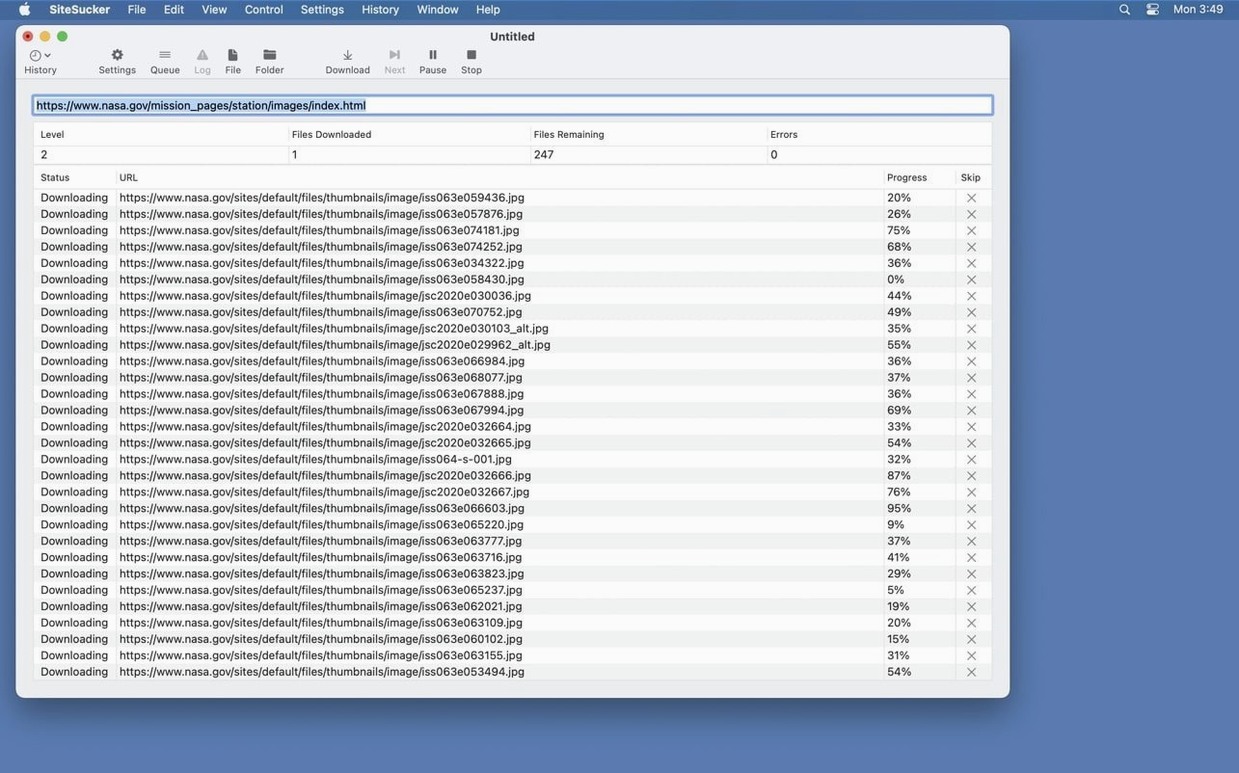
You've got a twelve-hour flight and a research rabbit hole you need to go down. The in-flight Wi-Fi pitch is a hard pass. You point SiteSucker at the target URL, set it to grab three levels deep, and walk away to pack. By the time your bag is zipped, the whole site sits on your Mac's drive, directory structure intact, ready for the tray table.
Grab the Full Site or Just the PDFs
A fair question. By default, SiteSucker copies web pages, images, PDFs, stylesheets, and any other files that make the site what it is. You're not stuck with the whole buffet, though. The app lets you narrow things down to only the content types you care about, so you don't end up with a drive full of random favicons. The Paths section gives you real control here — you can force specific file links or entire page paths to download, or tell it to skip certain sections entirely. It duplicates the site's directory structure locally, so navigating offline feels the same as clicking around online.
Where Does the Pro Version Fit?
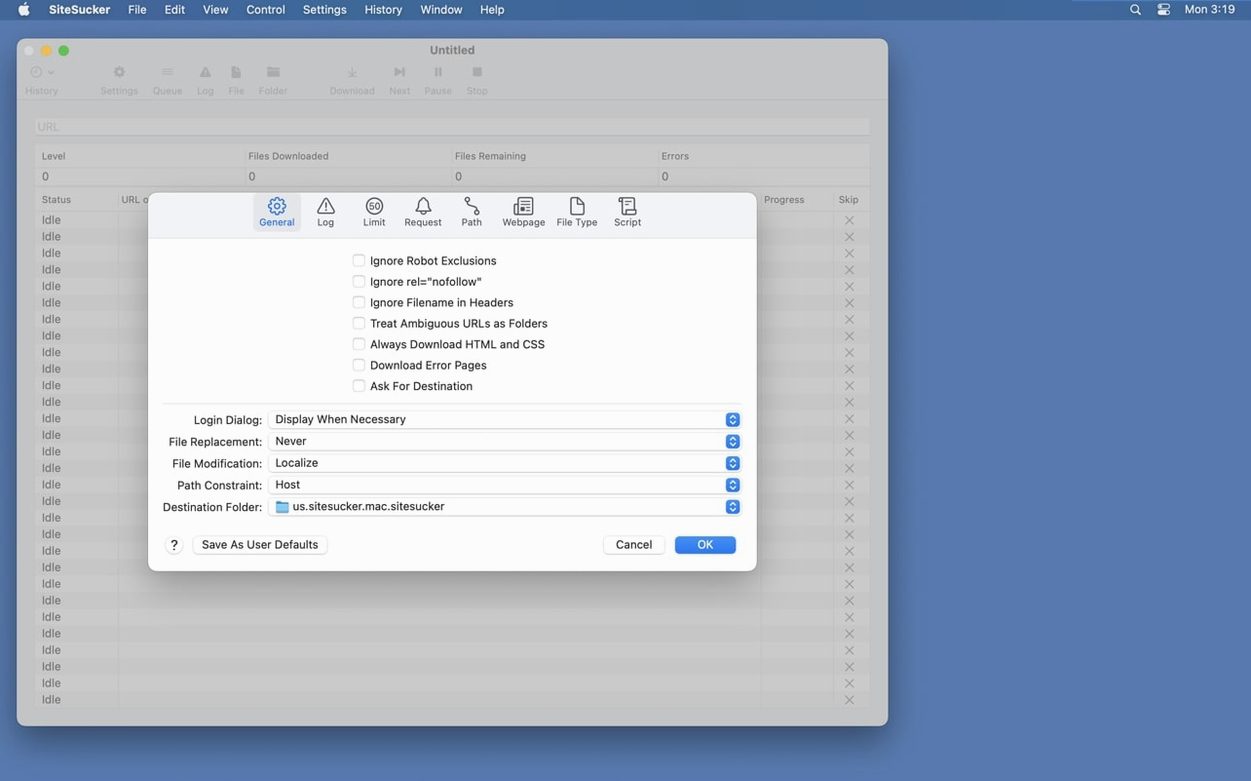
The standard edition handles static content without a sweat, but modern sites are loaded with embedded media. That's where SiteSucker Pro earns its keep. The Pro version can reach into pages and pull down embedded YouTube and Vimeo videos, which the standard app leaves alone. You'll see everything it's doing in the operation log: Open Log on the toolbar shows it in Console from the moment you hit download. The Limits section caps link depth, file count and file size, and by default files listed in robots.txt are skipped.
What's Changed in 6.2.2
Two things landed that make a difference during the actual grab-and-go. First, PDF creation bugs got squashed. If you've been using the Webpage settings to save pages as PDFs and ran into garbled output or half-rendered files, that friction disappears. The second addition is a Format HTML checkbox in the same Webpage settings panel. Flip it on and the app tidies up downloaded HTML source, re-indenting tags so the markup reads like something a human wrote rather than a single-line wall of code. Handy when you need to pull a snippet out of a page later and don't want to run it through a separate formatter.
Crank the Link Depth to 3 or 4
Before you throw a URL at it, open preferences and hit the Limits section. The default link depth is conservative, but a lot of documentation wikis and portfolio sites need three or four levels to make sense offline. Crank that number up before you start, not after you realize the download missed half the subpages. While you're there, set a minimum file size of a few kilobytes to skip tracking pixels and empty placeholders — they add noise without adding value.
Next, head to Advanced and change the user-agent. The default string announces the app plainly, and a handful of servers respond by throttling the connection or serving stripped-down pages. Switch it to the Safari or Firefox preset and you'll get the same markup a real browser would see. Last stop: the Paths section. If the site has a blog, a docs subdirectory or a media folder you specifically need, list it here as an inclusion path. The download becomes tighter, faster, and won't wander off into irrelevant sections of the site.
HTTrack’s Terminal Wrapper vs. a Native Mac Interface
SiteSucker Pro vs. HTTrack — HTTrack runs through a terminal or X11 wrapper on macOS, and it shows. The interface feels like a port from another decade, and setting up a job means wrestling with a wizard that hasn't changed since the mid-2000s. What HTTrack does well is resume interrupted downloads and handle enormous sites without choking, but you pay for that in usability. SiteSucker Pro keeps the same core mirroring logic inside a native Mac app that respects your screen's pixels and your muscle memory for drag-and-drop.
SiteSucker Pro vs. wget — wget is the Swiss Army knife nobody enjoys sharpening. You can script it, chain it, and tweak every parameter from the command line, but you'll spend twenty minutes reading the man page to remember the flags for recursion depth, domain following, and cookie handling. SiteSucker Pro wraps those decisions in checkboxes and sliders. For a one-off archive of a conference schedule or a competitor's product pages, the UI wins. For automated nightly mirrors, wget still has a seat at the table, but that's a different workflow entirely.
SiteSucker Pro vs. WebCopy — WebCopy on Windows gets the job done with a clean interface, but Mac users are left hunting for alternatives. A sitesucker mac free search often points people toward browser extensions or trial versions, but those typically cap page counts or strip embedded media. The Pro edition removes those guardrails and adds video downloading, which none of the browser-based options handle well. If your project includes YouTube embeds on every other page, the gap widens fast.
Respects robots.txt Out of the Box
Does it respect robots.txt? Yes, by default. The app checks the site's robots exclusion file and skips anything the site owner asked crawlers to avoid. You can turn that off in the Settings if you have a reason to, but it starts out playing nice.
Will it download embedded videos automatically? Only with the Pro version, and only from YouTube and Vimeo embeds. Other video hosts or self-hosted MP4 files may still download as part of the general file sweep if they're linked directly, but the targeted extraction focuses on those two platforms.
Can I pause a big download and come back later? Not in the sense of suspending and resuming a running job mid-stream. What you can do is let the current operation finish, review the log to see what was grabbed, and run a subsequent download that picks up where the directory structure left off. Setting tighter Limits on the first pass helps keep each session manageable.
Does it work on Apple Silicon? The app runs natively on both Apple Silicon and Intel Macs, so there's no Rosetta penalty or compatibility gap on newer machines. The requirement is macOS 14 or later, and it's a clean universal binary.
Will the downloaded site look broken offline? Sometimes a page loads assets from a third-party CDN that SiteSucker can't reach, or relies on server-side scripts that generate content dynamically. Most static content comes through intact, but a chat widget or a live feed won't survive the transfer. The log tells you exactly what failed, so you know what you're missing before you board the plane.
Version 6.2.2 tidies up a few loose ends. The big one: bugs that could trip up PDF creation are gone. There's also a new Format HTML option tucked into Webpage settings, giving you more say over how saved pages look when you open them offline.
- macOS 26 or later
- Apple Silicon or Intel Mac
Notes from the edit bay · 0
Sign in or get an edit-bay pass to leave a note.
No notes from the edit bay yet. They go up after I read them.