
It's a native Mac app that runs on everything from an Intel MacBook Air on macOS 11 to a brand-new Apple silicon machine.
PullTube — a straightforward video downloader for macOS that pulls clips, audio, playlists, and subtitles from over 1,000 sites.
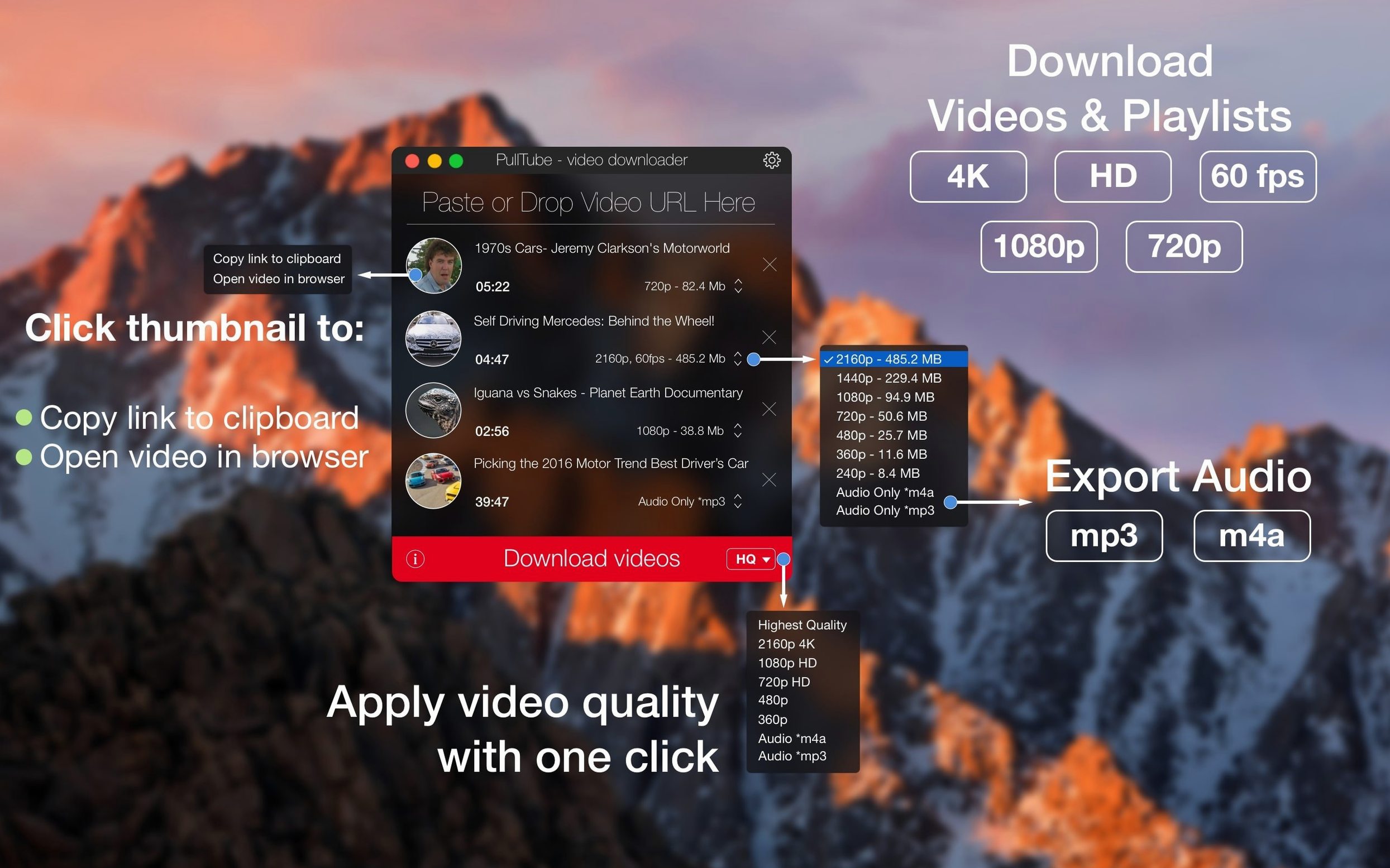
Quality options — highest, 4K, HD, or standard; the app tags the file name with the quality you picked so you don't have to guess later.
Audio-only mode — strips the video and saves just the soundtrack. Handy for interviews, podcasts, or live sets when you don't need the picture.
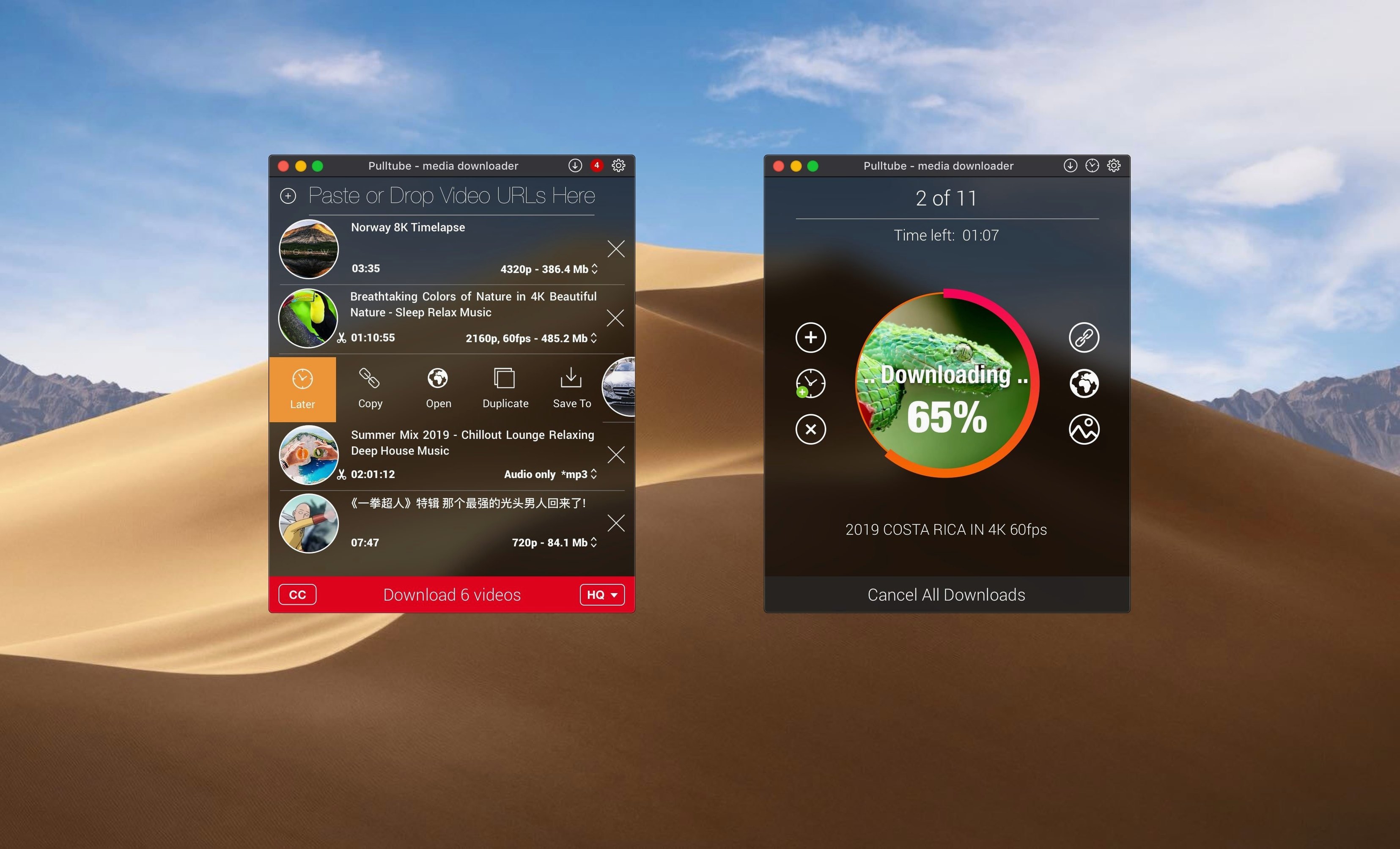
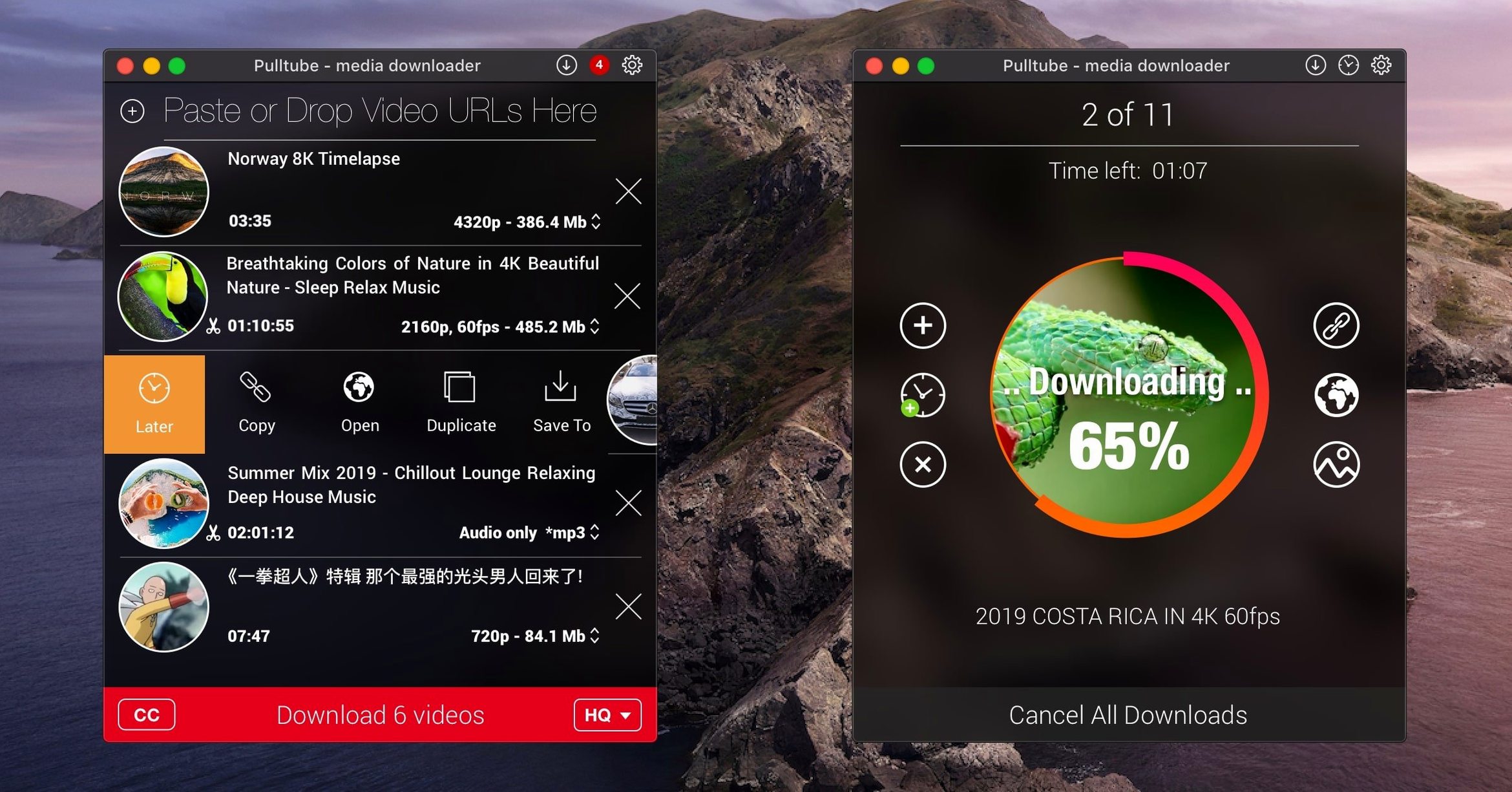
Pre-flight inspection — paste a link and you see the thumbnail, title, and duration before a single byte downloads. Playlists get detected automatically, so a whole series queues up in one go.
Will It Grab 4K or Just 1080p?
"Will this grab 4K, or am I stuck with compressed 1080p?" PullTube pulls whatever the source serves — 4K, 8K, HDR, 60fps. The quality picker lists every format the video was encoded in. If YouTube only uploaded a clip in 1080p, that's what you get. The app doesn't upsample. What it does do is show you what's actually available before you click download, so there are no surprises.
"Is audio extraction a second-class feature, or does it pull proper bitrates?" The MP3 and M4A exports come straight from the source stream. You're not re-compressing an already lossy AAC track through some janky encoder. For most YouTube content, that means a 128–256 kbps AAC or Opus feed wrapped cleanly into your chosen container. Podcast editors and sample-library builders lean on this daily.
"What about sites that aren't YouTube or Vimeo?" The developer claims 1,000+ supported sites, and in practice the list covers the big names people actually ask about: TikTok, Twitch, Facebook, Instagram, Bilibili, SoundCloud. Niche video hosts sometimes work because PullTube sniffs media streams the same way a browser does. If a site embeds a standard video player, there's a decent chance the pulltube app will detect it. Paste the link; if a thumbnail shows up, you're in business.
"Does it need a browser extension to work?" No. The pulltube chrome extension exists for convenience — it sends the current tab's URL straight to the app — but it's entirely optional. You can paste links manually, drag URLs from Safari's address bar, or drop a text file full of links. The extension just saves two clicks.
Link Resolution Speed Under a Dozen Queues
A downloader lives or dies by two things: how fast it resolves a link, and whether it beachballs under a dozen queued items. The pulltube macos build handles both well. Paste a YouTube link and the thumbnail, title, and format list appear in under a second on Apple silicon; older Intel machines take maybe two seconds while the app queries the stream manifest. That's network-bound, not app-bound.
Download speed itself depends entirely on the server you're pulling from and your own connection. PullTube saturates whatever bandwidth is available. A 4K clip from YouTube on a gigabit fiber line finishes in the time it takes to grab a coffee. The app doesn't artificially throttle, and it doesn't choke when three downloads run in parallel — though the sensible move is to limit concurrent jobs to two if you're on a slower machine and don't want Finder dragging while the disk writes.
Memory use stays low. With a full playlist of 30 videos queued and two downloading simultaneously, the pulltube downloader hovers around 180–250 MB of RAM. CPU sits near idle during a download; the real work happens at the network layer and in the disk write queue. Quitting after the last download — a checkbox in preferences — means you can set a big playlist running overnight and wake up to a silent Mac.
Downloads Only, Leaves Playback and Conversion Elsewhere
PullTube doesn't try to be a media player, a converter, or a library manager. It downloads. That narrow focus keeps it lean. If you already use IINA or VLC for playback, Permute for transcoding, and Finder tags for organization, PullTube slots in as the ingestion step. Drag a URL in, get a file out, hand it off to whatever comes next.
macOS integration is straightforward. The app registers as a handler for YouTube and Vimeo URLs if you enable it, so clicking a link in Mail or Messages can open PullTube directly. The system Share menu picks it up too — highlight a link in Safari, hit Share, send it over. No clipboard-watching daemon running in the background, which keeps the menu bar clean and battery drain at zero when you're not actively downloading.
For Final Cut editors, the workflow is simple: pull a reference clip or temp music track, drop it into the browser, cut. The audio-only mode gets a lot of use here — pulling a soundtrack from a video reference without the 300 MB of h.264 attached saves SSD space and import time.
Gatekeeper Blocks Launch—Here’s the Script Fix
Gatekeeper blocking the first launch. The disk image includes an Open Gatekeeper friendly script. Open the image, run that script, type your admin password in Terminal when prompted. Afterward, drag the app to Applications and launch it. The Terminal window confirms once the quarantine flag is removed. This is a one-time step.
Link pasted but nothing happens. PullTube needs the full URL, not just the video ID. If you copied from a shortened link or a share-sheet that stripped the protocol, add https:// back. Some sites also geoblock content; if the video won't play in a regular browser tab in your region, PullTube can't reach it either.
Playlist detection misses a few videos. Unlisted or private videos in a public playlist won't show up — that's on the server side. Also, if a playlist contains a mix of video and audio-only entries (like podcast episodes on YouTube), the pulltube mac app queues everything it can resolve and silently skips dead links. Check the queue count against what you expected; missing entries usually mean restricted access.
Audio export sounds flat or quiet. The source audio on most video platforms is already normalized to broadcast loudness. PullTube doesn't apply any processing, so quiet tracks are quiet at the source. If you need to boost levels, run the file through Audacity afterward rather than blaming the downloader.
App quits unexpectedly on launch (macOS 11). A few users on the earliest Big Sur builds see a crash tied to the thumbnail rendering engine. The fix is usually to delete the app's preferences file at ~/Library/Preferences/com.mymixapps.pulltube.plist and relaunch. The app rebuilds it cleanly.
Editors Pulling Reference and Temp Tracks Daily
Editors and motion designers are the core audience. Pulling reference footage, stock-music temp tracks, or client-provided video from a dozen platforms is a daily task, and the quality picker means you always work with the highest resolution available. The audio-only mode doubles as a quick way to grab a scratch track without clogging the project drive.
Language learners and subtitle users. The subtitle download support — tucked into the format options — pulls .srt files alongside the video. Watching foreign-language content with synced captions offline, without relying on a streaming connection, is a quiet superpower of the pulltube downloader. Teachers building lesson archives use it heavily.
Archivists and offline-first users. If you travel, commute through dead zones, or just don't trust that a video will still be online next month, PullTube gives you a local copy in the quality you choose. Playlist support means entire conference talks, tutorial series, or music sets land in one folder, named and ready.
DJs and sample collectors. Audio extraction from music videos, live sets, and interviews on YouTube or SoundCloud feeds directly into Serato or Ableton libraries. The M4A option preserves the original codec so there's no generational loss before you even start chopping.
If your workflow ends at watching videos in a browser tab, PullTube is overkill. But the moment "I wish I had this offline" crosses your mind, the app earns its spot on the Mac.
PullTube 1.8.6.41 lands with its usual batch of under-the-hood fixes that keep your downloads moving.
- macOS 11 or later
- Apple Silicon or Intel 64-bit Mac
Questions I actually get
Which Macs does PullTube support?
It works on Apple silicon and Intel Macs running macOS 11 or later.
Can PullTube download just the audio from a video?
Yes. Switch to audio-only mode and it saves the soundtrack without the video track.
Does PullTube handle playlists?
It detects playlists from pasted links and can download every item in the list.
Notes from the edit bay · 0
Sign in or get an edit-bay pass to leave a note.
No notes from the edit bay yet. They go up after I read them.