
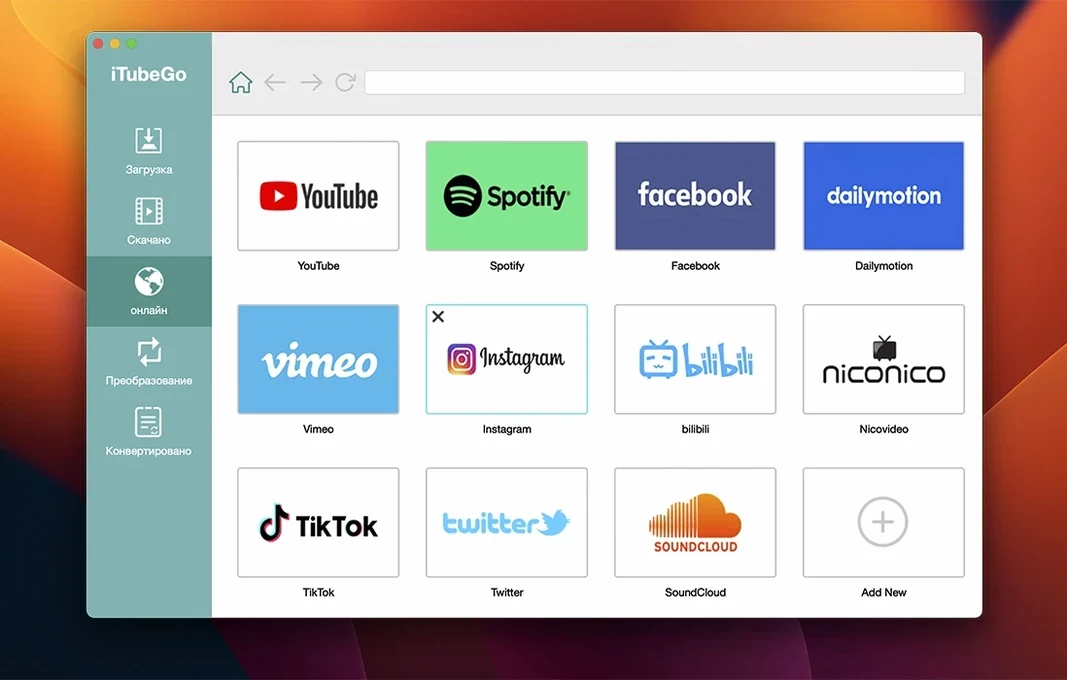
iTubeGo kicks the tires on Intel Macs running macOS 10.10 or later—so even an older cheese-grater Mac Pro gets a seat at the table. If your machine still boots, this downloader probably runs on it. Once you've dragged it into the Applications folder, you're staring at a blank canvas. Here's where to point it first.
- Paste a YouTube music playlist. Drop the URL in and pick MP3 as the output. iTubeGo rips the audio from every video in the list in one go. It's the fastest way to build an offline practice mix for a rough cut without hunting down stems.
- Grab a client's Instagram reel for reference. No screen recording artifacts, no re-compression guessing game. Just the source file, pulled clean and ready to drop onto a timeline.
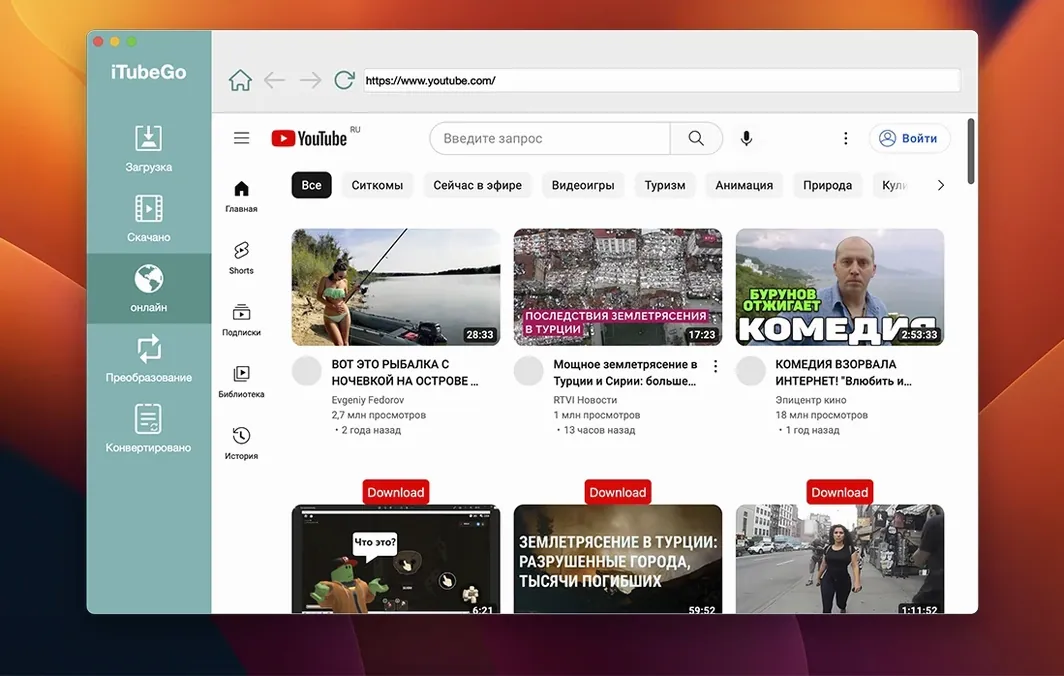
- Use the built-in browser. Browse to the video or music inside iTubeGo's own window and download from there, without copying links back and forth.
- Queue a batch of Vimeo review links. When a producer sends six cuts for feedback, paste them all at once. Walk away, come back to a folder of local MP4s, and scrub through them in QuickTime without the buffering wheel.
- Convert a downloaded 4K music video to an audio-only MP3. Strip the picture, keep the mix — audio extraction saves MP3 at 320 kbps.
A Music Supervisor's Monday Morning
A music supervisor I know keeps a folder called "Maybe." It's where every track that might fit a cue lands before a spotting session. Monday morning, she opens iTubeGo and pastes fourteen YouTube links — album deep cuts, a live session from KEXP, two fan uploads of a discontinued vinyl rip. She sets the output to MP3, checks the 320 kbps box, and hits download. By the time her coffee's cool enough to drink, the folder has fourteen tracks, properly tagged, no browser tabs still buffering. She drags them into her library and starts pairing songs to picture. That's the whole job — before lunch.
Clicking the Built-In Browser to Grab a Royalty-Free Track
Let's say you're cutting a corporate recap video and the client wants a royalty-free track from a YouTube library. Here's what a session actually looks like.
You open iTubeGo. The window sits clean, no clutter. You click the built-in browser tab and navigate to the YouTube audio library — no copying URLs, no switching apps. You find a track that fits the energy of the event footage. Hit the download button floating in the browser overlay. A dialog asks: MP4 or MP3? You pick MP3. The download finishes in seconds. You switch to the converter tab, drag the file in, and confirm the output format. A few seconds later you have a 320 kbps MP3 ready to drop into Final Cut. You never opened Safari. You never saw a .webm file. You never waited for a render bar that wasn't yours.
That's the rhythm of it: browse, grab, convert, cut. No step feels like a detour.
Grabbing Reference Footage for a Mood Board
Here's a workflow I've used when a director sends a "vibe" playlist of ten Vimeo links and expects me to pull frames and motion references by end of day.
First, I collect all ten URLs into a plain text file. Copy the whole block and paste it into iTubeGo's main window — the app parses each link and queues them as separate downloads. I set the quality to 4K where available, 1080p as a fallback. Bulk mode kicks in, and the parallel downloading chews through the list fast. While files arrive, I open the first completed MP4 in QuickTime, scrub to a key frame, and grab a still. By the time I've pulled three stills, the rest of the downloads are done. I rename the files by director's shot number, drop them into a reference folder, and share it. One app handled the entire fetch pipeline. No browser extensions, no sketchy conversion sites, no "download starting in 10 seconds" countdowns.
Point the Default Download Folder at Your Scratch Drive
Out of the box, iTubeGo works fine — paste a link, get a file. But a few tweaks make it fit a working editor's day better.
Set the output folder to your scratch drive. By default, downloads land in a folder inside your user directory. Point it to the same RAID or external SSD where you keep project media. It saves you from hunting through your home folder when Final Cut asks "Where's the file?"
Switch the default audio format to MP3 at 320 kbps. The app can extract audio in several bitrates, but 320 is the ceiling and it's where you want to be for anything that touches a timeline. Set it once and forget it — every music-only download from then on lands at full quality.
Enable clipboard monitoring. When you copy a URL anywhere on your Mac, iTubeGo can catch it automatically and offer to download. For a session where you're bouncing between a client's email and the app, this cuts out the paste step entirely. It's a small checkbox with an outsized effect on speed.
Check the "Keep original quality" preference. If you're pulling 8K footage or high-bitrate music videos, you don't want the app re-compressing on the fly. Lock it to original quality so what you download is what was uploaded — no generational loss before you even touch the file.
Those four changes take under a minute. After that, the app behaves like it was built for your specific desk, not a generic user who just wants to save a video once a month.
Start with a paste, not a deep settings dive. Quality runs from 480p to 8K, and bulk downloads are where the speed shows.
- macOS 10.10 or later
- Intel processor
Questions I actually get
Which sites can iTubeGo download from?
It supports over 10,000 websites, including YouTube, Vimeo, Instagram, Facebook, Dailymotion and TikTok.
Notes from the edit bay · 0
Sign in or get an edit-bay pass to leave a note.
No notes from the edit bay yet. They go up after I read them.