Think of it as Onyx with a malware scanner and a friendlier face. MacBooster 8 from IObit is a system utility that bundles junk cleanup, virus removal, and disk optimization into one window. It also removes Mac malware and viruses, so it leans harder on security than most cleanup tools.
| What | Details |
|---|---|
| Developer | IObit |
| Version | 8.3.0 |
| Needs | macOS 11.5 or later |
| Architecture | Apple Silicon & Intel 64-bit |
| Disk space | 70+ MB free |
It runs on any Mac from Big Sur onward, both Apple Silicon and Intel. Once installed, it can clean memory, clear junk files, and repair disk permission problems — three things that tend to pile up on machines doing daily video work. The interface ships in fourteen languages, from Russian and German to Simplified Chinese and Japanese.
Tweak These Junk Categories Before Trusting the Cleaner
The defaults are fine for a quick pass, but a few tweaks make the tool smarter about what it removes. The junk file scanner covers twenty categories, and not all of them matter to every machine. Before you let it loose, open Preferences and uncheck any folder you actively use as a scratch disk — DaVinci Resolve cache, After Effects disk cache, FCP library backups. MacBooster will flag those as purgeable without asking twice.
Next, head to the Privacy Protection section and confirm which browsers it connects to. It supports Safari, Chrome, and Firefox by default. If you switch between Chrome profiles for different clients, the tool lumps all session data together. Unchecking a browser you only use for banking keeps it from wiping saved logins you actually need.
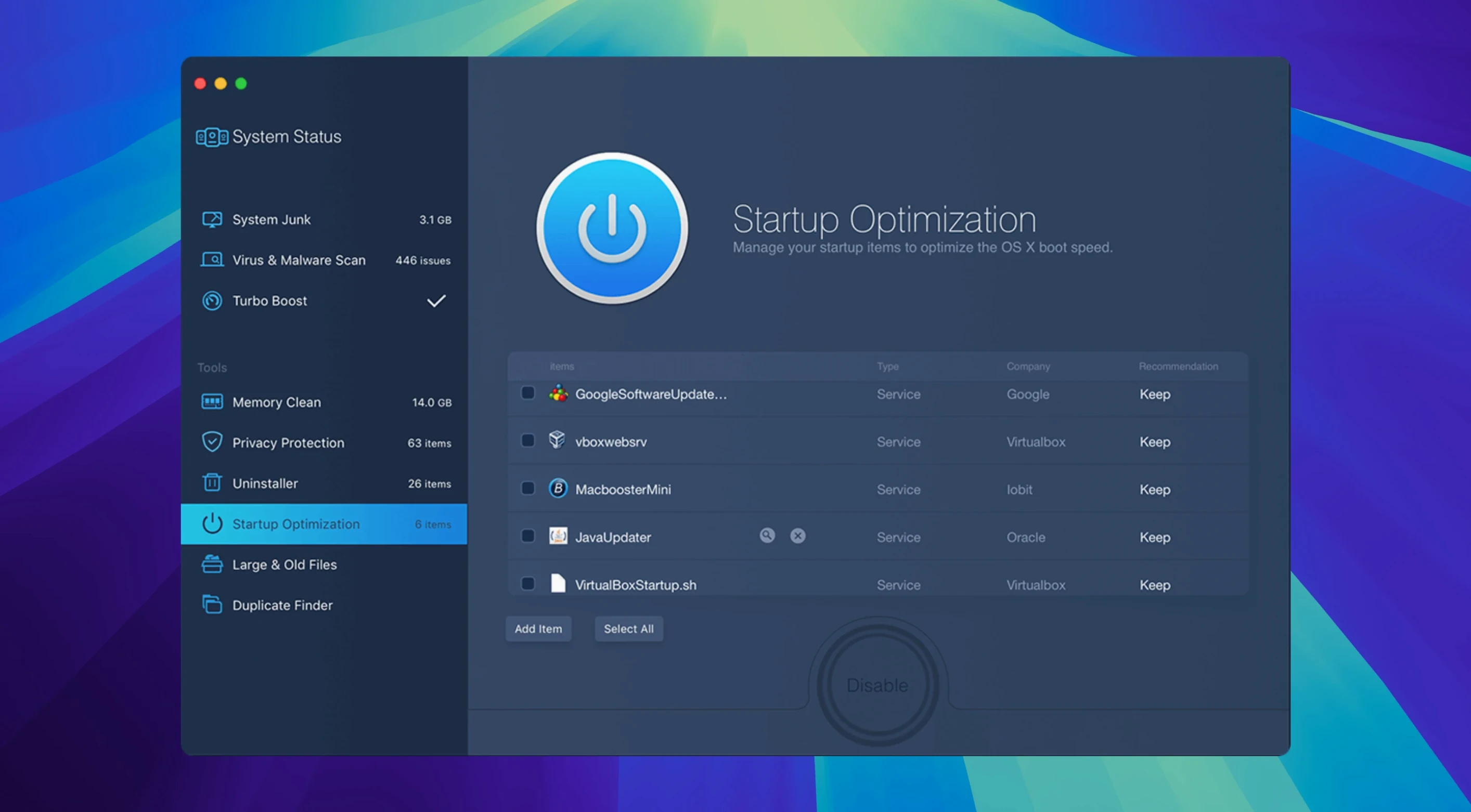
Last setting that pays off early: toggle the Startup Optimization list to manual mode. The automatic scan flags everything it considers non-essential, including helpers for cloud sync and clipboard managers. A quick review before hitting “Optimize” prevents the annoyance of restarting to find your snippet tool missing from the menu bar.
Render Caches and Catalog Previews Pile Up Fastest Here
MacBooster earns its keep on machines that serve as daily drivers for media work. Editors and photographers who bounce between Premiere, Lightroom, and Photoshop accumulate render caches, catalog previews, and duplicate exports faster than most cleanup habits can handle. The duplicate file finder, in particular, catches the kind of clutter that comes from saving three versions of the same flattened PSD “just in case.”
Users with smaller internal SSDs — the 256GB and 512GB crowd — benefit immediately. When a Mac dips below 20GB free, macOS throttles swap and Spotlight indexing. Running the junk scanner before a heavy ingest day prevents that slowdown. It also suits anyone who prefers a single dashboard over juggling separate tools for malware checks, leftover app removal, and disk cleaning.
Windows converts who land on macOS and miss the bundled maintenance utilities they used to rely on will recognize the flow. IObit’s Windows heritage shows in the layout: big status rings, colored severity levels, one-click fix buttons. It’s not subtle, but it’s fast to read.
Five Days In: A Photographer’s Week
Here’s how it plays out for someone who shoots tethered and edits on the same MacBook Pro. Monday starts with a 64GB SD card dump from a weekend portrait session. Before importing, the photographer runs a quick scan. MacBooster finds 18GB of system junk — mostly old iOS backups and Lightroom previews from a catalog she archived three weeks ago. She clears it, frees the space, and imports without the drive wheezing.
Wednesday, the duplicate finder flags 400+ files in her exports folder. Half are full-res JPEGs she exported twice with different sharpening settings and forgot to delete. She merges the picks into one folder, trashes the rest. Thursday morning, the malware scanner kicks off while she makes coffee — nothing found, but the peace of mind matters when client drives change hands at meetups and coffee shops.
By Friday, the machine feels leaner. No beachballs during batch exports. The RAM cleaner in the menu bar shows pressure dropping after she closes Photoshop, and she gets into the habit of running the privacy sweep before shutting down. The tool didn’t replace her backup routine or her folder structure, but it plugged the gaps her manual habits always missed.
Start With the Malware Scanner, Skip the One-Click Deep Sweep
- Run the malware scanner first. It’s the one module that protects against outside threats, not just accumulated cruft. Schedule it for a time when the Mac is awake but idle — mid-morning renders or lunch breaks work well.
- Hold off on the uninstaller. The app removal tool is thorough, but it can pull dependencies shared across Adobe apps if you’re not paying attention. Wait until you’ve used the machine normally for a week so you know which helper processes belong where.
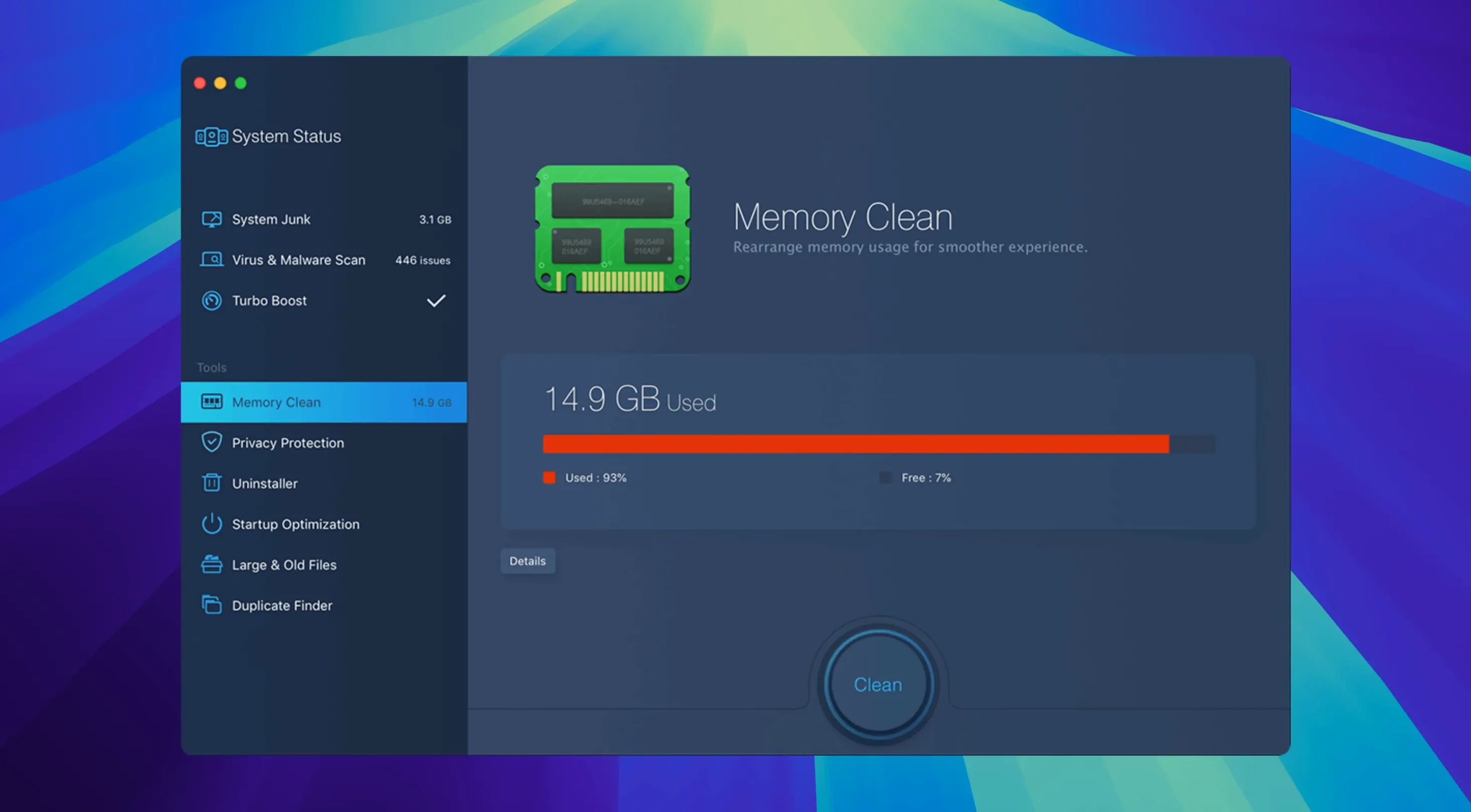
- Use the memory cleaner as a manual trigger, not a background daemon. Keeping it visible in the menu bar lets you free RAM after closing a heavy app. Letting it run automatically can create a cycle of purging and reloading that wastes CPU cycles.
- Test the duplicate photo scanner on a small folder first. Point it at a single client shoot rather than your entire Pictures directory. The scan finishes faster, and you learn its matching logic before trusting it with thousands of files.
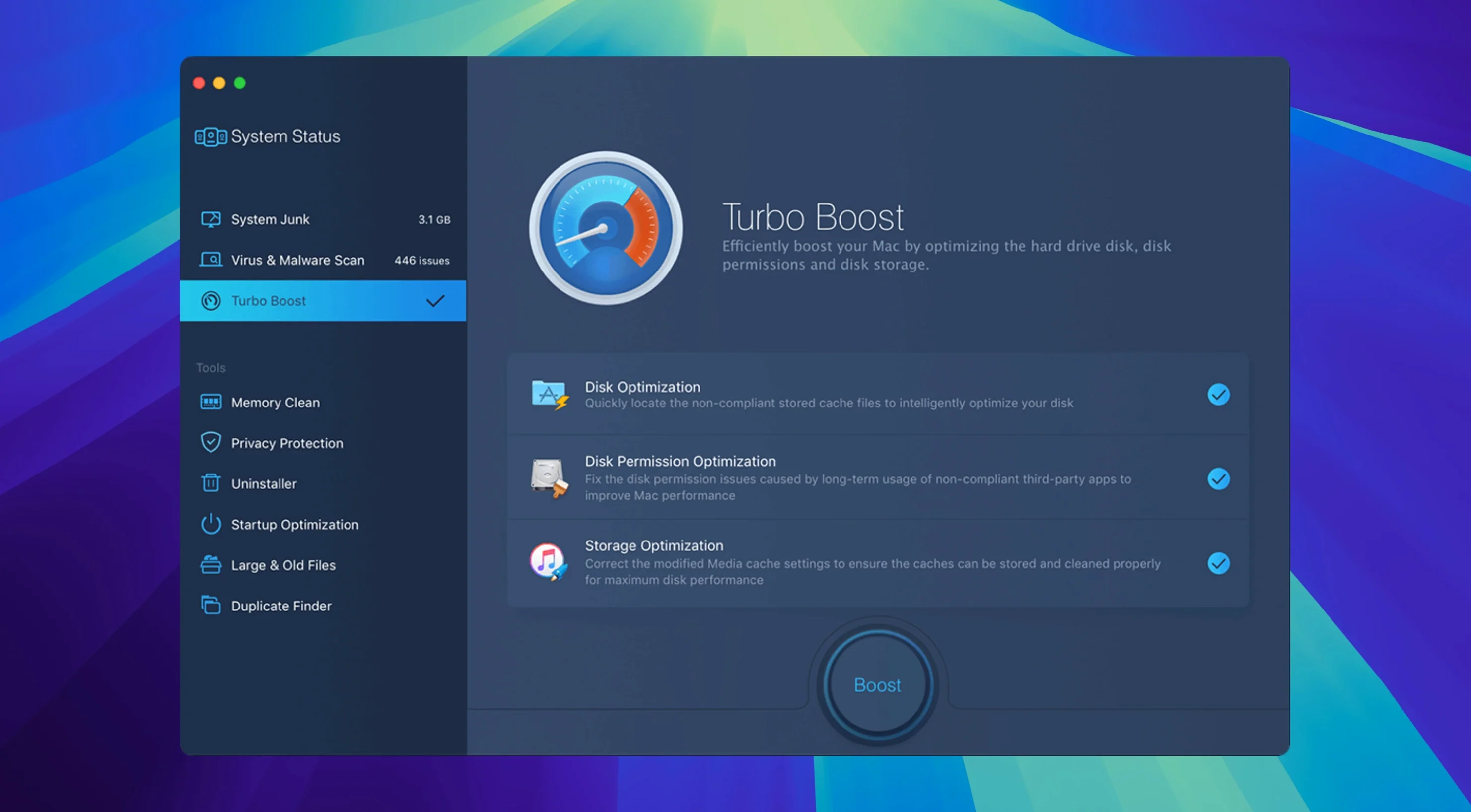
- Ignore the “boost” prompts for the first three days. The deep optimization routines — disk permission repair, startup item reorganization — are safe, but you want a baseline feel for your machine’s performance before changing them. That way you know if something feels off afterward.
After the first week, the tool settles into a rhythm. A weekly junk scan, a monthly malware pass, and the occasional duplicate hunt when drive space dips below 15 percent. It’s not a tool you live in — it’s the one you open, run, and close until the next time the fans spin up for no reason.
- macOS 11.5 or later
- Apple Silicon or Intel 64-bit Mac
- 70+ MB of free disk space
Questions I actually get
Does MacBooster 8 run on Apple Silicon?
Yes, MacBooster 8 supports both Apple Silicon and Intel 64-bit Macs.
What macOS version does MacBooster 8 need?
It requires macOS 11.5 or later.
Is MacBooster 8 only a cleaner?
No, it also removes malware and viruses, optimizes hard disk performance, and can clean memory.
Notes from the edit bay · 0
Sign in or get an edit-bay pass to leave a note.
No notes from the edit bay yet. They go up after I read them.