
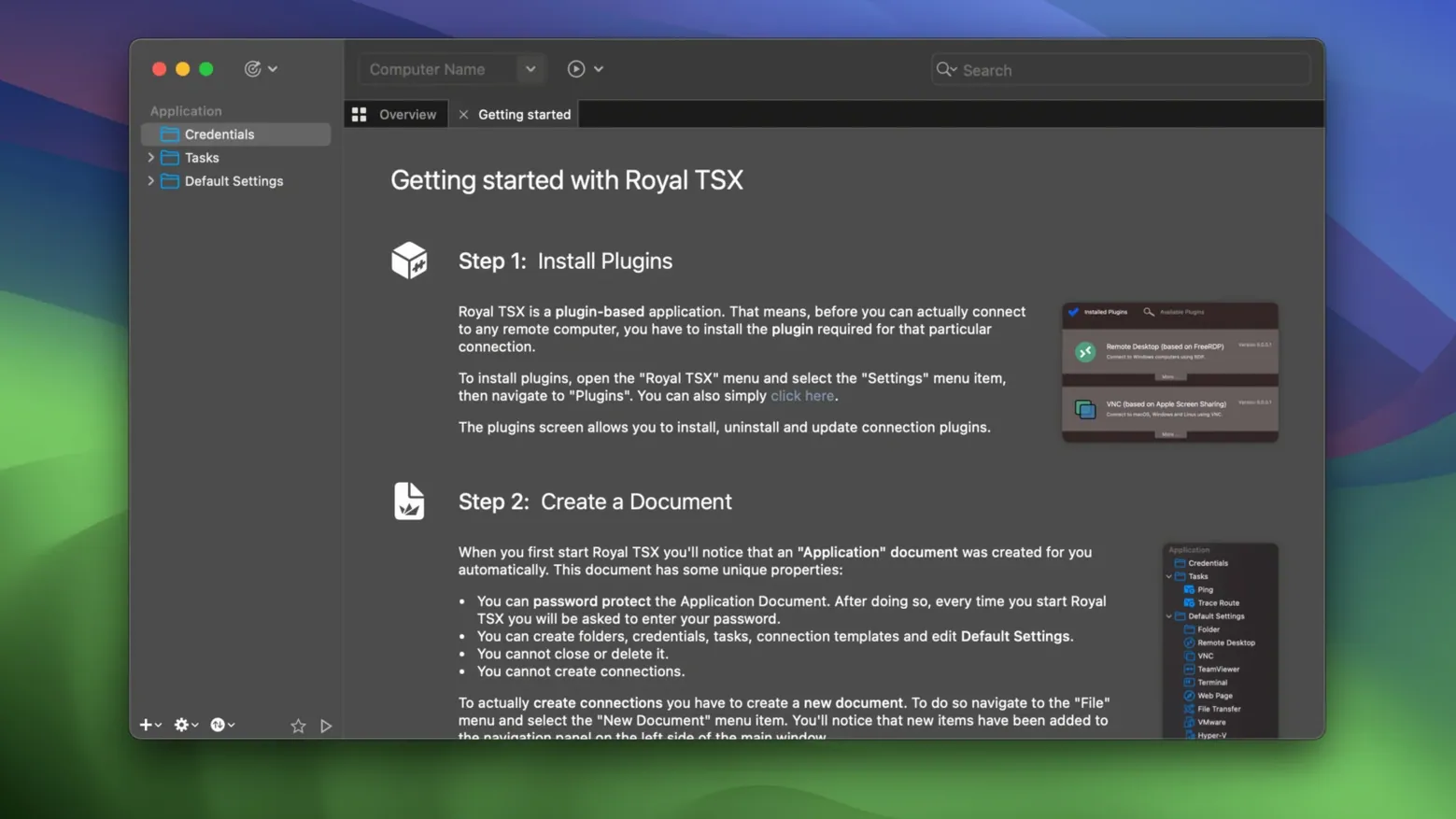
Royal TSX is the macOS seat in a cross-platform remote management suite built for people who juggle servers, not just connections.
Document Compatibility — opens Royal TS, TSi, and TSD files without conversion. If a Windows colleague sends a connection file, you open it directly on a Mac and start working.
Multi-Protocol Engine — RDP, SSH, VNC, and more live under one roof. No switching between Apple Remote Desktop, Terminal, and a VNC viewer; you launch everything from a single organized window.
Secure Credential Store — a centralized vault locks passwords and private keys behind one master phrase. You drag a saved credential onto any connection instead of retyping or hunting through a password manager.
Custom Templates — bake display settings, gateway rules, and credential assignments into a template once. Spinning up ten similar SSH tunnels becomes a two-click job.
Appearance & Behavior — shrink oversized RDP toolbars, color-code connection tabs by environment, or make a VNC session feel like a native Mac window. The interface bends to the workflow, not the other way around.
Cold Launch in Two Seconds, 180 MB RAM at Idle
On an Apple Silicon Mac, Royal TSX launches cold in about two seconds and sits around 180–220 MB of RAM with a handful of active connections. That number climbs predictably with each additional RDP session — figure roughly 40–60 MB per tab depending on resolution and bitmap caching settings. The app feels native, not Electron-heavy; scrolling through an SSH session history is instant, and switching between a dozen open tabs doesn't introduce the lag you get from browser-based remote tools.
Where you notice the weight is multi-monitor RDP. Spanning a 4K remote desktop across two local displays pushes GPU memory harder than the CPU. The renderer holds up, but I drop the color depth to 16-bit on busy connections and the difference in responsiveness is real. For SSH and VNC, the overhead is negligible — the app stays out of the way.
Stability-wise, version 6.4.4.1000 hasn't crashed on me during normal use. The one exception: yanking a MacBook off a VPN mid-session can freeze an RDP tab for about 15 seconds before the watchdog kills it. The rest of the application stays responsive, which beats a full restart.
Why Your Keychain Passwords Won't Carry Over
A few pain points surface once you move past basic connections. Royal TSX stores its credential vault separately from the macOS Keychain, and the two don't talk. If you've been saving passwords in Keychain Access for years, you'll be re-entering them or importing manually. The vault is solid once populated, but the initial migration is tedious.
Plug-in discoverability is another rough edge. Extensions for things like TeamViewer integration or web-based dashboards exist, but they're scattered across the Royal Apps forum and GitHub, not gathered in a single in-app gallery. You'll spend an afternoon hunting down what you need.
On Intel Macs running Monterey, I've seen the Secure Gateway feature refuse to negotiate when both IPv4 and IPv6 are active on the local adapter. The fix is quick — disable IPv6 on the interface or force the gateway address to an explicit IP — but the error message doesn't hint at the cause.
Skipping Templates Creates Chaos at Thirty Servers
The most common rookie move is treating Royal TSX like a simple terminal launcher. People drop raw IP addresses into ad-hoc connections, skip templates entirely, then wonder why managing thirty servers feels chaotic. The app rewards setup time upfront: build a folder hierarchy, create one template per environment, and let every new connection inherit settings instead of configuring from scratch each time.
Another trap: ignoring the credential store's inheritance model. Beginners often assign credentials directly to individual connections, then have to update them one by one when a password rotates. Link credentials to a folder or template instead, and a single change propagates everywhere.
Over-tweaking RDP display settings before understanding bitmap caching also causes grief. Cranking everything to 32-bit color with font smoothing and ClearType enabled on a slow link makes the session crawl. Start conservative, then raise settings only as the connection proves it can handle them. The performance tab in each connection's properties gives you granular control — use it early.
- macOS 10.13 or later
- Apple Silicon or Intel 64-bit
Questions I actually get
What systems can I connect to with Royal TSX?
It supports RDP for Windows, SSH for Unix and Linux systems, VNC for screen sharing, and other protocols—all from a single Mac application.
Notes from the edit bay · 0
Sign in or get an edit-bay pass to leave a note.
No notes from the edit bay yet. They go up after I read them.