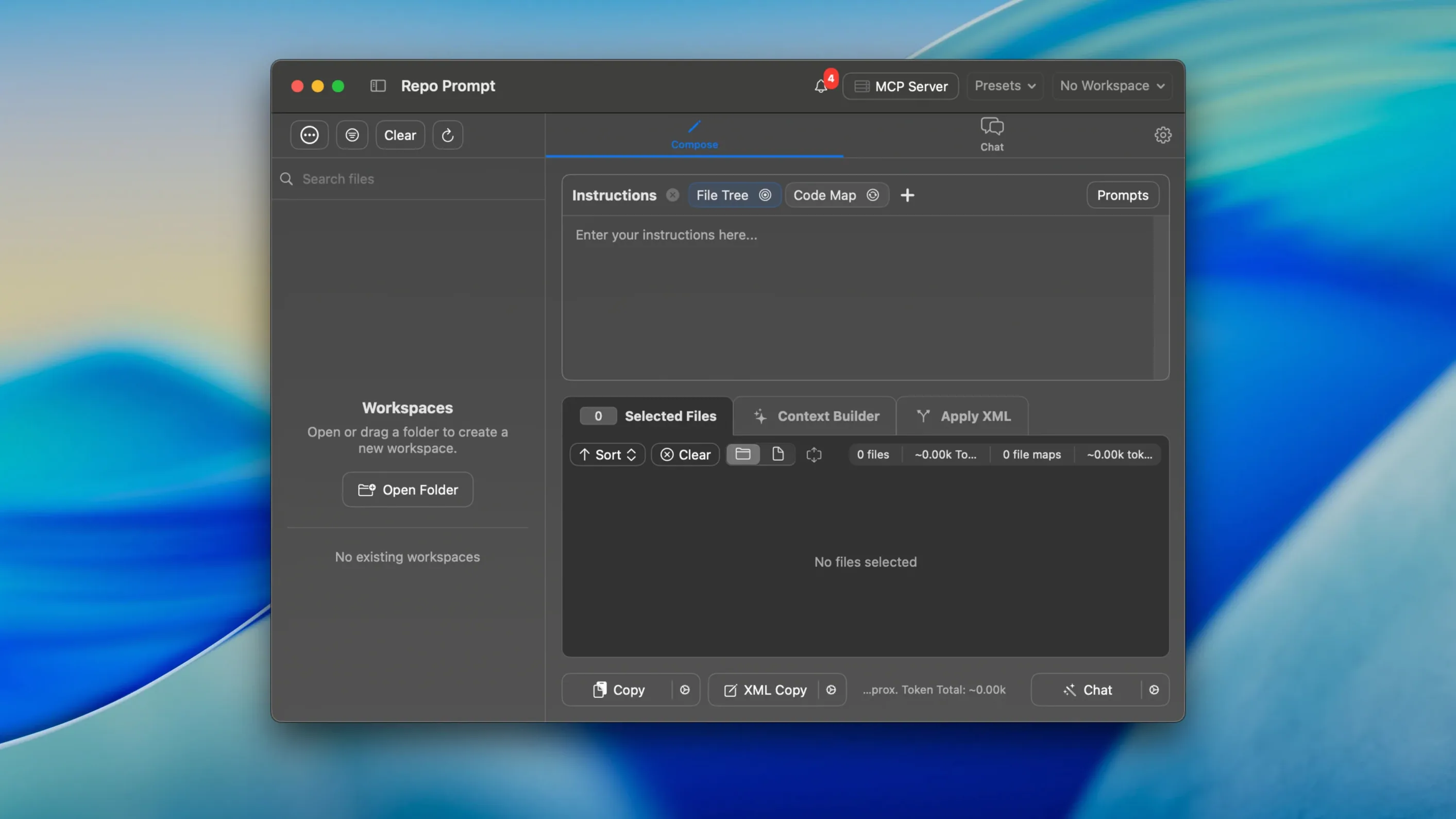
Runs on any Mac with macOS 14 or later, Apple Silicon or Intel. Repo Prompt is a native macOS app built for a specific slice of the editing timeline — the moment you hand a chunk of code to an AI and need it to understand the files around it, not just the tab you have open. It's not a terminal multiplexer or a general-purpose chat client. It sits next to your editor and feeds structured context to local and cloud models using your own API keys, so the model sees imports, adjacent modules and project patterns before it writes a single line.
- Manages AI context by pulling in relevant files around the one you're working on, not just the active buffer.
- Connects to local and cloud models through your own API keys.
- Talks MCP (Model Context Protocol) so coding agents and analysis tools stay in sync with the repo state.
- Steps through AI-generated diffs with a code review panel that lets you approve changes one by one or in batches.
- Keeps agent-mode crawls responsive — refreshes land faster during long runs without losing place.
On a Mac that already runs Xcode, VS Code, or a JetBrains IDE, Repo Prompt handles the plumbing between the project folder and the model. It doesn't replace the editor or the terminal; it shortens the loop between "what does this codebase look like" and the prompt that gets sent.
A Workflow: Patch Three Related Files Without Losing Your Mind
Here's a concrete path I've settled into when a bug touches a model, a controller and a view. Open the repo in Repo Prompt, then drop into the file tree. Select the three files that matter — hold ⌘ and click each one. The context panel now shows their full contents stitched together, and I haven't typed a line of a prompt yet.
Next, hit the prompt library. I keep a saved prompt called "Fix cross-layer regression" that asks the model to check signature drift between the model, the controller that calls it, and the view that displays the result. The prompt auto-fills, and because Repo Prompt already loaded those three files as context, the model sees real function names and route patterns — not placeholders I'd have to paste in manually. I choose a cloud model from the dropdown and send it.
The diff review panel is where the real time savings lives. Changes come back grouped by file, and I step through them with the arrow keys. A quick glance at the token counter in the corner tells me whether the reply burned through my budget or stayed lean. If a change looks wrong, I reject it individually — the other two files keep their approved edits. Once I'm satisfied, I apply the batch. Total time from selection to committed fix: under four minutes, and I never opened a single file in my editor until the changes were already written.
Create Your First Saved Prompts for PR Reviews and Hooks
The defaults are sensible, but two things make the app feel like yours immediately. First, open the prompt library and create a handful of saved prompts matched to your actual patterns — PR review first pass, refactoring a React hook, adding tests to a utility file. Generic prompts waste tokens; saved prompts that reference your naming conventions and test framework cut the back-and-forth by half.
Second, configure the MCP integration if you use coding agents. Repo Prompt can feed context to agent workflows, but only if it knows which agents to talk to. Set this up once and the repo stays in sync across sessions — no stale file snapshots sent to a model mid-crawl. While you're in settings, eyeball the token optimization toggles. Trimming whitespace and stripping comments before sending context can shave 15–20% off a prompt without changing what the model understands. If you're hunting for the repo prompt mac full version to get these features running, the Community Edition build from the project releases on GitHub is what you want — no activation prompts, no license gates, just the app and your API keys.
A transition notice now points users to the claim portal and the next chapter update. Also fixed: agent-mode crawling refreshes feel snappier during long active runs, and automatic tool-card expansion animations no longer yank the scroll position around while transcriptions are jumping.
- macOS 14 or later
- Apple Silicon or Intel Mac
Questions I actually get
Does Repo Prompt work with local models on my Mac?
Yes. You point it at any local or cloud model using your own API keys, and the app runs natively on both Apple Silicon and Intel Macs.
What is MCP integration for in Repo Prompt?
MCP, the Model Context Protocol, lets coding agents and external analysis tools stay in sync with your file structure and context without manual exports.
Notes from the edit bay · 0
Sign in or get an edit-bay pass to leave a note.
No notes from the edit bay yet. They go up after I read them.