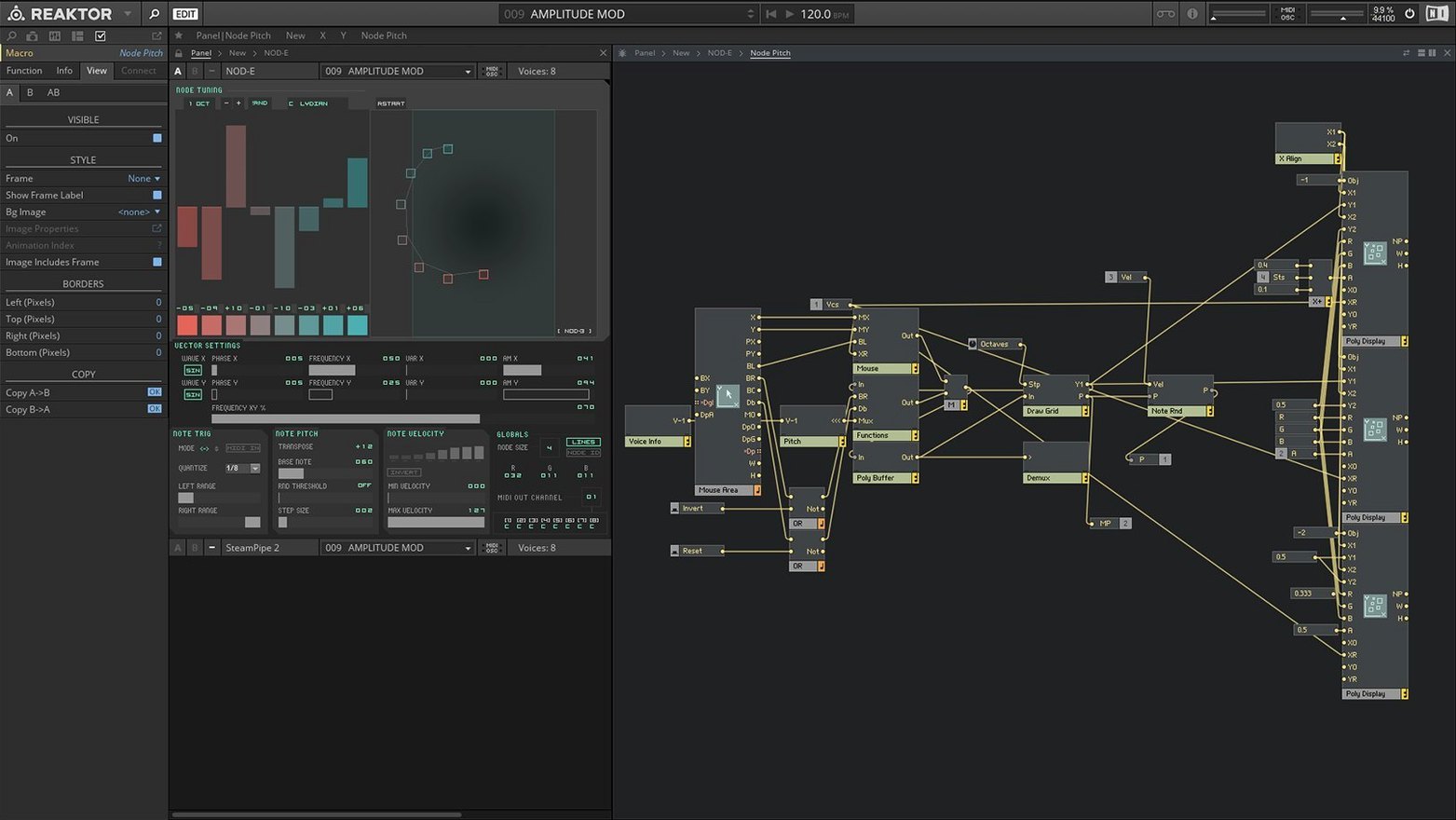
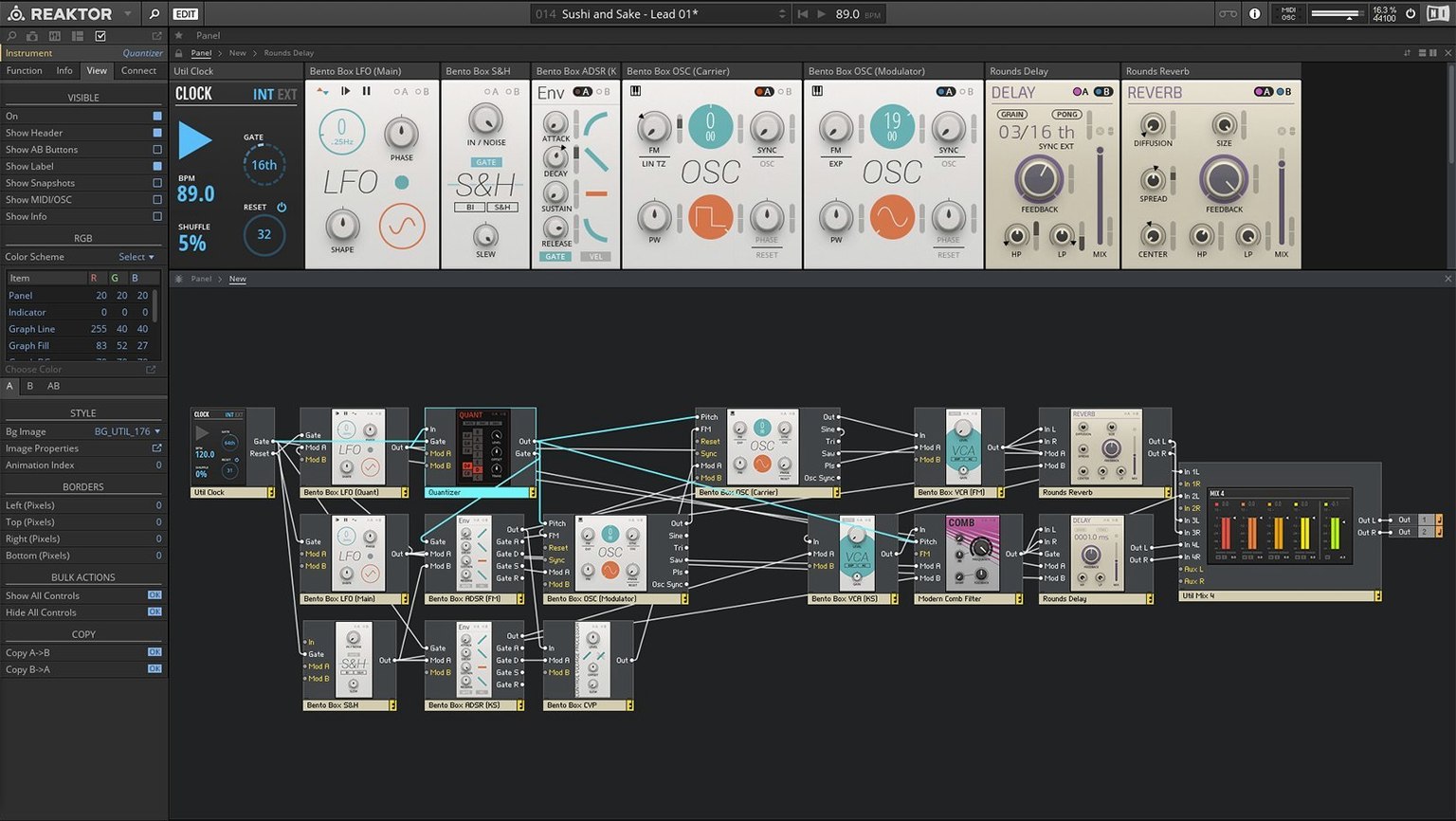
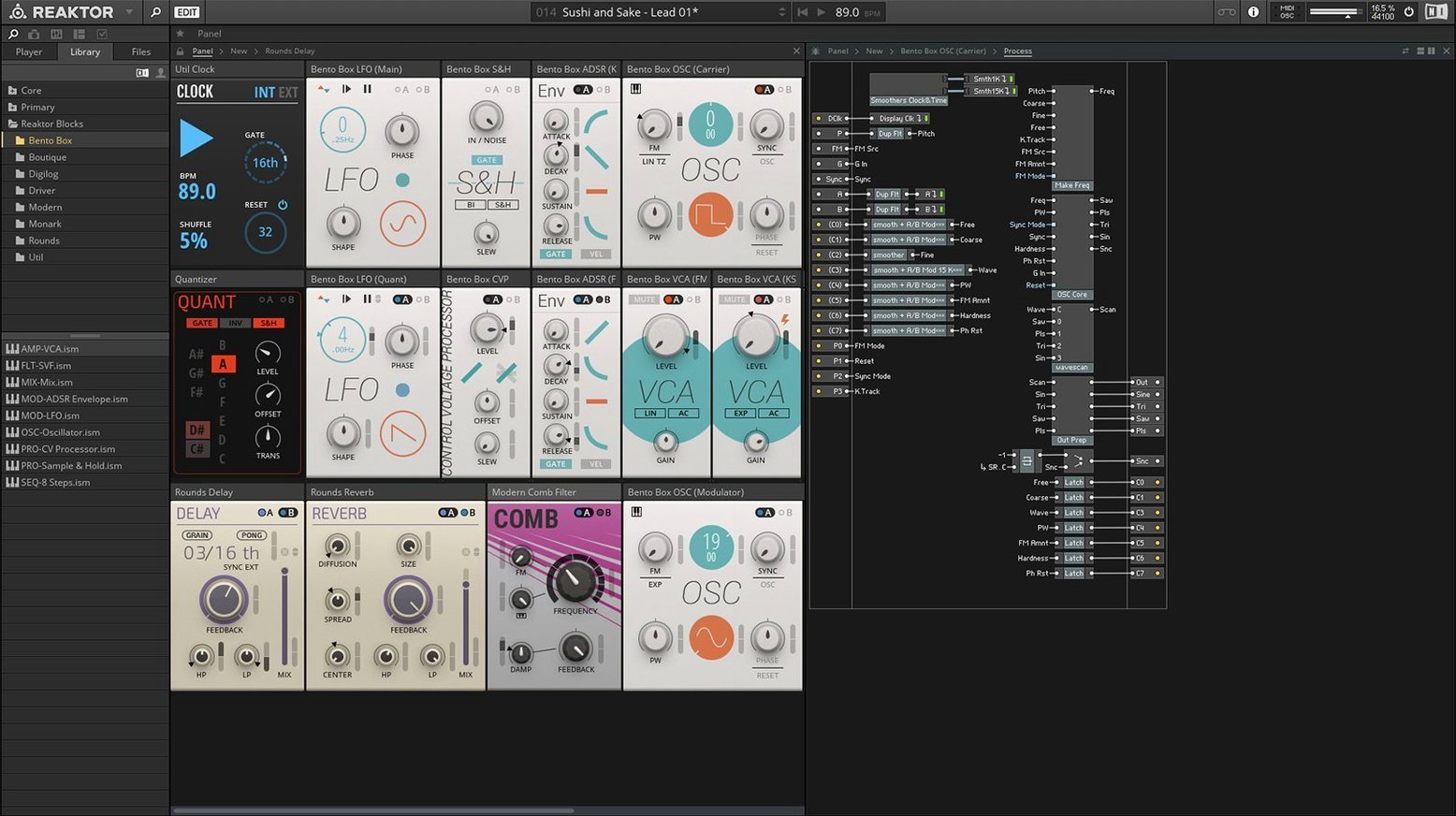
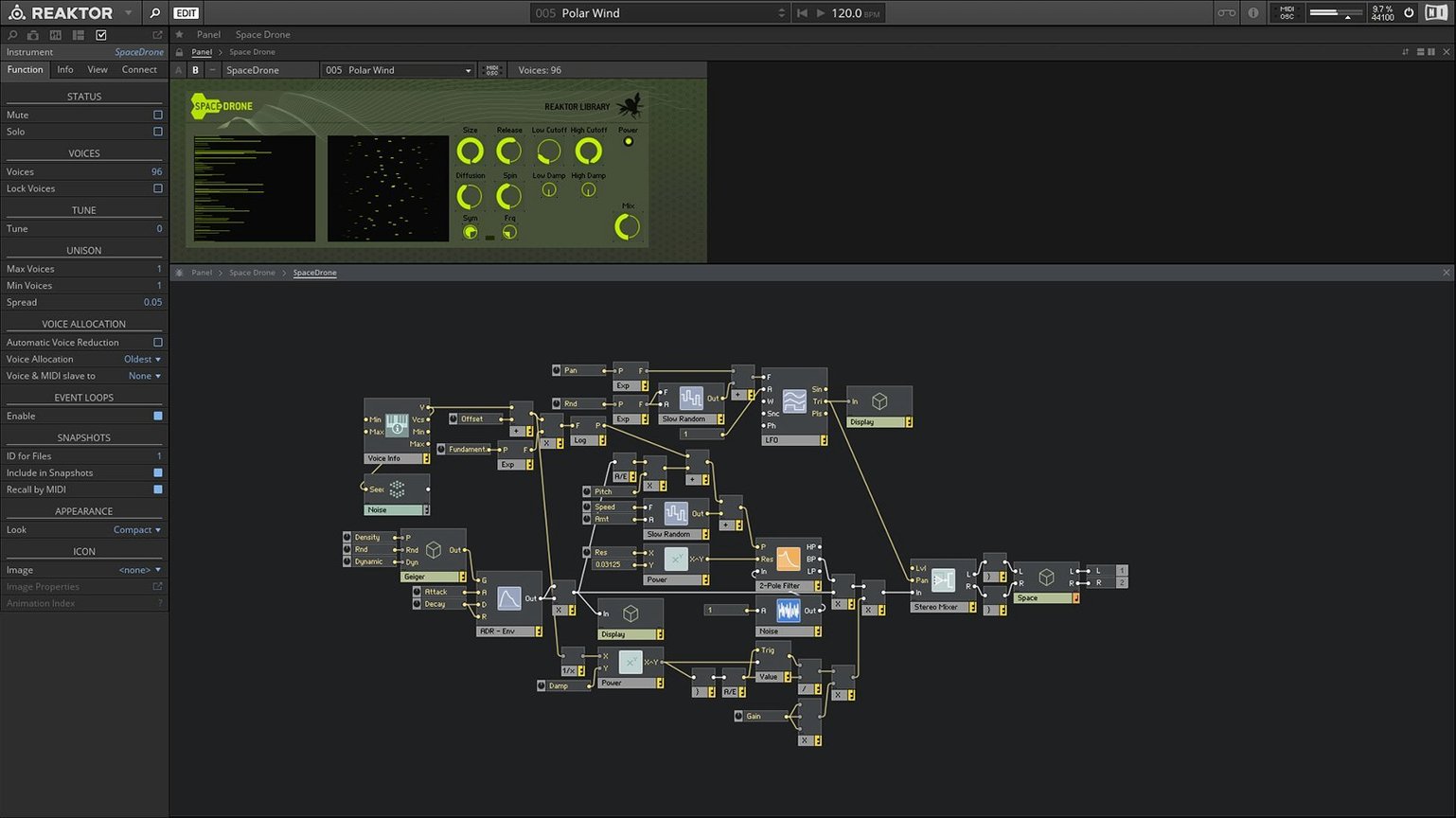
Core Technology is where the soldering iron meets the screen. That visual creation environment inside Reaktor 6 isn't a toy—it's a full-on DSP workshop. You're wiring oscillators to filters, defining macro controls, and snapping the result into a polished panel, all without leaving the rack. For an experienced builder, that direct line from idea to instrument is the whole point.
Building the Signal Path You Actually Hear in Your Head
- Producers who treat their DAW as a lab. If you hear a texture in your head and no preset gets close, the blocks-and-wires canvas lets you build the signal path that actually makes it.
- Anyone sitting on a pile of community patches. The user library is enormous—thousands of instruments, drum machines, and experimental effects by sound designers who think like you do.
- Hybrid setups where standalone mode matters. You can sketch a patch on its own, then drop the same .ens file into Logic or Ableton when the track needs it.
Your Custom Granular Engine Won’t Build Itself
- Core-level editing has a real learning curve. Dragging a basic delay together is quick; rolling a custom granular engine means studying signal flows.
- The interface runs in English only. That's fine for most routing diagrams, but it's worth knowing if your collaborators work in another language.
- Apple Silicon support is listed as native or Rosetta 2. On an M-series Mac, you have a path—just check Native Instruments' current compatibility notes before a mission-critical session.
A Session That Builds Itself
I drop Reaktor into an empty Ableton track at 11 p.m., thinking I'll just audition a bass patch. Two hours later I'm three layers deep in a custom drum machine, and the coffee's gone cold. That's how it goes.
The session starts with a search. I pull up a Blocks bass from the factory library—something thick and wobbly that sits under a half-finished beat. The macro knobs do what I need: a quarter turn on the filter cutoff, a nudge to the envelope decay. It's a preset, but it breathes.
Then the beat needs teeth. I open a second instance on a MIDI channel, load a community percussion ensemble from the user library, and wire its clock to the transport. The kick punches through, but the hi-hat pattern is too polite. I right-click the hat module, pop the hood, and swap the sample oscillator for a noise source with a short envelope. Twenty minutes of tweaking, and the groove sounds like a different track.
By 1 a.m., I'm in the structure view building a parallel effects chain. A reverb sends into a ring modulator, then a delay with the feedback mapped to a macro. I label the controls, assign them to a panel, and save the ensemble. The next morning, I open the same patch in standalone mode, tweak the delay time while the coffee brews, and drag the file into the session later. Nothing broke. The routing held. That's the loop that keeps me coming back.
Respectful CPU—Until You Stack Ten Instances
On an M1 MacBook Air, a single instance with moderate polyphony barely nudges the CPU meter. A complex Blocks patch with eight voices and two effects chains hovers around 15-20% in Logic. It's respectful—until you stack ten of them. At that point, the fan remembers it exists.
Apple Silicon native mode loads ensembles noticeably faster than the Rosetta path. I did a side-by-side with a dense spectral processor patch: native launch was about three seconds quicker, and the GUI stayed fluid while I dragged wires during playback. On an older Intel i7 Mac mini, the same patch introduced a slight stutter when the block rate switched mid-session, but freezing the track smoothed it out.
Stability holds where it counts. I've run Reaktor in sessions that spanned eight hours with multiple instances, and it didn't vanish on me once. The one crash I can recall involved a third-party ensemble from 2014 that referenced a missing sample library. Reaktor threw a clear error, dropped the module, and kept the rest of the rack running. That's better than a beach ball.
Snags and Small Fixes
First snag: the activation dance. After you reaktor 6 download the disk image and drag the app into Applications, launch it and expect a gate. An internet connection is mandatory for the initial handshake. If the activation screen spins, check that Native Access is up to date—an old version will stall the process before it begins. Once activated, offline mode works fine.
Second snag: the user library browser feels sluggish when you have hundreds of community ensembles installed. The fix is boring but effective: prune the folders. Keep what you actually use, archive the rest to an external drive. The browser snaps back to speed.
Third snag: some older community patches throw a "Core Cell load failed" warning on Apple Silicon. That's usually a 32-bit module buried in the ensemble. You can open the structure view, find the grayed-out block, and replace it with a modern equivalent. If you're hunting for a reaktor 6 mac build that handles legacy content gracefully, this version does the job—just expect to do minor surgery on pre-2015 patches.
If the GUI stutters on an external 4K display, drop the Reaktor window to 1080p scaling. It's an OpenGL quirk that shows up on some M-series GPUs, and Native Instruments lists OpenGL 2.1 as the baseline. Not elegant, but it stops the redraw lag.
Reaktor Core Technology turns the app itself into a visual module shop—you build custom blocks from scratch, not just from the factory parts. The version 6 instrument pool also grew by 23 new synths, sequencers, and effects right out of the box.
- macOS 10.15 or later
- Apple Silicon or Intel 64-bit Mac
Questions I actually get
Does Reaktor 6 run on Apple Silicon Macs?
Yes. Native Instruments lists support for Apple Silicon Macs in native mode or using Rosetta 2.
What's the user library?
It's a collection of community-made instruments, effects, and other devices you can load directly into Reaktor.
Can I use Reaktor outside a DAW?
Absolutely. It runs as a standalone application, so you can design and play patches without launching your host.
Notes from the edit bay · 0
Sign in or get an edit-bay pass to leave a note.
No notes from the edit bay yet. They go up after I read them.