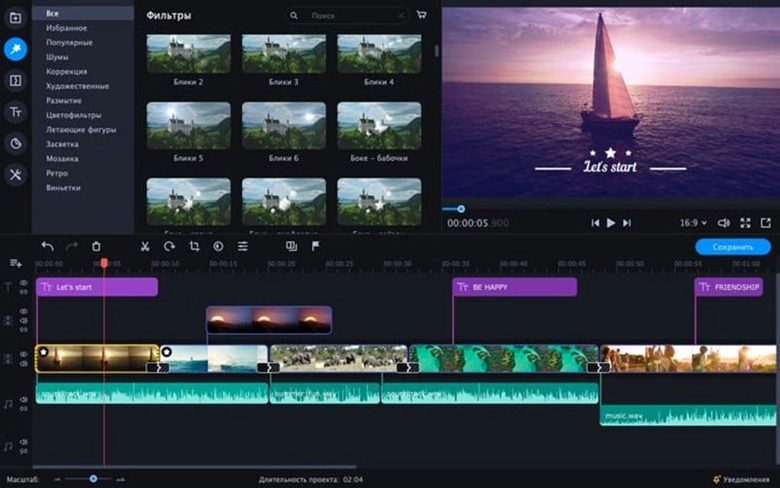
Fast edits shouldn't mean fighting the interface. Movavi Video Editor aims to bridge the gap between a quick social clip and a polished business video, bundling effects and AI tools without burying them under a mountain of menus. The real question is how the deeper feature set holds up when you need more than a simple trim.
Who Needs Ready-Made Intros?
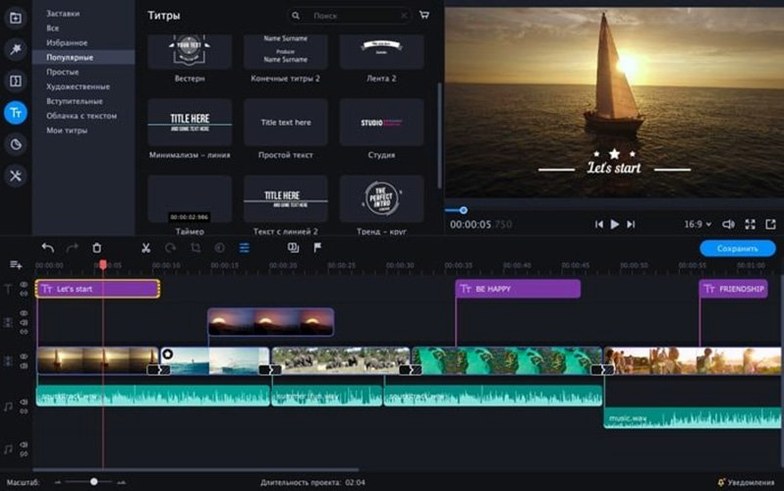
Anyone juggling a tight turnaround on a corporate talking-head or a YouTube series. The built-in intro library isn't just a pile of flashy templates; it's a way to slap a consistent brand front on a video without building animations from scratch in a separate motion-graphics app.
Where Do the AI Tools Actually Help?
Moving beyond basic color wheels, the AI-driven features target the tedious stuff. Background removal and motion tracking work directly on the timeline, which means you can isolate a talking head or blur a license plate in a few clicks rather than rotoscoping frame by frame.
Skip the Proxies and Start Cutting Sooner
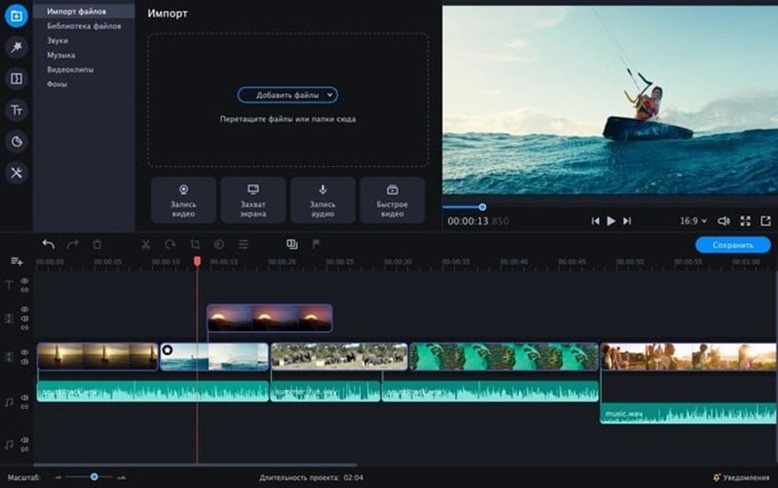
Smoother than you'd expect for a consumer editor. Throwing in phone footage, screen recordings, and dSLR clips doesn't grind the preview to a halt, letting you focus on the rhythm of the cut rather than generating proxies first.
Ditch the Default Half-Second Crossfade First
Out of the box, Movavi makes a few assumptions about your timeline that aren't always ideal. Hit the preferences before you drop a single clip.
Default transition length. The stock setting is a half-second crossfade that gets slapped between every clip when you use the "auto-apply" feature. I knock it down to 0.3 seconds — long enough to feel intentional, short enough that a talking-head edit doesn't look like a slideshow. If you cut music videos or fast-paced social clips, go even tighter or switch the default to a hard cut.
Proxy generation on import. Tucked away in the performance tab is an option to auto-build lower-resolution copies when you add 4K footage. It's off by default. Turn it on if you're working with h.265 files from a mirrorless camera or a drone — your preview playback will thank you, especially on an older Intel Mac.
Audio normalization target. The built-in sound tools can automatically level your clips, but the default target is set for music, not speech. Bump it to -14 LUFS if you're cutting dialogue for YouTube or a business video. Your viewers will stop riding the volume knob between segments.
Still-image duration. Dragging a photo into the timeline gives you five seconds of screen time by default. For a photo montage or a slideshow-style video, change that to two or three seconds in the editing preferences — you'll save yourself a hundred tiny drag operations.
Stop Stacking Effects Like It’s a Phone App
I see the same patterns every time someone opens Movavi for the first time. Most of them come from treating the app like it's a phone editor stretched onto a desktop screen.
Stacking effects instead of nesting. New users tend to dump color correction, a vignette, and a LUT directly onto the same clip in the main timeline. It works, but the moment you need to trim or ripple-delete that clip, you're readjusting three effect keyframes individually. Drop your graded clip into a nested sequence first, then treat the nest as a single asset. Cleaner timeline, fewer headaches.
Ignoring the audio waveform view. The timeline defaults to a flat bar for audio tracks, which makes sync work a guessing game. Expand the track height and enable waveforms. If you're lining up a music drop or matching a voiceover to b-roll, seeing the transients is the difference between "close enough" and a tight edit.
Relying on chroma key presets without cleanup. The green-screen tool gives you a one-click key that looks passable in the preview window. Zoom in. Check the hair detail and the edges of a jacket collar. The spill suppression slider and the edge-feather control are right there — a thirty-second tweak turns a floaty, halo-edged subject into something usable for a business pitch.
Exporting at the wrong bitrate for the platform. The preset called "YouTube 1080p" delivers a file that YouTube will recompress anyway, but cranking the bitrate slider a notch higher — say, 20 Mbps for 1080p h.264 — gives the platform's encoder more to work with. The file size goes up, but the compression artifacts in fast motion or gradients drop noticeably.
Scrubbing Long H.264 Files Without the Lag
Version 22.4.1 isn't a flashy overhaul, but a few under-the-hood shifts matter if you're in the app every day.
The timeline responsiveness when scrubbing through long h.264 files got a real bump. Before this build, a 45-minute screen recording could get rubbery when you dragged the playhead at speed. Now the frame preview under the cursor updates fast enough that you can find a cut point without tapping the arrow keys frame by frame.
The chroma-key engine received a quiet update too — edge detection handles unevenly lit backdrops better than the previous release. If you shoot against a wrinkled fabric screen or a wall with slight color variation, the key pulls cleaner with fewer manual garbage-matte fixes.
Also fixed: a memory leak that crept in when applying motion titles to 4K timelines, and a crash-on-export bug tied to certain MP3 bitrates in the background music library. Neither sounds dramatic, but both used to eat an afternoon when they hit.
No Subscription, No Learning Curve
Three apps tend to come up in the same conversation as Movavi Video Editor on macOS. Each takes a different swing at the same problem: cutting video without a subscription or a week-long learning curve.
Vs. Filmora. Wondershare's editor shares Movavi's drag-and-drop DNA, but Filmora leans harder into the motion-graphics side with a bigger library of animated titles and transitions. The trade-off is system load — Filmora's preview renderer chugs on Intel Macs with integrated graphics, where Movavi stays snappier with the same footage. Filmora also buries basic controls like speed ramping under an extra menu layer. Movavi keeps reverse playback and slow-motion right on the clip toolbar, which matters when you're iterating fast.
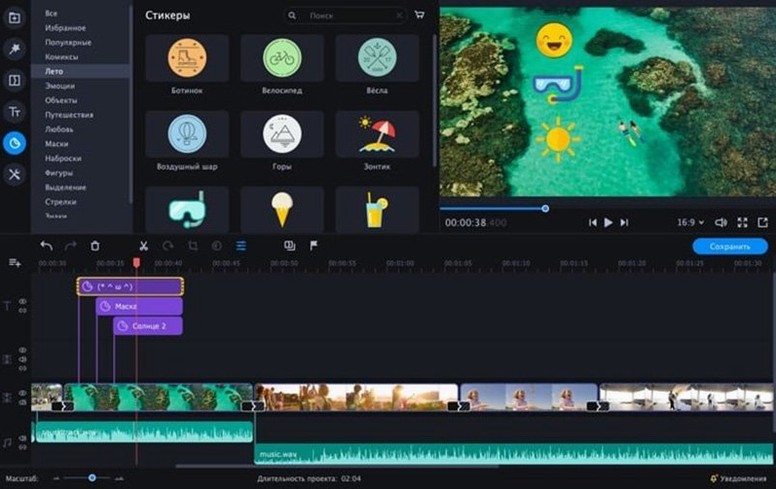
Vs. DaVinci Resolve. Resolve in its free trim is a powerhouse for color grading and audio post, but it's a full broadcast suite disguised as a free download. If your work is grading log footage from a cinema camera, Resolve is the obvious pick. For a quick social cut with stickers, chroma key, and a ready-made intro, you'll be exporting the file in Movavi before Resolve finishes loading its project template. Different tools for different clock pressure.
Vs. iMovie. Apple's free editor is the default starting point for most Mac users. iMovie handles single-camera edits cleanly, but it chokes on mixed-frame-rate timelines and offers zero chroma-key refinement beyond a strength slider. Movavi's keyer, its motion-tracking path, and its support for reverse playback give it an edge the moment the edit moves past a simple vacation montage. iMovie also locks you into a rigid two-track structure; Movavi lets you stack clips freely, which opens up picture-in-picture and overlay work without workarounds.
If you grabbed this via a movavi video editor plus torrent to test the feature set on your own footage before committing, the drag-to-Applications install from a movavi mac download disk image gets you cutting in under two minutes — no sign-ins, no internet activation dance. For editors hunting a 2022-era build that still runs on older Intel hardware, a movavi video editor plus 2022 download like this one keeps compatibility with macOS 10.13 without forcing a system update. Some users pair a movavi editor torrent with a movavi crack mac workaround to keep activation stable across official updates, and the HCiSO release handles that upfront.
- macOS: 10.13 or later
- Architecture: Intel
Notes from the edit bay · 0
Sign in or get an edit-bay pass to leave a note.
No notes from the edit bay yet. They go up after I read them.