Mp3tag lands on any Mac running macOS 10.14 or newer — Intel or Apple Silicon, the native code is there. No mystery architectures, no Rosetta-only workaround. You mount the disk image, drag the app into place, and you're tagging.
Good for:
- Batch-editing metadata across piles of audio files.
- Renaming files by pulling artist, album or title straight from the tags.
- Importing tag info from online sources or text files to fill in blanks fast.
- Resizing and reformatting embedded cover art without leaving the app.
- Chaining repetitive edits into action groups — run a whole cleanup in one click.
Keep in mind:
- The feature set is built around tagging and file naming; it does not play or convert audio.
- Character and word replacement works across tags and filenames, but you set the rules manually.
- The interface puts function over flair — it's a tool that gets out of your way, not a design showcase.
Does It Run Natively on Apple Silicon?
"Does this thing actually work on Apple Silicon, or am I signing up for Rosetta lag?" Native. The binary runs straight on M-series chips — no translation layer, no extra CPU churn. You drag it into Applications and it just runs. The same installer handles Intel Macs too, so you're covered either way if you shuffle the library between machines.
"Will it wreck my existing tags?" Only if you tell it to. Mp3tag doesn't touch a file until you hit save, and the undo command pulls you back from most mistakes. That said, the app writes to files directly — there's no sidecar database. If you're nervous, point it at a copy of a folder first and get comfortable with how the Tag Panel commits changes.
"What file types can I actually throw at it?" MP3, MP4, M4V, FLAC, OGG, OPUS, AIF, DSF, MPC, and WAV. If your collection lives in those formats, you're set. If you're deep in WMA or raw DSD rips, you'll need a different tool for those.
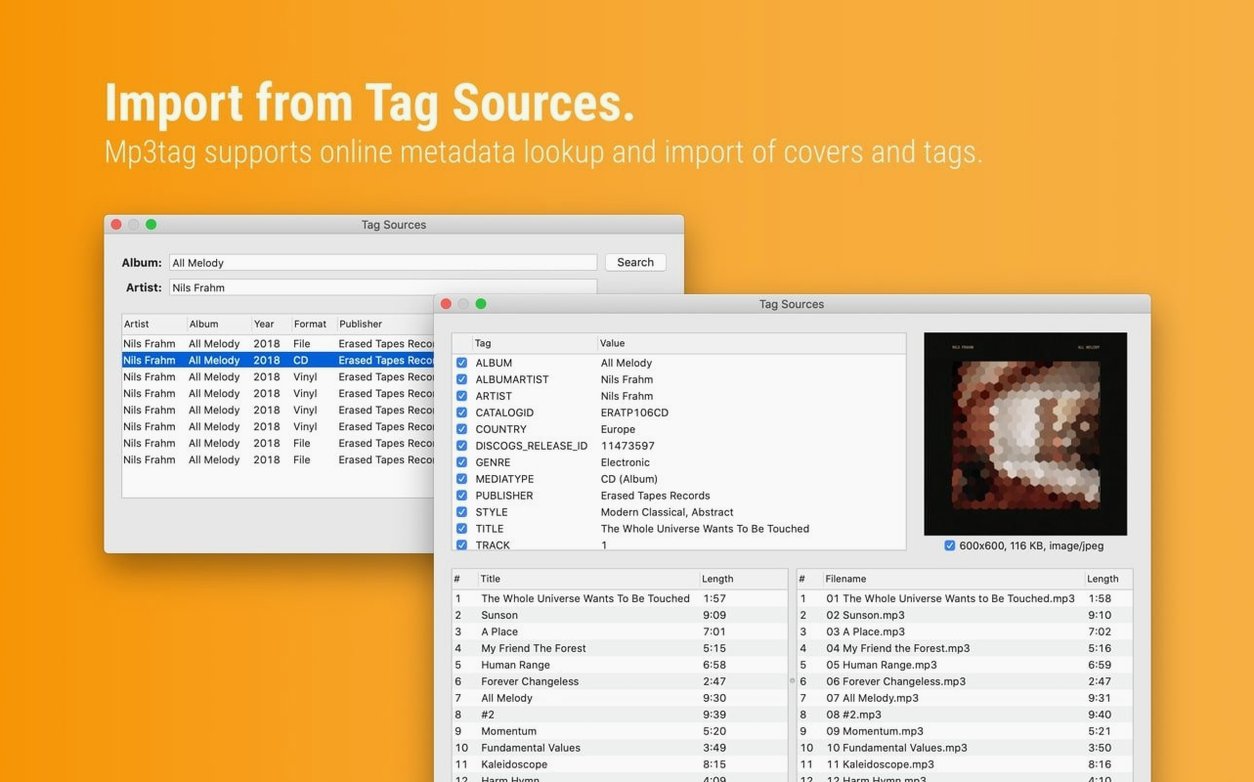
"Can I pull metadata from the internet without typing everything by hand?" Yes — Discogs and MusicBrainz are built into the tag sources. You search, you pick a match, and the fields populate. Cover art comes along with the deal. It's not automatic like some media players that fingerprint tracks, but for deliberate library work it's fast enough.
Cleaning Up Years of “Unknown Album” Chaos
Music collectors with messy libraries are the obvious crowd. If you've ripped CDs for years and half the tracks still think they belong to "Unknown Album," Mp3tag is the mop. Batch renaming alone can turn a folder of track01.flac nightmares into something sortable in minutes.
DJs who organize crates by hand benefit just as much. Consistent tags mean Rekordbox, Serato, or Engine DJ actually displays what you expect. The character replacement tool cleans up filename cruft — underscores, stray numbers, download-site branding — before it ever hits a USB stick. And the action groups let you save a tagging routine once and reapply it every time you prep a new batch of tracks.
Podcast editors working with MP3 or MP4 deliverables fit here too. Episode titles, season numbers, and show artwork all need to land in the right metadata fields before publishing. Mp3tag doesn't encode, but it does let you verify and fix what the encoder wrote — or forgot to write — before the file goes live.
Anyone who has downloaded an mp3tag dmg out of curiosity and then stared at a grid full of empty fields probably needs this tool less than they need a clear plan for their library. The app doesn't guess; it rewards people who know which tags matter to them.
Declutter the Tag Panel Before You Touch a File
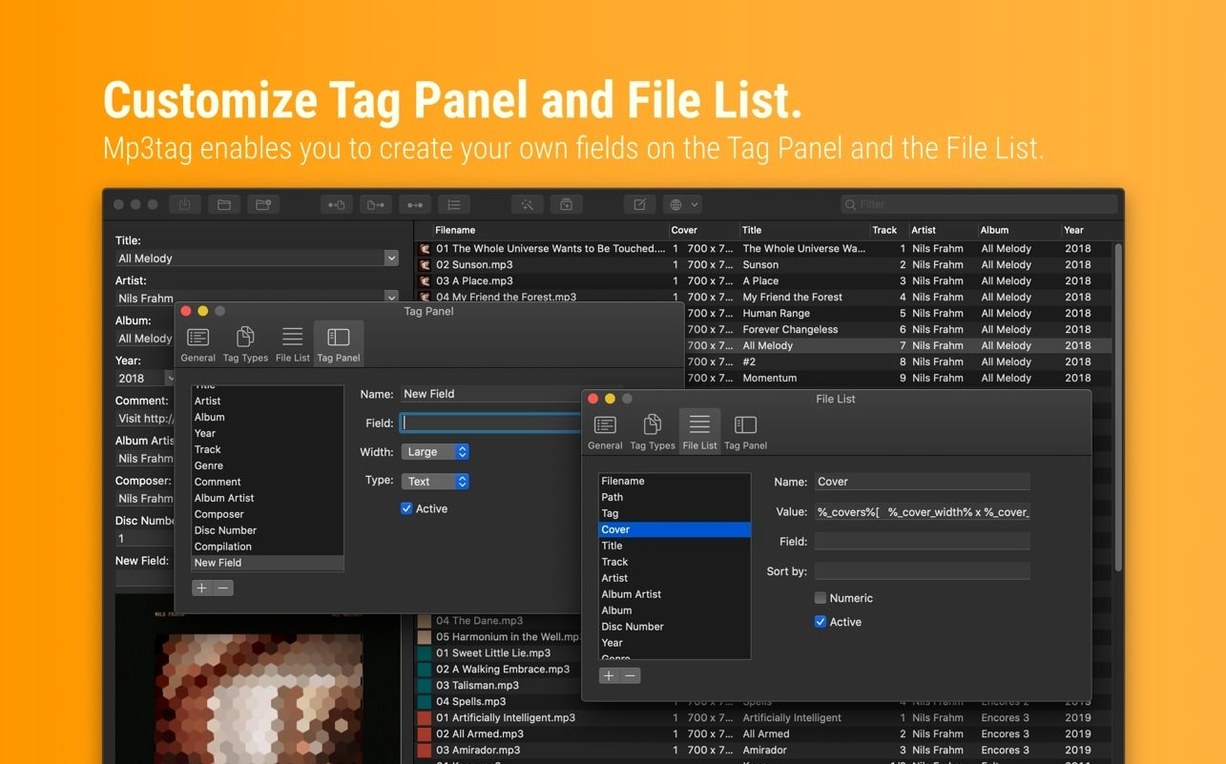
Open Preferences before you tag a single file. The Tag Panel layout is customizable — drag the fields you actually use into view and hide the rest. If you never touch Composer or BPM, don't let them clutter the panel.
Switch the file naming defaults under Tools → Options → Tag → Filename. The stock pattern is fine for starters, but most people settle on something like %artist% - %title% or %track%. %title% within the first week. Set your convention early so every rename batch follows the same rule.
Turn on confirmation dialogs for destructive actions. They're not on by default in every case. The extra half-second click beats realizing you renamed 2,000 files with a typo in the format string.
If you plan to use the mp3tag mac crack or any pre-activated build, check that the language selection matches your OS. The app ships with nine languages, and it defaults to the system setting — but a mismatch in the installed package can leave you staring at German menus until you switch it manually.
The File List Looks Editable, but It’s Not
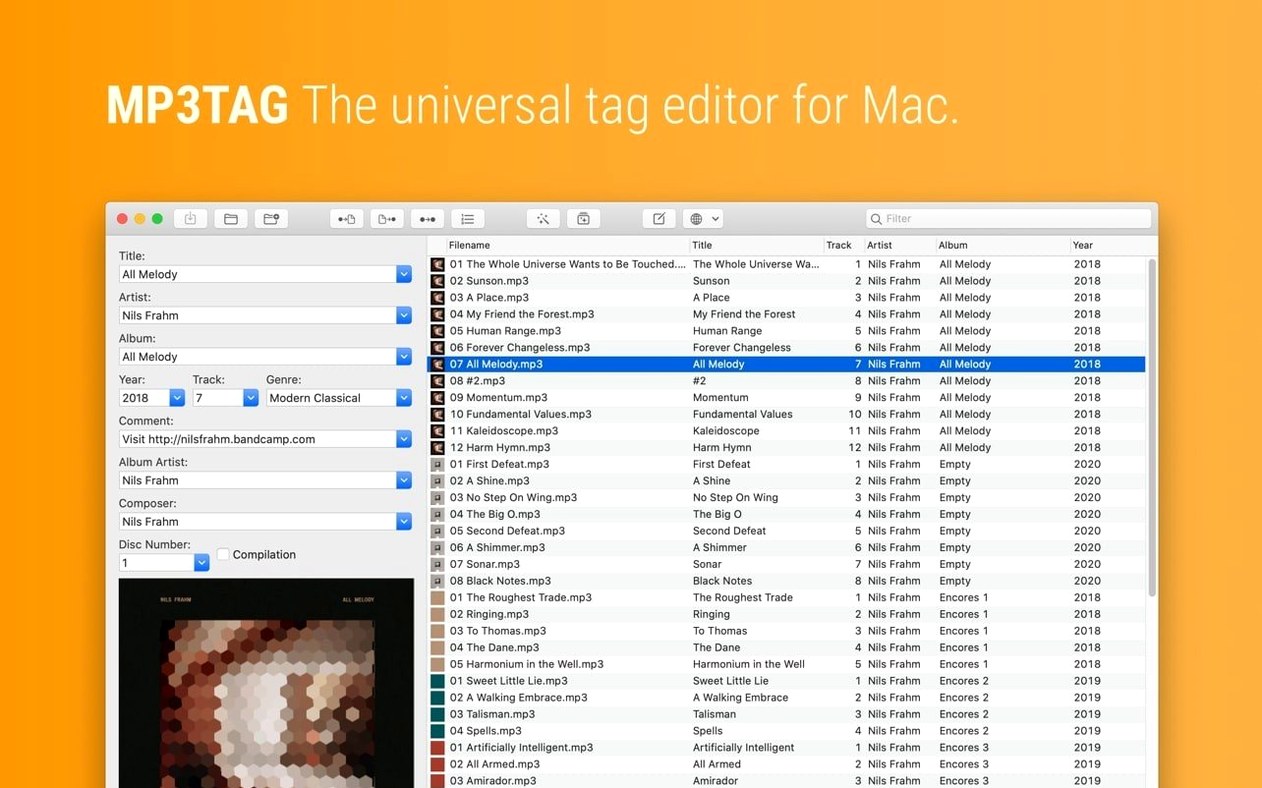
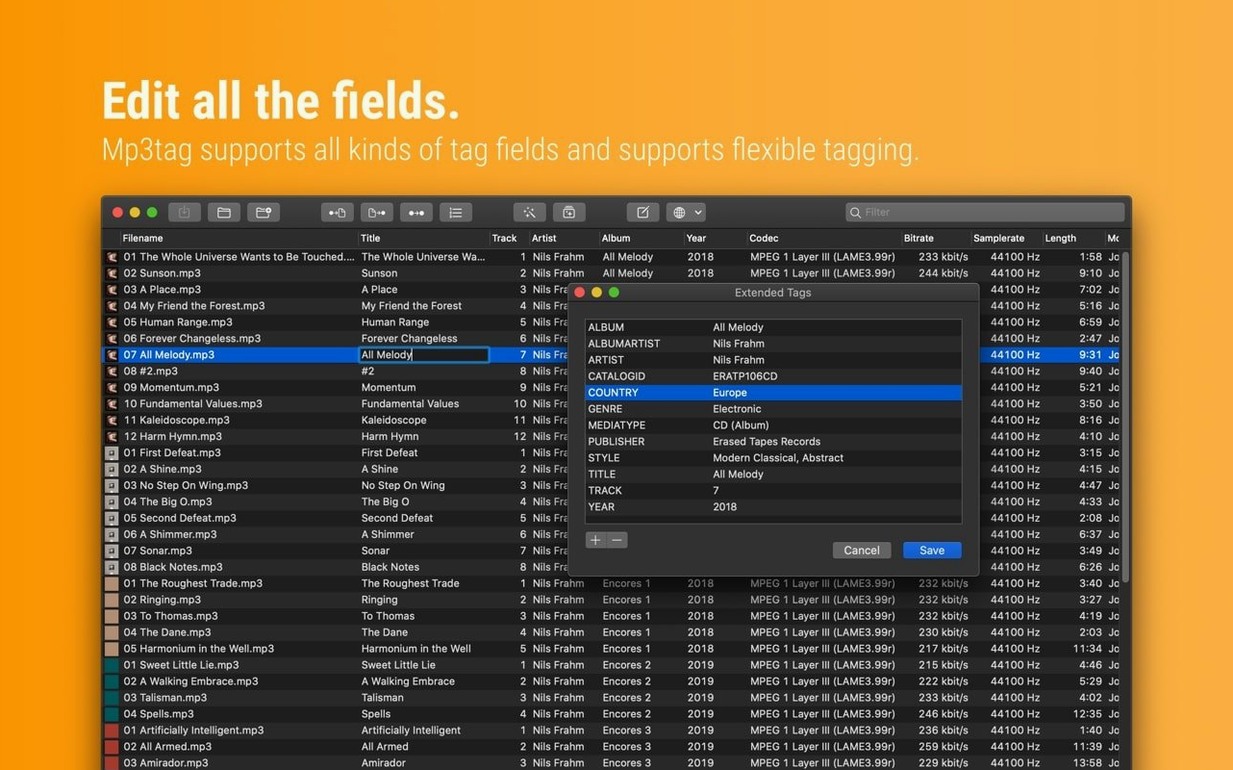
Editing in the file list instead of the Tag Panel. The grid looks editable because it sorts and highlights. It's not. Click a file, then work in the left-side panel or the extended tags window. Tapping away without saving discards everything.
Assuming the cover art embedded in one file applies to the whole album. Mp3tag shows you what each file carries individually. Select all the tracks of an album before running a cover search, or you'll end up with artwork on track one and blank squares on tracks two through twelve.
Renaming files before the tags are correct. The rename tool pulls from metadata. If the artist field still says "Various Artists" from a compilation you ripped three years ago, your filenames will reflect that forever. Fix the tags first, then rename.
Skipping the Action Groups feature entirely. Beginners often repeat the same five manual steps across every album — capitalize first letters, strip extra spaces, reformat track numbers as two digits. An action group records that sequence and replays it on any selection. Build it once. The crash fix in version 1.14.1 makes adding new groups stable, so there's no reason to hold off.
Forgetting that WAV tagging is fragile. The app writes WAV metadata, but not every playback device reads it back. If you're archiving in WAV and want portable tags, consider embedding a sidecar or converting to FLAC, where the metadata support is universal.
Pulling an mp3tag license mac file from a source that bundles an outdated build. An old version lacks the Decimal BPM fix for MP4 files — so if you tag BPMs with decimal points, they silently round off. The current 1.14.1 build handles that cleanly.
The latest build patches a crash on macOS 27 when adding action groups, and squashes a few workflow bugs. Cover changes in the Tag Panel no longer vanish if you open Extended Tags first, and unsaved edits stick around when you jump into Cover Search, Converters, or Actions. Also fixed: decimal BPM values now stay decimal in MP4 tags instead of being rounded down.
- macOS 10.14 or later
- Intel 64-bit or Apple Silicon Mac
Questions I actually get
What audio formats does Mp3tag support for metadata editing?
The app is described as a universal tag editor for Mac, built to handle metadata across a wide range of audio formats, not just MP3s.
Can I save a set of common edits to reuse later?
Yes, you can group repeated tagging tasks into action groups and run them with a single click.
Does Mp3tag let me fix embedded cover art?
Absolutely. You can adjust the size and format of embedded cover images directly inside the app.
Notes from the edit bay · 0
Sign in or get an edit-bay pass to leave a note.
No notes from the edit bay yet. They go up after I read them.