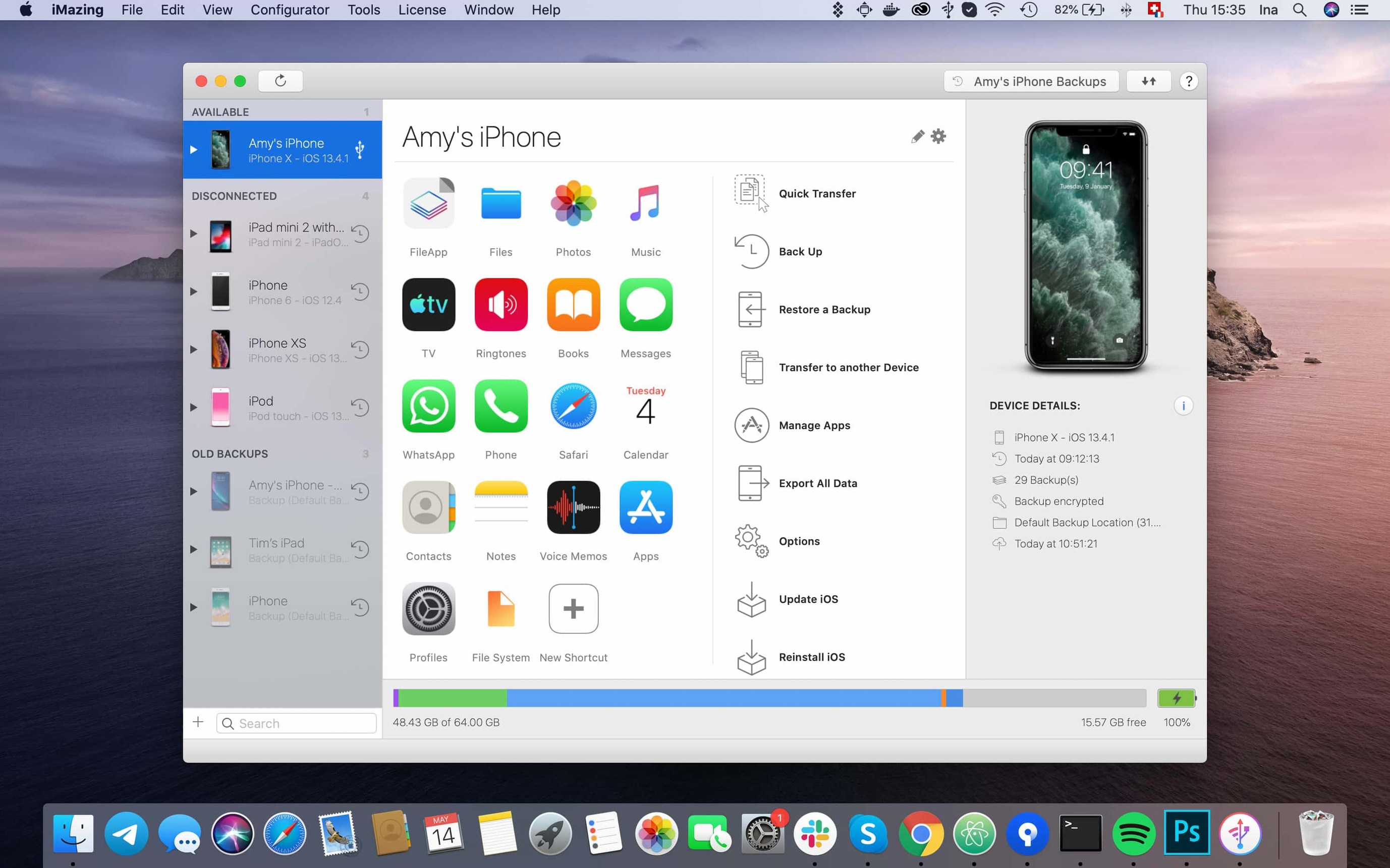
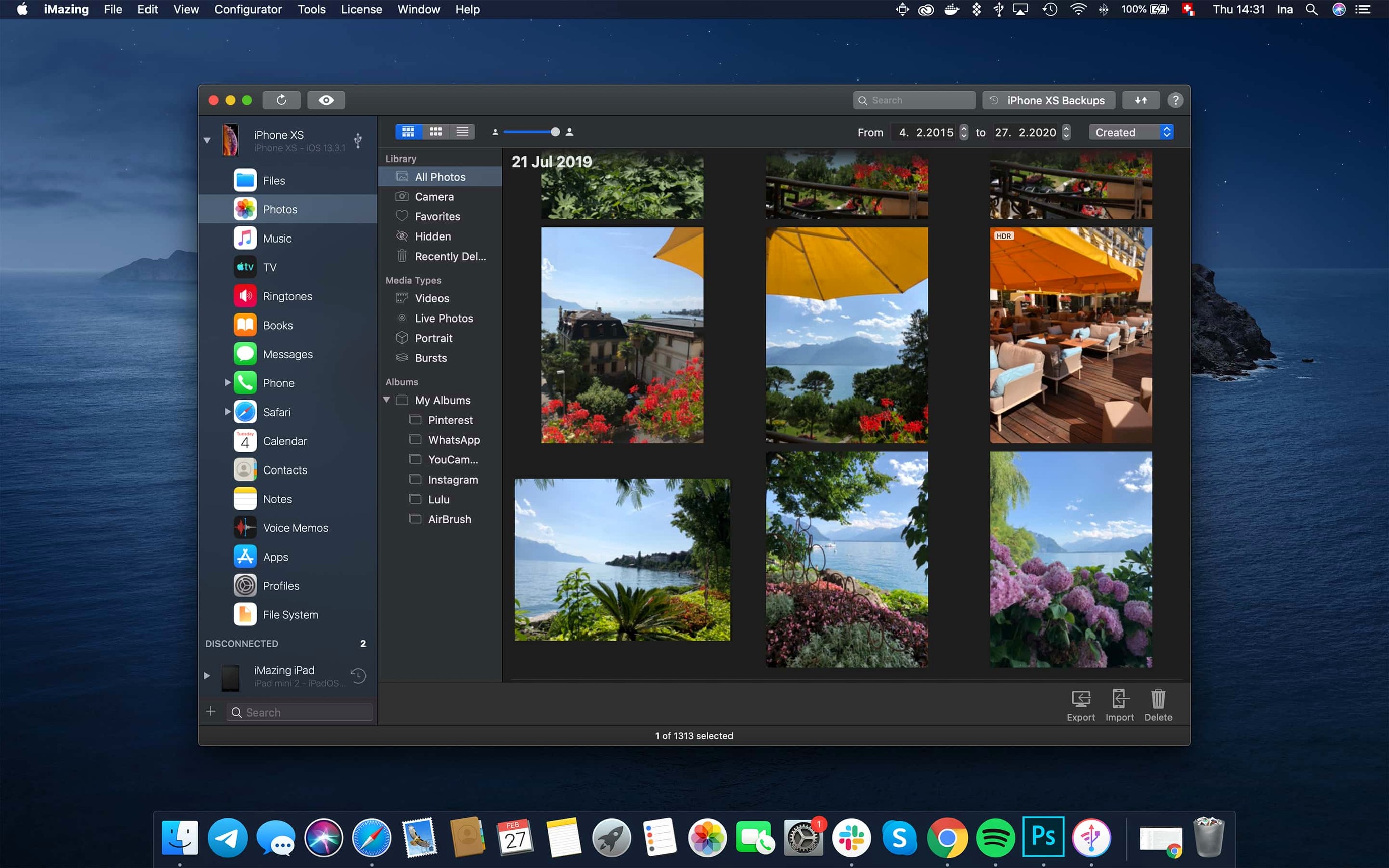
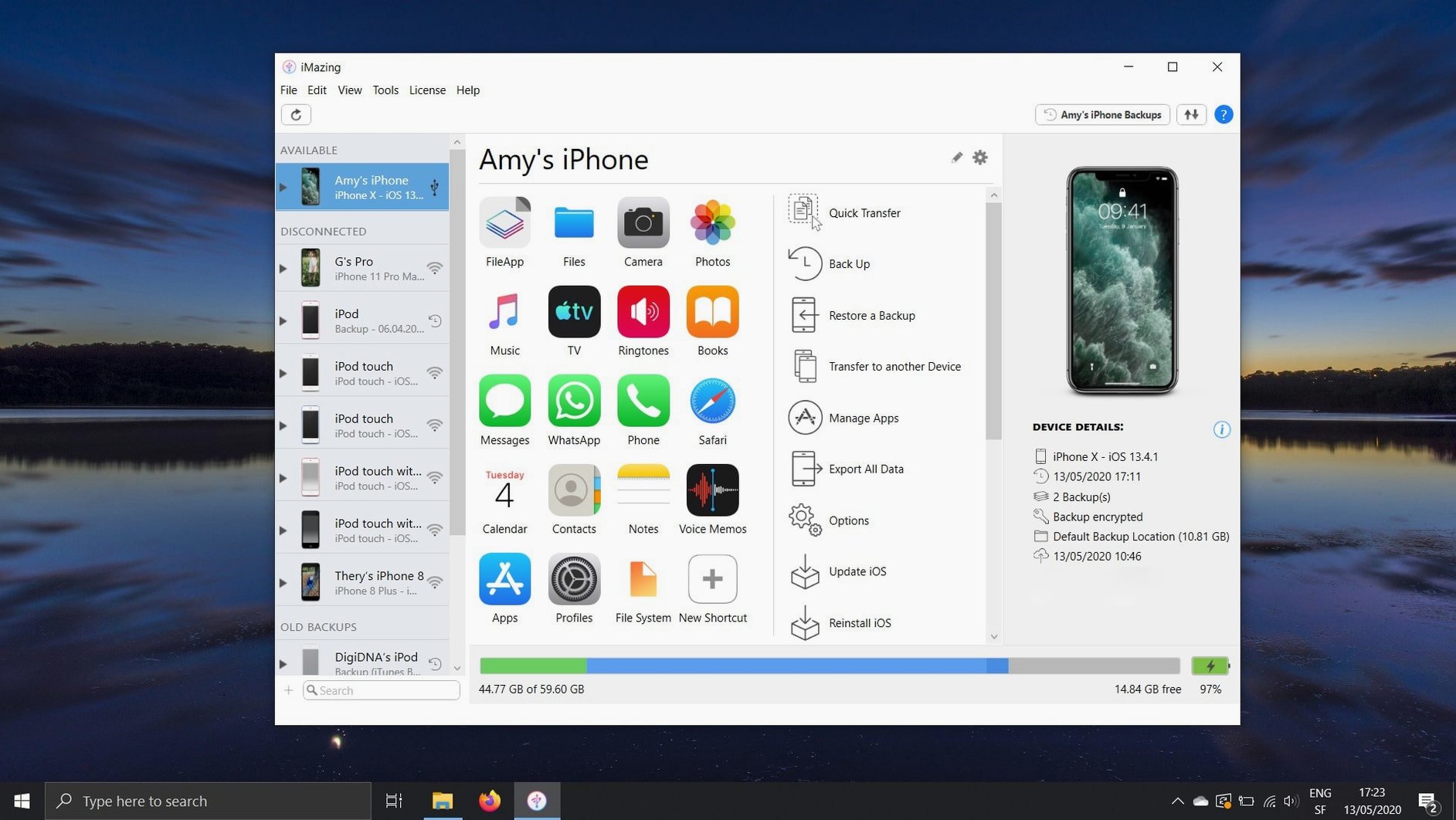
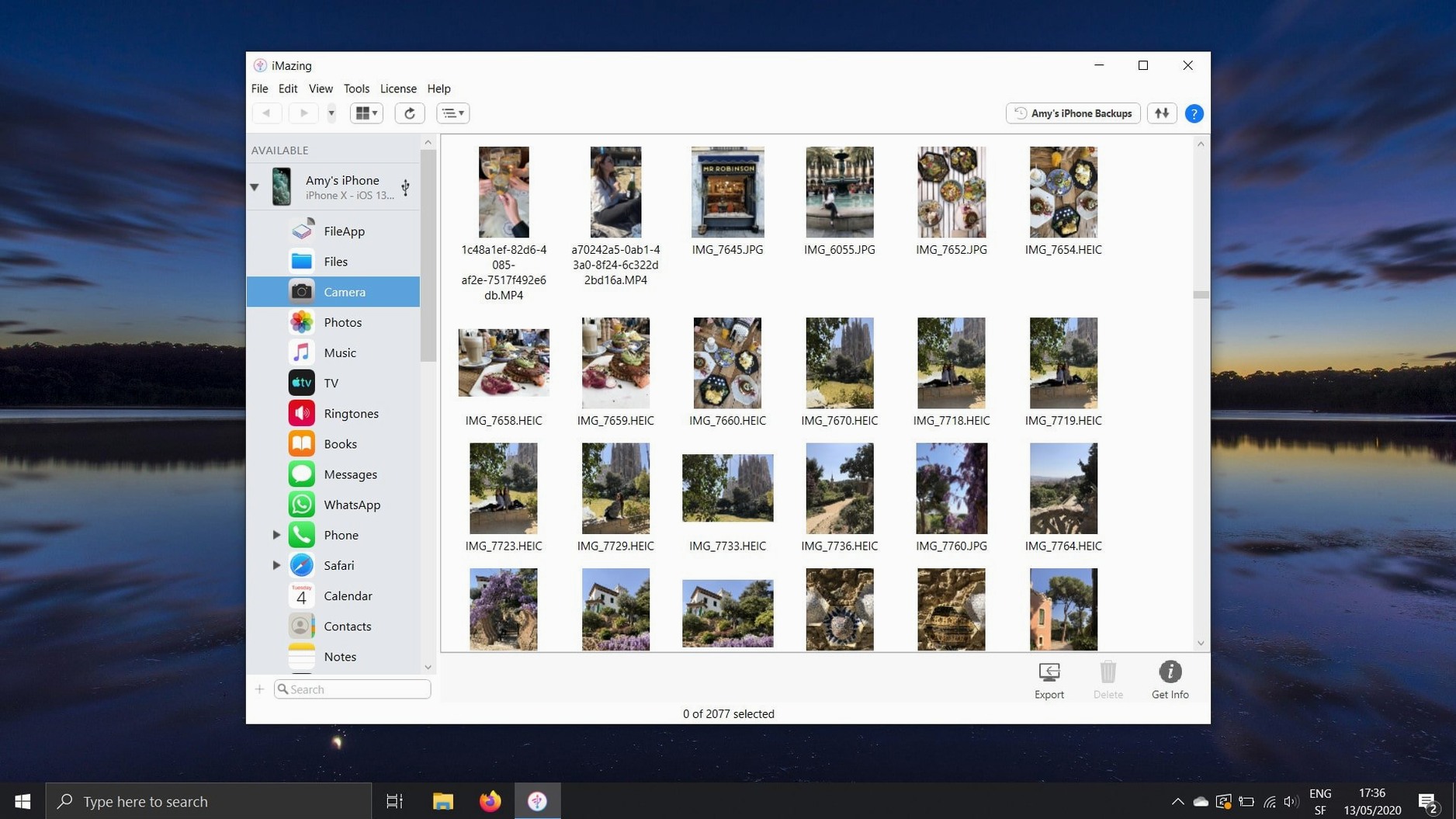
Video editors moving footage around, musicians grabbing voice memos, and anyone who doesn't live entirely in iCloud — that's who reaches for iMazing. It treats your iPhone or iPad less like a mysterious black box and more like a drive full of data you actually own.
Good for
- Pulling photos and videos straight to a Mac via USB or Wi-Fi, no iCloud sync required.
- Grabbing voice memos, voicemail audio, and call logs as usable files — CSV for logs, m4a for audio.
- Wireless automatic backups that don't need a cable once set up.
- Digging into individual iOS app folders to export documents, save game scores, or pull a settings file.
- Using an iPhone or iPad as a portable flash drive for moving files between machines.
- Dragging Safari bookmarks from an iPhone to a Mac without signing into iCloud.
Keep in mind
- Full device access means you're peeking under Apple's hood — it's powerful but not a simple sync utility.
- Backups are local, so drive space becomes your responsibility.
- Interface depth can feel like a pro app; there's a learning curve beyond the basics.
Will It Wreck My iCloud Setup?
People downloading the iMazing dmg usually have the same handful of questions, and they're fair ones. The big one is whether this messes with an existing iCloud setup. It doesn't. iMazing sits alongside whatever sync services you already use — it reads the device directly, so your iCloud photos, messages and backups stay exactly where they were. Think of it as a parallel path, not a replacement.
Another common thread: "Will Apple lock me out after an iOS update?" The app has survived years of iOS releases by staying close to Apple's own frameworks. It isn't jailbreaking anything. What breaks occasionally is access to certain app data containers when Apple tightens sandbox rules, and the devs usually patch that within days. The 3.6.5 update explicitly mentions keeping pace with the latest iPhone hardware, so device compatibility isn't an afterthought.
People also ask whether wireless backups actually hold up. They do, with a caveat: the first full backup should happen over USB. After that, Wi-Fi incremental backups are reliable if the Mac and iPhone sit on the same network and neither goes to sleep mid-session. For anyone grabbing the iMazing torrent mac build, that initial wired sync is the single step that determines whether the wireless feature feels magical or flaky.
A Full 256 GB Backup in Under 20 Minutes
USB transfers are consistently fast — a full 256 GB iPhone backup over a Lightning or USB-C cable clocks in under 20 minutes on most Apple Silicon machines, and incremental passes often finish in under two minutes. Where things slow down is the first Wi-Fi backup, especially if the photo library is enormous and the router sits a few rooms away. It's not the app; it's physics. Once the delta is small, the wireless sync becomes pleasantly invisible.
Resource use tells a clear story. During an active backup, iMazing pushes one or two CPU cores moderately — nothing that chokes Final Cut or Resolve running in the background. Memory sits around 300–500 MB on average, spiking briefly when it parses a large Messages database. On Intel Macs from the 2015–2017 era, the UI can feel a half-beat slower when scrolling through tens of thousands of messages, but on an M1 or newer it stays fluid. It's a native app compiled for both architectures, so Rosetta isn't part of the equation.
Stability is one of those quiet strengths. The app rarely beachballs, and when it does, it's almost always waiting for an unresponsive device over a bad USB cable or a flaky Wi-Fi hop. I've left it running overnight on automatic backup schedules and found it humming along the next morning with a clean log. That's the kind of reliability that makes you stop checking on it.
iPhone Not Recognized? Re-approve the Trust Prompt
The most common head-scratcher is the "device not recognized" state after a fresh iMazing 3 download. Nine times out of ten, the fix is unlocking the iPhone and tapping "Trust This Computer" again — macOS sometimes forgets the trust relationship after an OS update or a PRAM reset. The other tenth involves a third-party USB hub. Plugging directly into a Mac's port clears it almost every time.
Message export failures crop up when the Messages database is enormous and contains attachments stretching back years. The app doesn't choke; it just looks stuck because it's chewing through thousands of HEIC images and video files. Let it run. Cancel-happy users create their own problems here. If it genuinely stalls for more than 30 minutes, a device reboot and a fresh USB connection usually reset the handshake.
Encrypted backup passwords trip people up regularly. iMazing respects the password you set — it does not store it in a keychain unless you explicitly tell it to. If you forget that password, the backup is cryptographically dead. The app can't rescue it, and neither can anyone else. Set the password, write it down, and save it somewhere offline. That's not a snag with the software; it's the nature of encryption doing its job.
App management gets its own category of confusion. When someone grabs the iMazing 2 download or the latest iMazing crack mac build expecting to drag apps freely between devices, they hit Apple's code-signing wall. iMazing can copy .ipa files and manage app documents, but installing an app onto a device still requires that the app be signed for the Apple ID on that device. The tool works within those guardrails, not around them.
Raw Photos Off the Camera Roll Without Cloud Re-compression
Photographers and videographers who treat their iPhone as a B-cam or a field recorder are the obvious crowd. They need raw photo and video off the device, onto a Mac, and into a project folder without any cloud middleman re-compressing the files. iMazing gives them exactly that — a direct pipe that preserves original formats and metadata.
Musicians and podcasters recording voice memos and field audio are a close second. Voice Memos as an app is fine on the phone, but getting those recordings out as organized, timestamped audio files without syncing an entire library is a pain in stock macOS. iMazing surfaces them as a clean list and exports them as m4a in one pass. That alone justifies the install for anyone who regularly captures sound on an iPhone.
People who switch phones frequently — reviewers, developers, serial upgraders — live in the device-to-device transfer feature. Moving messages, call logs, app data and settings from an old iPhone to a new one without restoring a full backup is the kind of selective migration Apple doesn't offer. It's granular, it's fast, and it skips the bloat of carrying over every accumulated cache file.
Privacy-conscious users who refuse to put their call history and messages in iCloud find a home here too. Local backups, local exports, CSV files that never touch a server — if the idea of your text messages living on Apple's infrastructure bothers you, iMazing keeps that data on your own drives. The encrypted backup option adds a meaningful layer, not just a checkbox for compliance.
Fresh Apple Watch Support and a Slightly Smoother Workflow
The 3.6.5 release is largely a compatibility and polish update, but a few additions shift the workflow in small, useful ways. New device support for the latest iPhones and Apple Watch models means anyone picking up the newest hardware on launch day isn't stuck waiting for an update. That's table stakes at this point, but DigiDNA has been consistent about day-one support for several cycles now.
The unified logs export is the kind of feature that sounds niche until you need it. Instead of hunting through Console.app on macOS or digging around Xcode, you can pull complete log archives directly from the iMazing interface and send them to a developer or a support team. For anyone beta-testing apps or troubleshooting an erratic device, that's a genuine time-saver.
The iMazing Chatbot link in the toolbar is a quiet addition. It's not an assistant that controls the app — it's a support bot that surfaces documentation and troubleshooting steps without leaving the window. If you've ever dug through a support forum with one hand while holding a misbehaving iPhone in the other, having that searchable knowledge base one click away is a practical touch.
On the fix side, the scanned documents bug from iOS 26 was one of those edge cases that only affected a slice of users but drove them up a wall. Multi-page scanned documents were showing only the first page after export. That's sorted now. Shared app group containers getting folded into .imazingapp exports means app backups are more complete — previously, data that lived in shared sandboxes between an app and its extensions could get left behind. For apps like note-takers or productivity tools that lean heavily on extensions, that missing data was a real gap. The error code 429 fix during app downloads is the kind of under-the-hood correction that stops a frustrating retry loop dead in its tracks.
Fresh device support lands for iPhone 18 Pro, iPhone 18 Pro Max, iPhone Duo, Apple Watch Series 12, and Apple Watch Ultra 4. The unified logs view now lets you export complete log archives instead of just snippets. A link to the iMazing Chatbot also appears in the toolbar for quick access.
Also fixed: app downloads that failed with error code 429, and scanned documents from iOS 26 now display all pages instead of stopping after the first one.
- macOS 10.11 or later
- Intel and Apple Silicon Macs
- iPhone, iPad, or iPod touch
Questions I actually get
Does iMazing work without an internet connection?
Yes. Local backups, file transfers and media exports all run over USB or direct Wi-Fi between the device and your Mac without needing the internet.
Can I pull just my voicemail messages off an iPhone?
Absolutely. iMazing lists voicemail messages and lets you save them as standard audio files to your Mac.
Notes from the edit bay · 0
Sign in or get an edit-bay pass to leave a note.
No notes from the edit bay yet. They go up after I read them.