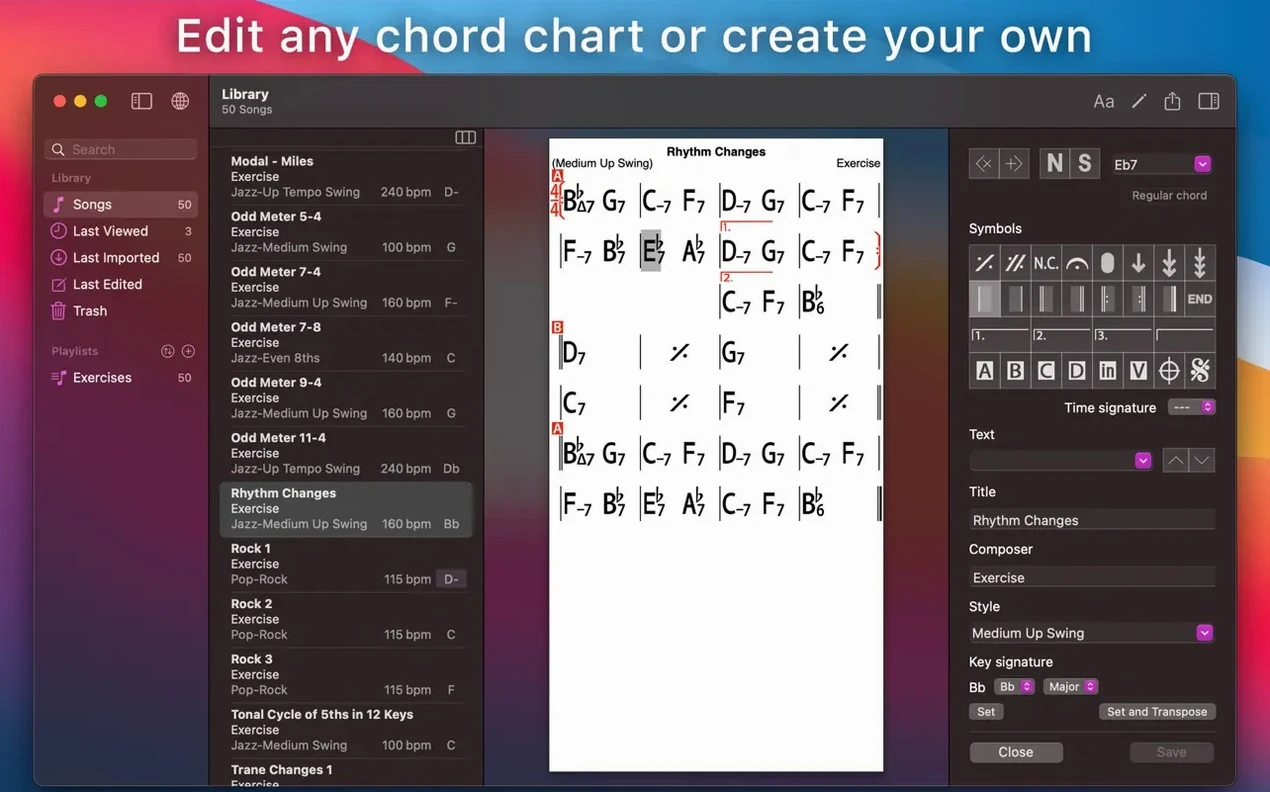
The newest build keeps the engine where it has always been: chord charts and backing band practice. No visual overhaul, no rewritten mixer. The tools that make iReal Pro useful day to day are still the tools that open when you launch it.
Chord Charts That Transpose While the Band Plays
- Chord charts you create and collect for songs, with editable playlists to keep sets organized.
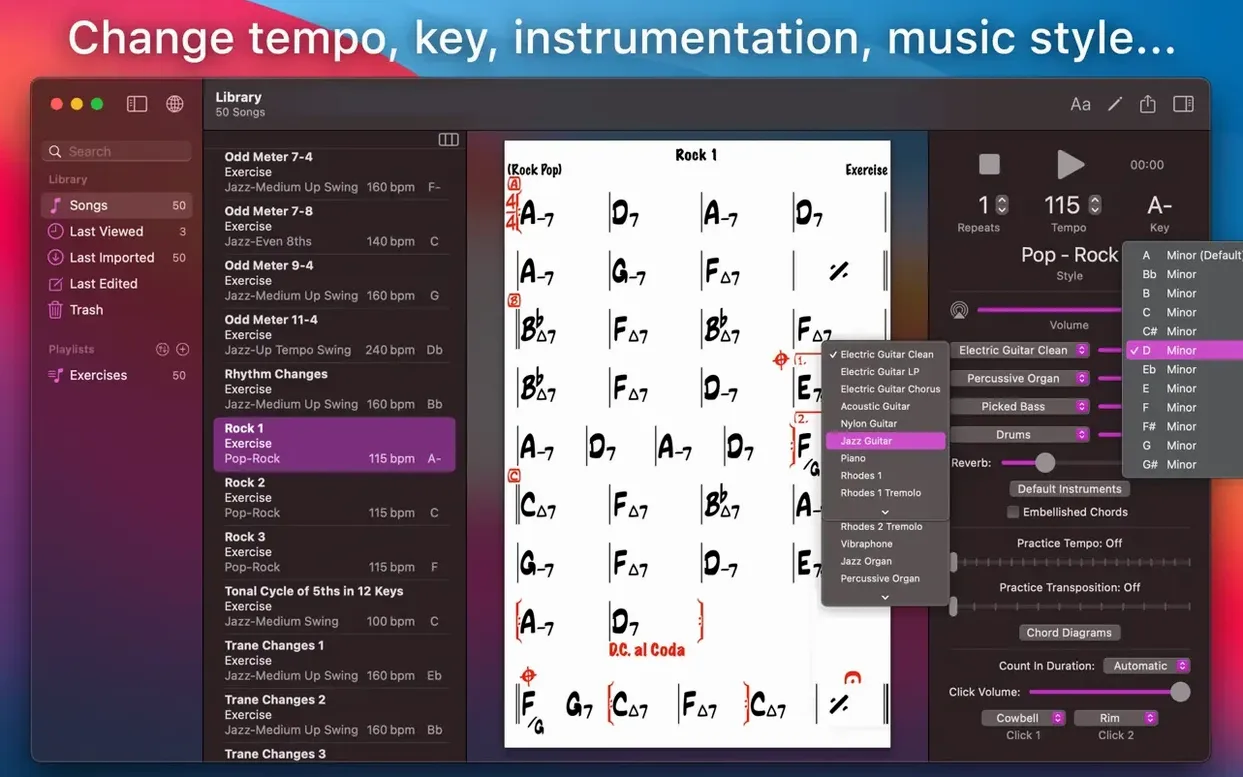
- Transposition to any key or to number notation, plus scale suggestions for each chord.
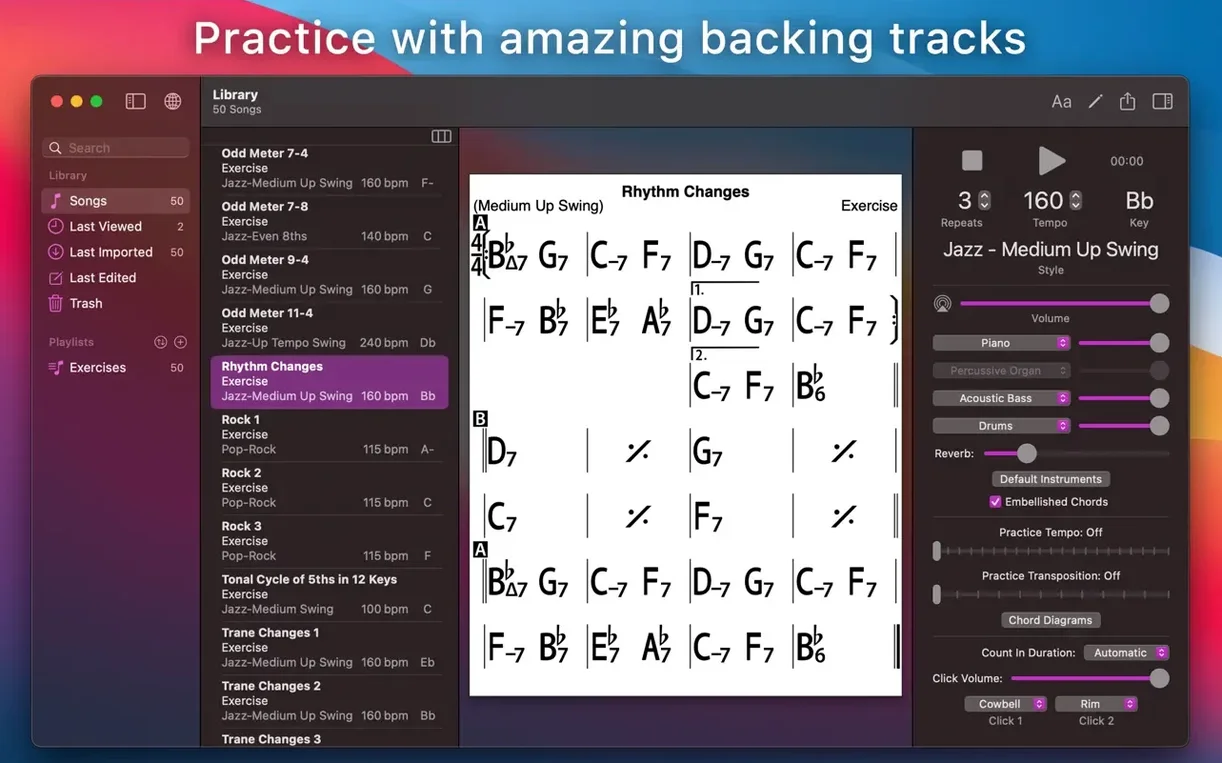
- Accompaniment with piano or guitar, bass, and drums while you practice.
- Guitar tab, ukulele tab, and piano fingerings over the chart.
- Recording of playing or singing with the accompaniment, and importing user-created songs.
Same Song Library, Now on Your Mac Desktop
The Mac app is a separate build from the mobile versions, and it runs on Intel or Apple Silicon with macOS 12.4 or later. Musicians who already keep charts on a phone or tablet will find the same workflow on a bigger screen: pull up a tune, set the tempo and feel, and play along. The interface languages cover Russian, English, German, Spanish, Italian, Chinese (Simplified), Korean, Portuguese, French, and Japanese.
Bypass Gatekeeper So It Actually Launches
Mount the disk image and run Open Gatekeeper friendly. When Terminal asks, press Enter to let the bypass do its work, then drag the app into the Applications folder. If the system still blocks it, disable SIP once and you are set for good.
After launch, the first thing to set is iCloud sync. Flip it on in preferences and your playlists and charts from an iPhone or iPad appear almost instantly. The Mac version reads the same library, so nothing needs importing by hand.
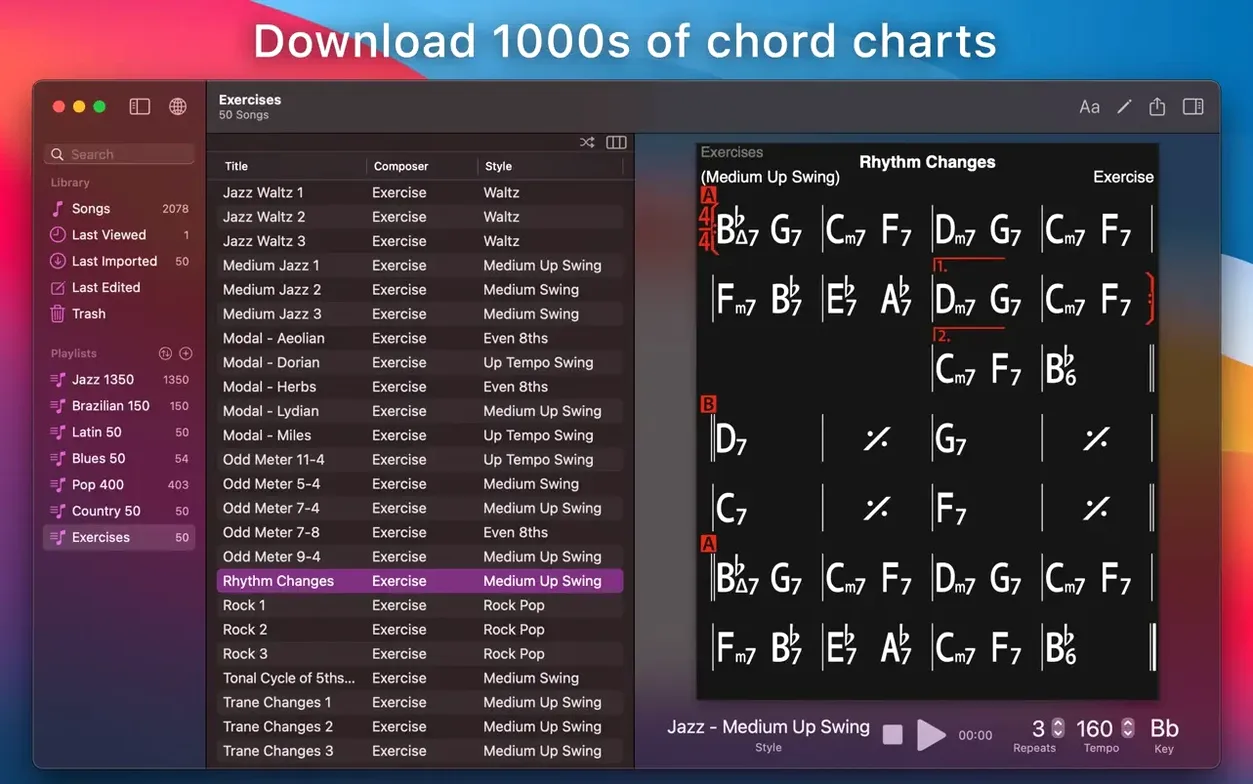
Next, download the free chord chart forum packs. Thousands of charts sit in the community forums—jazz standards, pop tunes, Brazilian tunes—and they drop straight into the song list. A quick search for "Autumn Leaves" or a favorite Stevie Wonder track usually returns five clean charts. Grab a batch before a rehearsal and the app earns its keep on day one.
Cold Launch in Under Two Seconds on Apple Silicon
On an Apple Silicon Mac the app launches in under two seconds and sits around 180 MB of RAM with a chart open and the band playing. Intel machines show similar numbers; the code is light and has been for years. CPU use stays flat during playback because the accompaniment engine streams pre-built audio, not real-time synthesis. A dozen charts open in tabs? No beach ball. The editor redraws chord symbols as fast as you type.
Stability is uneventful in the best way. Crashes are rare enough that many users forget the app can crash at all. The 2026.3.2 build fixes a few playback timing quirks that crept into earlier versions when looping a section with odd time signatures. Loop practice now stays tight on the one, no drift.
Battery drain on a MacBook is negligible. A two-hour practice session with the screen on and audio playing through headphones costs about the same as streaming music. That matters when you are woodshedding changes at a café or backstage.
Gigging Players Who Transpose on the Stand
Jazz and session players live in this app. A bassist who needs to run "Giant Steps" in twelve keys before a gig can set the chart to transpose every two choruses and never touch the mouse. Horn players use it as a rhythm section that does not complain about the fifteenth take.
Guitarists and ukulele players lean on the chord diagrams. Tap a chord symbol and the fretboard view shows multiple voicings up and down the neck. Piano fingerings work the same way—small diagrams above the chart that change with every chord. Students who freeze when a chart calls for a Db13#11 suddenly have a reference right on the page.
Teachers build exercise playlists from the 50 built-in chord progression drills, then email PDF exports to students. The MusicXML export means a chart written in iReal Pro opens in Dorico or MuseScore for further arranging. Singers record themselves over the band mix and listen back to check pitch and phrasing. The recording feature captures whatever the accompaniment plays plus the mic input, then exports as WAV, AAC, or MIDI. No extra routing, no DAW template needed.
Transposition No Longer Pauses the Band
The 2026.3.x cycle did not rewrite the app, but a few edits matter every session. Transposition now snaps faster when you switch keys mid-playback; older builds paused the band for a beat, and that gap is gone. Scale suggestions—the little note grids above each chord symbol—now update live as the chord scrolls, so an improviser can glance up and see the recommended notes without stopping the chart.
iCloud sync got quieter. Previously, forcing a sync while a chart was open sometimes caused the editing cursor to jump. The current build lets you edit while the sync runs in the background. Playlists pushed from a phone show up on the Mac within seconds, no manual refresh.
Also fixed: the mixer balance between piano and bass holds its setting across sessions; a handful of Brazilian styles had late drum fills that now land on the right beat; and the PDF export embeds fonts cleanly so printed charts look identical on any reader.
For anyone searching ireal pro mac crack or ireal pro mac torrent, this build is already activated and ready to run. The same goes for ireal pro torrent and ireal pro crack seekers—drag the app to Applications and the band starts playing. And if a ireal pro mac download is what you need, the disk image here puts the full 2026.3.2 release on your machine without hoops.
- macOS 12.4 or later
- Apple Silicon and Intel Macs
- Interface languages: Russian, English, German, Spanish, Italian, Chinese (Simplified), Korean, Portuguese, French, Japanese
Questions I actually get
Can iReal Pro show scale suggestions for chords?
Yes, the app can display scale suggestions for each chord in a song.
Does the Mac version play accompaniment?
It accompanies practice with piano or guitar, bass, and drums, and you can record playing or singing with it.
Can I import songs made by other users?
Yes, you can import and play songs created or downloaded by other users.
Notes from the edit bay · 0
Sign in or get an edit-bay pass to leave a note.
No notes from the edit bay yet. They go up after I read them.