
Staring at a blank rack can kill a vibe fast. You loaded the app to get a tone, not to map out a signal flow diagram. The good news is this multi-effects rig and amp simulator is deeper than a packed pedalboard, but you only need a handful of moves to go from silence to something you want to track. Here's where to put your fingers first.
- Pick a preset, then gut it. The factory bank isn't just a greatest hits of rock history — it's a cheat sheet for routing. Load anything close, then right-click to delete the blocks that don't serve the sound in your head. You'll learn the component categories faster by removing what you hate.
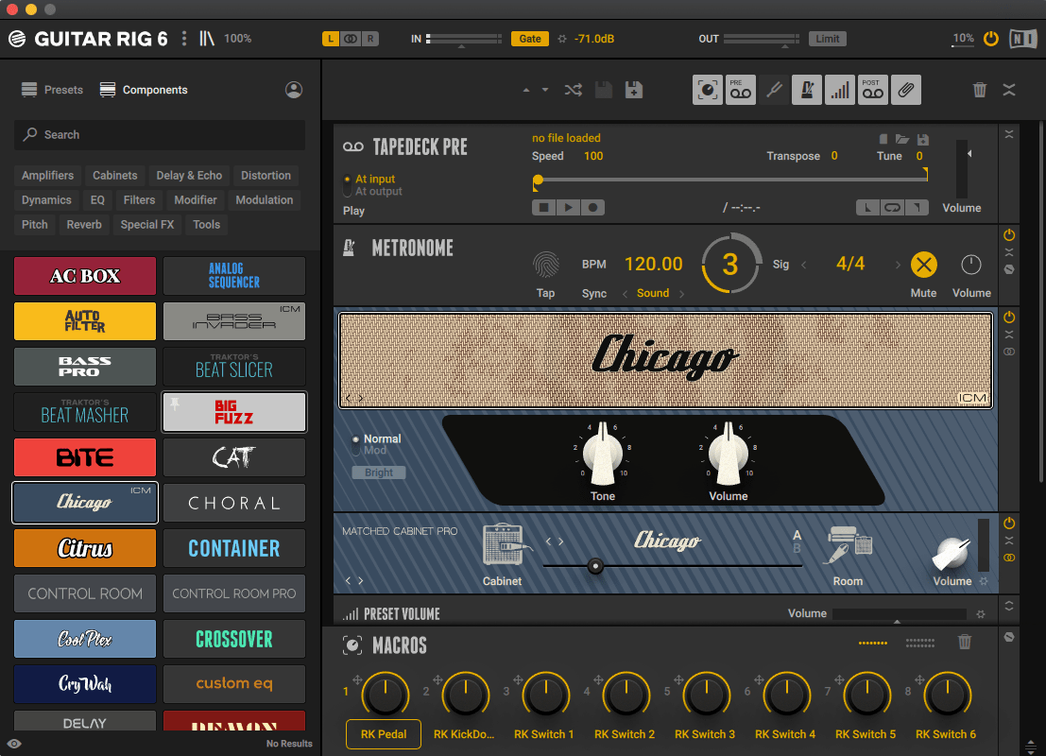
- Dial in the Control Room Pro. This isn't just a cabinet section; it's the room mic, the console, and the air around the speaker. Pull it into any chain and toggle through the mic positions before you touch an EQ. A ribbon mic two feet back solves more problems than a third overdrive pedal.
- Stack the Tape Echo into the VC-160. That's a classic compressor catching a dirty delay, and it glues a lead line in seconds. Drag the compressor module directly under the echo in the rack. Set the echo to a dotted eighth, then clamp it with a fast attack on the VC-160. Instant dimension without mud.
- Assign a macro knob to two parameters at once. Right-click any knob in a component, hit 'Assign Macro', and twist a single dial to push the amp gain up while pulling the reverb mix back. One motion for a whole scene change, and it teaches you how the rack components talk to each other.
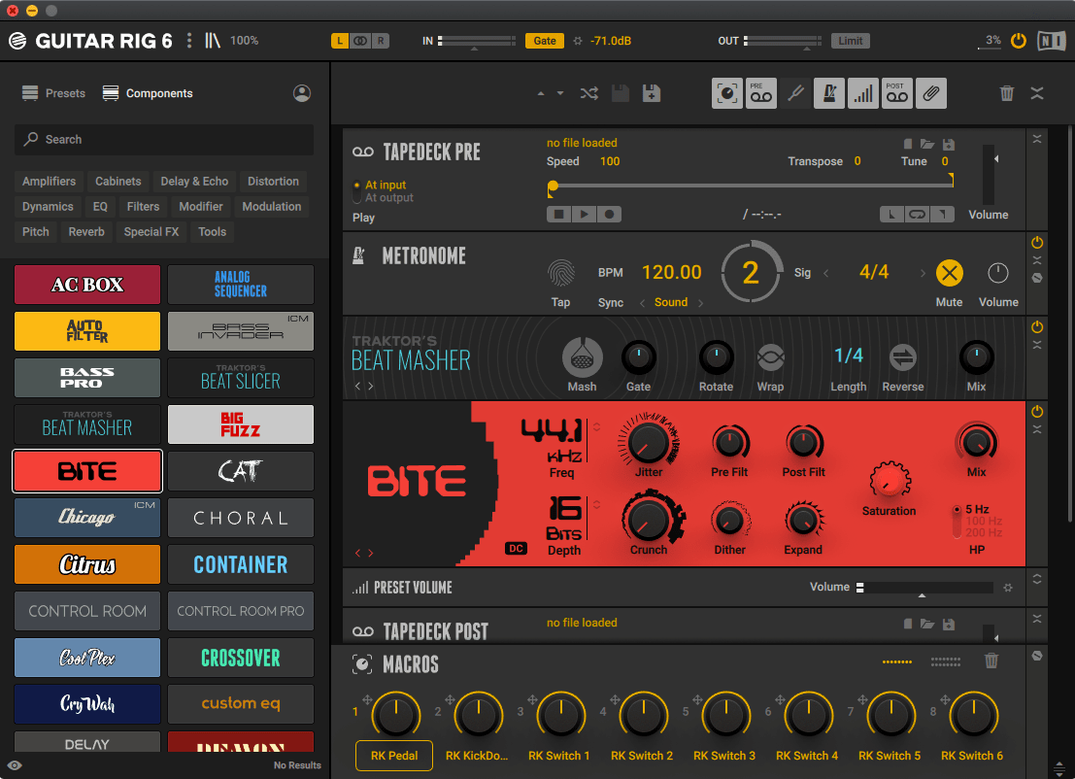
- Abuse the metronome for practice, not just tempo. It syncs to your project, but you can also set a custom rhythm pattern for drilling riffs. Hit the metronome tab, switch it to a subdivision that makes the groove feel less like a click and more like a percussionist nodding along.
Don't try to learn the whole component list on day one. A familiar amp, a delay you trust, and one wild modulation block will get you further than a hundred modules you're just guessing at. The rack rewards curiosity, but it rewards returning to the same five pieces even more.
Build a Crunchy Octave Lead from Scratch in Seven Minutes
Here's a patch I reach for when a verse section needs a snarling, doubled-feel lead that doesn't step on the vocal. It's four blocks and a macro assignment, and it starts with a blank rack.
- Drop in the Gratifier amp. Not the Jump or the Citrus — the Gratifier sits in that heavy-modded-Marshall zone where palm mutes still breathe. Crank the gain to about 7, keep the bass at 5, mids pushed to 8, treble pulled back to 4. Don't touch the cabinet yet.
- Add the Octaver pedal before the amp. Drag it left of the Gratifier. Set the upper voice to a fifth above, mix it about 30% wet. The lower octave stays off. What you're getting is a subtle harmonized edge, not a full-on organ sound. The amp's gain stage compresses it into something that feels like a second guitarist tracked the part.
- Insert the Solid EQ after the cabinet. The Control Room Pro is already doing the heavy lifting with a dynamic 57 on the grille, but the Solid EQ lets you carve a pocket. Pull 400 Hz down 3 dB with a medium Q. Boost 3.2 kHz by 2 dB. That's the frequency where the octave harmonic cuts through a dense mix.
- Feed it into the PsycheDelay. Set it to a stereo ping-pong, quarter-note left, dotted-eighth right. Feedback at 25%, high-cut at 6 kHz. Now right-click the delay mix knob, assign it to a macro, and label the macro "Space." While you're there, also assign the Octaver mix to the same macro with an inverted range. Twist the knob left: more octave, less delay. Twist it right: the note blooms into ambience while the harmonized layer ducks away.
- Save it as a user preset. Tag it "lead," "octave," "mid-forward." Next time you need that sound, you're three seconds from tracking instead of seventeen minutes of knob-twiddling.
The whole thing took less time than it'd take to mic a real cabinet. That's the point. The rack isn't a museum — it's a workbench.
Where Logic’s Amp Designer, Amplitube 5, and Helix Native Part Ways
If you're already on the Mac and recording guitar, you've probably crossed paths with Logic Pro's built-in Amp Designer, or heard people talk about Amplitube 5 and Line 6 Helix Native. Each one solves the same problem with a different philosophy.
Logic Pro Amp Designer. It's already on your drive, it loads instantly, and the tweed combos and blackface models sound convincing at moderate gain. Where it falls short is the routing. You get a pedalboard with a fixed number of slots, an amp, and a cabinet. Guitar Rig hands you an empty rack and says "put anything anywhere." Want two amps in parallel, each with its own reverb, summed into a single compressor? Logic can't do that without aux channels and busses. Guitar Rig does it in one window with drag-and-drop. For a quick clean tone, Amp Designer wins on speed. For a tone that requires signal path creativity, it's not even a contest.
Amplitube 5. The GUI looks like a photographed studio floor, complete with amps you can click to power on. It's immersive and it's fun. The component-level modeling is excellent — their take on a Tube Screamer feels more reactive to picking dynamics than some real pedals. But the preset organization feels like a record store where nobody alphabetized the bins. Guitar Rig's tag-based browser filters by instrument, genre, and component type without hunting through artist-branded collections you'll never use. Amplitube is a playground; Guitar Rig is a patchbay built for recall speed.
Line 6 Helix Native. This one shares Guitar Rig's flexible routing — parallel paths, splits, merges, the works. The HX modeling engine has a devoted following for good reason, especially on bass and high-gain modern metal tones. The tradeoff is CPU load. Helix Native hits the processor harder on Apple Silicon Macs, and the UI scaling on a Retina display isn't as crisp. Guitar Rig's interface is vector-based and renders cleanly at any resolution. If you're running large track counts, the efficiency difference matters by the third overdub session.
First-Install Doubts Worth Settling Now
Runs ARM-Native, No Rosetta Required
No translation layer needed. The current build runs natively on ARM and Intel 64-bit Macs. You install it once, and it shows up in your DAW's plugin list without any compatibility mode gymnastics. Standalone mode opens just as fast.
Live Rig Viability with an Interface and MIDI Controller
It can, but it's not designed primarily as a stage rig. You'd need an audio interface with low-latency drivers and a MIDI foot controller mapped to the preset changes and macros. People do it — the sound quality holds up through a PA — but the sweet spot is in the studio, where the routing flexibility and automation options justify the setup time.
Does the tuner handle drop tunings and alternate temperaments?
The built-in tuner covers standard, drop, and open tunings down to a low B without complaining. You can set the reference pitch away from 440 Hz if you're matching a piano that hasn't been tuned in a while. It won't do sweetened tunings like a Peterson strobe, but for tracking it's quick and stable.
Can I run bass through the same amp models?
Absolutely. Several components are voiced specifically for bass — the Bass Rage amp and the associated cabinets won't thin out your low end the way a guitar amp model would. The split routing also lets you process a clean DI signal in parallel with an effected chain, which is how a lot of bass engineers work anyway.
Skip the Empty Rack Trap on Day One
- Starting with an empty rack on day one. It feels like the purist move, but you'll waste an hour just learning what each component category does. Load a preset that's in the ballpark, then swap out one block at a time. You'll build a mental map of the component library twice as fast.
- Ignoring the input and output level meters. The rack runs hot if you feed it a clipped DI signal. Watch the input meter on the top bar before you start stacking gain stages. A clean, healthy signal at the input means the amp models respond the way they were designed to — dynamic and touch-sensitive instead of flat and squashed.
- Treating the Control Room Pro as an afterthought. Beginners often dial in an amp and stop there, leaving the cabinet on the default 4x12 with a close-mic 57. The Control Room Pro is where the tone actually finishes. Change the mic model, move it off-axis, add a room mic, and suddenly that fizzy high end turns into a track-ready sound without a single EQ move.
- Forgetting to tag custom presets. You build something great at 2 a.m., save it as "Cool Lead Thing," and three months later you can't find it in a list of 80 user patches. Use the tag fields — instrument, genre, character —
- macOS 11 or newer
- Works on both Apple Silicon and Intel Macs
Notes from the edit bay · 0
Sign in or get an edit-bay pass to leave a note.
No notes from the edit bay yet. They go up after I read them.