
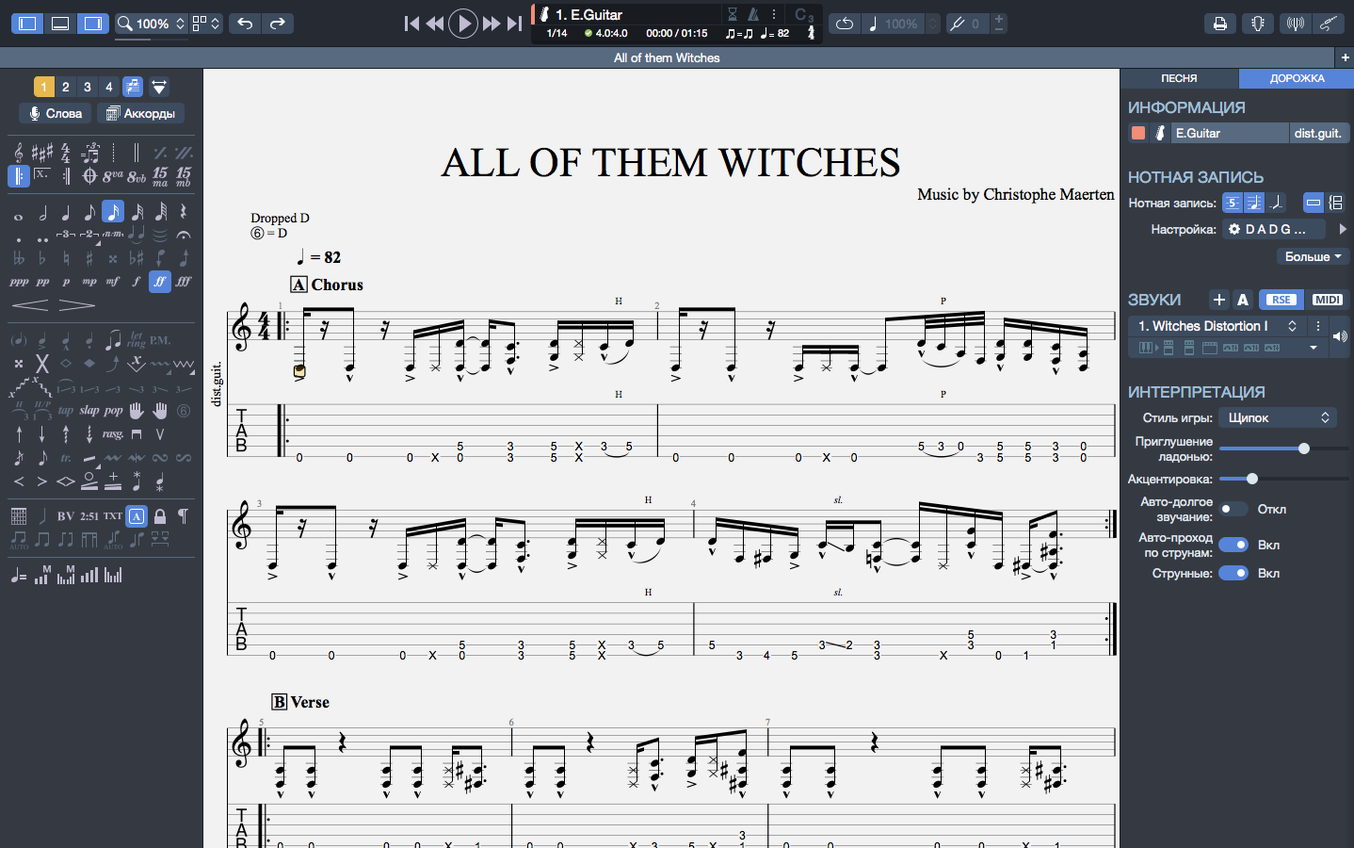
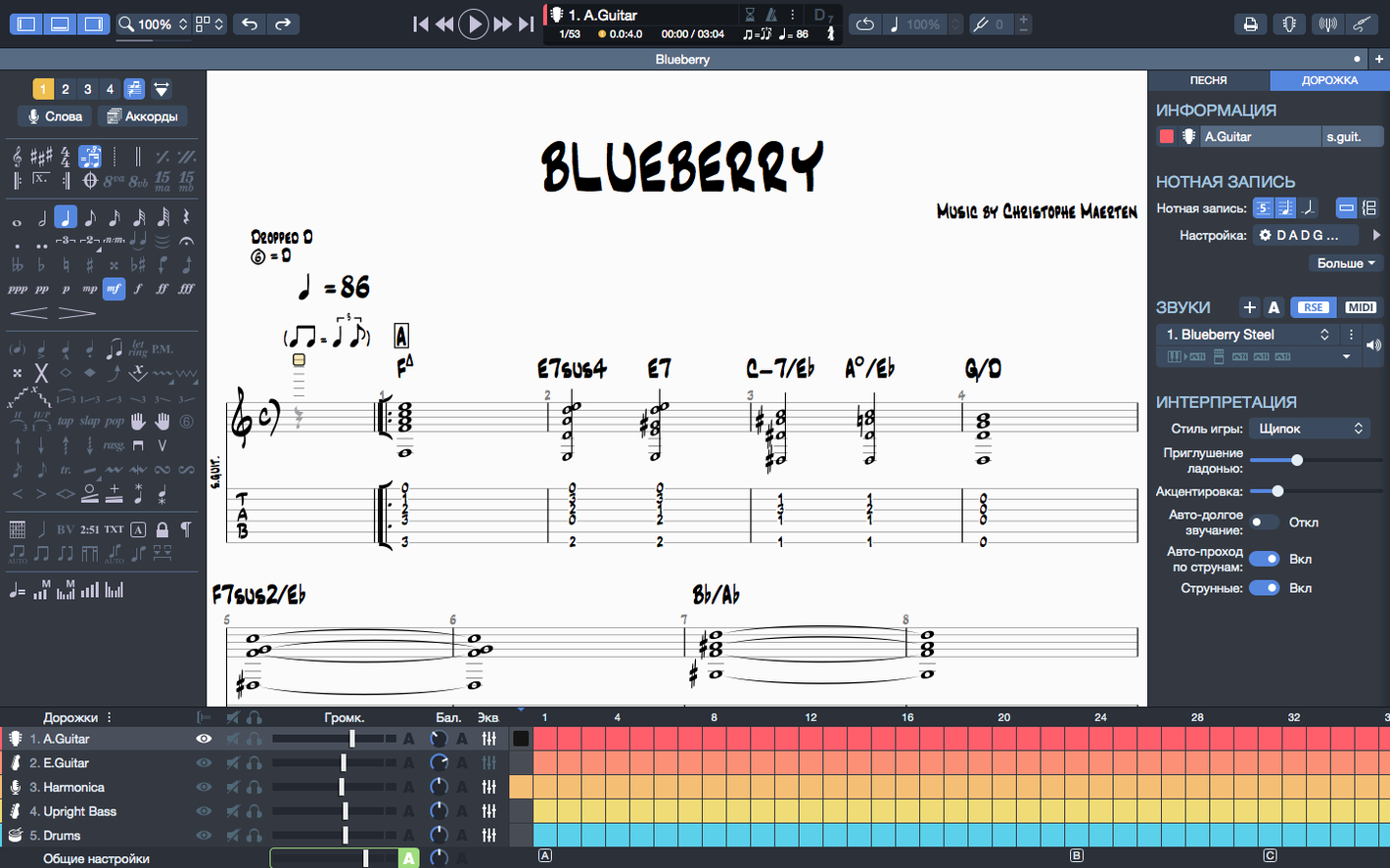
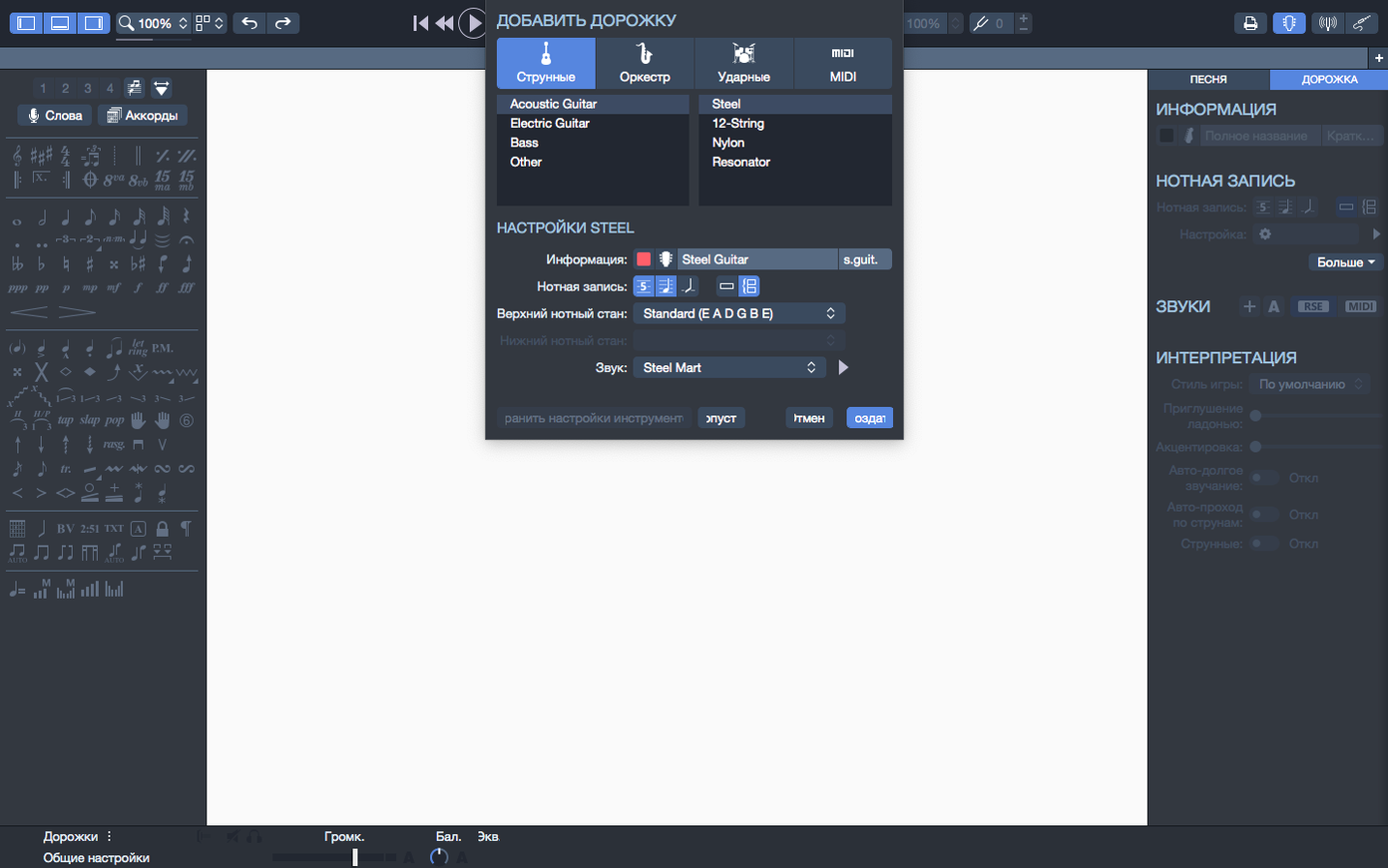
Blank tab paper gets messy fast. Erasing a fret number, re-inking a bar line, and hoping the timing still makes sense is a slow way to work. Guitar Pro puts the score on screen, where you can edit, hear, and share a tablature without the pencil smudges. The current build, 8.1.5-31, keeps the core toolset intact while cleaning up a few playback quirks that have nagged users for a while.
| What | Detail |
|---|---|
| Version | 8.1.5-31 |
| Developer | Arobas Music |
| Instruments | Guitar, bass, Hawaiian guitar |
| macOS | 10.13 or later |
Arpeggios at the very start of a score now play as written, which was a noticeable gap in previous builds. Stem direction adjustments that used to stick are also fixed, and plugging in an audio interface mid-session no longer trips up playback continuity. Those are the headline tweaks. The rest of the toolbox is what seasoned users expect: a chord builder that drags diagrams right onto the staff, a multi-track score editor for guitar and bass lines together, and the ability to export clean sheet music as SVG. The built-in player and metronome keep the timing honest, and you can still sketch a backing track with drums or piano to fill out a demo. It’s a notation editor first, a scratchpad second, and a tight way to turn an idea into something you can hand off to the rest of the band.
Exporting SVG Notation for Designer Lead Sheets
Guitar Pro doesn't live in a bubble. The export options are what make it a hub rather than a dead end. SVG export drops clean vector notation into Affinity Designer or Illustrator for lead sheets that stay sharp at any size. The PNG-with-transparency option is a quiet workhorse — paste a riff directly onto a dark background in DaVinci Resolve or Final Cut without a white rectangle ruining the shot. MIDI export sends your tab straight into Logic Pro, where the scratch piano or drum backing track becomes a proper virtual instrument performance you can tweak with a mod wheel instead of a mouse.
On the import side, MIDI files from a keyboard or a drum pad app land in Guitar Pro as editable notation — not as a frozen audio blob. That means a bass line tapped out on an iPad during a soundcheck can become tablature the guitarist reads ten minutes later. Audio drag-and-drop isn't the game here; this is a notation-first tool that shakes hands with your DAW rather than trying to become one.
macOS integration is straightforward. The recent-files section on the homepage lets you pin the three scores you bounce between all week, so the band's setlist or a student's exercise book stays one click away. Audio device switching is now transparent — plug in a Focusrite, unplug it, switch to the MacBook speakers, and playback doesn't stutter. That fix alone saves the minor annoyance of restarting the app between practice spaces.
Pairing with Built-in Mac Features
Quick Look doesn't preview Guitar Pro files, but Spotlight finds them by name without fuss. The app respects Dark Mode on recent macOS versions, and the contrast adjustments in version 8 make the tab staff readable even with the screen brightness cranked down at a gig. Grab a selection of bars, copy it, and paste it into a message or an email — the tab characters land as plain text, which bandmates can read without owning the software. Small things, but they cut down the friction of sending a quick idea at midnight.
Time Machine backs up your .gp files like any other document. No proprietary database, no cloud-only vault. The file format is the backup. That matters when a year's worth of lessons or a half-finished album sits in a folder.
Scrolling 20-Page Scores Without a Stutter
On Apple Silicon, Guitar Pro launches in roughly two seconds on a MacBook Air — fast enough that the metronome is ticking before you finish your first sip of coffee. Scrolling a 20-page score with six instrument tracks stays smooth; the playback cursor follows the notes without lag, even with the fretboard visualization open and the chord diagram pane docked. That visual feedback loop — hear the note, see the string on the virtual neck — is where the app earns its keep during practice.
Memory usage is modest. With three tabs open and a backing track playing, the app sits around 300 MB of RAM on an Apple Silicon machine. Intel Macs from the 2018 era handle it fine, though the install notes specify a dual-core processor as the floor — push below that and playback sync gets tight. The 2 GB disk footprint is small enough that it never factors into a cleanup decision.
Stability in 8.1.5-31 is solid. The arpeggio fix means scores that used to hiccup on bar one now play through cleanly. The stem-direction fix eliminates a visual glitch that could make a printed page look sloppy on the music stand. Crashes are rare during normal editing; the only edge case I've seen is pushing the MIDI editor with a dense orchestral score imported from an old .gp5 file — and even then, the autosave had my back. The app keeps a recovery file, and it actually recovers.
Practical First-Day Setup
After the standard install from the disk image, spend fifteen minutes on setup. It pays off for months. Here's a loose checklist:
- Pin your working files. Open the scores you're actively rehearsing or writing, then pin them from the homepage. The recent list stays clean, and you stop hunting through folders.
- Tune the sound engine. The default RSE (Realistic Sound Engine) does a decent nylon-string and overdriven guitar, but dig into the soundbank settings and dial in the bass pickup simulation. A P-bass patch with a touch of compression makes a walking line actually groove during playback.
- Set export preferences early. Decide whether SVG or transparent PNG fits your workflow and set the resolution once. You won't want to adjust dpi sliders at 2 AM before a session.
- Check your audio device routing. Plug in your interface, let Guitar Pro recognize it, then unplug it. The 8.1.5 fix should keep playback rolling through the switch. If you use Bluetooth headphones, pair them before launching — the app picks up the current system output.
- Bookmark the chord builder shortcut. It's not hidden, but new users often overlook it. Drag a diagram from the builder directly onto a beat in the score — it snaps to the chord grid and transposes with the rest of the chart when you shift keys.
The metronome lives in the transport bar and deserves a click on day one. Set it to accent the downbeat of a 6/8 time signature, and suddenly the Irish jig you're transcribing makes rhythmic sense. Tiny feature, outsized usefulness.
Beginner Mistakes and How to Sidestep Them
The most common misstep is treating Guitar Pro like a DAW and expecting it to mix audio. It won't. The volume and pan sliders in the mixer panel affect MIDI playback levels, not recorded waveforms. Beginners sometimes import an audio track, stare at the blank waveform lane, and assume the app is broken. The fix is straightforward: export the MIDI to a proper DAW for mixing, and use Guitar Pro for the writing and arrangement phase.
Another frequent stumble: ignoring the "bar checker" tool. Writing a riff in 4/4 that accidentally contains six-and-a-half beats of notes doesn't throw an obvious error until playback sounds drunk. Run the bar checker before you send a score to anyone. It catches mismatched rests, extra beats, and ties that don't resolve.
Beginners often type fret numbers with the mouse and never learn the number-pad shortcuts. Tab entry from the keyboard — pressing a fret number and using arrow keys to navigate strings — is three times faster. The arrow-up and arrow-down keys move between strings; left and right move through the bar. Learn those on day two, and you'll wonder why you spent day one clicking a grid.
Transposition trips people up too. Changing the key of a score and watching the chord names stay frozen in the old key is frustrating. Guitar Pro 8 transposes both the fret numbers and the chord diagrams together, but you have to select the whole score — not just a section — for it to work cleanly. A partial selection leaves chord names behind. Highlight everything before you transpose, or use the global transpose dialog rather than the selection-based one.
Finally, the fretboard visualization panel is useful but can mislead. It shows one possible fingering for a given passage, not necessarily the most ergonomic one. Beginners sometimes practice an awkward stretch because they trust the display. Your hand knows better. The fretboard is a suggestion engine, not a teacher.
A Singer-Songwriter's Demo Day
Consider a singer-songwriter who plays a battered acoustic and has a set of lyrics that need harmonic structure. She opens Guitar Pro on a MacBook Air, creates a two-track score — one for the vocal melody, one for fingerpicked guitar — and taps out the rhythm on the number keys while the metronome keeps a steady 4/4. The chord builder gives her a Dmaj9 voicing she'd never reach for naturally, and she drags it into bar four.
She builds a simple drum backing track from the built-in patterns, sets it to brushes for a soft feel, and adds a piano track that doubles the vocal line an octave down. Twenty minutes in, the score is complete enough to play back and sing over. The arpeggio at the intro — the one the old version would have ignored — rings out correctly in 8.1.5-31, and she hears how the fingerpicking sits against the piano before ever stepping into a studio.
She exports the vocal melody as MIDI, drops it into Logic, and assigns a cello patch for warmth. The guitar tab becomes a transparent PNG she pastes onto a lyric sheet in Pages — chords above the words, no ugly white box. By lunchtime, she has a demo to send the producer and a chart to bring to the session. The torrent guitar pro download gave her the whole toolbox in one go, and the workflow never left the Mac.
Arpeggios placed at the beginning of a score finally ring out correctly instead of dropping notes. Stem direction changes that refused to stick on certain bars now save as expected. Also fixed: smoother playback on macOS when you plug in or unplug an audio device mid-session.
- macOS 10.13 or later
- 64-bit dual-core Intel, AMD, or Apple Silicon processor
- 4 GB RAM
- 2 GB free disk space
- Administrator rights required
Notes from the edit bay · 0
Sign in or get an edit-bay pass to leave a note.
No notes from the edit bay yet. They go up after I read them.