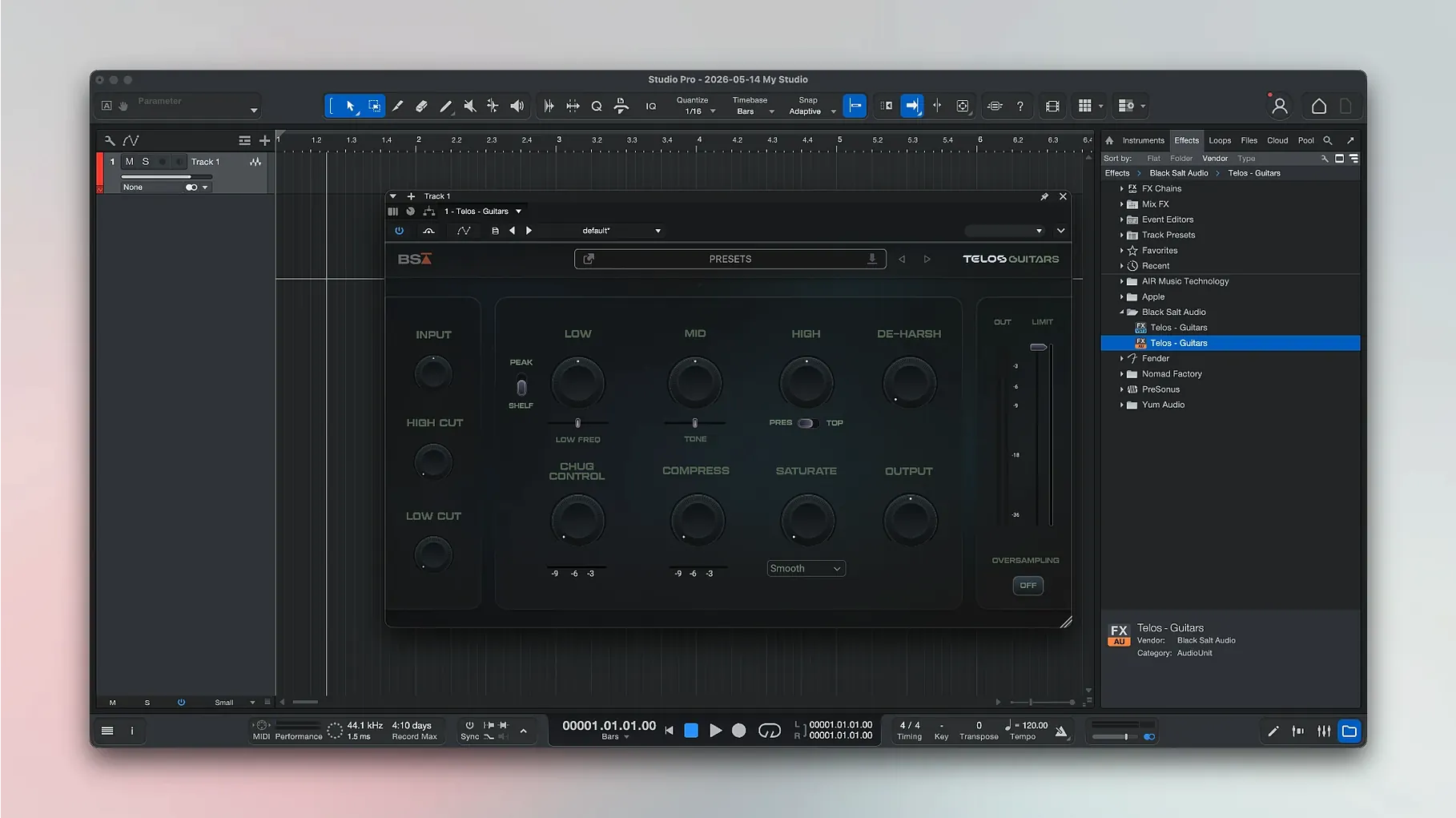
Anyone who has edited audio in GarageBand or Logic knows the routine: record a take, drop in an amp sim, tighten the low end. Fender Studio Pro sits in that same world, but the sound library leans hard into Fender's own guitar and bass amplifiers.
Home Trackers Who Want a Lean Session File
Guitarists and bassists tracking ideas at home, plus small studios that want a focused writing and recording space without a bloated session file.
Between Voice Memo and Full Logic Project
It occupies the middle ground between a quick voice memo and a full Logic project. You can record vocals and instruments, then shape the sound with effects and virtual instruments that carry the Fender brand.
What Stands Out?
The amp models. Having Mustang and Rumble plug-ins as native tools means the guitar tone lives inside the mix, not outside it. Version 8.1.1 also makes those plug-ins follow automation when Direct Monitoring is enabled, which keeps rides and swells from fighting the fader.
Freeze Tracks with the Launcher to Save CPU
The Launcher now lets you freeze an instrument track to free up CPU on older Macs. The Audio Batch Converter also got smarter about plug-in latency, so exported stems line up on the grid.
A Dozen Amp Sims on an M1 Mac mini
On a 16 GB M1 Mac mini, the performance ceiling matters. Fender Studio Pro 8.1.1 sits comfortably in that space. The audio engine stays responsive even with a dozen amp sims and a handful of drum parts running. I push in a second bass track with the Rumble model, toss on a compressor and a light room reverb, and the render bar barely twitches. The meters update without that half‑second lag you get in heavier DAWs when the buffer fills up.
Memory use lands around 700 MB on a fresh project with six audio tracks and a few native plug‑ins. That number climbs closer to 1.4 GB once the song fills out with virtual instruments and Melodyne‑style pitch editing, but the system never feels gutted. Swap pressure stays low. If the CPU meter does creep toward yellow, the new Freeze Instrument Track button in the Launcher drops it back to green in a click. That single addition changes how I treat synth pads and layered guitar stacks — freeze the bed, stay in the flow.
Stability in 8.1.1 holds up. I have not seen a crash when toggling Direct Monitoring mid‑playback, which used to upset the Mustang plug‑in. The Audio Batch Converter now compensates plug‑in latency properly, so a batch of stems exports without the first transient shifting a few samples late. That detail saves a call to a mix engineer.
Blank Plug‑in Window After Waking Your Mac
The most frequent headache: the plug‑in window goes blank after waking the Mac from sleep. A quick audio engine reset from the preferences usually brings it back. If not, toggling the audio device and rescanning the plug‑in list does the trick.
Another snag — track colors sometimes reset when importing stems from a collaborator. The workaround is to save a template with your color scheme and load the stems into that. Not elegant, but the audio lands intact.
People hunting a fender studio pro mac crack often discover the activation files are sensitive to system clock changes. Set the date back, and the plug‑in validation fails silently. Keep the clock straight and follow the install steps in the package, and the Mustang and Rumble models authorize without drama.
If the Launcher freezes on the splash screen, hold Option while opening and disable the last‑used plug‑in set. Re‑enable them one by one. Nine times out of ten it is a third‑party AU that needs an update, not the DAW itself.
Questions Worth Answering
Does it open GarageBand or Logic projects? No. Fender Studio Pro reads its own session format. You can bounce stems from either DAW and pull them in, but project files do not translate. The good news is that the Audio Batch Converter handles WAV and AIFF stems cleanly, so round‑tripping audio is painless.
Where do the Fender amps sit compared to third‑party sims? Inside the mixer, not outside a wrapper. That means the Mustang GT and Rumble models respond to track automation, sidechain routing, and freeze commands like any stock plug‑in. Someone searching for a fender studio pro 8 mac crack is often after exactly that integration — the amps stop being a separate window and start being part of the desk.
Can I use my own impulse responses? The cab section loads custom IRs, so you are not locked to the Fender‑branded cabinets. Drop in a 4x12 closed‑back IR from your library and the amp reacts immediately.
Is the chord track useful or just a gimmick? It is surprisingly practical during writing sessions. Record a rough vocal, let it detect the key, and the chord suggestions give you a harmonic map you can hand to a bassist or keyboard player. It does not replace knowing theory, but it speeds up arrangement decisions when a deadline is breathing down your neck.
What the Last Versions Fixed in Daily Use
The jump to 8.1.1 tightened three things that affected real sessions. The Audio Batch Converter latency compensation means exported multitracks now null‑test against the live mix. Before the fix, a 2 ms drift could appear on plug‑in‑heavy channels, which threw off tight double‑tracked guitars.
The Mustang and Rumble automation fix under Direct Monitoring is less flashy but more important for performers. Punch in a lead line while monitoring through the amp plug‑in, and the volume rides now follow the written automation lanes instead of ignoring them. You hear the swell, not just the static level.
Freeze Instrument Track in the Launcher arrived quietly, but it reshapes how songwriters build arrangements. Stack a Fender Rhodes patch, a pad, and a percussion kit, then freeze the group before tracking vocals. The fan stays quiet, the buffer stays low, and the feel stays immediate. No render dialog, no track‑by‑track bounce — just right‑click and keep moving.
For anyone who grabbed a fender studio pro crack to try the amp models, these point‑release fixes matter because they touch the very features that make the software worth installing in the first place — guitar tone, stem export, and low‑latency tracking. The DAW feels less like a repackaged bundle and more like a focused instrument itself.
The big one is Freeze Instrument Track in the Launcher — useful when a synth patch starts eating CPU. Mustang and Rumble plug-ins now follow automation with Direct Monitoring on, and the Audio Batch Converter compensates plug-in latency so stems don't drift.
- macOS 13.5 Ventura or later
- Apple Silicon or Intel 64-bit Mac
Notes from the edit bay · 0
Sign in or get an edit-bay pass to leave a note.
No notes from the edit bay yet. They go up after I read them.