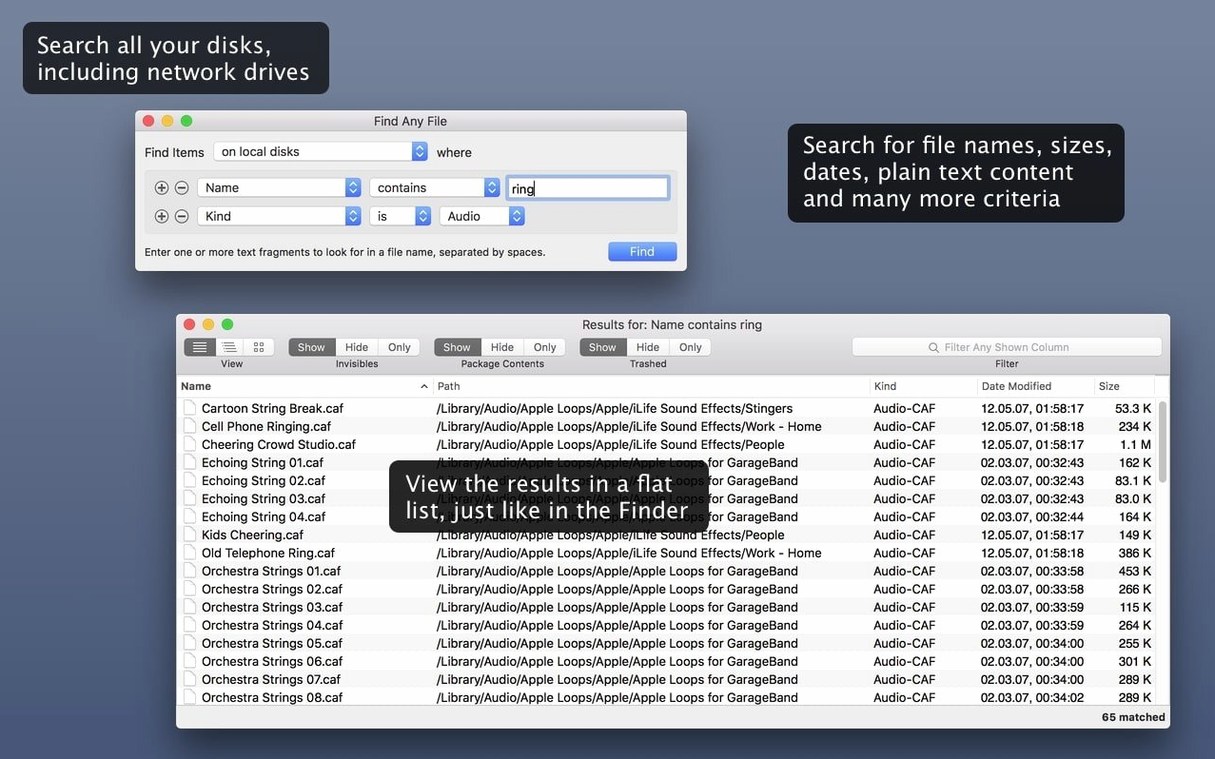
Spotlight indexes a lot, but when you enable the Name and Text Content criteria together, you're asking for something different. That's where FAF steps in.
FAF — The common shorthand for Find Any File, a search app that digs through the file system directly.
Companion to Spotlight — It doesn't replace Apple's index. It reads the directory structure itself, which means it finds files Spotlight's database excludes, like items tucked away in system folders.
Shareware — The software is distributed under a try-before-you-buy model without crippled features during the evaluation.
Tembo — Another search tool mentioned by the developer as a different approach that enhances Spotlight's existing index rather than bypassing it.
Spotlight Stays Unharmed
Does this stomp all over Spotlight? Not even a little. FAF reads the disk directly while Spotlight queries its database. They can live on the same Mac without conflict. In fact, I use Spotlight for everyday searches — emails, PDFs, document contents — and fire up FAF when I know the file exists but Spotlight draws a blank. Think of it as the mechanic who crawls under the car instead of checking the dashboard computer.
Will it slow my Mac to a crawl during a search? It can get chatty with the disk, especially on spinning hard drives. An SSD handles the load without drama. The app shows a live counter of found items, so you see results streaming in while the search is still running. If you point it at an entire startup disk and hunt for a single character, yeah, that'll take a minute. Narrow the scope — pick a folder, set a date range — and the results snap back fast.
Can it search my NAS or server volumes? Yes, and that's one of the reasons people grab a find any file free download in the first place. Mounted network shares show up in the sidebar like any local disk. Spotlight often skips or under-indexes those volumes. FAF doesn't care — it walks the directory tree the same way whether the drive sits inside the Mac or hums in a closet down the hall.
Does it peek inside zipped files or disk images? No. It searches files and folders the filesystem can see. Bundles and packages, though — those are fair game. That means you can dig through a .app package or a Logic project file and pull out assets Spotlight pretends don't exist. For compressed archives, you'll need to unzip first.
A Producer's Sanity Saver
Picture a video producer in Austin at 11 p.m., render bar crawling toward the finish line. A client emails: "Hey, we need that lower-third animation from the spring campaign. The one with the blue swoosh." The producer remembers the file was called something like lower_third_swoosh_v3_final.mov — or was it v4? Spotlight searches return nothing useful because the file lives on a project drive that isn't indexed. The producer launches FAF, points it at that drive, types swoosh, and sets a file-type filter to mov. Twenty seconds later, there's the file, nested three folders deep in an archived project from March. Client happy, render still chugging, coffee still warm.
Rookie Slip-Ups
The biggest stumble new users make is searching the entire disk with zero filters. They type "report" into the name field, hit return, and then stare at forty thousand results wondering why everything froze. FAF shows you everything — and I mean everything, including cache files, logs, and invisible system junk. Without a folder scope or at least a date range, you're drinking from a fire hose.
Another classic: confusing the "Text Content" field with Spotlight's full-text search. FAF only reads raw, unformatted text inside files. It won't search the body of a Word document, the metadata of a Photoshop file, or the text layer of a PDF. Beginners expect it to behave like findanyfile mac searches that magically parse every format, then wonder why their .pages file comes up blank. If you need that, Spotlight or a tool like Tembo is the right call.
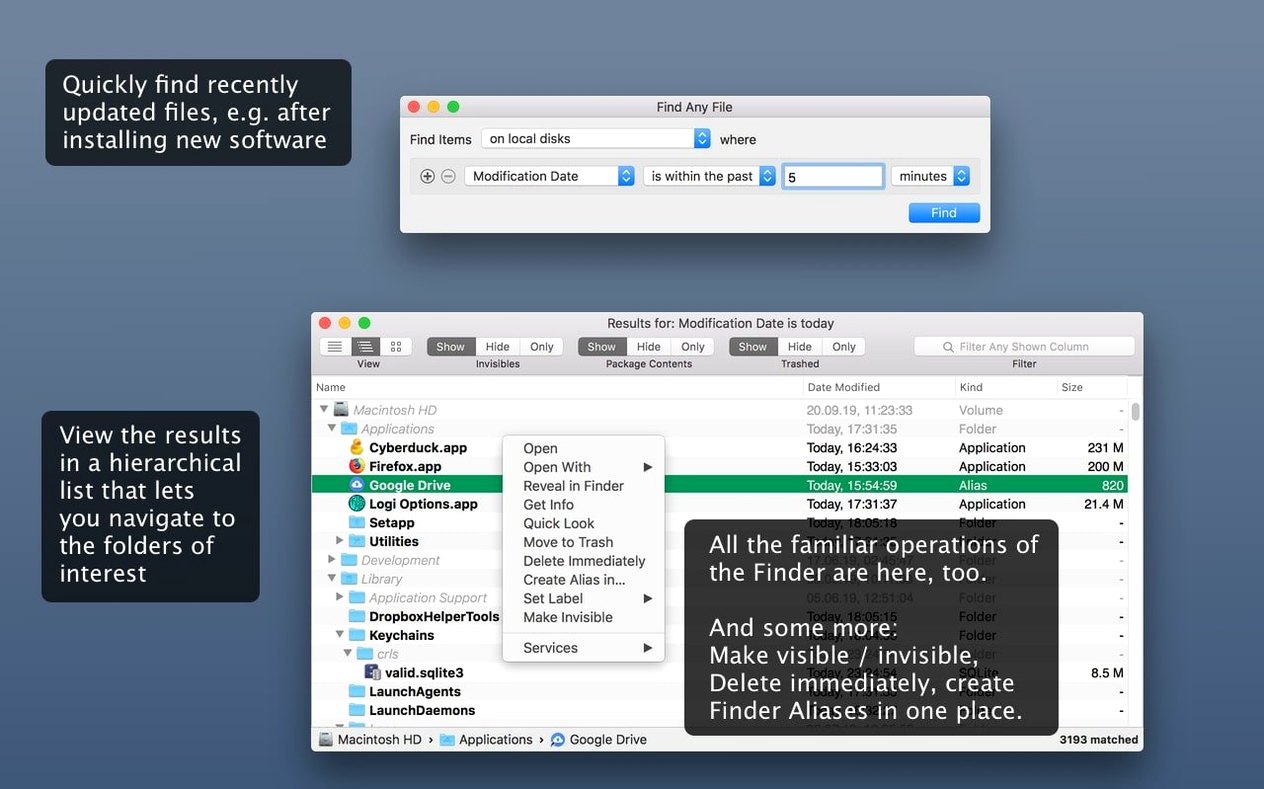
Forgetting the hierarchical view is the third trap. Results arrive as a flat list by default. Hitting the disclosure triangle switches to a folder-tree view that reveals exactly where each file lives. Skipping that step means missing the context that tells you which version of a config file you're actually looking at.
Inside a Search Session
I'll walk you through a typical hunt — the kind that makes someone look up find any file download after a frustrating afternoon with the Finder.
A sound designer realizes her Pro Tools session is missing a batch of foley recordings. She remembers they were named with the prefix footstep_ and believes they're somewhere on an external Thunderbolt drive called "SFX_Library." Spotlight on that drive returns nothing — it hasn't been indexed since the last macOS update.
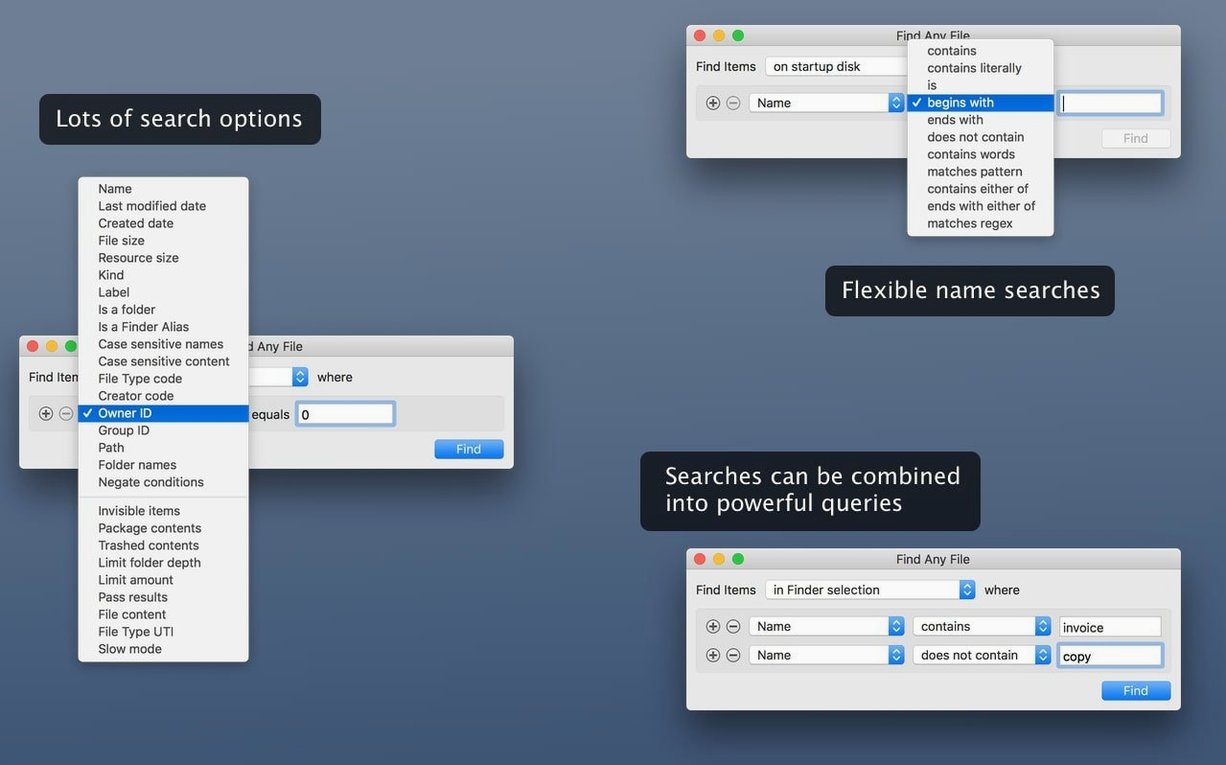
She launches FAF. The interface is utilitarian: a search field at top, a location selector below it, and a row of filter tabs. She clicks the location dropdown, navigates to "SFX_Library," and selects it. In the search field she types footstep_. Under the "Kind" filter she narrows the scope to audio files. That cuts out any session backups or text notes with the same prefix.
She hits Return. The results pane populates immediately — five files pop up in the first two seconds, then twenty more trickle in as the app walks deeper folders. The status bar at the bottom ticks upward: 34 items found. She toggles to the hierarchical view and immediately spots that most of the files sit in a folder called "Unused_Takes_April." Mystery solved: an assistant dragged them out of the session folder months ago and nobody noticed until now.
She selects all 34 files, right-clicks, and chooses "Reveal in Finder." A Finder window opens at the exact folder location. She drags the files back into the Pro Tools session, relinks the clips, and moves on. Total time from launch to resolution: under three minutes. No index rebuild, no terminal commands, no waiting for a database update. That's the rhythm of a tool that trades clever indexing for brute-force clarity, and when you need it, nothing else scratches the itch.
AppleScript gets first-class support in version 2.6, so you can now trigger searches from your own scripts. The file list also gains columns for Comments, Trashed status, and Hidden files, while comment detection itself was tightened up to be more reliable.
Also fixed in 2.6.1: maintenance improvements for recent macOS versions.
- macOS 10.11 or newer (up to macOS 27)
- Works on Intel and Apple Silicon Macs
Notes from the edit bay · 0
Sign in or get an edit-bay pass to leave a note.
No notes from the edit bay yet. They go up after I read them.