
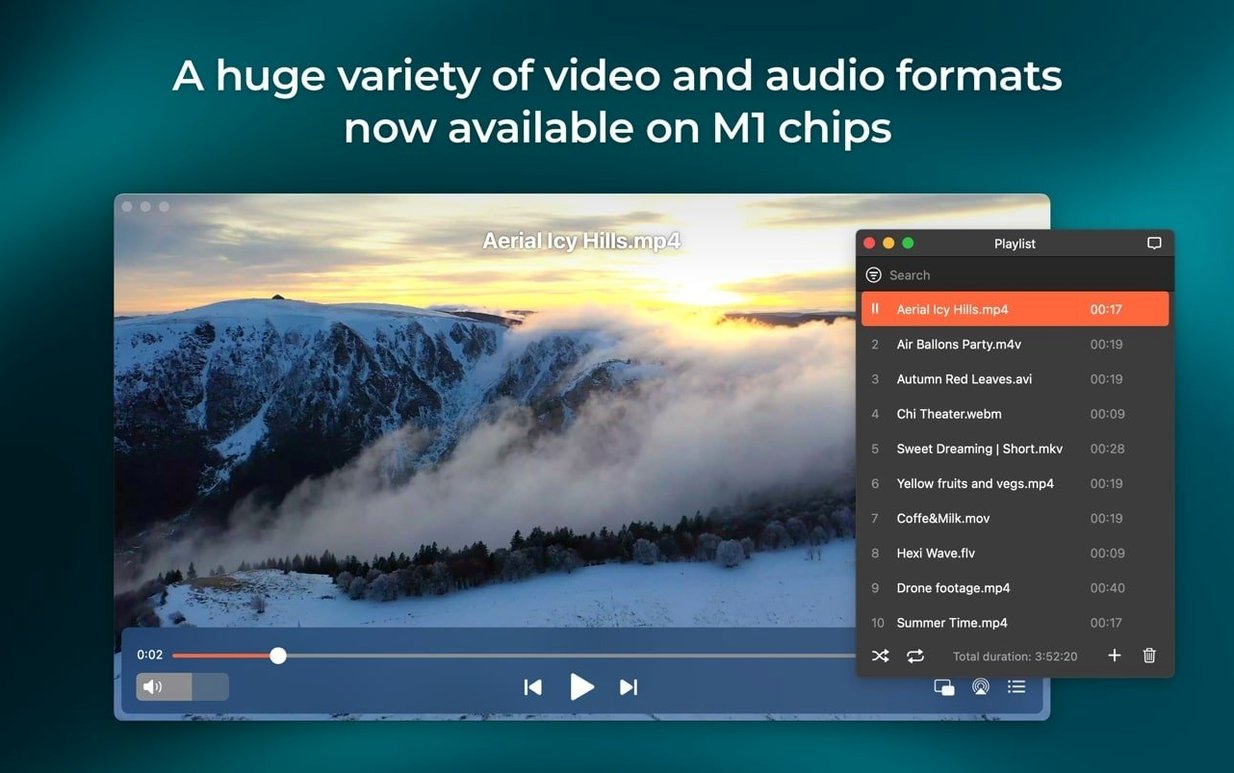
68 file formats. That includes the obvious ones—MKV, MP4, AVI—but also the weird Flash EXE project a client dug up from 2009. Elmedia Player Pro doesn’t flinch. It opens the file, you watch the thing, you stay on schedule.
Play Local Files Without a Codec Hunt
Drag in a WMV, an old FLAC rip, or an M4B audiobook. Hardware-accelerated decoding keeps HD playback smooth even when the timeline is stacked with renders. No auxiliary QuickTime components, no forum deep-dives for a missing codec.
Stream Video to a Proper Screen
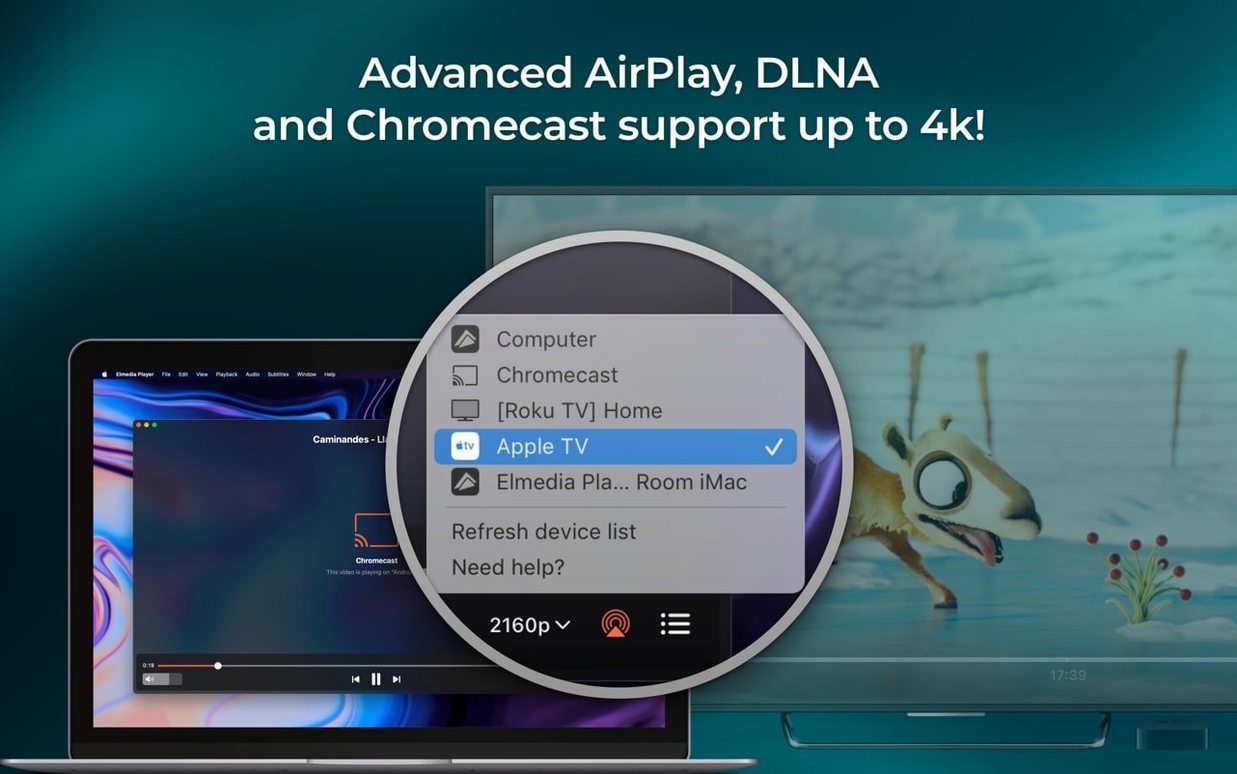
Open an online video right inside the player and send it to a Chromecast or smart TV. Passthrough for AC-3 and DTS streams works over HDMI or S/PDIF, so the receiver handles the audio decoding, not the Mac. Version 8.24 tightened this up—streaming to certain devices no longer drops out, and the devices list actually opens on the first click.
Keep the Mac Awake Through a Long Export
When you’re streaming a reference cut to the living room TV, the last thing you want is the Mac nodding off mid-playback. The latest build improved sleep prevention during streaming, so the screen stays alive until you kill it yourself.
A Corporate Editor’s Monday Morning
Austin corporate editor wakes up to two emails. First one: the client loved the cut, but the CEO wants the internal town hall video in every regional office by noon. File format? 12 GB MKV with six audio tracks. Second email: marketing found an old SWF animation from the 2012 rebrand—can we extract the logo sting and drop it into the 4K timeline? Elmedia Player Pro opens both without a converter in sight. The MKV plays with the English audio track selected, the SWF renders clean, and the screenshot tool grabs a TIFF of the exact frame marketing needs. Deadline’s still breathing.
Checking Sync and Streaming a Rough Cut to the Director
Picture a Wednesday night. A freelance colorist has a graded ProRes 422 HQ file and a reference MP3 from the sound designer. She needs to check sync, pull stills for client approval, and stream the rough cut to the director’s Apple TV three time zones away.
She drops the ProRes file onto the Elmedia dock icon. The player snaps open, hardware decoding kicks in, and playback is butter—no dropped frames, even scrubbing through a 10-bit 4K file on a MacBook Air. She taps the screenshot shortcut, saves a PNG of the hero shot at full resolution, and drags it into a Slack DM.
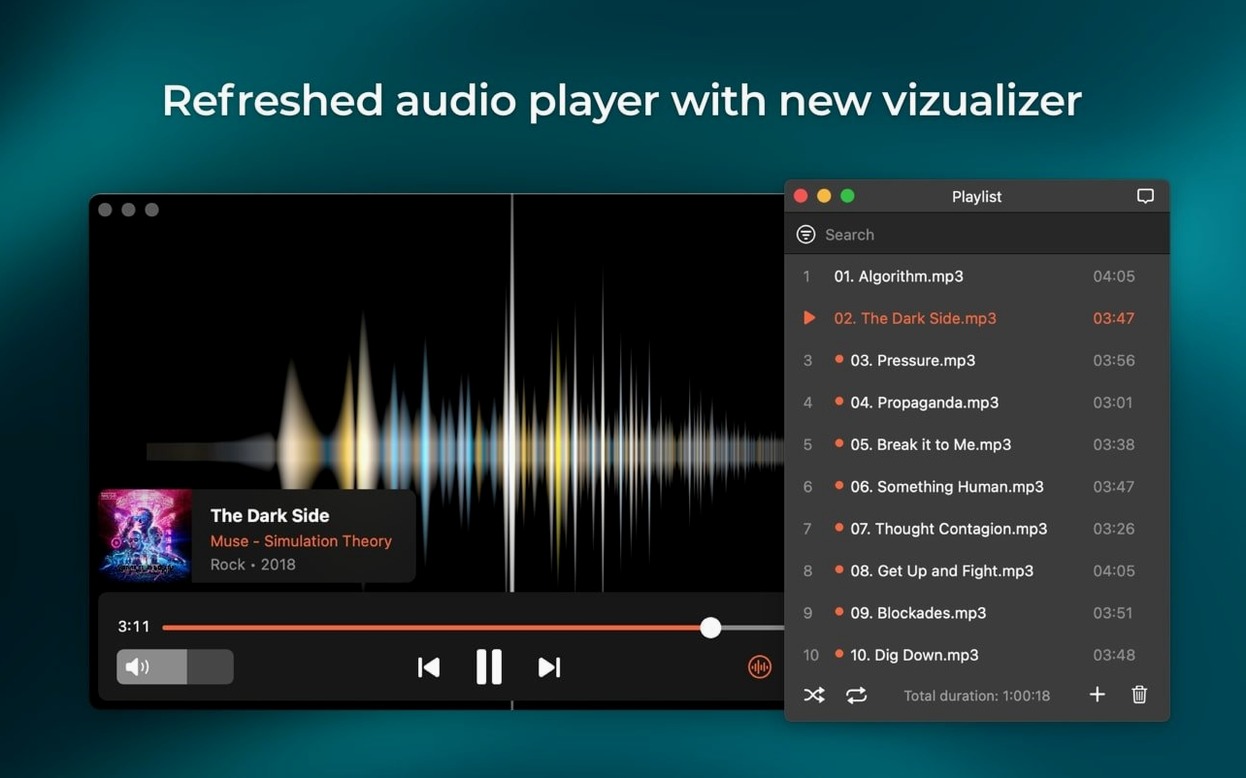
Next, she loads the reference MP3. The waveform isn’t a timeline, but the playback controls are tight enough to spot-check sync points. She toggles the audio output to her desktop monitors via the device selector, then back to headphones when the neighbor’s dog starts up.
Finally, she opens the built-in browser, navigates to the private Vimeo review link, and hits play. One click on the AirPlay icon and the video’s on the director’s TV in New York. Version 8.24 keeps the Mac awake the whole time—no jiggling the trackpad mid-stream, no awkward “sorry, my laptop fell asleep” Slack message. She pours a drink. Session over.
Missing the Right-Click Menu of Format-Specific Controls
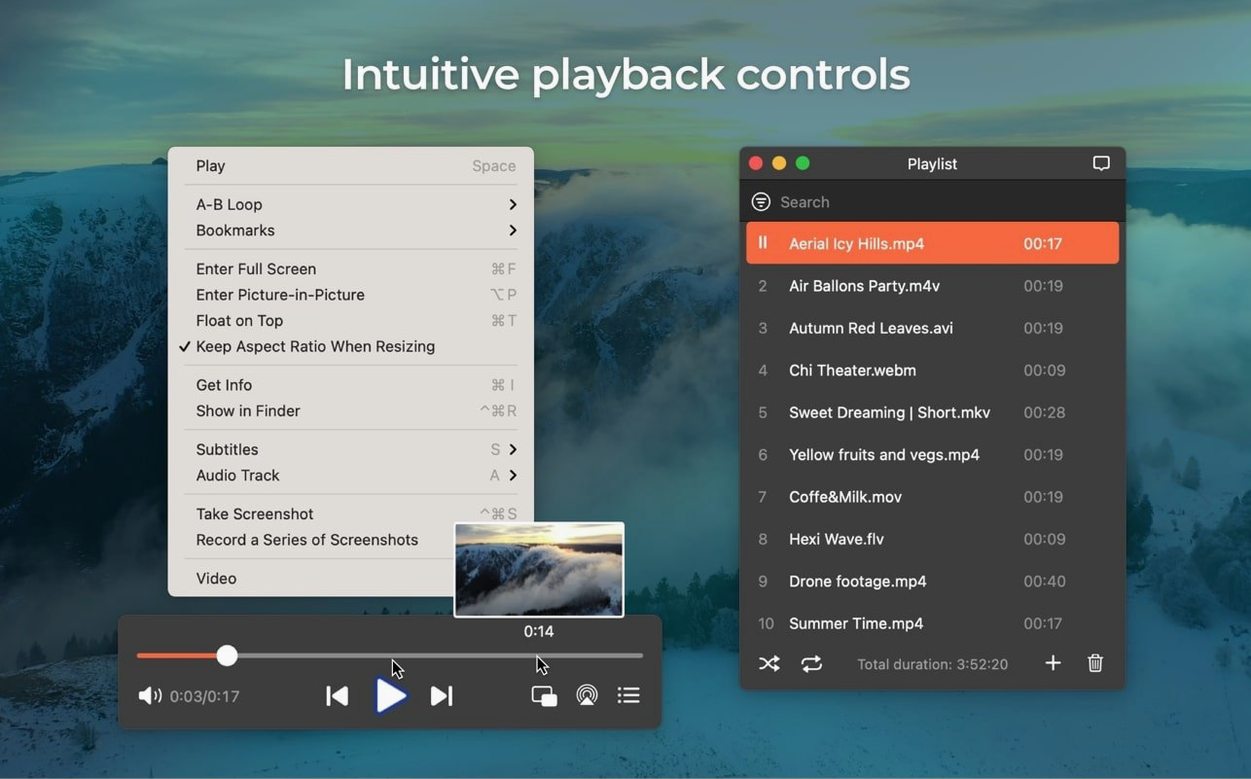
The biggest mistake is treating Elmedia Player like a Finder preview window. People double-click a file, wait three seconds, then quit and open VLC—never realizing the Pro version has a right-click menu loaded with format-specific controls. An MKV with multiple audio tracks? Right-click, pick your language. A corrupted AVI from an old hard drive? The player often powers through where QuickTime gives up entirely.
Another classic: downloading online video but forgetting to select the output folder first. The file lands in the default Downloads directory, buried under last week’s PDFs. Take thirty seconds to point the download location at the project folder before hitting save. Your future self will stop cursing your past self.
Beginners also overlook the screenshot format toggle. The default is PNG, which is fine for web, but if you’re pulling frames for a print layout, switch to TIFF in preferences. A 4K frame saved as a compressed GIF is a sadness nobody needs.
And then there’s the AirPlay confusion. People click the streaming button, see a device list, and assume every Chromecast on the network is fair game. If the target device doesn’t show up, check the firewall—corporate networks sometimes block the discovery protocol. Version 8.24 fixed the devices list error that used to show nothing at all, but a blocked port still looks like a broken app.
Does It Handle the Files VLC Struggles With?
Does elmedia player pro mac crack work on Apple Silicon, or is it Rosetta-only?
Native on both. The ARM build runs directly on M-series chips—no translation layer, no performance hit. You’re getting full hardware acceleration whether you’re on an M1 MacBook Air or an Intel Mac Pro. The disk image includes both architectures.
Will elmedia video player pro for mac handle the SWF files my old animation team left behind?
Yes, and it converts Flash EXE files to SWF too. That’s rare—most modern players dropped SWF support years ago. If you’ve got a dusty archive of web animations or e-learning modules, this is one of the few players that still opens them natively without a browser plugin or a virtual machine.
Can I use elmedia player to pull audio from an online video without screen-recording the whole thing?
The download feature extracts audio tracks directly from online sources, including RTMP streams. You get a clean MP3 or AAC file, not a compressed screen capture with system alert pings baked in. Pick the audio-only option, set your destination folder, and let it run.
Is elmedia video player pro mac crack going to fight with my existing audio interface?
Unlikely. The player supports multi-channel output—two, four, or eight channels—and passthrough for AC-3 and DTS over HDMI or S/PDIF. If your interface shows up in macOS Audio MIDI Setup, Elmedia sees it. Switching between headphones, desktop monitors, and an HDMI receiver is a one-click affair from the playback window.
What’s actually different in elmedia player mac crack version 8.24 versus what I downloaded six months ago?
M4B audiobook support is new—useful if you’re checking chapter markers on a client’s audiobook export. Sleep prevention during streaming got smarter; the Mac stays awake until you stop casting, not until a system-wide timer kicks in. Streaming to certain devices no longer drops, and the device list populates correctly instead of showing a blank panel. Under the hood, compatibility with macOS 26 got a forward-looking polish.
M4B audiobook files are now a first-class citizen—open one and it just plays. Compatibility with macOS 26 got a tune-up, and the Mac no longer drifts off to sleep while you’re streaming a long session.
Also fixed: streaming to certain devices that previously refused the connection, and a glitch where the device list window would error out instead of opening.
- macOS 10.12 or later
- Intel or Apple Silicon Mac
- Interface languages: English, German, Spanish, Italian, Chinese (Simplified), Korean, Dutch, Polish, French, Czech, Swedish, Japanese
Questions I actually get
What audio formats can Elmedia Player output natively?
It supports passthrough for AC-3 and DTS-encoded DVDs when the audio path uses S/PDIF or HDMI, plus direct output to headphones, speakers, or other connected devices.
What changed in version 8.24?
It added M4B audiobook support, improved macOS 26 compatibility, fixed streaming to certain devices, and fixed an error when opening the device list for streaming.
Which macOS version does Elmedia Player require?
The current version requires macOS 10.12 or later and runs on both Intel and Apple Silicon Macs.
Notes from the edit bay · 0
Sign in or get an edit-bay pass to leave a note.
No notes from the edit bay yet. They go up after I read them.