
Version 6.7.3 irons out a few wrinkles, including a fix for the OpenAI API key entry dialog and new visible icon counts in the Icon Dialog. It's a maintenance release that keeps the tool sharp.
Bootstrap framework — The skeleton everything hangs on. You're building with responsive grid layouts and pre-styled components from the start.
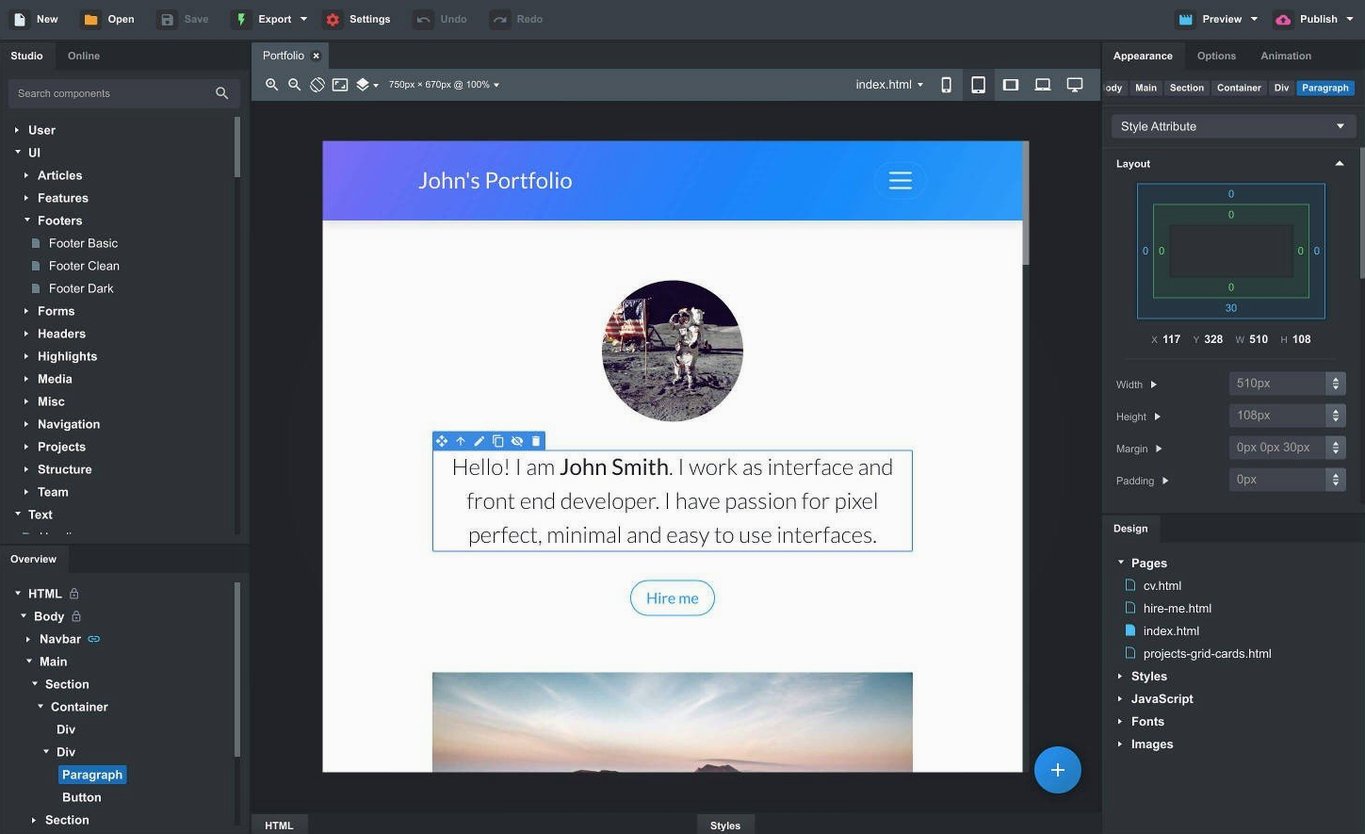
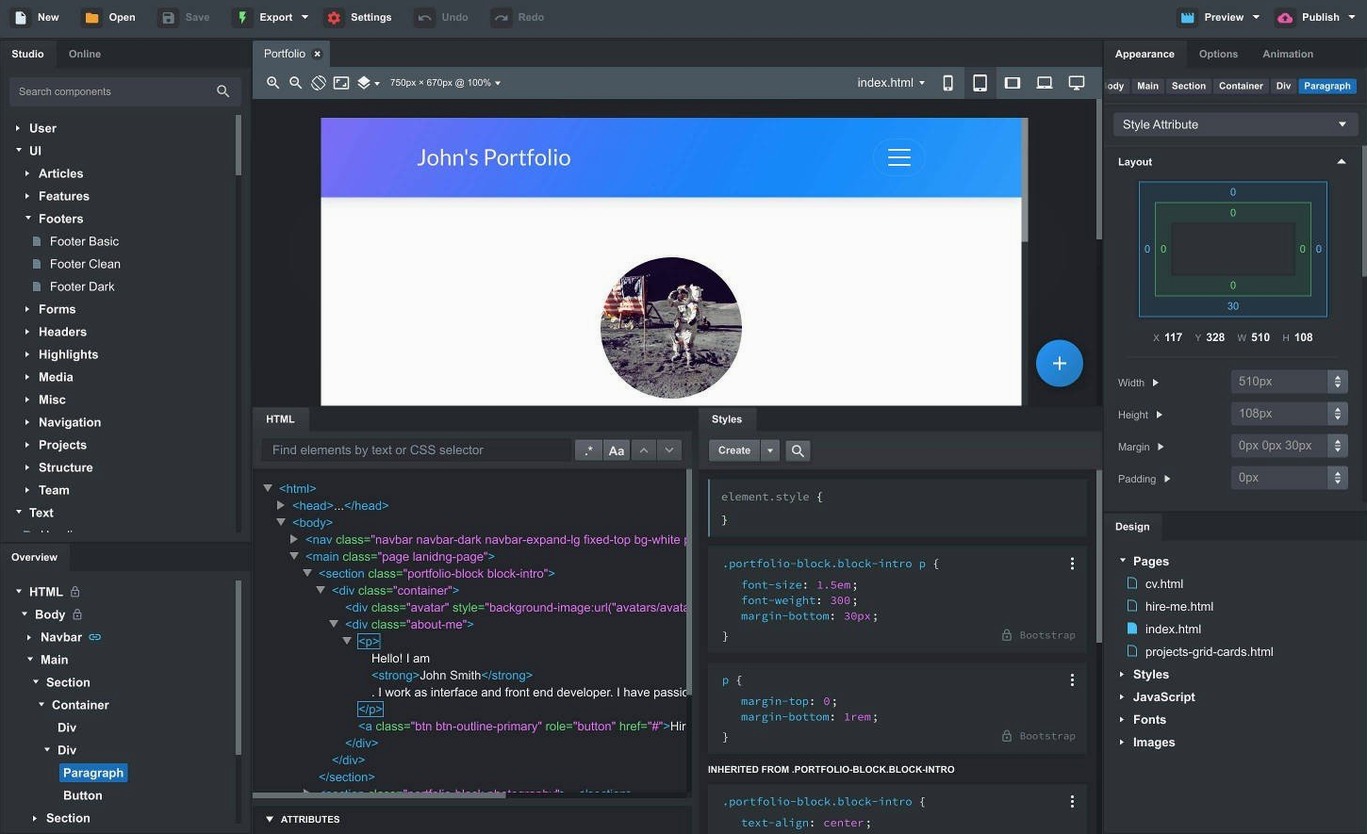
Desktop website builder — This is a native Mac app, not a browser service. Your project files live locally, and you work with a direct-manipulation interface that feels closer to a design tool than a code editor.
Drag-and-drop components — Headers, footers, galleries, slideshows, spacers, divs. You pull them onto the canvas and nest them with smart drop zones that understand Bootstrap's parent-child rules.
Custom components — Select a chunk of your design—a hero section, a pricing card—and save it as a reusable component. The online library also offers community-built blocks you can pull into a project.
Linked components — Change a footer or nav bar in one place, and every page that uses it updates. No copy-paste drift across a multi-page site.
SCSS editing — Full support for writing and compiling SCSS means you aren't boxed into default Bootstrap variables. You control the styling pipeline.
Website import — Drag an existing site's HTML, CSS, JS, and images straight into the app. It parses the structure and rebuilds it as an editable project, which is handy when you're rescuing a site that started outside the Bootstrap ecosystem.
Freelancers Shipping Three Client Sites Before Lunch
Freelancers juggling three client sites before lunch. The drag-and-drop canvas lets you rough out a landing page in the time it would take to scaffold a project by hand, and the export gives you clean HTML you can hand off without apologizing for the markup.
Designers who think in visuals but need to deliver working code. You can build a full prototype without writing a line of JavaScript, then pop open the CSS panel and tweak the SCSS when the client asks for a darker shade of blue. The live preview across browsers catches responsive breakpoints that mockups miss.
Development teams standardizing on Bootstrap. Linked components act like a lightweight design system — update the nav bar once, and twenty pages stay in sync. No one accidentally ships last month's footer.
Students and tinkerers who want to learn the framework by seeing what each component does. Pull a carousel onto the canvas, inspect the generated markup, and the Bootstrap documentation suddenly makes more sense. The community component library also gives you starting points that aren't lorem ipsum filler.
Reconstruct the DOM by Dragging in an Old Site Folder
Start with the import tool before you build anything new. Drag an old site's folder onto the app and watch it reconstruct the DOM. You'll spot which Bootstrap classes you were overusing and which grid patterns the app translates cleanly. It's a fast way to create a base project from something you already built elsewhere.
Make custom components early. As soon as you finish a section you like — a pricing table, a hero with a background video — select it and save it. By day three you'll have a personal library that cuts assembly time in half. The community library is solid, but your own blocks already match the spacing and typography you default to.
Decide on one Bootstrap version per project and lock it in. Version 6.7.3 supports 3.4, 4.6, and 5.3, and switching mid-stream reflows everything in ways that chew through an afternoon. New project? Bootstrap 5.3. Maintaining an older client site? Match whatever it's already running.
Silicon Launch in Three Seconds, Fifty Components Without Stutter
On Apple Silicon, the app launches in about three seconds and a canvas with fifty components scrolls without stutter. Intel Macs feel a beat slower on the initial project load, but once the workspace is open, dragging components and switching between pages is fluid.
RAM usage sits around 400–600 MB for a typical five-page project — reasonable for a visual builder that tracks live previews and keeps an undo history deep enough to bail you out of a bad layout choice. I've seen it climb past 1 GB with several large projects open simultaneously, which is worth noting if you share memory with After Effects or a dozen Chrome tabs.
Auto-save has never lost a component on me, even during macOS updates that forced a restart. The app writes to a local project file, so there's no cloud sync lag or server-side hiccup to worry about. Export times for a full site run under ten seconds on an M-series Mac; a big SCSS compile adds maybe a second or two.
The AI Assistant, now with gpt-4o-mini and gpt-4o model support in this release, responds quickly when you ask it to generate a section or debug a layout — response latency feels comparable to the ChatGPT desktop app. The fixed API key dialog means you're not wrestling with authentication before you can use it.
For a bootstrap studio mac workflow where you're prototyping in the morning and shipping code by evening, the stability holds up. I haven't hit a crash when dragging complex nested grids, and the only slowdown I've noticed comes from the live preview refreshing across three browsers simultaneously — which is more of a bandwidth tax on the browsers than on Bootstrap Studio itself. If you're pulling a bootstrap studio torrent version to test the waters before committing, you'll see the same performance profile; just make sure your firewall isn't blocking the local preview server so everything renders smoothly.
The Icon Dialog now shows icon counts and types for each set, which saves a guess when you're scrolling through Font Awesome versus Material Icons. The OpenAI API key entry dialog got a fix for keys it was rejecting incorrectly. Bootstrap modals picked up a Click Outside to Close option, sticky navbars got a Sticky On setting, and the AI Assistant now lists gpt-4o-mini and gpt-4o as available models.
- macOS 10.13 or later
- Intel or Apple Silicon Mac
Questions I actually get
Can I import an existing website into Bootstrap Studio?
Yes. You can drag HTML, CSS, JS, and image files directly into the app, and it will parse them into an editable Bootstrap project.
Does Bootstrap Studio handle SCSS?
It has full support for creating and editing SCSS files, so you can work with variables, mixins, and the complete Bootstrap source styles.
Notes from the edit bay · 0
Sign in or get an edit-bay pass to leave a note.
No notes from the edit bay yet. They go up after I read them.