
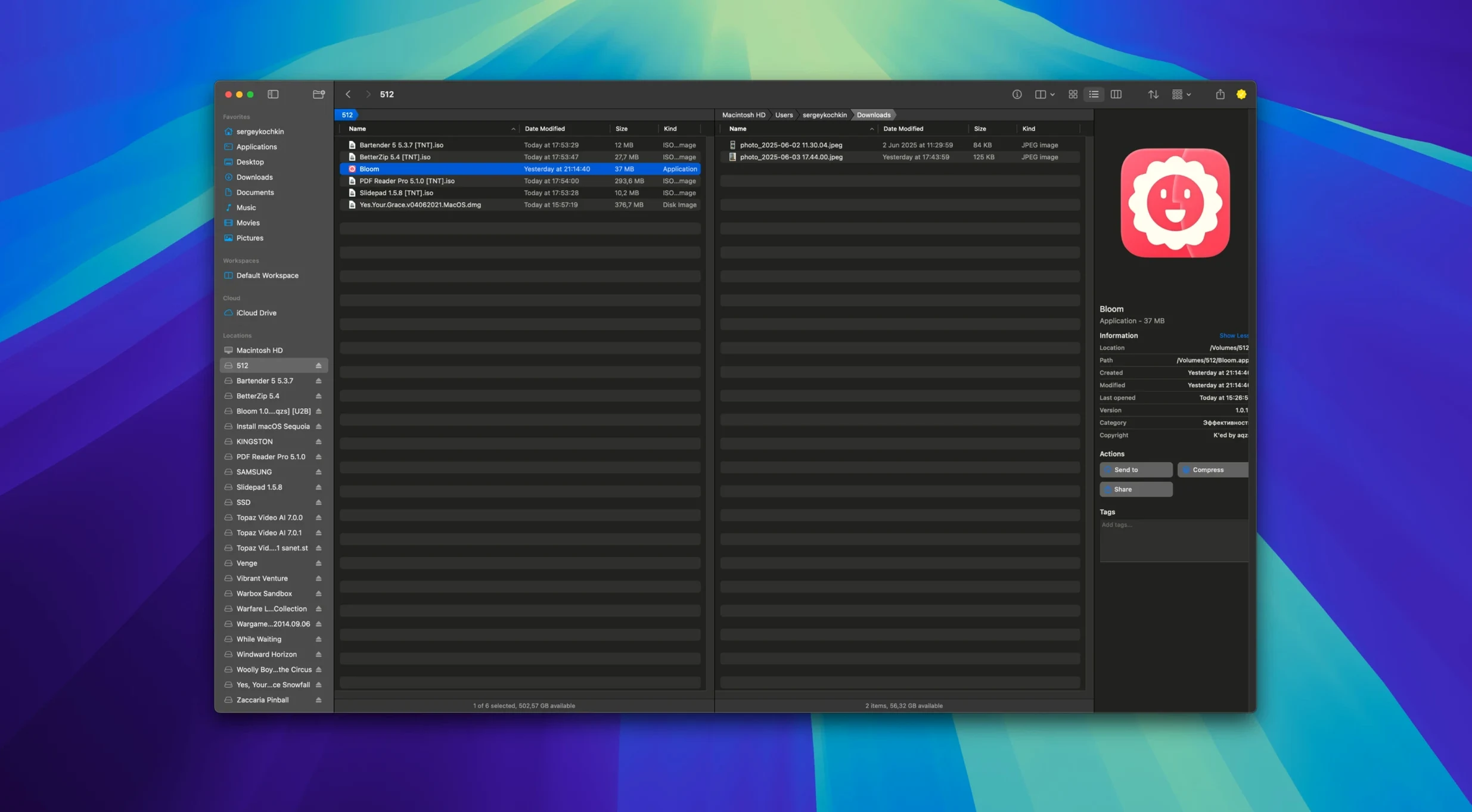
Finder gets you to files. It also gets in your way the moment you need to jump between project folders, scan a drive for space hogs, or compare assets across directories. The tabs, the separate windows, the constant resizing — it all adds friction when you're on a deadline.
Where It Changes the Game
Bloom strips the friction by focusing on how you actually move through folders. The big moves:
- Folder-based search that stays put. Hit ⌘F and you're searching inside the current directory, not the entire Mac. No losing context.
- Instant system jumps. ⌘⇧⏎ drops you into common locations — Desktop, Downloads, iCloud — without hunting through a sidebar.
- A treemap for disk usage. The folder scanner builds a visual map of what's eating your drive. Big files pop immediately; no waiting for a bar to fill.
- Archive previewing. Peek inside zips, tarballs, and other archives without extracting them first. Quick check, close the tab, move on.
- The Portal window. Pin a small file browser above other apps or dock it to the screen edge. Drag-and-drop without switching workspaces.
Auto-Resizing Columns That Follow You Into Deep Folders
Workspace customization ties the room together. Auto-resizing columns keep things readable when you drill into deep folder structures. You can create new file types right from the interface — text files, folders, whatever the project needs next. The app runs natively on both Apple Silicon and Intel Macs, so there's no Rosetta penalty on M-series chips. It's not trying to replace every Finder feature. It's stripping away the ones that slow you down and putting navigation tools where your fingers already are.
Smarter Task Scheduling for Smoother Network Drive Ops
Version 1.5.42 isn't a headline-grabbing overhaul — and that's the point. The update tightens the task scheduler so queued file operations (moves, copies, renames) don't pile up and stall when you're working across network drives. Portal mode got smarter about remembering its last screen-edge position between restarts; previously it'd drift back to center after a reboot. The undo chain for batch renames now tracks each file individually, so reversing a regex rename on thirty files actually unwinds all thirty instead of leaving orphaned changes. Also fixed: a rare crash when previewing PDFs right at the 10 MB boundary, and a lag spike when the treemap scanner hit folders with tens of thousands of tiny files — cache builds, node_modules, that sort of thing.
A Session That Doesn't Fight Back
Say you're assembling a cutdown for a client. Raw footage landed in Downloads as a zip, project assets live in an iCloud folder, and you need a scratch space for exports.
Open Bloom, hit ⌘⇧⏎ and jump straight to Downloads. The zip's sitting there — press Space, the preview panel shows its contents without extracting. You spot the three clips you need, drag them to a folder you'll create with a right-click. While that copies, you hit ⌘⇧⏎ again, arrow down to the project folder on iCloud, and start a ⌘F search for the client's name. Results narrow inside that directory alone; no system-wide noise about old invoices or email attachments.
You notice the drive's running tight. The treemap scanner loads in a few seconds — a color-coded block map of every folder's footprint. The render cache from last week is a fat rectangle in the corner. You right-click it, queue a delete through the task scheduler, and keep working while it clears. No beachball, no Finder window freezing while it calculates sizes.
Before export, you need a clean naming convention. Select the proxy files, open the advanced renamer, write a quick regex to strip date stamps and add scene numbers. The undo log records each rename. If the pattern's wrong, one undo puts everything back — no manual recovery.
Portal window pinned to the right edge of the screen holds your scratch folder. You drag exports straight from DaVinci into it without ever leaving the timeline. The session didn't involve a single Finder window.
Right-Click to Launch Terminal Right Where You Are
Bloom doesn't try to replace Terminal — it launches it. Right-click any folder, open a shell at that path, and you're in zsh with the working directory already set. That's one less cd command when you need to run ffmpeg batch conversions or check file permissions.
With iCloud Drive, Bloom treats remote folders like local ones. The search, the treemap, the rename tools — they all work across cloud-synced directories without the Finder's occasional "waiting to download" stalls. Tag management plays nice with macOS's native tag system too; tags you apply in Bloom show up in Spotlight searches and Finder smart folders, and vice versa. The image converter hooks into the same right-click workflow: select a batch of PNGs, optimize them to JPEGs for client review, and the converted files drop into the same folder with a suffix you define. No opening Preview or Pixelmator for a simple format flip.
For anyone who grabbed the bloom torrent or searched oeksound bloom free download expecting the audio plugin of the same name — different tool entirely. This Bloom is the file manager from INCHMAN1900. If you came across kshmr bloom torrent or oeksound bloom download, you were in audio-plugin territory. The bloom oeksound torrent floating around is unrelated software. This app lives in the Finder-replacement world, and it integrates with your Mac's file system, not your DAW.
- macOS 14 or later
- Apple Silicon or Intel 64-bit
Questions I actually get
Does Bloom work on older Intel Macs?
Yes, it runs natively on both Apple Silicon and Intel Macs, so you get full speed on either architecture.
Notes from the edit bay · 0
Sign in or get an edit-bay pass to leave a note.
No notes from the edit bay yet. They go up after I read them.