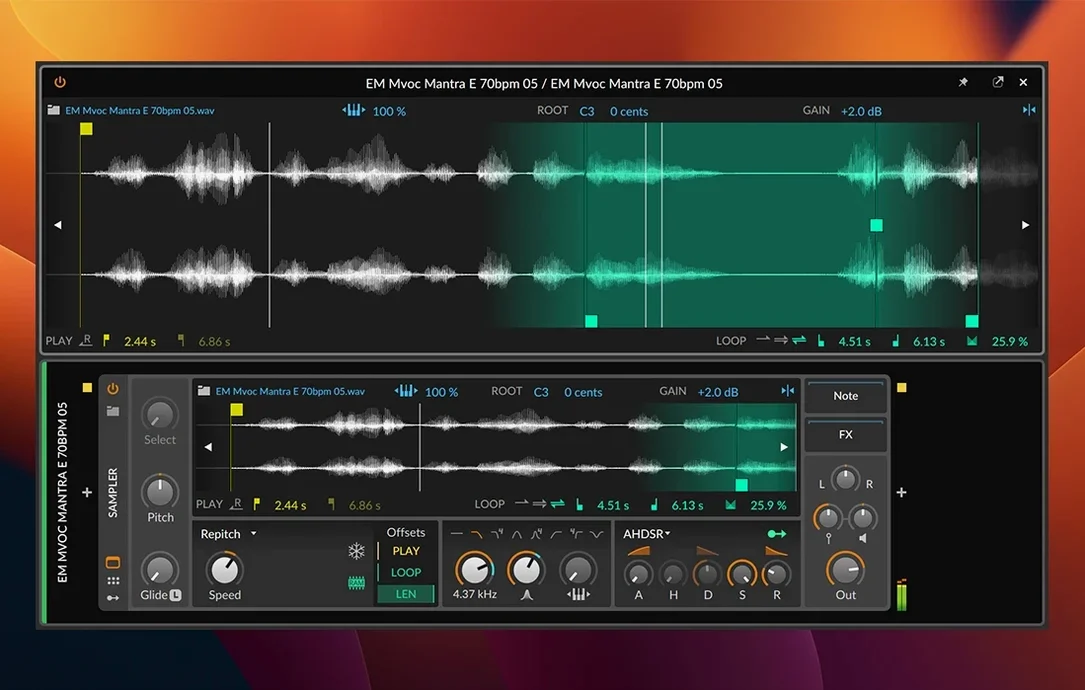
Version 6.1 brings automatic tempo detection right into the arranger — drop an audio clip of a drum break or a synth loop and Bitwig figures out the BPM without a manual tap routine. The Sampler got a serious overhaul too, adding Spectral and Fragments play modes alongside new slicing tools that turn a single sample into a playable kit in seconds.
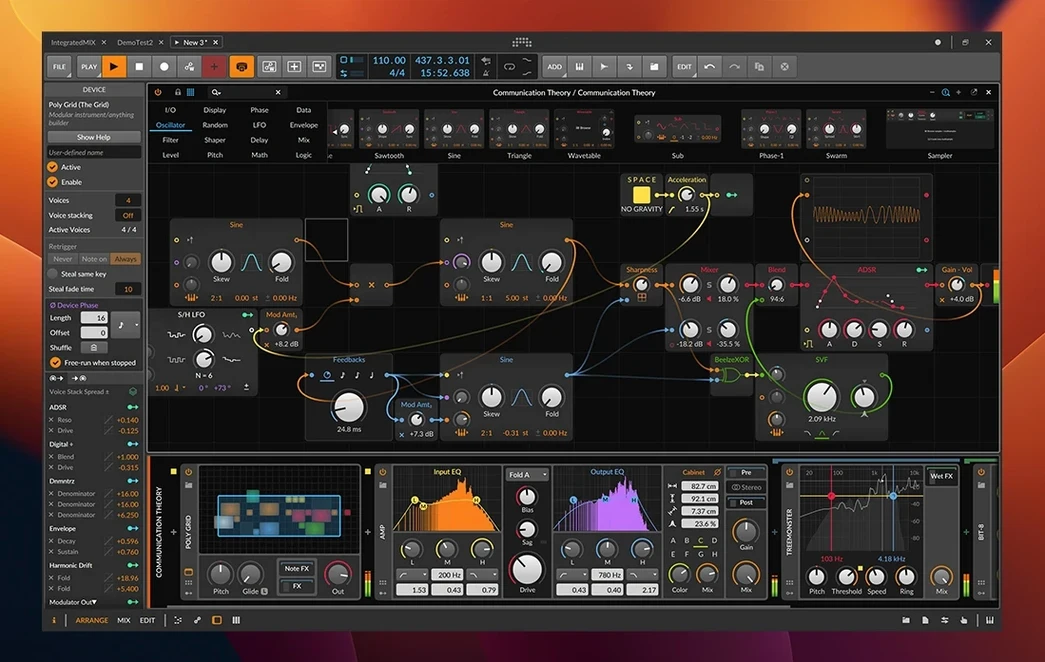
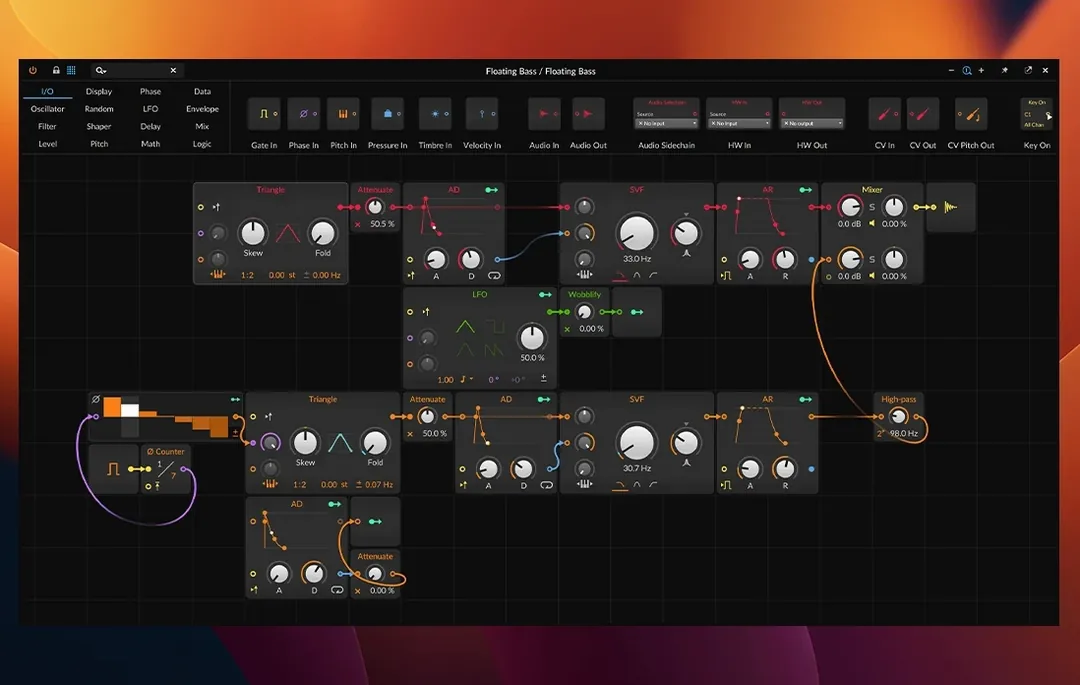
Where it fits on a Mac already running Logic or Ableton: Bitwig is the one you open when modulation matters more than mixing. The Grid, its modular sound design environment, plus a cable-free modulation system that lets you map an LFO to a filter cutoff just by clicking and dragging, means patches can go somewhere unpredictable fast. There are over 80 native devices and effects in the box — synths, EQs, dynamics, note processors — so the built-in toolkit is deep before you even touch a third-party plug-in.
MPE support is native, not bolted on. Controllers like a ROLI Seaboard or LinnStrument send per-note pitch, timbre, and pressure data, and Bitwig responds with microtonal editing tools that let you work outside a twelve-tone grid. The three main workspaces — Arrange, Mix, and Edit — can run across separate monitors, which helps when you are dragging a clip edge on one screen while watching a loudness meter on another.
Can It Open Ableton Live Sets or Logic Projects?
Can it open Ableton Live sets or Logic projects? No. Bitwig Studio uses its own file format and does not import project files from other DAWs. You can bounce stems, drag in WAV or AIFF files, and rebuild an arrangement, but there is no cross-DAW project translator built in. If moving a session from another DAW is part of your weekly workflow, factor in that export-and-rebuild time.
Does it scan AU plug-ins, or only VST? It scans both. AU and VST3 plug-ins show up in the browser after the first launch, and the browser remembers your tagging and favorites. VST2 support is there as well, though Apple Silicon users should check whether their older VST2 plug-ins have native ARM builds; Rosetta does the rest.
How heavy is it on the CPU compared to Ableton? That depends more on the devices you stack than the DAW itself. Bitwig’s native instruments and effects are efficient, and the sandboxing architecture means a plug-in crash does not take the whole session down — the audio engine keeps running. If you push The Grid with dozens of oscillators and modulators, expect the fan to spin up, same as any modular environment would.
Sound Designers Who Spend Mornings in a Sampler
Sound designers who spend mornings in a sampler and afternoons in a modular patch gain the most. The Sampler overhaul in 6.1 — slicing, Spectral mode that stretches a snare into a pad, Fragments mode that grains a vocal into texture — rewards people who treat audio as raw material rather than a finished loop. Add The Grid and you have a playground where a single sample can feed an envelope follower, a wavetable oscillator, and three random LFOs before lunch.
Live performers who need a set to breathe benefit from the clip launcher and the way scenes can trigger modulation changes across tracks. A keyboard player running a ROLI Seaboard gets per-note expression mapped to whatever parameters matter: filter cutoff on velocity, wavetable position on slide, reverb send on pressure. Not every DAW treats that data as first-class.
Bedroom producers who build tracks by experimenting rather than following a template will click with the drag-and-drop modulation. You do not open a menu or assign a MIDI CC number — you grab an LFO icon and drop it on a knob. That speed of experimentation keeps a session moving when the idea is still fragile.
One Producer’s Afternoon
A producer pulls a dusty drum break from an old hard drive and drops it into the arranger. Bitwig detects the tempo — 98 BPM — and snaps it to the grid. She opens the Sampler in slice mode, and within a minute the kick, snare, and hi-hat occupy separate pads, each with its own pitch envelope and decay time. The snare gets a touch of Spectral mode, stretched just enough to give it a metallic tail that sits behind the dry hit.
She maps an LFO to the kick’s pitch, sets it to random, and suddenly the pattern has a subtle drift that feels human. A second LFO rides the hi-hat volume in triplets. By the time she opens The Grid to build a bass patch from a filtered square wave, the track already has a pulse and a personality. Three hours pass. The arrangement is mostly scenes, not a linear timeline — she is thinking about a live set next month, not a final mixdown. That is where Bitwig makes the most sense: when the DAW feels less like a tape machine and more like an instrument.
The 6.1 update overhauls the Sampler with new slicing tools and adds Spectral and Fragments play modes for radically different sound manipulation. Automatic tempo detection and automatic pitch detection are now built into the arranger, so dropped audio clips snap to the project grid without manual warping.
- macOS 12 Monterey or newer
- Apple Silicon or Intel processor
Questions I actually get
Can Bitwig Studio run on older Intel Macs?
Yes, it runs natively on both Apple Silicon and Intel Macs as long as you are on macOS 12 Monterey or newer.
Does Bitwig work with the gear I already own?
It works with a wide range of audio interfaces and MIDI controllers, including MPE devices like the ROLI Seaboard and LinnStrument.
Notes from the edit bay · 0
Sign in or get an edit-bay pass to leave a note.
No notes from the edit bay yet. They go up after I read them.