BetterMouse requires macOS 11 or later. The latest update bumped the minimum to macOS 12.0, so owners of older machines will need to stay on a previous build. It runs on Intel and Apple Silicon Macs.
Escape the Stock Acceleration Curve
Anyone who plugs a third‑party mouse into a Mac and hates the stock acceleration curve. If you’ve tolerated Logitech Options or a similar driver just to reclaim a scroll direction or a side button, BetterMouse is the lighter, single‑purpose replacement. The app sits in the menu bar and lets you remap clicks, wheels, and extra buttons without a kernel extension.
Set Scroll Direction Once, Edit Everywhere
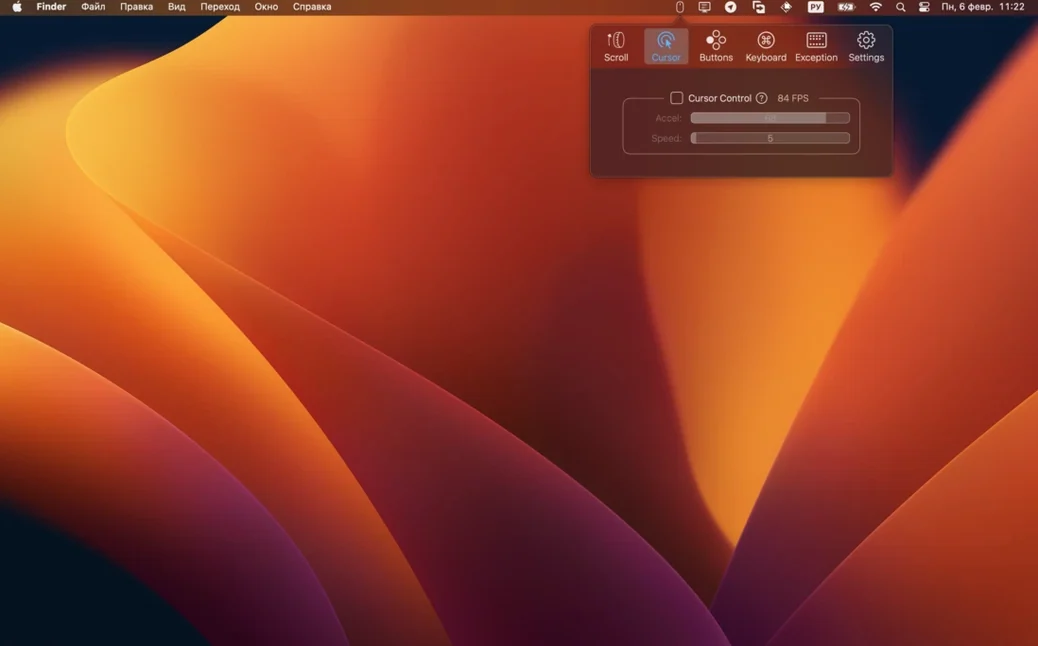
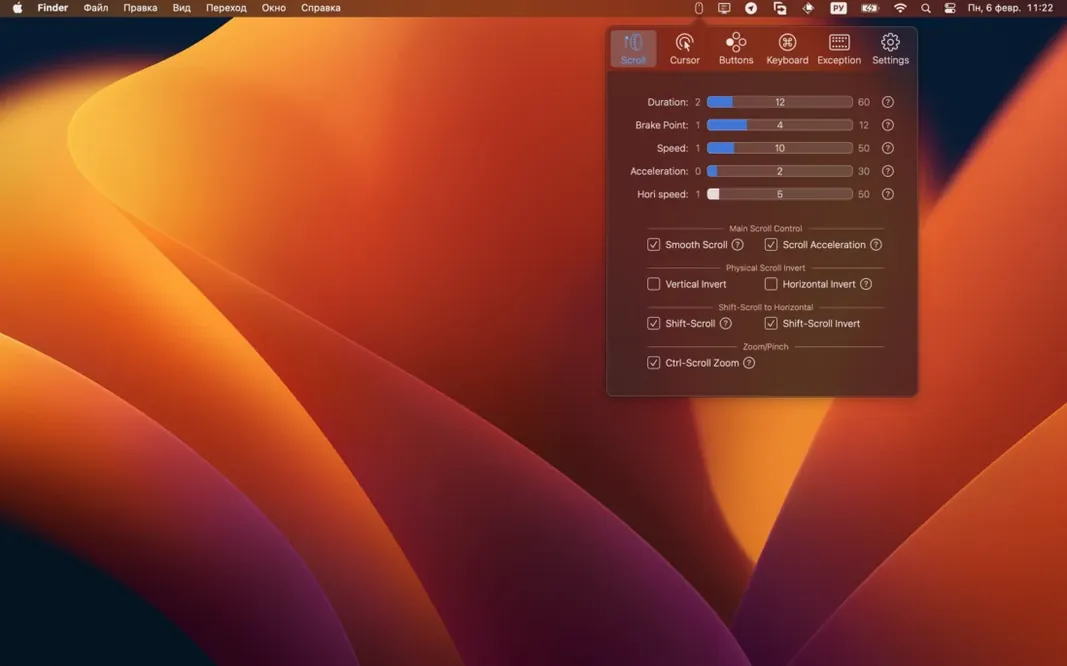
Right between the Bluetooth pairing dialog and the first edit you make. You set smooth scrolling duration and acceleration, disable cursor acceleration entirely, or map shift‑scroll to horizontal scrolling with configurable speed. Those settings persist across every app, so you stop adjusting muscle memory when you jump from Final Cut to a browser.
What Are the Standout Features?
Click‑Through for left and right clicks works on inactive windows — click a background window’s button without bringing it forward first. Directional gestures on extra mouse buttons trigger Mission Control, media keys, or custom shortcuts. Ctrl‑scroll zooms, shift‑scroll pans horizontally, and discrete scrolling can run with or without acceleration. Everything lives in a single preference pane with English as the interface language.
What’s the Catch?
The feature set is deep, but it demands macOS 11 at minimum and now requires macOS 12 for the current version. The developer cites macOS 27 requirements for the change. If your Mac meets that bar, the app strips out the bloat of manufacturer drivers and gives you back consistent cursor behavior.
Tame Twitchy Scrolling with the Duration Slider
Scroll feels too twitchy after installing? The default smooth-scroll duration is set short on some mice. Open the preference pane and drag the Smooth Scrolling Duration slider to the right — somewhere around 250–350 ms usually lands for a trackball, shorter for a gaming mouse. If discrete scrolling feels sluggish, toggle acceleration off for that axis and bump the speed up manually.
Side buttons not registering? BetterMouse sees the raw input before macOS does. Head into the Buttons tab, click the physical button you want to map, and assign it to a keyboard shortcut or a system action. Some Logitech devices report extra buttons over a non‑standard channel — in that case, uninstall Logitech Options completely, restart, and let the mac bettermouse app handle the connection directly.
Click‑Through misbehaves in a specific app? The per‑mapping setting overrides the global checkbox. If a middle‑click mapping keeps bringing a background window forward, open that mapping’s gear menu and disable click‑through for that entry only.
A Real Workflow: Taming a New Mouse for Video Editing
You unbox a third‑party vertical mouse on a Monday morning. Here’s the sequence in BetterMouse:
- Open the Cursor tab. Disable acceleration entirely — you want 1:1 movement for frame‑accurate timeline scrubbing. Set cursor speed to a value where a full wrist swipe covers the width of your main display.
- Jump to Scroll. Enable smooth scrolling with a 200 ms duration and a gentle acceleration curve. Assign shift‑scroll to horizontal scrolling, set direction to natural.
- Map the forward side button to ⌘+B (blade tool toggle in Final Cut) and the back button to ⌘+Z. The extra top button gets a directional gesture: up for fullscreen playback, down for minimize.
- In the Click‑Through section, leave it on globally but disable it on the undo mapping so you never accidentally undo in a background window.
- Test across Final Cut, Motion, and a browser. Tweak scroll acceleration once more, then ignore the menu bar icon for months.
That’s the payoff with macos bettermouse: a single calibration session replaces four manufacturer utilities and a pile of muscle‑memory compromises.
Before You Install — Quick Answers
Does it replace Logitech Options entirely? Yes, for button remapping, scrolling, and cursor behavior. The mac bettermouse app handles everything those drivers do for input, but it does not manage firmware updates or battery readouts. If you only need consistent pointer and scroll behavior, you can uninstall the manufacturer’s driver.
Will it work with Apple’s Magic Mouse? It can, but it’s built for third‑party mice. The gesture surface on a Magic Mouse already has system‑level handling; BetterMouse shines with devices that ship with clunky Windows‑first software.
Is the crack rumor real? Some search queries float a “bettermouse crack” phrase around, and the good news is the app itself requires no activation tricks. The installation is a straight disk‑image drag, and the build available here is the full version. No serials, no patchers, no nonsense.
What about macOS 12 requirement? The current build demands macOS 12.0 minimum. Anyone on Big Sur can still run the previous release, but the bettermouse macos app in version 1.7.8995 targets newer frameworks. The developer pinned the bump to internal macOS 27 dependencies — updating your OS is the only path to the latest feature set.
The minimum supported macOS version is now 12.0, a change driven by macOS 27 requirements. Also fixed: the usual round of bug and crash fixes.
- macOS 11 or later (version 1.7.8995 needs macOS 12.0)
- Intel or Apple Silicon Mac
Notes from the edit bay · 0
Sign in or get an edit-bay pass to leave a note.
No notes from the edit bay yet. They go up after I read them.