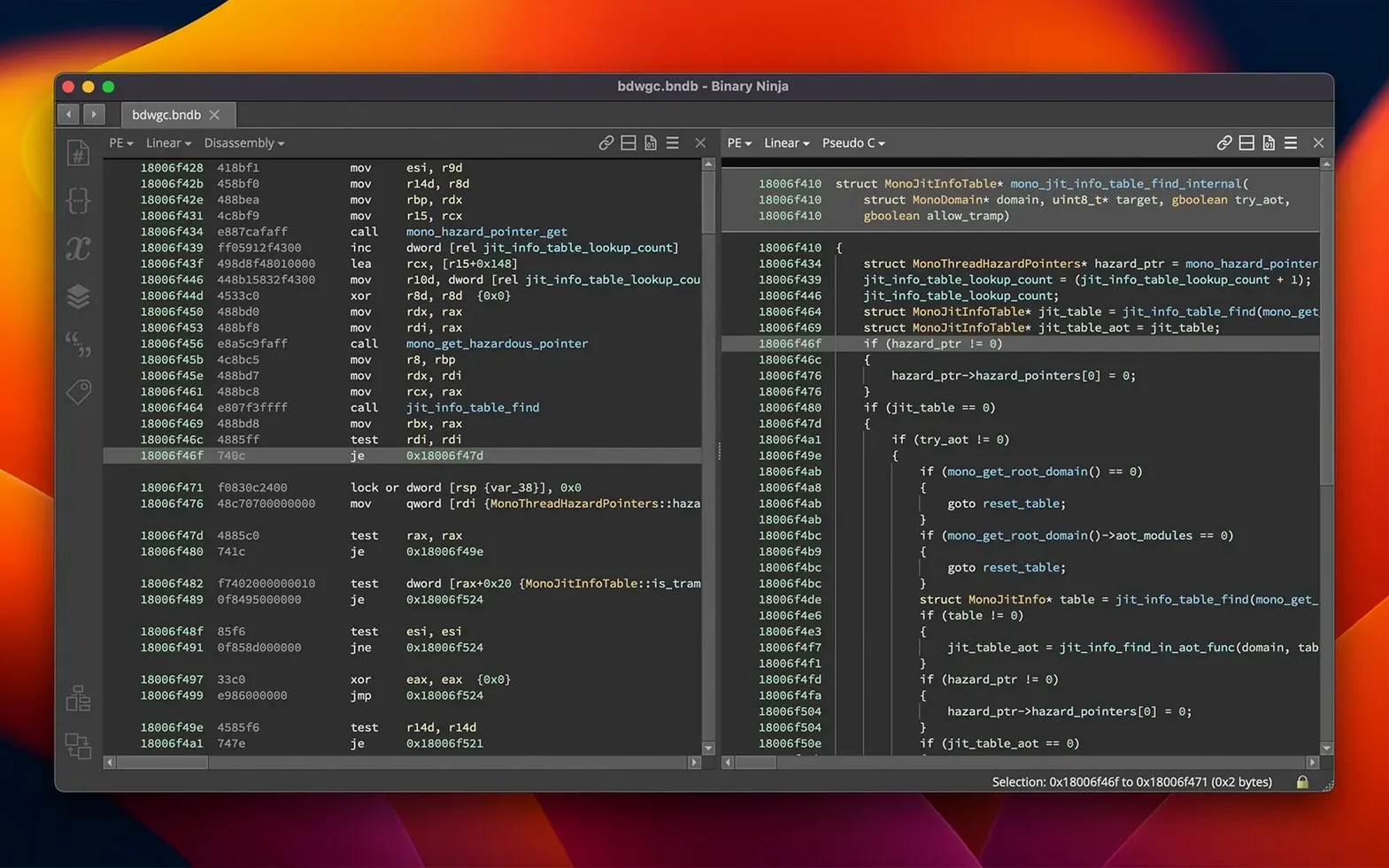
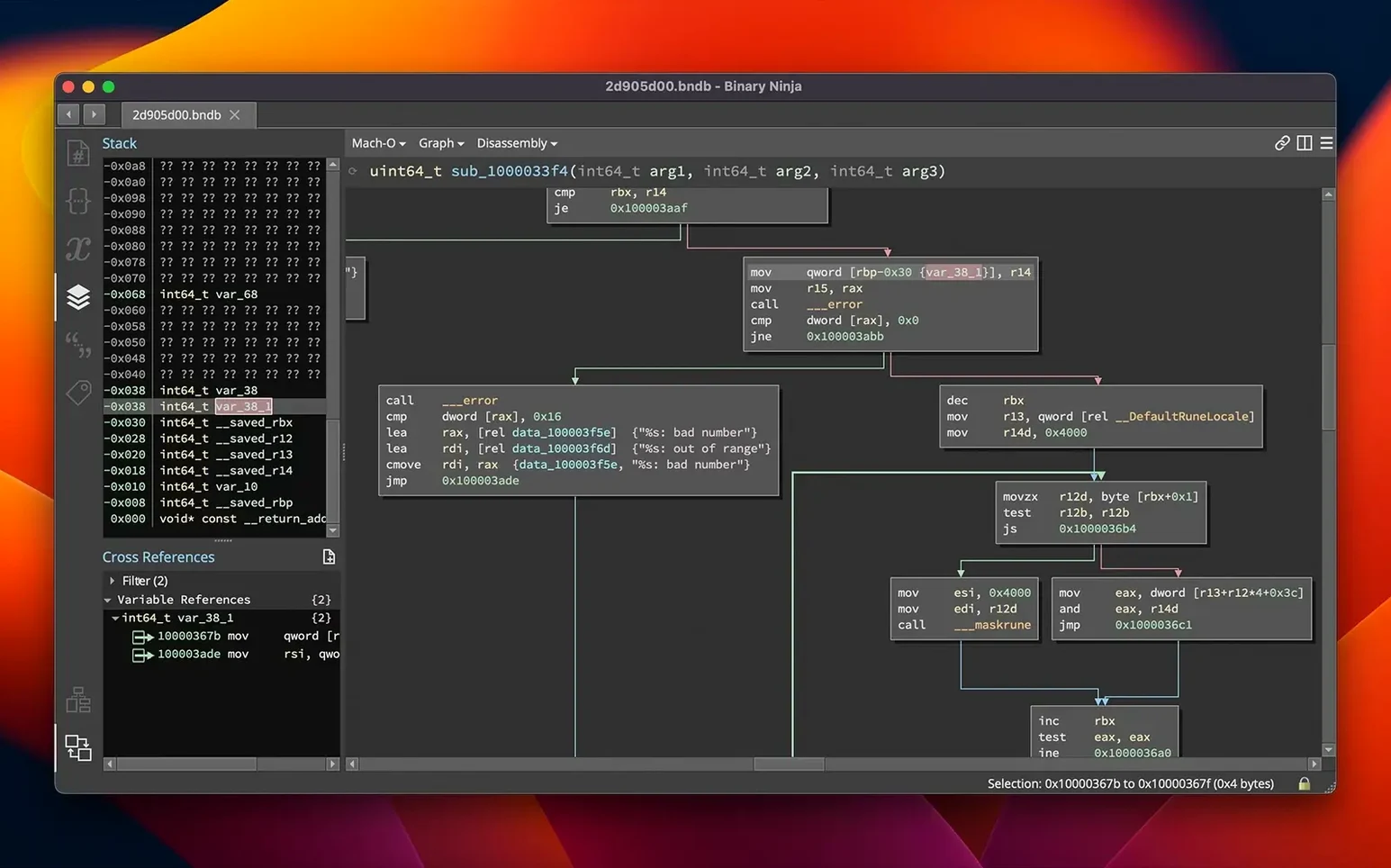
1041 in binary is 10000010001 — the kind of detail that barely scratches the surface when you're staring at raw firmware. Binary Ninja 6.0 peels back those layers on macOS 10.15 and up, running natively on both Intel and Apple Silicon. It handles the heavy lifting for PE, Mach-O, and ELF formats, with direct support for x86 64-bit and ARM architectures right on your Mac.
M1-to-M4 Macs Run It Natively—No Rosetta
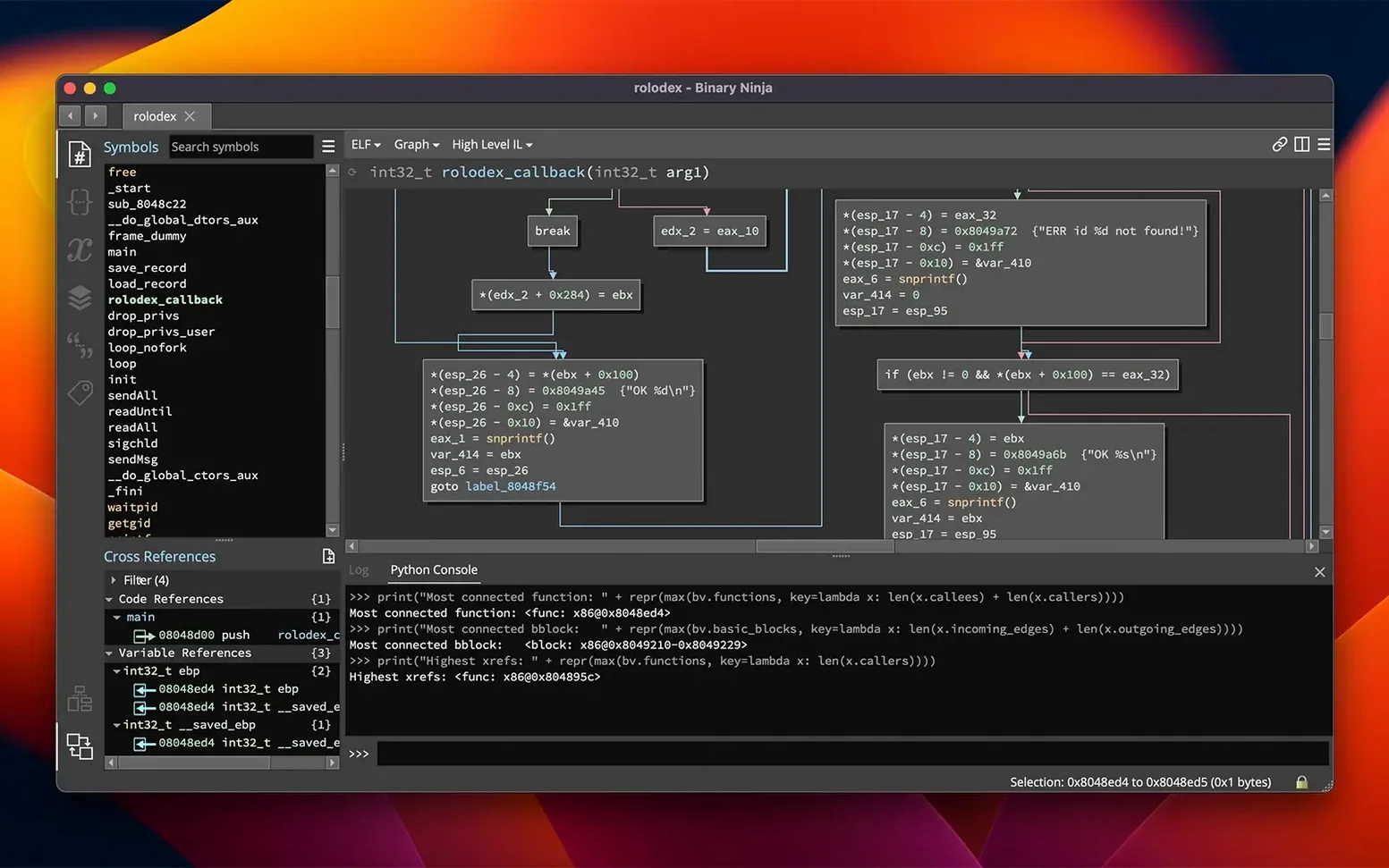
The requirements are straightforward. You need macOS 10.15 or later, and the app ships as a universal binary, so M1 through M4 Macs run it without Rosetta overhead. If you're digging through ARM64 iOS binaries or x86 macOS kexts, the disassembler and decompiler speak both dialects natively. The decompiler outputs clean C or BNIL, and the interactive control-flow graphs make sense of tangled cross-references without sending your fan into orbit.
MCP Server and Binary Similarity Land in One Release
This is a major release, and it shows. A new MCP server opens up scripting possibilities, while the Binary Similarity feature helps spot reused code across samples — useful when you're comparing builds or hunting for known patterns. The old Plugin Manager got a full redesign into the Extension Manager, which feels less like a list and more like a proper tool. Under the hood, memory usage and calling convention handling both got a serious tune-up. The TMS320C6x architecture joins the lineup, and HLIL structure initializers make the decompiler output sharper. For Mac workflows, the interactive graph view and cross-reference navigation remain the core loop: click, trace, understand, repeat.
Binary Similarity Rewrites Triage for Unknown Samples
The jump to 6.0 isn't just a version number bump — it reshapes how you move through a binary. The new Binary Similarity feature is the one that changes triage work. Paste in a sample you've never seen, and Binary Ninja cross-references it against other binaries in your workspace, flagging functions that smell like known library code or previously analyzed malware. That cuts the "what is this thing" phase considerably when you're staring at a folder of firmware extracted from IoT devices.
The redesigned Extension Manager fixes a friction point that's been around for years. Old plugin management was functional but clunky — scroll, click, hope the version matched. Now it surfaces compatibility and update status without a separate trip to GitHub. If you lean on community analysis scripts or your own Python tooling, this alone saves fifteen minutes of housekeeping per project.
HLIL structure initializers make the decompiler view more readable at a glance. Where older versions would show raw field-by-field assignments, 6.0 groups them into recognizable struct initialization patterns. The MCP server opens up automation paths that weren't practical before — think feeding decompiler output into an LLM or building a custom analysis pipeline that lives outside the GUI. On the debugger side, stability improvements mean fewer sessions lost to a crashed target process.
Malware Analysts Get Native Mach-O and ARM Disassembly
Malware analysts working on macOS or cross-platform threats get the tightest fit. The Mach-O loader and native ARM disassembly mean you're not fighting the tool to understand iOS or Apple Silicon binaries. When a suspicious process phones home, you drop it into Binary Ninja, rename the obfuscated functions, and the graph view reveals the control flow faster than staring at raw disassembly in a terminal.
Vulnerability researchers benefit from the headless analysis mode. You can script a batch of binaries — say, every kext in a macOS update — and grep for dangerous patterns without ever opening the GUI. The C++, Python, and Rust APIs all get first-class treatment, so you pick your language and build automation that fits your pipeline.
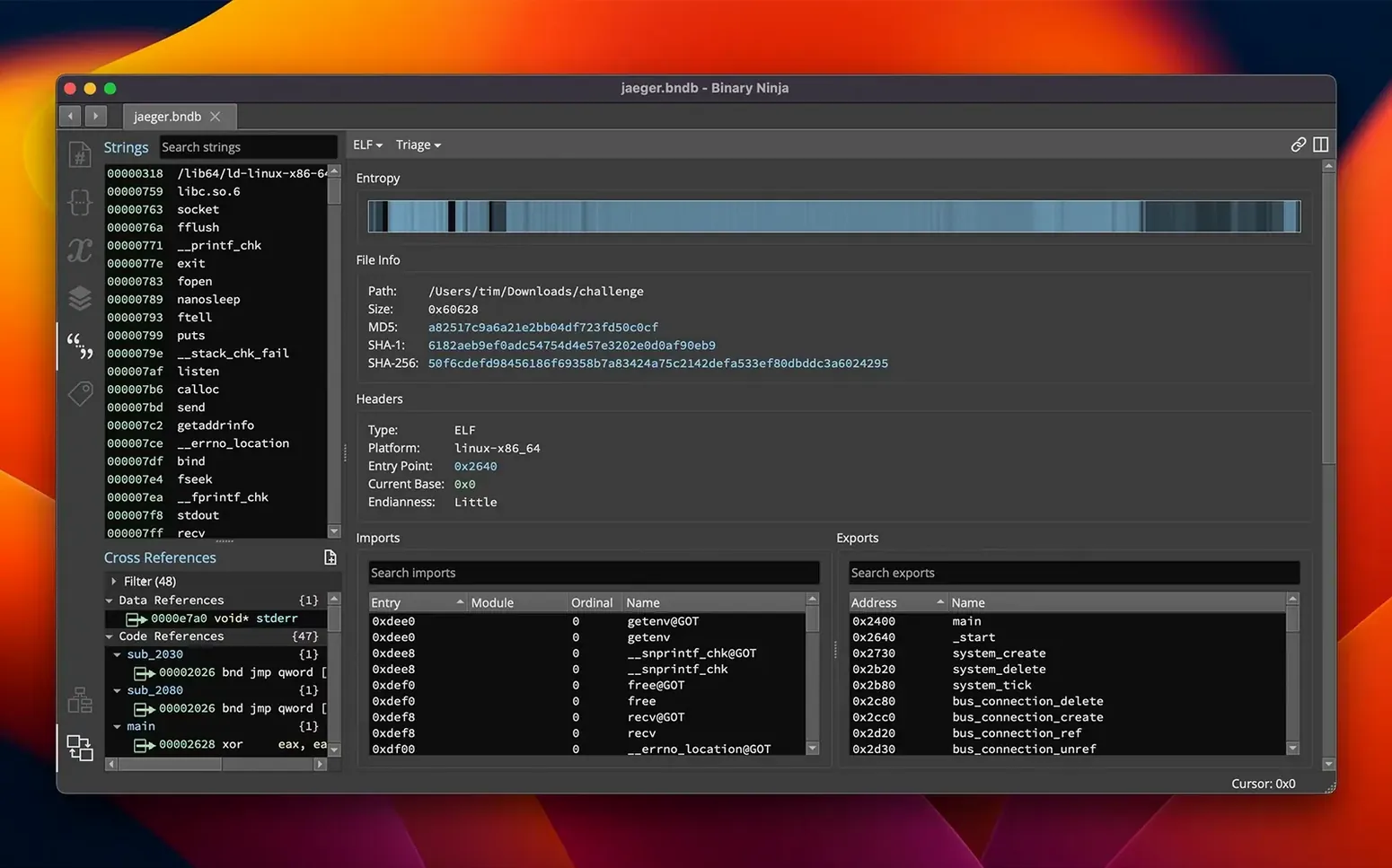
Firmware engineers reversing undocumented hardware protocols also land here. The entropy graph highlights encrypted or compressed regions in a ROM dump before you waste time trying to disassemble random data. Combined with the 6502, Z80, and TMS320C6x architecture support, you're equipped for everything from vintage game ROMs to DSP firmware in industrial gear.
HLIL Looks Like C but Buries the Ground Truth
The first trap is over-relying on the decompiler without verifying the disassembly. HLIL looks clean, almost like real C, but it's an approximation. Beginners treat decompiler output as ground truth instead of a starting point, then wonder why their understanding of a function breaks down three calls deep. Cross-check the disassembly listing — especially around indirect jumps and hand-written assembly — before you name that variable or write a comment.
Another common stumble: ignoring the entropy graph entirely. New users jump straight to disassembly on a firmware blob and spend twenty minutes staring at what turns out to be a compressed section or an embedded bitmap. The entropy view takes five seconds and tells you where the actual code lives.
The extension ecosystem can also backfire. Beginners install a dozen plugins from the Extension Manager on day one, then can't tell whether a result came from Binary Ninja's core analysis or a third-party script that's three versions out of date. Start with the stock tooling until you know what the disassembler and decompiler produce on their own. Add extensions one at a time when you hit a specific gap — not before.
Some users bounce off Binary Ninja because they try to treat it like a debugger-first tool. It does include debugger improvements in 6.0, but the platform's strength is static analysis. If your workflow starts with "attach and step through," you're bypassing the cross-reference navigation, type system, and graph view that make the tool worth using. Work the static side first, then attach the debugger where you need runtime behavior — not the other way around.
Version 6.0 is a major refresh. The headliners are the new MCP server and Binary Similarity feature. The Plugin Manager got a full redesign and is now the Extension Manager. TMS320C6x architecture support lands in this build.
- macOS 10.15 or later
- Intel or Apple Silicon Mac
- English interface
Notes from the edit bay · 0
Sign in or get an edit-bay pass to leave a note.
No notes from the edit bay yet. They go up after I read them.