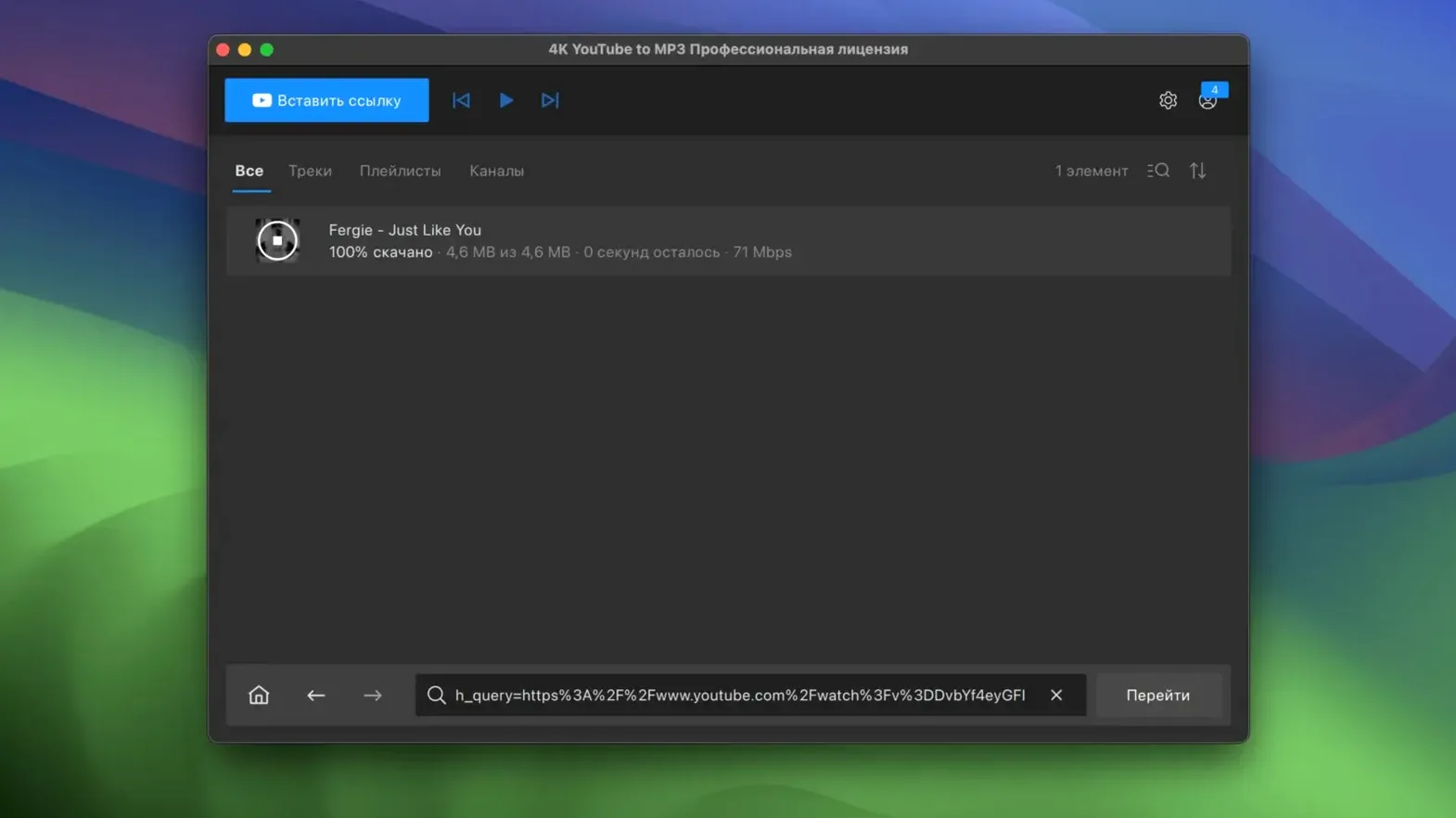
If you've used 4K Video Downloader on a Mac, this is the audio-only sibling from the same OpenMedia LLC family. It exists for one job: pulling MP3 files out of online video. The question is whether your machine is invited.
macOS 12+ on Intel Hardware, or Bust
You need macOS 12 or newer. The build targets x86 64-bit Macs, so Intel hardware is the stated requirement.
Runs Through Rosetta 2, Not a Universal Binary
This build is Intel-only, not a universal binary. Apple Silicon Macs can still run it through Rosetta 2, but that's a compatibility layer, not a native build.
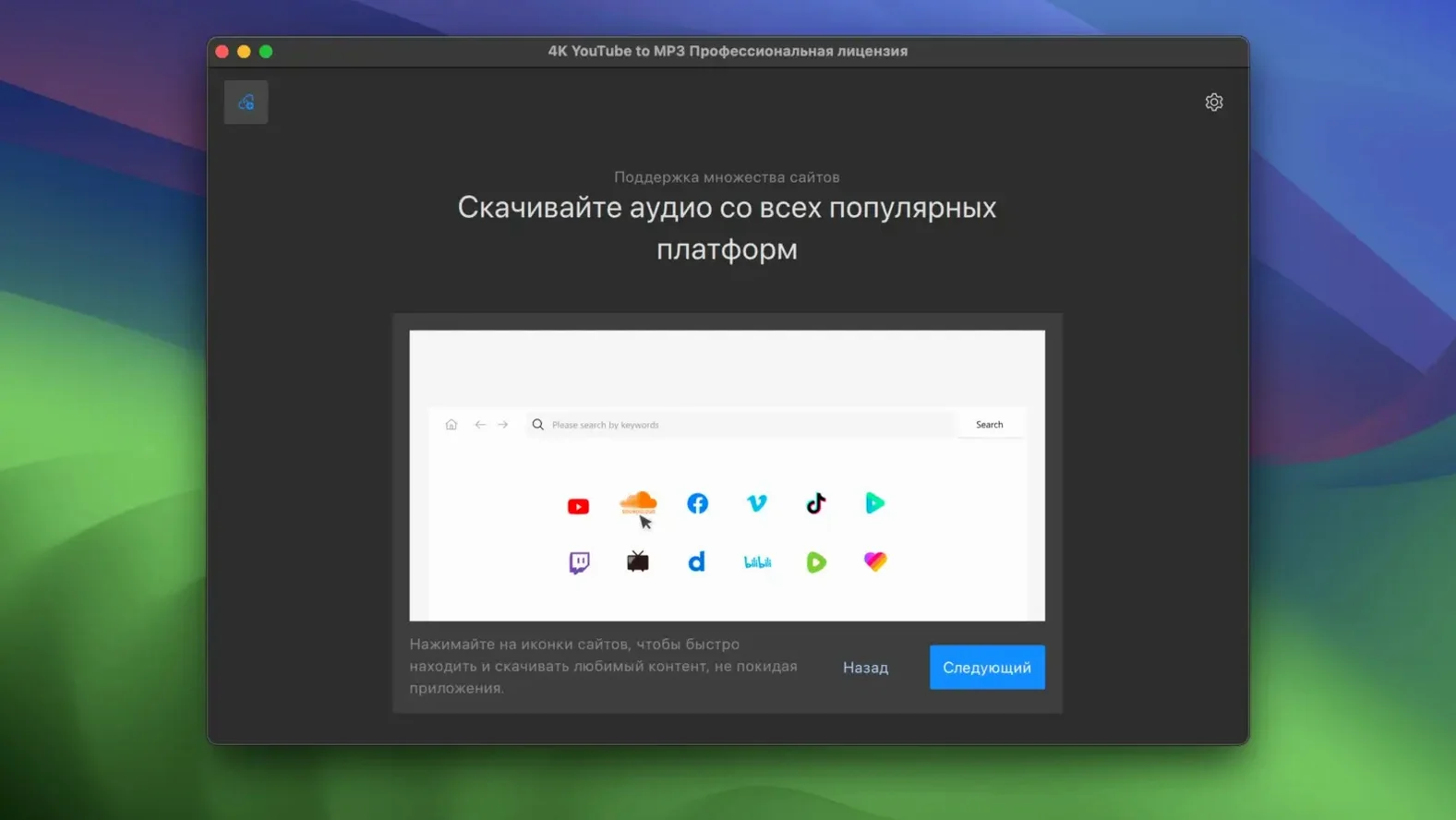
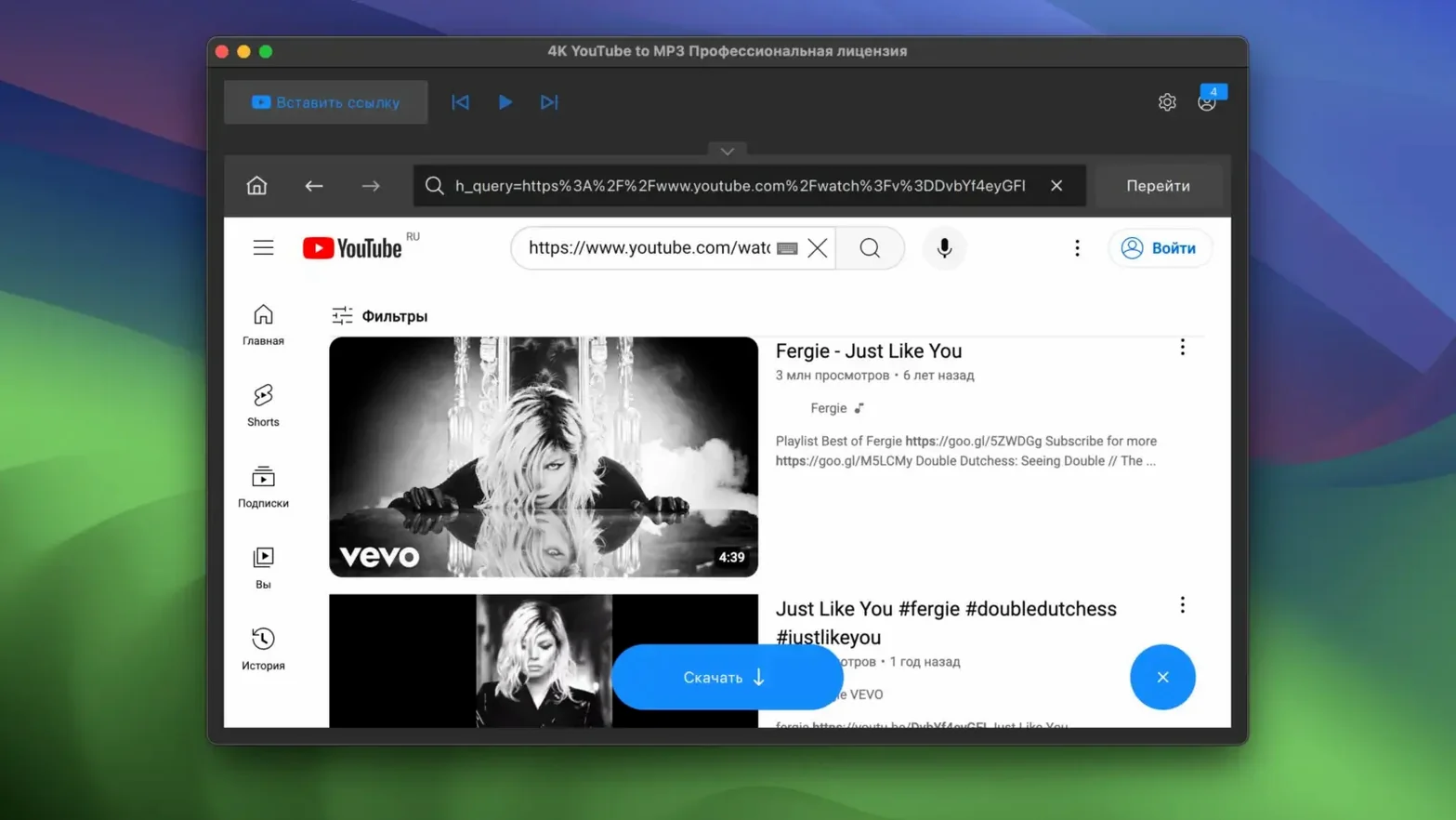
Grabs Audio from YouTube, VEVO, SoundCloud, and Facebook
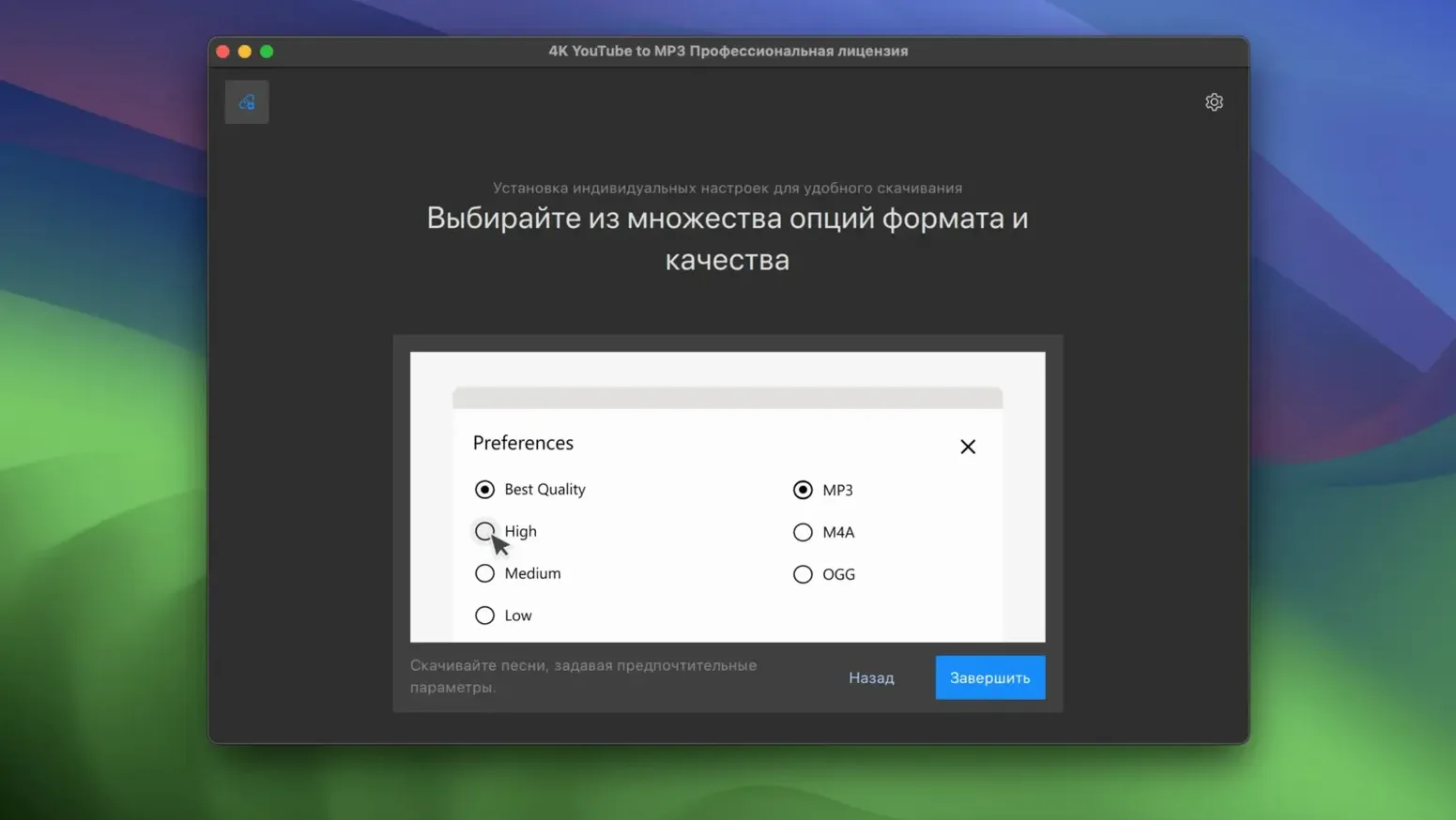
Audio from YouTube, VEVO, SoundCloud and Facebook, saved as MP3, M4A or OGG. Playlists work too, and the interface is in English.
Where Raw Audio Extraction Lands Before an Edit
Why a Trailing Timestamp Kills the Parse
The first thing I see new users trip over: pasting a full YouTube URL with a timestamp in it. That &t=45s at the end confuses the parser, and the app stares back with nothing. Strip the URL down to the video ID and it grabs cleanly.
Another one: ignoring the format dropdown before hitting convert. The default is MP3 at 128 kbps, which is fine for a podcast reference but thin for music. If you're pulling a track you actually want to listen to, switch to M4A or bump the MP3 bitrate in preferences before you start the download queue. You cannot retroactively upgrade a file already converted.
Playlist enthusiasm without checking the destination folder is a classic. The app defaults to your Mac's Music folder, and a 200-track download fills that fast. Point it at an external drive or a dedicated folder first, especially if you're pulling high-bitrate OGG files.
And the one that bites editors hardest: renaming files after download because the default naming convention puts the video title in full, punctuation and all. Some NLEs choke on special characters in filenames. Set the naming template in preferences to something cleaner — Artist - Title works — before you import into Final Cut or Premiere.
ClipGrab Casts a Wider Site Net, but Feels Stuck in 2015
ClipGrab does audio extraction as a side feature, and it handles a wider range of sites including Vimeo and Dailymotion. The trade-off: its interface feels like a student project from 2015. 4K YouTube to MP3 strips away every option not related to audio, so you spend less time unchecking video formats and more time converting. If you never need video output, the narrower focus is a win.
MediaHuman YouTube to MP3 is the closest competitor in spirit. It also does playlists, also targets audio-only, and its tag editor is actually better for batch-correcting metadata after download. Where 4K pulls ahead is with SoundCloud and Facebook support — MediaHuman sticks mostly to YouTube and Vimeo. If your audio sources are scattered across platforms, 4K covers more ground.
Downie is the wildcard. It handles video and audio from a massive list of sites and updates its extraction logic frequently. But it's a generalist. For someone doing a daily audio pull from a YouTube playlist, 4K's single-purpose design means fewer clicks and a faster trip from paste to file. Downie rewards the person who downloads everything from everywhere; 4K rewards the person who just wants the MP3.
Switch to M4A Before Your First Download
Before you download a single track, open Preferences and change two things. First, the output format. If you use Apple devices, set it to M4A — same quality at smaller file sizes and better metadata support in the Music app. Second, the concurrent download count. The default is usually conservative. Bump it to five and a twenty-track playlist finishes in minutes instead of dragging.
Set up a watched folder for automation if your workflow repeats. Drop a text file full of URLs into a folder, point the app at it, and walk away. This is especially useful for grabbing a podcast's back catalog or a DJ's full SoundCloud stream before a flight.
Test one download from each source you plan to use before committing to a long queue. Facebook audio extraction behaves differently from YouTube — some videos pull the entire audio track, others grab only what Facebook serves as the audio stream. Knowing what you get saves you from discovering a silent file forty minutes into a batch.
And if you're searching for a 4k youtube to mp3 mac workflow that respects your editing timeline, convert to M4A and drop the files directly into Final Cut's audio lane without transcoding. No re-wrap, no delay.
Speed Bottlenecks on Network, Not the CPU
On an Intel Mac running Monterey, conversion speed is tied entirely to network throughput, not CPU. The app isn't encoding anything; it's pulling the audio stream already compressed and wrapping it in the chosen container. A four-minute track lands in under ten seconds on a decent connection. A 4k youtube downloader that also handles audio-only pulls would add video decoding overhead — this skips it entirely, and that's where the speed advantage lives.
Memory use is negligible. I've seen it hover around 120 MB with a twenty-item playlist churning, which puts it below a single Safari tab playing the same video. The 4k youtube to mp3 pro build — and this version inherits the same engine — keeps resource demands flat because there's no preview window, no waveform renderer, no graphics pipeline. It's a list, a progress bar, and a file.
Stability is uneventful in a good way. I've thrown 80-track playlists at it and walked away for coffee without a crash. The only hiccup I've reproduced is with network timeouts on slow VPN connections, where the app retries a few times then marks the item as failed rather than stalling the queue. That's the right failure behavior for a batch tool.
If you've used a 4k youtube to mp3 25.3.2 build in the past, version 26.3.5 feels like the same architecture matured. Faster playlist parsing, fewer parsing errors on SoundCloud links with query strings, and a responsiveness that suggests the parser got tightened up somewhere under the hood. It's not flashy, but it's the kind of tool that earns its place on the Dock by never being the reason a deadline slips.
Before you reach for a screen recorder or an audio extraction workaround, this handles the direct route from URL to MP3.
- macOS 12 or newer
- Intel x86 64-bit Mac
- English interface
Notes from the edit bay · 0
Sign in or get an edit-bay pass to leave a note.
No notes from the edit bay yet. They go up after I read them.