



Money Pro is a personal finance manager that replaces the guessing game of a spreadsheet with a clear structure for bills, budgets, and account balances.
Track Every Account in One Window
Checking, savings, credit cards, cash—drop them all into the same ledger. The app keeps a running history so you see exactly what you owe and what you have, updated automatically when you mark a payment done.
Build a Budget That Actually Rolls Over
Set income and expense limits per week, month, or custom period. Unused grocery money shifts into the next cycle instead of vanishing, so a frugal week rewards the next one. Split a single receipt across categories when the drugstore run includes both snacks and shampoo.
Plan Bills on a Calendar
Tap a date to mark an upcoming payment, then set the recurrence—weekly rent, quarterly insurance, annual subscriptions. The forecast view shows whether your balance will survive the month before the money leaves your account.
Set Your Real Currency Before a Single Cent Slips In
Open preferences and switch the default currency to the one you actually spend. The app pulls exchange rates automatically, but it won't guess that you meant pesos instead of dollars. Set it once under Currencies and forget it.
Next, turn on Password Protection. Financial data sitting unprotected on a Mac is an unnecessary gamble. The option is right in the security tab—pick a code, enable it, done.
Finally, decide whether you want unused budget amounts to carry over. The behavior is on by default for new budgets, but double-check each one you create. Some people hate seeing last month's leftover coffee money inflate this month's allowance; others rely on it. The toggle is per budget, not global.
One Accidental Tap Marks the Bill Paid—With No Undo
The calendar marks a payment as completed with one tap—too easily, sometimes. A grazed finger or an accidental click and suddenly the electric bill looks paid. There's no undo toast, so you need to hunt down the transaction and flip the status back manually. Get in the habit of glancing at the Scheduled list after any session where you tapped around the calendar.
OFX imports can choke when the bank formats the file oddly. If a column refuses to map during import, open the file in a text editor and check that the headers match what Money Pro expects. Usually it's a date field labeled something nonstandard. CSV imports give you more control—use them when the OFX route stalls.
iCloud sync occasionally stalls between an iPhone and a Mac. The fix is boring but reliable: quit the app on both devices, open it on the Mac first, then on the phone. The transaction that was stuck mid-air usually appears within seconds.
Why a Single “Monthly Spending” Bucket Wastes the App’s Best Feature
Creating a single budget called "Monthly Spending" and dumping everything into it. Money Pro lets you budget per category—groceries, gas, entertainment—and that granularity is the whole point. A single bucket tells you nothing except that you spent money. Split them up.
Ignoring the transaction class field. Marking something as Business versus Personal takes one extra tap, but come tax season or a freelance income review, that distinction saves an afternoon of squinting at receipts. The field is right there in the transaction detail; use it.
Forgetting that profiles exist. A family sharing one Mac doesn't need to interleave their finances. Set up separate profiles and each person gets their own accounts, budgets, and calendar, all behind their own password if needed. No crossover, no confusion.
A smaller but persistent mistake: attaching photos to every transaction out of enthusiasm. It bloats the database and slows sync. Receipt photos are useful for big purchases or warranty items; for a coffee, skip it.
Version 2.11.33 is a maintenance pass that tidies up a few rough edges. Also fixed: minor bugs that could trip up certain workflows.
- macOS 12 (Monterey) or later
- Apple Silicon or Intel 64-bit Mac
Questions I actually get
Can Money Pro handle more than one currency?
Yes, it supports multiple currencies with exchange rates that update on their own, so a trip abroad or a foreign client doesn't break the ledger.
What kind of reports does the Mac version generate?
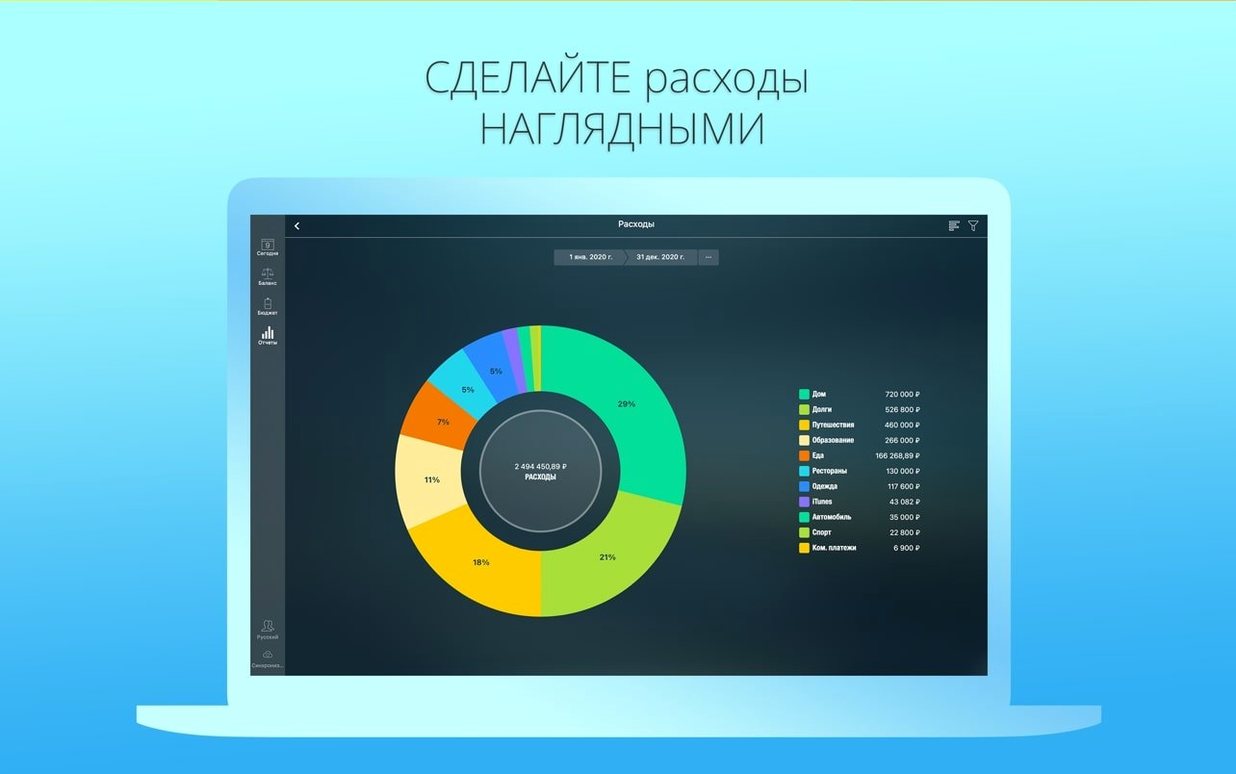
It builds reports for income, expenses, cash flow, net worth, and spending trends—broken down by day, month, or year so you can spot where the money actually goes.
Notes from the edit bay · 0
Sign in or get an edit-bay pass to leave a note.
No notes from the edit bay yet. They go up after I read them.