
Tuxera NTFS is the driver that gives macOS full read and write control over Windows-formatted drives. While your Mac can peek at files on an NTFS USB stick, it won't let you change a thing without help. Version 2023.1 keeps that bridge open and tidies up one timestamp quirk that's been bugging editors moving media between platforms.
- Fixed a bug where files copied to NTFS volumes got the wrong date or time stamps—critical when you're syncing project folders and need accurate modification times.
- Supports every external USB drive you formatted on a Windows machine, straight out of the box.
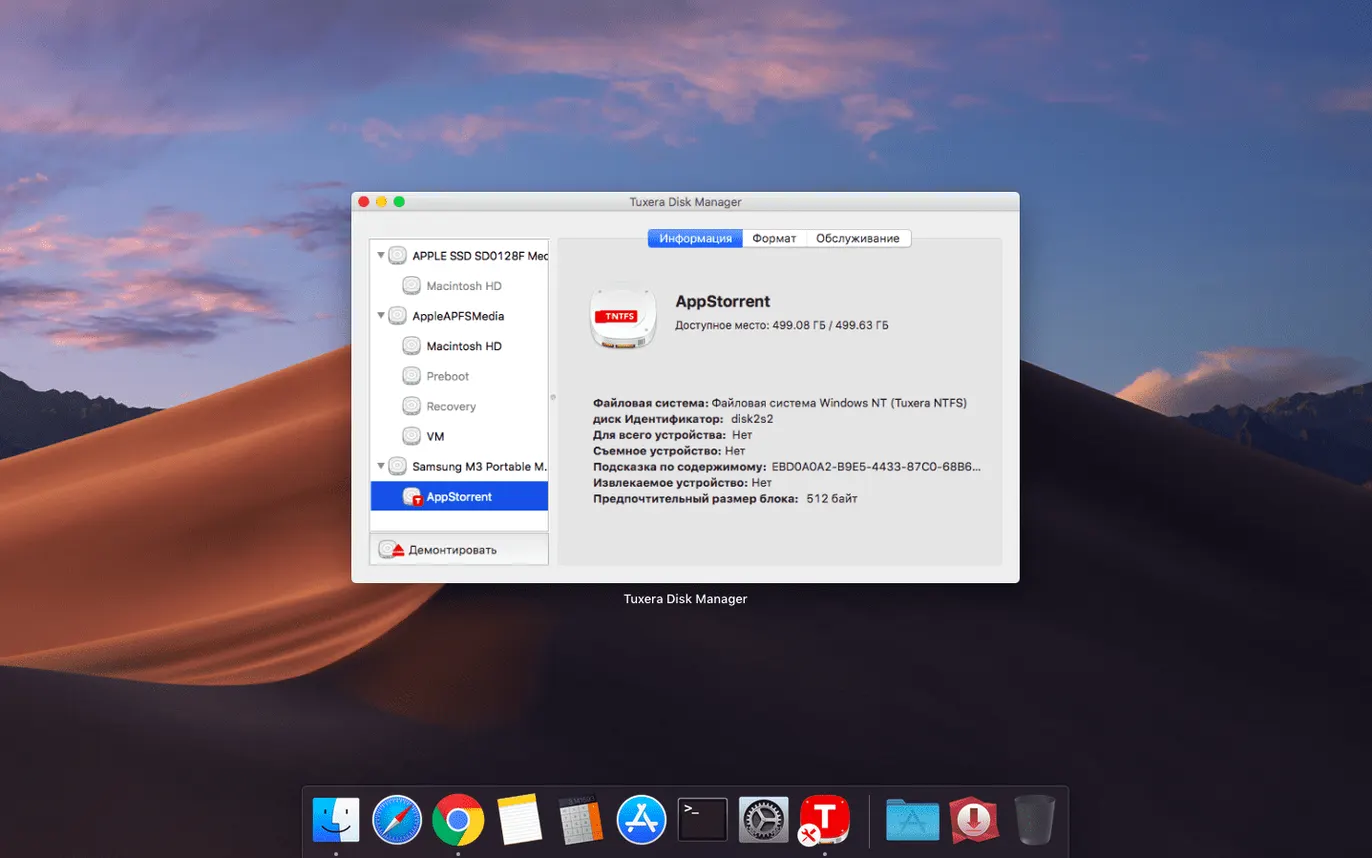
- Built-in tools to verify and repair NTFS volumes, so you can fix minor filesystem corruption without booting a PC.
- Handles the full set of file actions: open, edit, copy, move, delete—exactly what macOS refuses to do natively.
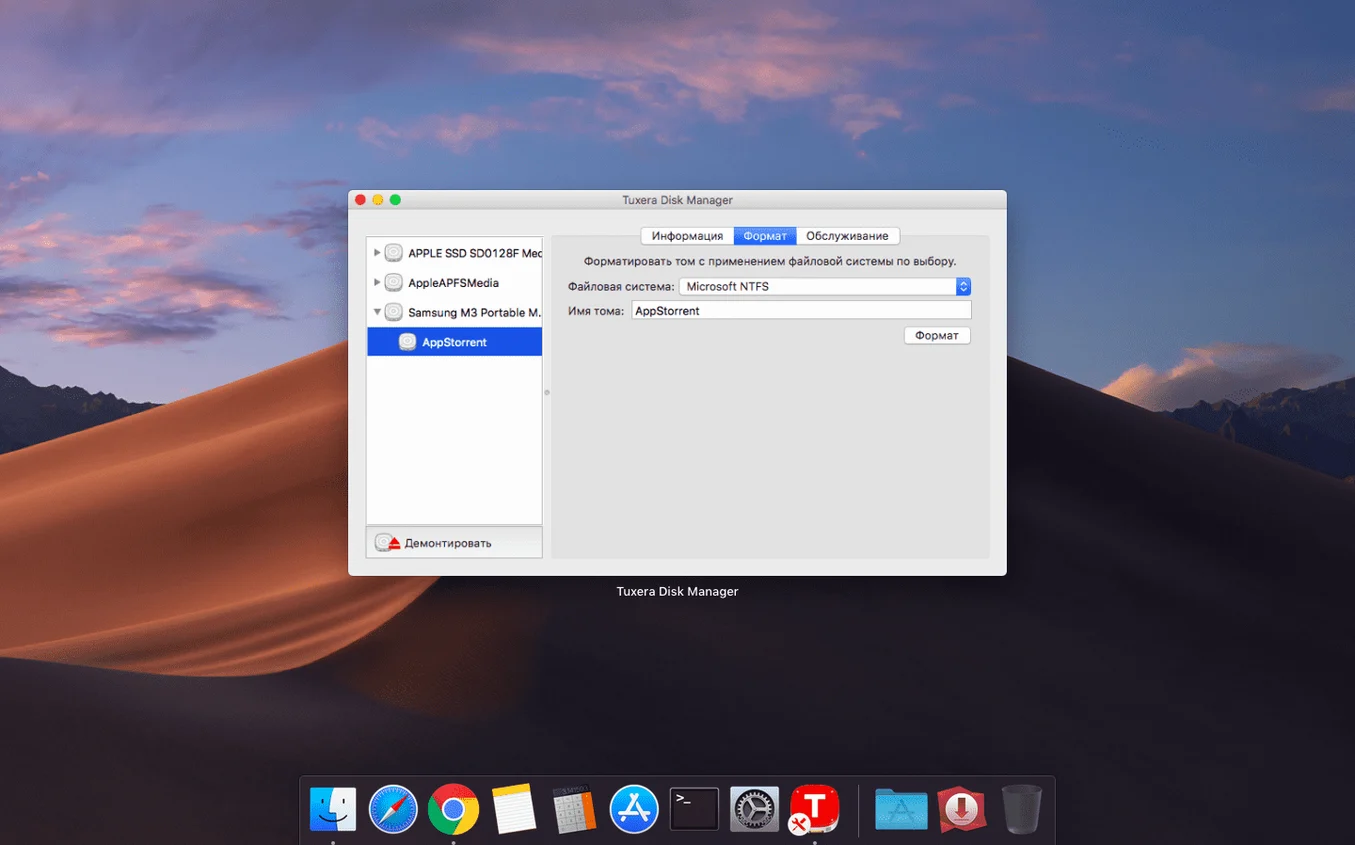
- Can create fresh NTFS volumes and disk images right from your Mac, handy for prepping drives for a Windows suite.
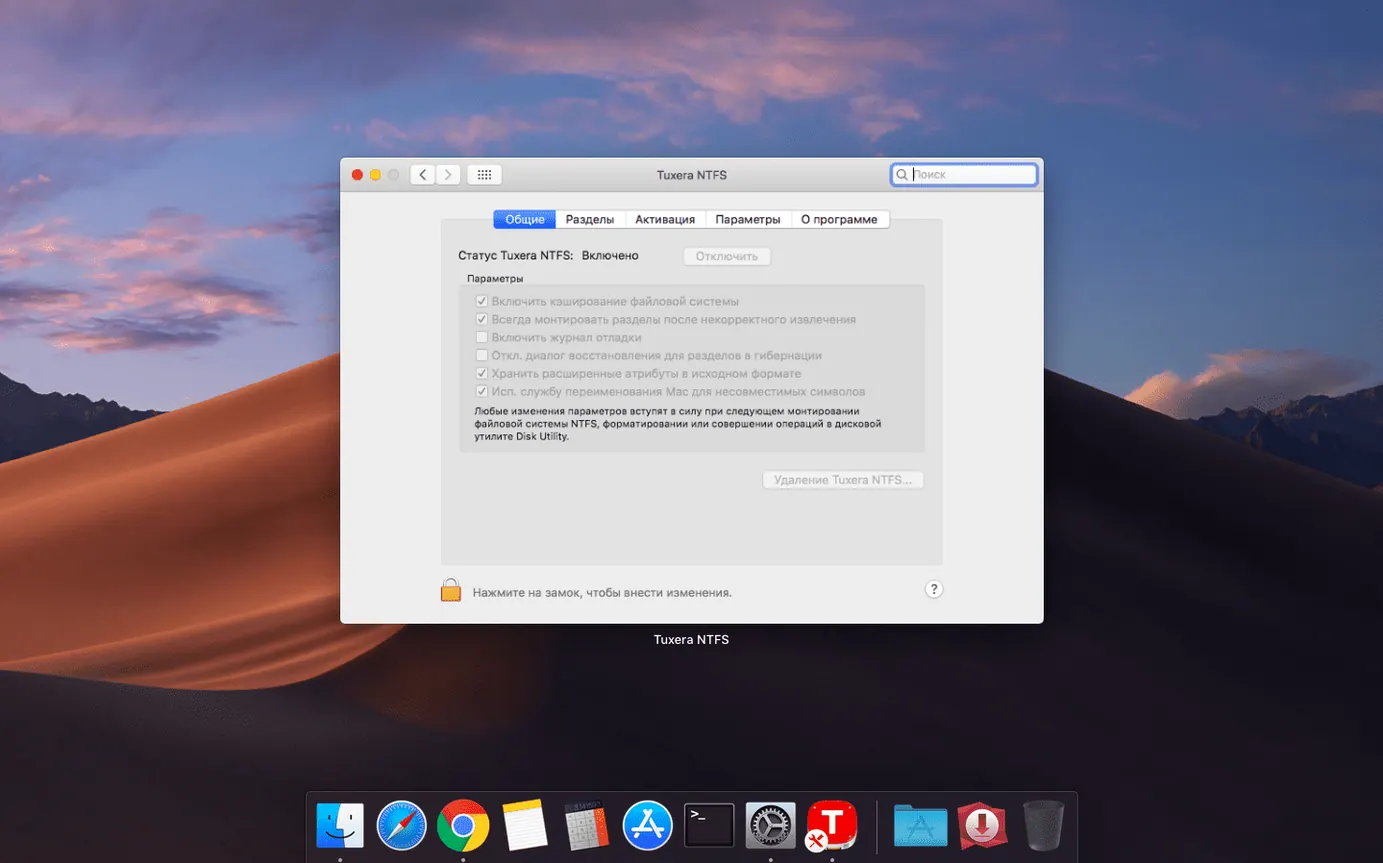
The installer adds a preference pane where it makes sense—System Settings on newer macOS, System Preferences on older builds. Once it's in place, NTFS drives mount like any other volume, and the driver steps in only when you actually write to disk. If your workflow bounces between a Mac edit bay and a Windows DIT station, that one timestamp fix makes 2023.1 the build to grab.
The Menu Bar Mount Status You’ll Actually Lean On
Most people install Tuxera, plug in a drive, and never look at the preference pane again. That works, but a handful of tucked-away touches make daily use smoother once you spot them.
Mount status lives in the menu bar. When you tick the "Show Tuxera NTFS in menu bar" option, you get a dropdown that lists every NTFS volume currently connected and whether it's read-only or writable. Clicking a drive name opens it in Finder. It's a small thing, but when you have three client drives daisy-chained off a hub and need to unmount the right one, that menu beats digging through Disk Utility. The icon itself changes subtly when a write operation is in progress—easy to miss, useful when you're waiting for a render to finish copying before you yank the cable.
Disk images don't get enough attention. From the Tuxera pane you can create a blank NTFS-formatted disk image in a few clicks. Set the size, pick a name, and you have a portable container that Windows machines read natively. I use this for sending rough cuts to producers who work on PC laptops. No partitioning, no reformatting external drives—just a .dmg-sized chunk of NTFS that mounts on both systems. The image behaves like any external volume: drag files in, eject when done, email or upload the image file.
Force-unmount has saved me more than once. If a drive refuses to eject because some background process is holding a file handle, the "Force Unmount" button in the Tuxera pane yanks it free. macOS's own eject gets timid about this; Tuxera just asks for confirmation and does it. The driver also caches less aggressively than some alternatives, so you're less likely to hit that "drive in use" wall in the first place.
Another quiet feature: per-volume write caching control. In the advanced section of the preference pane, you can toggle caching behavior per connected drive. Turn it off for a thumb drive you're constantly swapping between machines; leave it on for a desktop RAID where throughput matters. Most users never touch it, but if you're pushing large video files around, the difference in sustained write speed is real.
Make the Menu Bar Item a Permanent Shortcut
The out-of-the-box behavior is sensible—NTFS drives mount read-write, and the driver stays out of your way. Still, a few tweaks right after installation make the tool fit your muscle memory better.
Enable the menu bar item. Already mentioned, but it's the first checkbox I hit. The preference pane calls it "Show Tuxera NTFS in the menu bar." Tick it, and you'll wonder why you ever opened System Settings just to see what's mounted.
Turn off automatic disk repair prompts. By default, Tuxera offers to check and repair a volume whenever it detects a dirty filesystem. That's polite, but if you're moving fast on a deadline and know the drive is fine (Windows just didn't shut it down cleanly), the popup gets old. In the "Advanced" tab, uncheck "Automatically check and repair NTFS volumes on mount" to suppress it. You can still run a manual repair from the pane whenever you want.
Adjust the mount delay. Some external enclosures take a second to spin up. If Tuxera tries to mount too early, you get an error and have to replug the drive. The "Mount timeout" slider in Advanced pushes that window out by a few seconds. Set it to 5 seconds if you use older mechanical drives in USB 3.0 caddies; leave it at default for SSDs.
Switch language on the fly. Tuxera ships with nearly thirty localizations, and you can change the interface language from the preference pane dropdown without reinstalling. A tiny thing for English-only users, but if you're on a shared machine or prefer the driver in your native tongue, it's right there.
A Real-World Workflow: Ingesting Camera Footage from a Windows DIT Station
Here's a scenario I hit every few months. A shoot wraps and the DIT hands me a 2TB NTFS drive full of RED footage, organized in dated folders, with a Lightroom catalog for on-set stills and an Avid MediaFiles folder they prepped on a Windows laptop. I need to pull everything onto my Mac edit station, verify folder structures, and start transcoding without breaking their folder hierarchy.
First step: plug in the drive. With Tuxera installed, it mounts in Finder within seconds—no dialog boxes, no read-only warnings. I open the drive and immediately see the folder tree exactly as the DIT built it. The timestamp fix in version 2023.1 matters here: I'm sorting clips by modification date, and if those stamps were wrong, I'd be chasing my tail figuring out which take came last.
Copy, don't move. I drag the entire project folder to my local RAID. Because the driver handles sustained large-file writes without throttling, a 500GB transfer hums along at whatever speed the drive and bus allow. While it copies, the Tuxera menu bar icon shows the write activity—I know it's working without opening the copy progress window.
Spot-check with Quick Look. Once the copy finishes, I browse a few .R3D clips directly from the NTFS drive using Quick Look. The driver lets macOS read the files natively, so space-bar previews work as they would on any APFS volume. I confirm folder structure matches, then eject the drive (force-unmount if Finder is being stubborn about it).
Repair before returning. Before I hand the drive back, I plug it in one more time, open the Tuxera pane, and hit "Check." It scans the filesystem for inconsistencies introduced by the rapid copy session—rare, but it happens. A clean bill of health means the DIT won't curse my name when they plug it into their Windows machine. The whole process, from plug to verified eject, runs inside twenty minutes for half a terabyte.
Where Mounty’s Kernel Extension Falls Short
The Mac NTFS driver space isn't huge, but there are enough options that picking one means weighing tradeoffs. Here's how Tuxera sits next to three others you're likely to encounter when hunting down an ntfs mac torrent.
Mounty relies on macOS's own built-in NTFS support, which Apple keeps locked to read-only by default. Mounty flips a flag and remounts the volume as writable. It's free, it's tiny, and it works until it doesn't. The problem: Apple's NTFS code is old, incomplete, and has zero repair capability. Mounty will occasionally refuse to mount a drive or throw a kernel panic on eject. It's fine for quick-and-dirty file drops to a thumb drive. For anything involving large files, multiple enclosures, or drives that travel between machines, the gamble isn't worth it.
Paragon NTFS for Mac is Tuxera's direct competitor. Paragon's driver is fast, integrates cleanly, and includes similar verify-repair tools. The main difference comes down to caching behavior and stability under heavy load. In my experience, Tuxera handles interrupted connections more gracefully—if a drive loses power mid-write, Tuxera is less likely to leave the filesystem in a state that Windows chokes on later. Paragon sometimes writes metadata that triggers a Windows chkdsk on next boot. Tuxera's repair tool also runs faster on large volumes. On the flip side, Paragon's preference pane feels slightly more polished, and its menu bar integration shows transfer speeds live. Both do the core job well; the gap is in the edge cases.
NTFS-3G (often bundled via FUSE for macOS) is the open-source workhorse. It's free, it's capable, and it's painfully slow for sustained writes because it runs entirely in user space. Copying a 50GB video file over NTFS-3G can take twice as long as the same operation through Tuxera's kernel-level driver. NTFS-3G also doesn't include repair tools—if a volume gets corrupted, you need a Windows machine or a separate utility. For occasional small transfers, it's fine. For a working editor, the speed penalty alone rules it out.
When someone grabs a tuxera ntfs full release, they're paying with time saved: faster writes, fewer corrupted volumes, and native repair tools that keep a trip to the PC off the to-do list. The other options each serve a niche—Mounty for zero-cost simplicity, Paragon for a similar experience with different edge-case handling, NTFS-3G for the open-source purist who doesn't mind the wait. Tuxera's lane is the professional who needs the driver to be boring and reliable.
When Timestamps Drifted and Folder Trees Diverged
The 2023.1 release is a focused maintenance update, not a feature drop. The headline fix—incorrect timestamps on copied files—sounds minor until you've lost an afternoon reconciling two folder trees that should match. Prior builds would sometimes set the modification date to the moment of copy rather than preserving the original file's timestamp. For anyone syncing media, keeping versioned project files, or relying on date-sorted folders, that bug was a quiet source of chaos. With it fixed, copied folders behave identically on Mac and Windows.
Earlier releases in the 2022 cycle added native Apple Silicon support, which matters more than it sounds. Rosetta translation for kernel extensions was never an option—drivers need to run at the metal level. Tuxera's ARM-native build means M1, M2, and M3 machines get the full throughput of the driver without emulation overhead. In practice, that translates to sustained write speeds that saturate USB 3.2 Gen 2 on Apple Silicon Macs, something the Intel builds under Rosetta couldn't match. If you're on an M-series machine and using a version older than 2022, the upgrade to 2023.1 is a measurable speed bump, not just a compatibility checkbox.
The installer itself has been streamlined over the last few major versions. Where older builds required a trip to Security & Privacy to approve the kernel extension, current releases handle the approval prompt more gracefully and include clearer guidance if the extension gets blocked. It's still a macOS security hoop, but the on-screen instructions are actually useful now.
One under-the-hood change that crept in around 2022: better handling of NTFS alternate data streams. Some Windows backup utilities and file-tagging tools store metadata in ADS, and older Tuxera builds ignored or stripped that data on copy. Current versions preserve it, so if you're moving files that rely on Windows-side tagging, the round-trip survives intact.
One fix, but it matters when file metadata is part of your workflow. Tuxera NTFS 2023.1 corrects an issue where date and time stamps on files copied to NTFS volumes would show up wrong—no more mismatched creation or modification times when moving media between Mac and Windows.
Also fixed: minor under-the-hood stability improvements.
- macOS 10.9 or later
- Intel and Apple Silicon Macs
Questions I actually get
Can macOS write to NTFS drives without extra software?
No. macOS reads NTFS volumes but cannot edit, copy, move or delete files on them. You need a driver like Tuxera NTFS for full write access.
Notes from the edit bay · 0
Sign in or get an edit-bay pass to leave a note.
No notes from the edit bay yet. They go up after I read them.