Anyone who has pushed a high-ISO shot through Lightroom knows the built-in denoising can only take you so far before details turn to mush. That's the exact gap Topaz Photo steps into — it's a dedicated desktop app that strips away noise, sharpens soft focus, and scales up resolution with a focus on keeping faces and textures intact. The questions people tend to ask before installing it are practical ones, so here's what actually matters.
- Does it work with my camera? Version 1.7.0 added raw support for the Sony A7RV, A7RVI, and Alpha 9 III, alongside a long list of existing profiles.
- Will it run on my Mac? macOS 12 and later, with native support for both Intel 64-bit and Apple Silicon processors.
- Is it a plug-in or a standalone? It's a self-contained desktop app. You open an image, pick a processing model, and export — no host editor required.
- What does the AI actually do? The denoising module is trained to separate real image detail from noise, so you're not just blurring the problem away. The upscaling module increases actual pixel resolution, not just file size.
- What's the Wonder 3.5 model? A newly added enhancement model that ships with 1.7.0, tuned for more natural detail reconstruction.
If your workflow already covers color and exposure in your raw processor, this slots in as the step where you rescue a shot that's noisy, slightly soft, or needs to print at a size the sensor didn't capture.
Rescuing a High-ISO Wildlife Shot — Step by Step
A photo editor I work with regularly shoots birds at dawn. Light is dim, shutter speeds stay high, and ISO lives at 6400 or above. The raw files come in with fine feather detail buried under chroma noise. Here's how a single image moves through Topaz Photo without ever leaving the desktop.
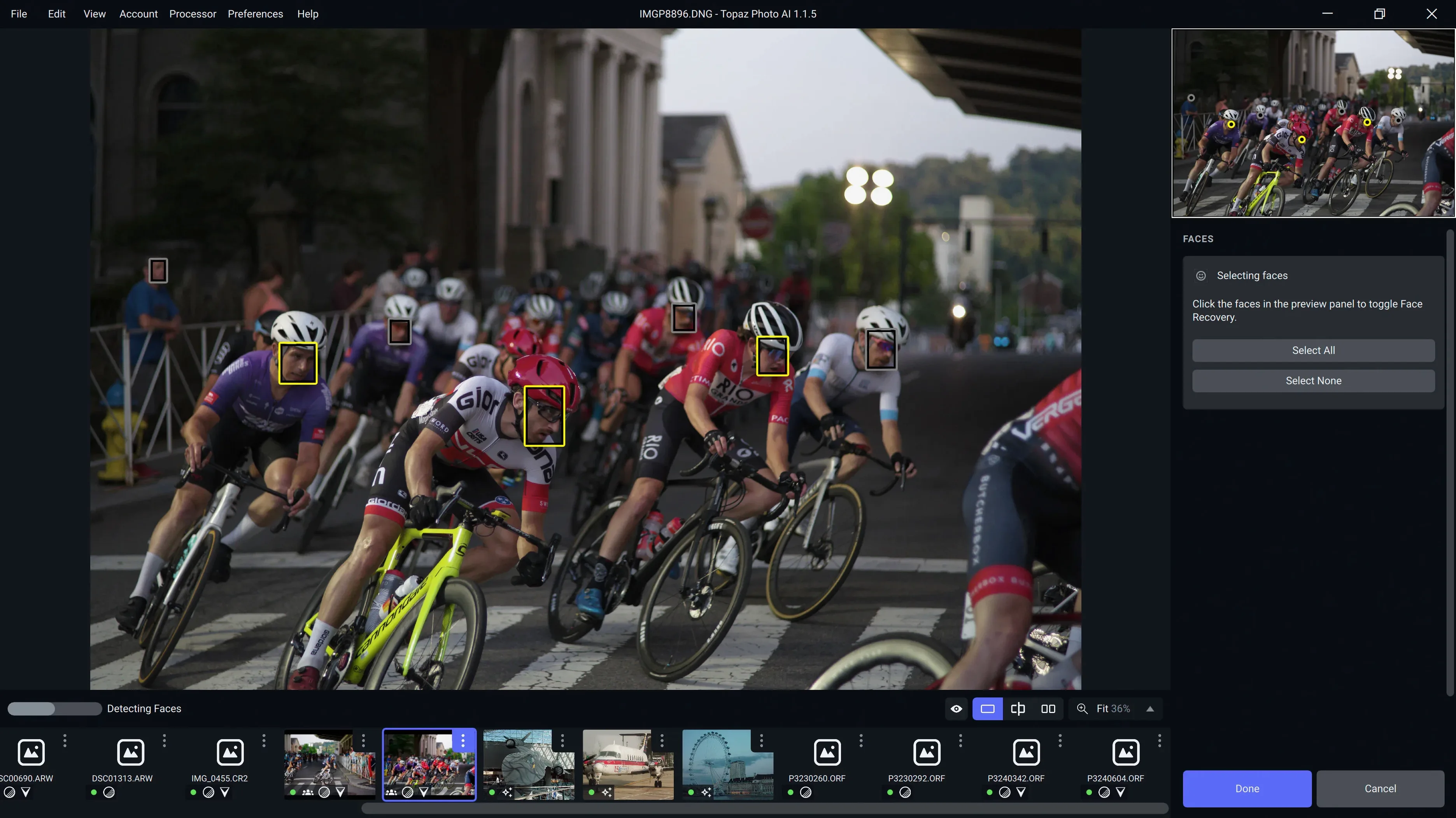
The shoot wraps and the card gets ingested into a folder. Open Topaz Photo, drag the raw file straight into the window — no pre-processing in another app. The default preview renders, and that's where the noise pattern becomes obvious.
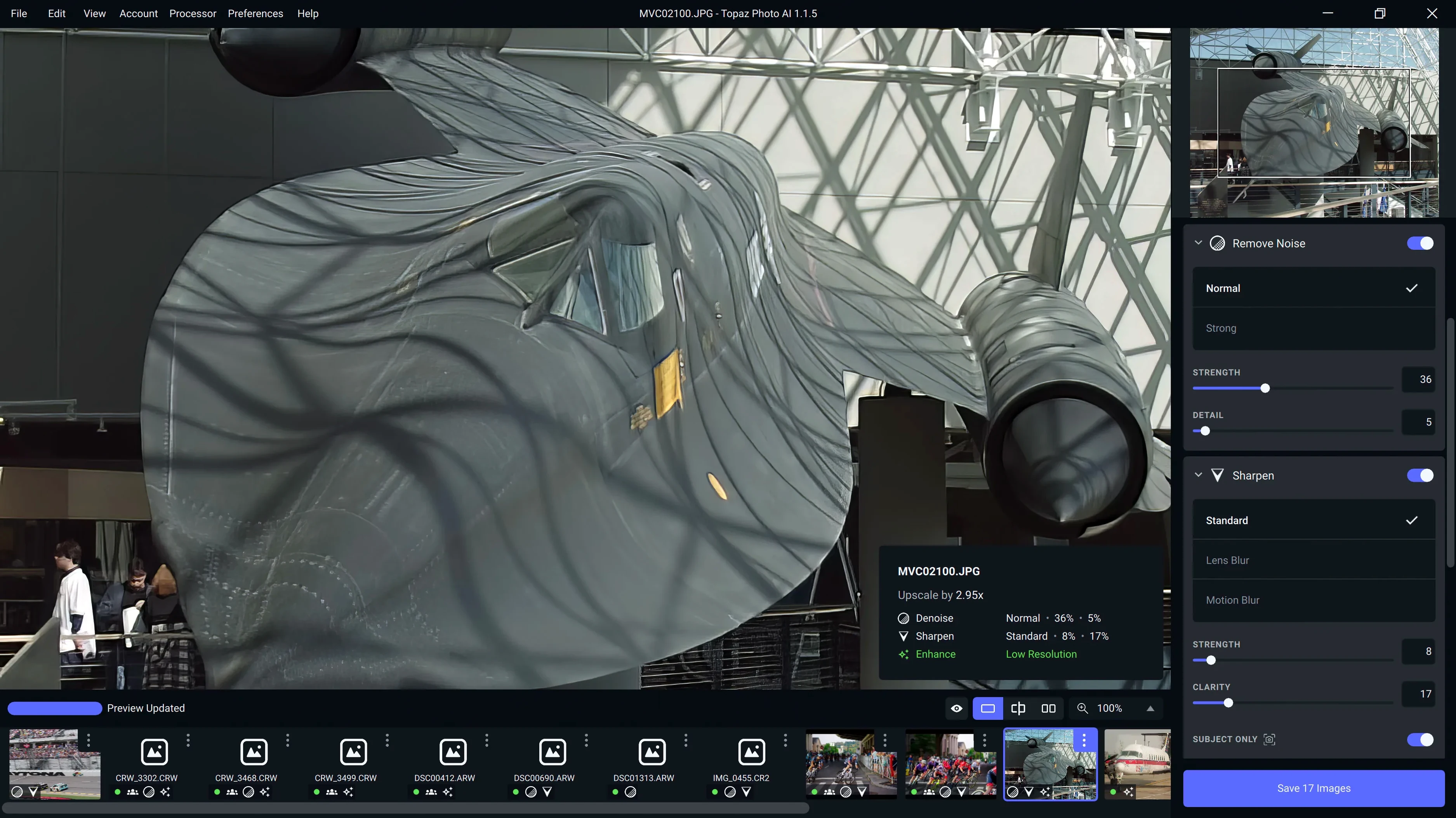
First move: switch the processing model to Denoise. The app analyzes the frame and suggests a strength; for this ISO, I usually nudge it down a few points to avoid that over-smoothed plastic look. The preview updates in a few seconds on an Apple Silicon Mac. Zoom into the eye of the bird — if the catchlight holds its shape and the feathers around it don't smear together, the setting is right.
Next, engage Sharpen. Not the generic sharpen slider you'd find in a raw converter — this one targets motion blur and slightly missed focus. On a handheld 600mm shot, even a monopod introduces micro-shake. The model detects the direction of blur and compensates. I keep the intensity moderate; the goal is crisp edges on the beak and wingtips, not halos.
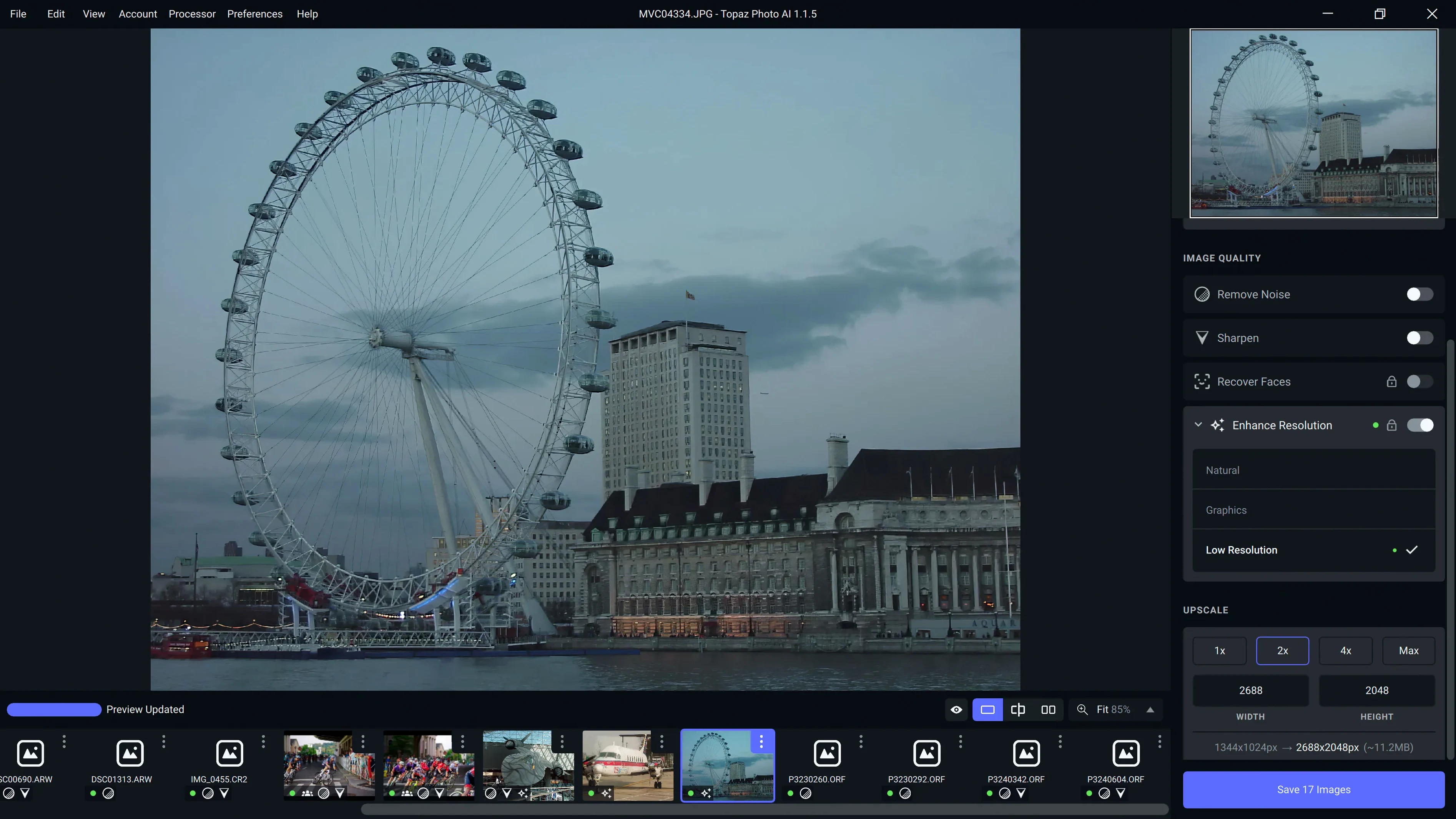
Finally, the image needs to run in a double-page spread, so resolution matters. Switch to Upscale and set the output to 2x the original dimensions. The Wonder 3.5 model handles the enlargement without introducing the waxy texture older upscalers produced. The app recalculates the pixel grid and fills in texture where the denoising might have softened things.
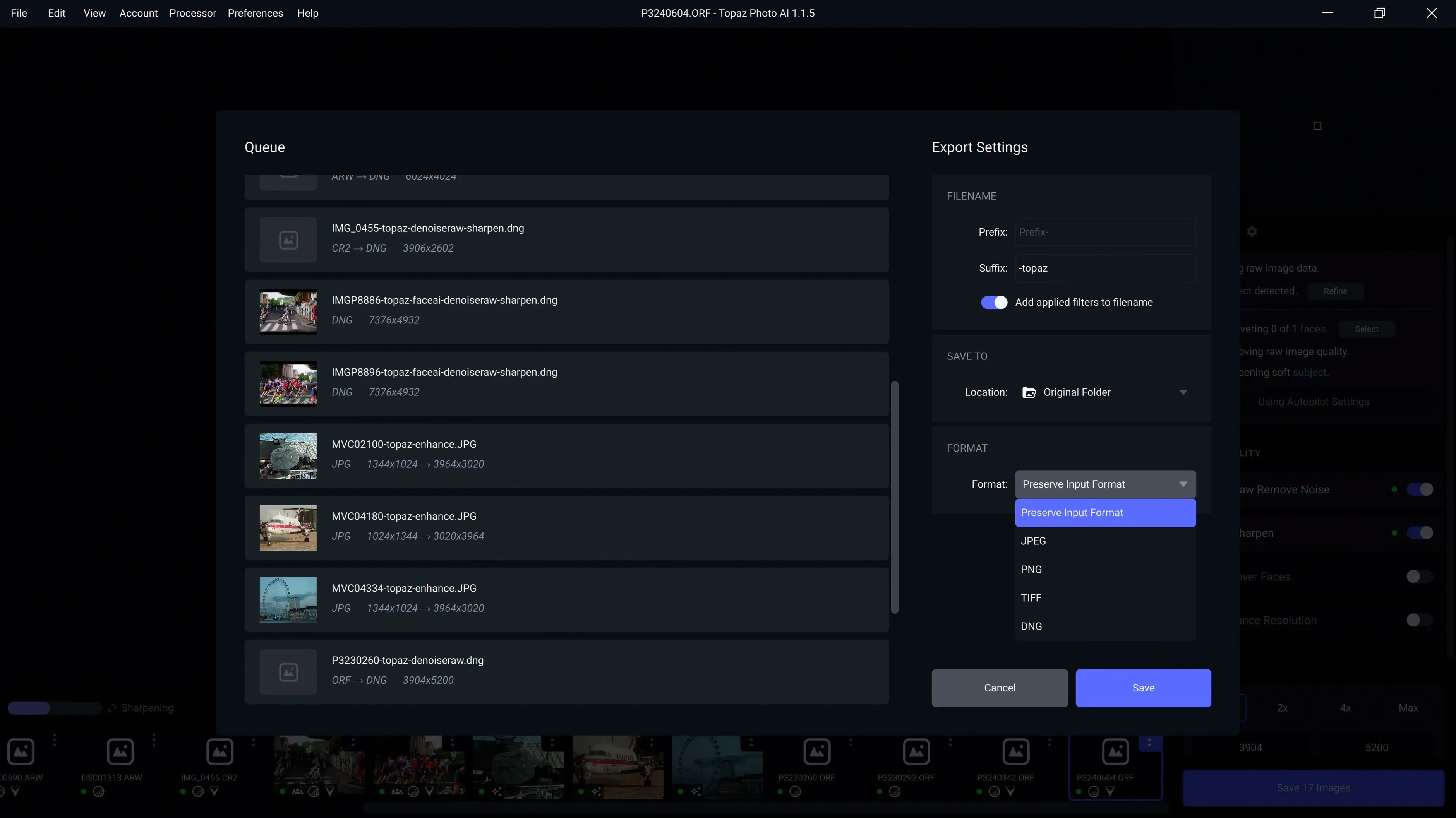
Export as a 16-bit TIFF with the color profile embedded. The file lands back in the project folder, ready for final toning in the editor's raw processor. Total time from drag-in to export: under four minutes. The alternative — stacking multiple frames or renting a faster lens — wasn't on the table that morning.
Friction Points After a Fresh Install
A few friction points come up often enough to be worth mentioning, especially when someone grabs a topaz photo mac full version and jumps straight in without reading the release notes.
Neuroserver output-size restriction is gone. Earlier builds capped output dimensions when using certain models; 1.7.0 removed that limit. If you're still seeing a size ceiling, you're not on the current version.
Raw support is model-specific, not universal. The app doesn't open every raw format equally well. Sony A7RV, A7RVI, and Alpha 9 III files are explicitly supported now, but an unsupported body may need a DNG conversion beforehand. The preview will look flat or posterized if the profile is missing.
Apple Silicon runs cooler, but batch processing adds up. A single image processes fast. Queue up 200 frames from a timelapse and the fans will eventually spin up. Close other GPU-heavy apps if you're working through a large batch — the neural engine shares resources.
Over-sharpening is the most common self-inflicted wound. The sharpening module is aggressive when cranked. If you see white outlines around high-contrast edges, back the strength off and re-render a small crop before committing to the full export.
Will It Replace Your Raw Processor?
Beyond spec sheets and feature lists, the questions that land in my inbox are about how the app actually fits into a working day. Here are the ones that repeat.
Does it replace my raw processor? No, and it shouldn't. Topaz Photo doesn't handle exposure, white balance, or color grading. It sits between the raw processor and the final output — a dedicated cleanup and enlargement stage. You still need your editor of choice for the creative decisions.
Can I use it without an internet connection? Once the models are downloaded, yes. The processing runs locally on your Mac. The app won't phone home mid-render, which matters if you're editing in a cabin with spotty Wi-Fi or just don't want uploads eating bandwidth.
How does it compare to the built-in tools in my editor? The difference shows up in the edge cases. Where a raw processor's denoising smears fine texture, Topaz Photo's model tries to reconstruct it. Where bicubic upscaling just interpolates pixels, the AI guesses at real detail. For a clean, low-ISO image that needs a slight bump in size, the built-in tools might be enough. For a noisy frame that needs to print large, the dedicated app pulls ahead.
Is the Wonder 3.5 model a big deal? It replaces the previous default for upscaling and denoising with better texture recovery. If you've been using the app for a while, you'll notice less of that over-processed, painterly look on skin and foliage. New users won't have the comparison point, but they get the better model from the start — no tweaking required.
The headliner here is the Wonder 3.5 model, which brings a noticeable refinement to detail reconstruction. The neuroserver output-size restriction is gone, so you're no longer capped on upscale dimensions. Raw support arrives for Sony A7RV, A7RVI, and Alpha 9 III shooters. Also fixed: a handful of lingering bugs.
- macOS 12 (Monterey) or later
- Apple Silicon or Intel 64-bit processor
Questions I actually get
What macOS version does Topaz Photo require?
It requires macOS 12 (Monterey) or later and runs natively on both Apple Silicon and Intel 64-bit Macs.
Can Topaz Photo increase the resolution of my images?
Yes, its AI upscaling module can increase the pixel dimensions of your photos, which is useful for large prints or cropping in tight.
Notes from the edit bay · 0
Sign in or get an edit-bay pass to leave a note.
No notes from the edit bay yet. They go up after I read them.