POPs are the perfect place to start. These new GPU-accelerated Point Operators let you generate and manipulate millions of particles instantly, so you’re making pictures before you’ve finished your coffee. TouchDesigner is a visual programming environment where you build both the logic and the interface by connecting nodes, and everything runs in real time. It talks to lighting desks, audio systems, MIDI controllers, and the web without missing a beat. If you’ve just downloaded a touch designer torrent and opened a blank canvas, here’s where to click first.
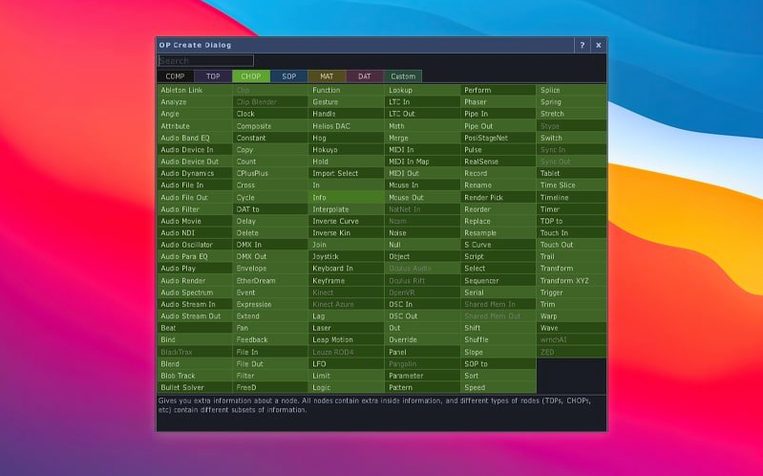
- Drag in a Sphere SOP and a Camera COMP. Right-click, add a Phong MAT, and hit 'H' to re-home the view. You’ve got a lit 3D object in seconds—no code, just wires.
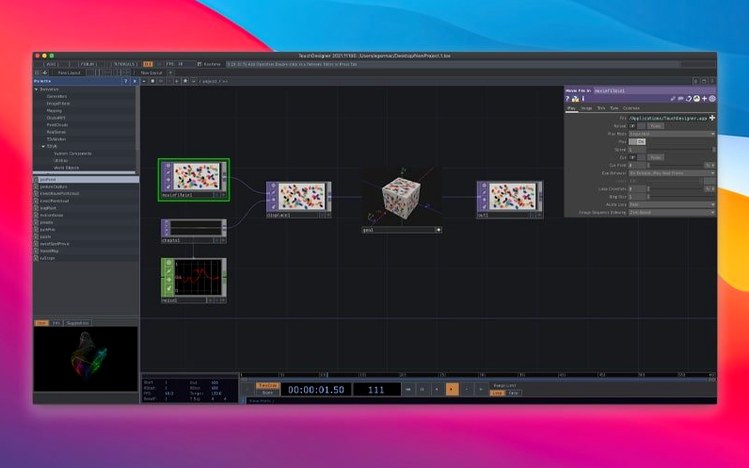
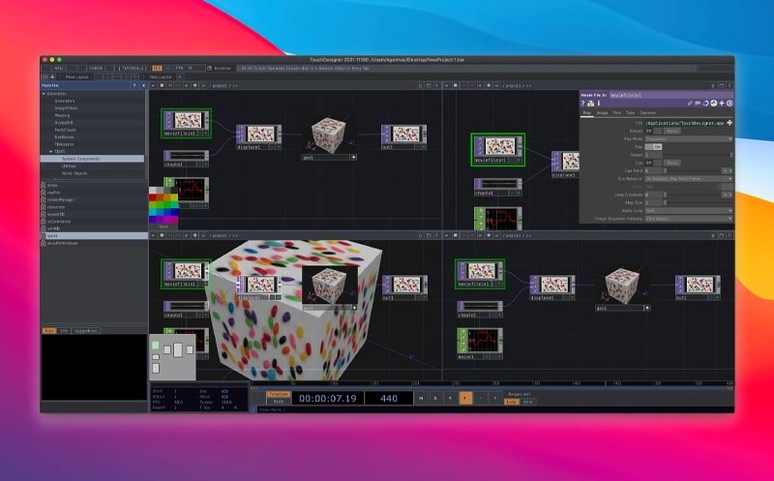
- Drop a Movie File In TOP onto the network. Connect it to a Level TOP and pull the black point until the shadows crush. Real-time compositing lives inside a single chain of operators.
- Create a Noise CHOP and wire it to the color parameter of a Constant TOP. The channels pulse, the pixels flicker—audio and motion data flow through the same pipes.
- Add a Geo COMP, dive inside, and wire a Particle SOP to a Render TOP. Watch the GPU throw thousands of points around. That’s the new particle system doing heavy lifting at 60 fps.
- Open the Palette, find the Kantan Mapper component, and drop in a test image. Warp the corners and you’re already doing basic projection mapping.
Everything you wire together can respond to an LFO, a web API, or a DMX board. The network is the application, and it’s all live. Mess around, break things, undo a few wires—you’ll find a workflow that sticks.
What Changed in 2025.31550 for Daily Work
The POPS family rewires how you think about 3D data. Before this release, manipulating point clouds meant routing through CHOPs and SOPs in ways that felt like translating between dialects. Now you grab a Point Generate POP, set the count to two million, and watch the GPU shoulder the load without a stutter. The operator family includes tools for noise displacement, attribute transfer, and point grouping—all running on the graphics card, all wired directly into your render pipeline.
Most TOPs now handle 3D textures and 2D arrays natively. That means a GLSL TOP can sample a volume of pixels without custom hacks, and a Movie File In TOP can push layered EXR sequences straight into a material. If you build real-time compositing chains, you'll notice the difference the first time you stack sixteen render passes and scrub the timeline without a cache flush.
Also fixed: the Orbbec SDK bumped to 1.10.16, and the Kinect Azure wrapper moved to 1.10.3. For anyone running depth cameras on Intel-based Macs, Orbbec support now actually works—no more fumbling with boot camp or a borrowed Windows laptop.
Mistakes Beginners Make
Cooking everything at once. TouchDesigner recalculates every node in a chain unless you tell it to stop. New users wire a particle system into a blur into a feedback loop and wonder why the fan kicks in. Right-click any operator and set its cook flag to Off when you're not actively tuning it. Your GPU will thank you.
Ignoring the viewer active status. A panel in the corner you haven't looked at in an hour is still rendering at full resolution. Click the blue dot in the top-left of any viewer to deactivate it. Simple habit, massive performance win.
Fighting the network instead of using it. People who come from After Effects try to do everything in one chain. TouchDesigner rewards splitting logic across branches—send your MIDI parsing left, your audio analysis right, and bring them together only where they actually interact. The wires are free.
Overlooking the Palette. The browser's built-in library has components for UI panels, timeline control, VR tracking, and projection mapping that would take a week to build from scratch. You don't need to wire a Kantan Mapper from first principles; drag it in and move on.
A Working Session with a TouchDesigner Pro Setup
It's 9:30 PM and the venue doors open at 8 tomorrow. You've got a touchdesigner pro mac build running on an Intel MacBook, a projector pointed at a concrete wall, and a lighting desk spitting Art-Net. The brief says reactive visuals that pulse with the kick drum and warp across the surface geometry.
You open a blank project and drop a Movie File In TOP pointed at a folder of monochrome textures. Next to it, an Audio Device In CHOP grabs the house mix from an aggregate USB interface. You wire the audio into an Audio Analysis CHOP, pull the bass kick channel, and drag it onto the scale parameter of a Transform TOP. The textures breathe with the beat immediately.
Now the projection mapping. You pull the Kantan Mapper from the Palette, route your composited TOP chain through it, and click the output to a Window COMP set to the projector's resolution. Ten minutes of corner-pinning against the wall geometry and the image sits flush across the concrete. You group the mapper and the content chain into a Container COMP and duplicate it three times for three surfaces.
A LFO CHOP modulates the hue of each copy at a different frequency. The left wall shifts warm, the right wall cool, the center wall flickers with the snare. You wire an OSC In CHOP to a phone running a touch controller, map the XY pad to the distortion amount on a Displace TOP, and hand the phone to the artist. They swipe and the video tears apart in real time.
Hour and a half, no code written, everything wired. You save the .toe file, close the lid, and walk into load-in with a project file and zero regrets.
How It Compares with Similar Mac Apps
TouchDesigner vs. VDMX. VDMX is a VJ mixer that rewards fast clip-triggering and parameter tweaking during a set. TouchDesigner is a full programming environment. If you need to build custom generative algorithms, handle 3D particles, or talk to a dozen hardware protocols simultaneously, VDMX will feel like a controller with its hands tied. If you just need to crossfade video layers with a MIDI knob, TouchDesigner is overkill. Different tools, different depth.
TouchDesigner vs. Resolume Arena. Resolume is the club-standard playback engine: load clips, set cue points, fire them. It does projection mapping well and its effects stack is immediate. TouchDesigner can do everything Resolume can, but you build the playback engine yourself. The trade-off is total control. A Resolume setup is ready in five minutes; a TouchDesigner setup can become a custom show-control system that runs an entire venue.
TouchDesigner vs. Quartz Composer. Quartz Composer was Apple's node-based visual programming tool, long abandoned but still remembered fondly. TouchDesigner picks up where QC left off and runs further—real 3D, proper Python scripting, hardware I/O, and active development. If you miss the QC workflow and want something that actually renders on modern macOS without hacks, a touchdesigner pro download lands you there, with a live community still shipping patches.
Point Operators (POPs) arrive on the GPU, turning particle generation and 3D data manipulation into a real-time playground. Most TOPs now handle 3D textures and 2D arrays natively, so volumetric work fits right into your compositing chain. The Orbbec SDK jumps to 1.10.16 and picks up Intel Mac support, too.
- macOS 10.14 or later
- Intel-based Mac
Notes from the edit bay · 0
Sign in or get an edit-bay pass to leave a note.
No notes from the edit bay yet. They go up after I read them.