
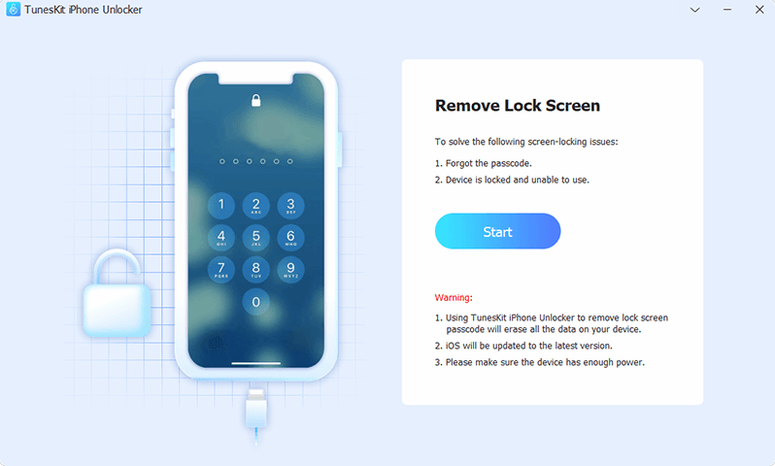
Version 2.7.0.16 runs on Macs all the way back to OS X 10.11, and it targets one thing: a screen you can't get past. Whether the digits are lost after too many failed attempts or the display itself is smashed and unresponsive, this app steps in when Face ID and touch input give up.
Locked-Out, Broken-Screen, or Disabled-Device Recovery
- Removing a forgotten passcode from an iPhone or iPad when you're locked out completely.
- Dealing with a broken or non-responsive screen where entering a code isn't physically possible.
- Recovering access to a disabled iOS device after repeated wrong passcode entries.
- Working with iPod touch in the same dead-end scenarios.
Intel-Mac-Only Tool That Needs a Wired Link
- The app is built for Intel Macs only; there's no native Apple Silicon version listed.
- It requires a connection to your Mac and follows its own process—this isn't a one-tap fix on the device itself.
- Interface language is English, with no other localizations in the current build.
Reviving a Disabled iPhone 8 With a Timer on the Screen
I had a friend's iPhone 8 on my desk—disabled, a white screen with a timer counting down the minutes. Too many wrong passcode guesses. No backup, no iCloud unlock option that didn't want the old code anyway. The phone was a brick with a battery.
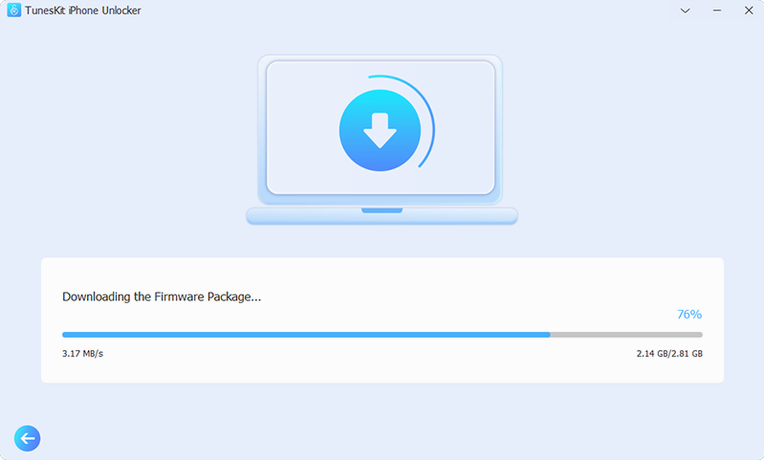
I connected it to my Mac, launched TunesKit iPhone Unlocker, and the interface threw four modes at me. I picked Unlock Screen Passcode. The app paused, then pushed a prompt: download the firmware package. That's always the moment of truth—the progress bar crawled while it grabbed a 5 GB IPSW from Apple's servers. Ten minutes on my connection.
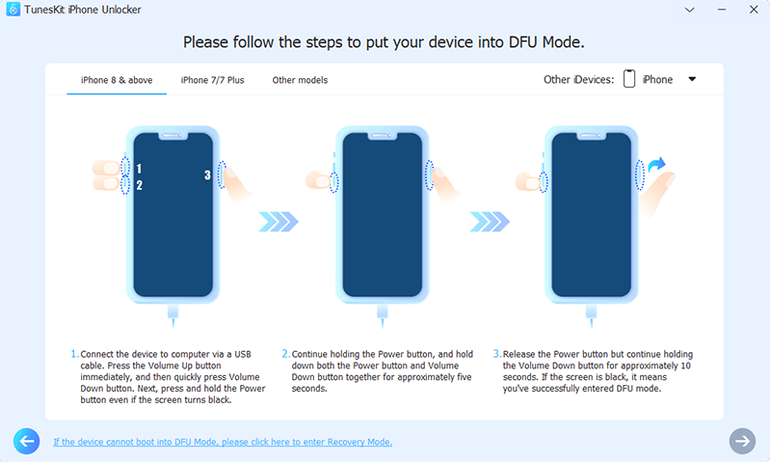
Once the firmware landed, the app verified it and asked me to put the iPhone into recovery mode. The on-screen guide walked me through the button sequence—hold Side, don't release Volume Down, that dance. The screen went black, an iTunes cable icon appeared, and TunesKit detected it immediately. I clicked Start Unlock.
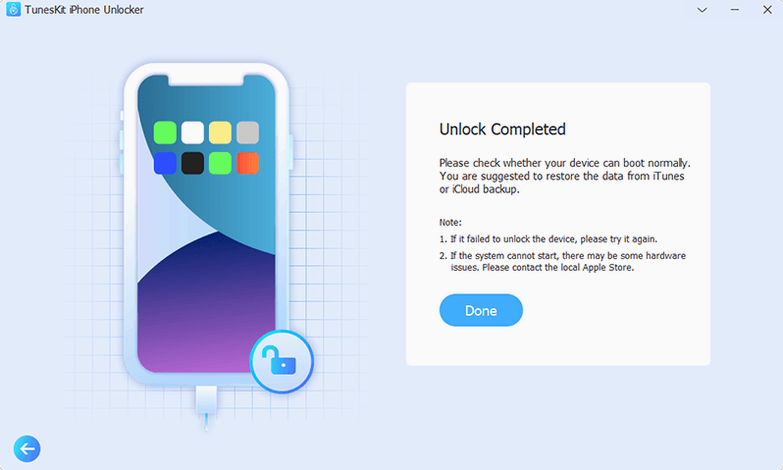
The app printed a few status lines—extracting firmware, patching the restore image—then the phone rebooted with an Apple logo and a progress bar. It took six minutes. When it finished, the setup screen appeared. No passcode. The phone was empty, sure, but it was a phone again, not a paperweight.
Right after that I ran the Remove Apple ID routine on an old iPad Air a colleague had bought second-hand and couldn't activate. The app recognized the iPad, downloaded a different firmware build, and stripped the previous owner's account. That one needed a couple of tries—first attempt the iPad kicked out of recovery mode—but the second run held.
The Crack-Seeker’s Alternative: iMyFone LockWiper vs. the Rest
Three names come up when you search for a TunesKit iPhone Unlocker crack or a TunesKit iPhone Unlocker full version free download, and they're not all the same tool.
iMyFone LockWiper matches the feature sheet closely—passcode removal, Apple ID wipe, MDM bypass. Where it pulls ahead is the interface polish; LockWiper's progress indicators feel more granular, and it handles the recovery-mode timing with fewer user retries. But it dropped support for older macOS versions faster. TunesKit 2.7.0.16 still runs on OS X 10.11, which matters if your production machine is a cheese-grater Mac Pro that never saw Sierra.
Tenorshare 4uKey adds a "remove SIM lock" claim on some carriers, which TunesKit doesn't touch. On the flip side, its Apple ID removal can stall on two-factor accounts; I've watched it loop the "trust this computer" prompt. TunesKit's Apple ID wipe worked on the first firmware flash for me more often, though both apps need a clean DFU or recovery-mode handshake to get started.
iToolab UnlockGo is the lightweight option—fast install, smaller firmware downloads for some models. The trade-off is device support: its activation lock removal stops at the iPhone X and a narrower iOS range. TunesKit covers the same iPhone 5s through iPhone X window for activation lock, but the iOS range goes to 16.7.15, so a few more point releases are in play. If you're looking at a tuneskit torrent and wondering whether the activation lock feature works on a specific handset, check that iOS version before anything else.
None of these tools are magic. They all wipe the device during passcode removal—it's how the restore process works, not a limitation of the app. The difference is which one gets through the firmware download and the recovery-mode handshake with the fewest hiccups on your particular Mac.
Beginner Pitfalls
The number one mistake: skipping the Gatekeeper step. The installer tells you to run Open Gatekeeper friendly and press Enter in Terminal, but people double-click the app, see the "unidentified developer" warning, and assume the download is dead. It's not. Run that script, then launch the app. The TNT build works only after the Terminal command clears the quarantine flag.
Second mistake: yanking the cable during the firmware flash. The progress bar looks stuck at 40% for three or four minutes—that's normal. The app is writing to the device's NAND at that stage, and disconnecting mid-write can leave the phone in a deeper recovery loop. Wait it out.
Third: choosing the wrong unlock mode. If the phone is disabled from passcode attempts, you want Unlock Screen Passcode, not Remove Apple ID. The Apple ID mode expects a device that's already at the home screen but tied to an unknown account. I've seen people run the wrong routine, download the wrong firmware, and wonder why the passcode is still there. Match the mode to the actual problem.
Fourth: not disabling Find My iPhone beforehand. For Apple ID removal, the app needs Find My turned off. If you can't turn it off because you don't have the password, the tool will attempt it anyway, but success rates drop. If you can disable it from another device on the same account, do it before starting.
A Repair Shop's Afternoon
Think of a mall kiosk that fixes screens and swaps batteries. They see three or four locked iPhones a week—customers who forgot their code after a screen replacement, parents whose kids entered the wrong digits until the phone disabled itself, a used iPhone bought online still glued to the seller's Apple ID.
The tech keeps a 2015 MacBook Pro on the bench, the one still running El Capitan, because half the diagnostic tools in the shop don't need anything newer. A TunesKit iPhone Unlocker crack download lives on that machine alongside a handful of other utilities. When a locked iPhone X comes in—Find My still on, activation lock staring from the setup screen—the tech connects it, picks Remove Apple ID, and lets the firmware download run while they do a battery swap on a Galaxy S10.
The download finishes, the device reboots, and the activation lock is gone. The phone still needs to be set up as new, but the kiosk can now resell it or hand it back to a relieved owner. That one Mac, stuck on an old OS for compatibility reasons, keeps earning its keep because this build of TunesKit doesn't demand the latest macOS. The tech doesn't care about a slick UI. They care about a tool that finishes while they're working on the next repair.
- OS X 10.11 or later
- Intel x86 64-bit processor
Notes from the edit bay · 0
Sign in or get an edit-bay pass to leave a note.
No notes from the edit bay yet. They go up after I read them.